


.png)


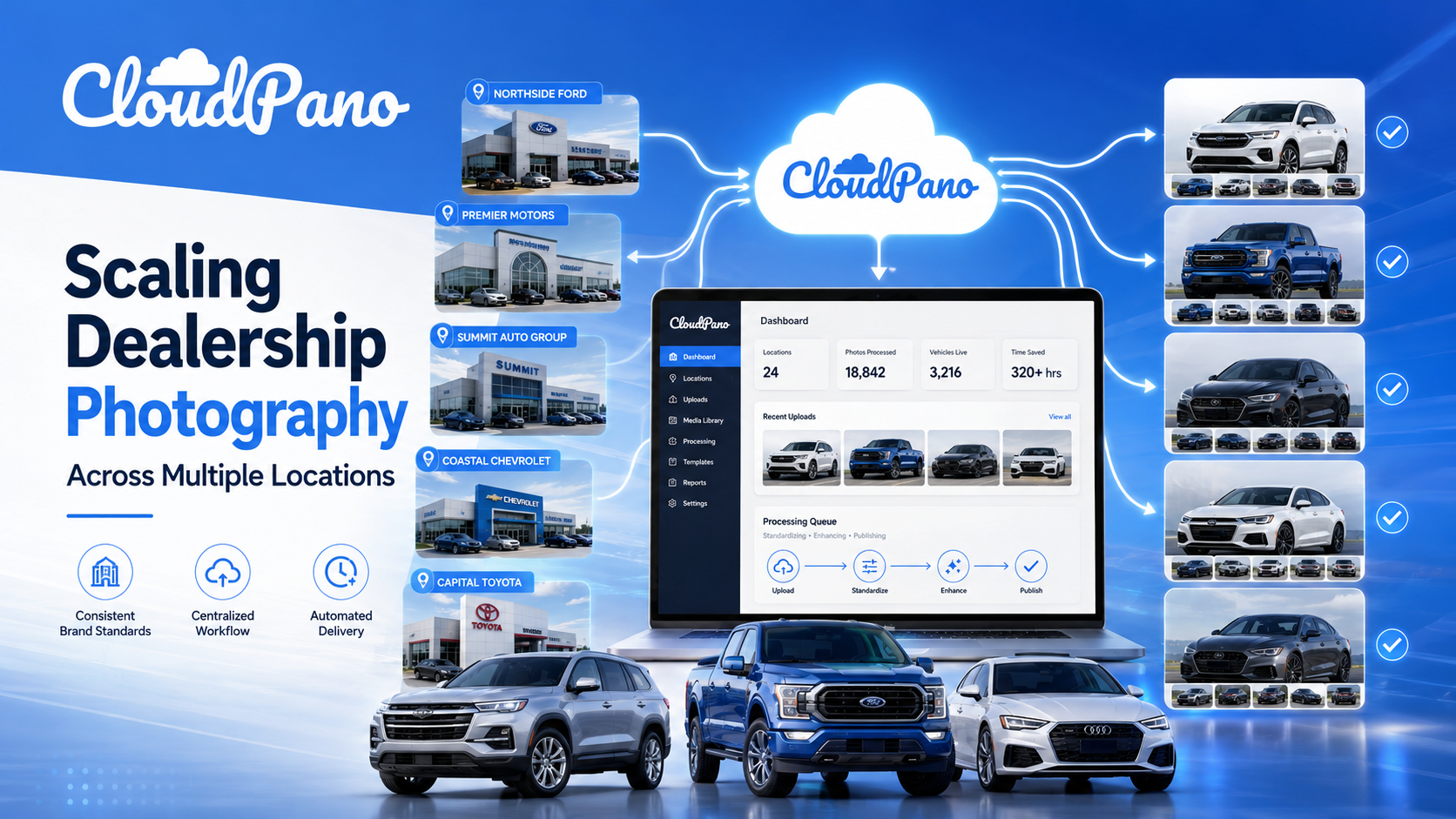
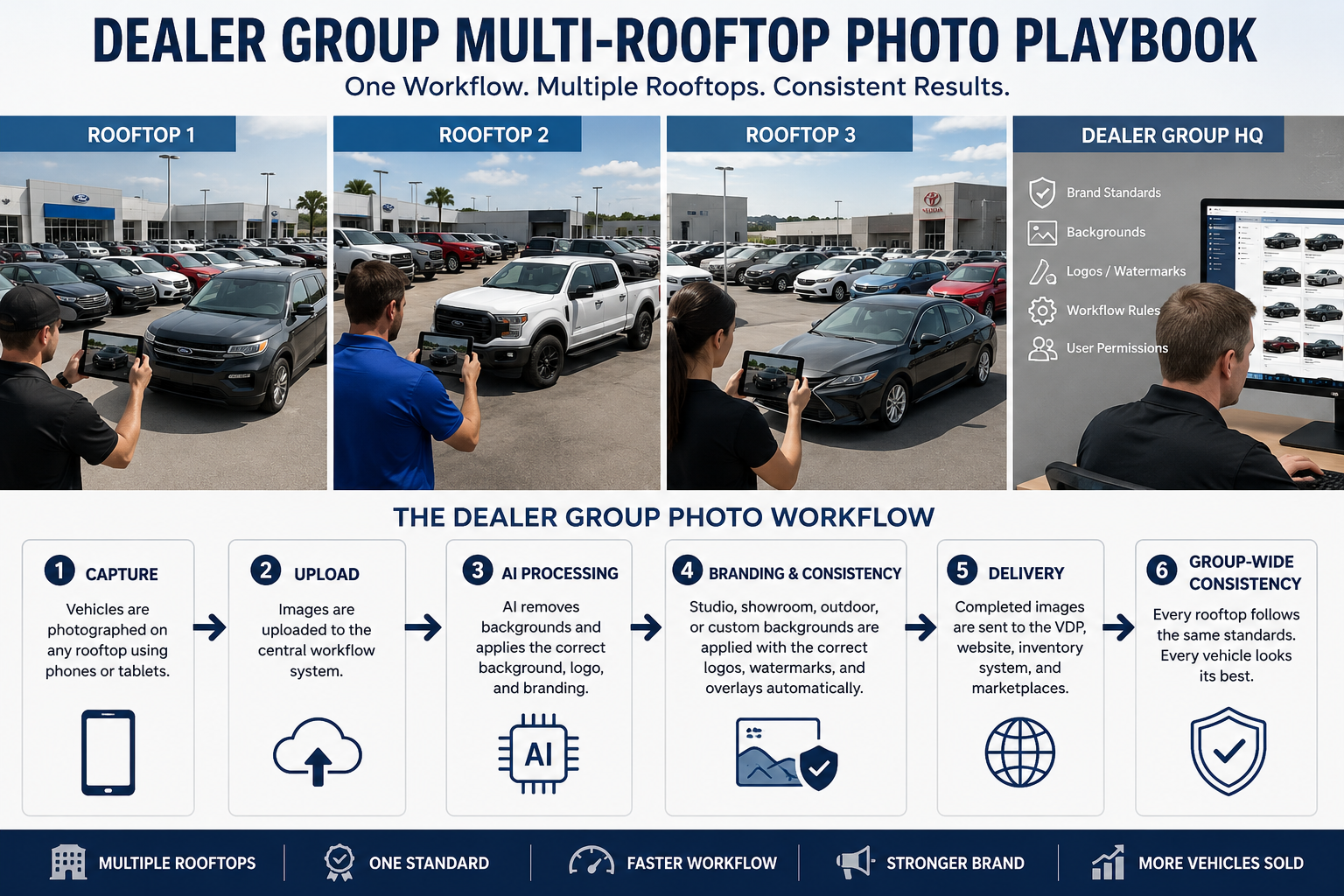
Vehicle photography gets complicated quickly once a dealership moves beyond a single controlled photo area.
Cars may be photographed on crowded lots, beside other inventory, near service bays, against distracting buildings, under overcast skies, or in completely different lighting conditions from one day to the next. Multiply those inconsistencies across several rooftops, multiple photographers, and hundreds of vehicles, and maintaining a recognizable merchandising standard becomes difficult.
Traditionally, dealerships have addressed this with dedicated photo booths, controlled photography areas, outsourced editing, or employees manually cleaning images in Photoshop.
AI automotive background removal software creates another option: keep much of the existing capture process while automating the cleanup, background replacement, and branding afterward.
For a dealer group, however, choosing software should not be based on whichever provider produces the most impressive demo image. The right dealer group photo workflow needs to work with the photographs employees actually take, the volume the group actually processes, and the systems that ultimately publish those images.
This playbook explains what to evaluate.
Before comparing platforms, document the actual photography workflow.
Ask:
Volume changes the answer dramatically.
A dealership selling 50 vehicles per month might be perfectly comfortable uploading photographs manually. A 20-rooftop dealer group processing thousands of vehicles needs to think about batch operations, automation, inventory matching, standardized branding, permissions, and failure recovery.
That distinction should shape the entire buying decision.
Removing a vehicle background is more difficult than cutting a rectangular ecommerce product from a white tabletop.
Automotive images contain difficult edges and surfaces, including:
Windows are particularly important. Software needs to understand the difference between the vehicle itself, reflections on the glass, and scenery visible through the windows.
Do not judge a platform entirely from hand-selected website examples.
Upload photographs from your own stores.
Test a black SUV photographed under shade. Test a white truck against an overexposed sky. Test vehicles parked near other vehicles. Include roof racks, open truck beds, complex wheels, and awkward dealership environments.
The purpose of testing is not to discover whether AI can produce one impressive photograph. It is to determine how consistently it performs across normal dealership inventory.
Background removal and background replacement are two separate problems.
A platform can accurately isolate a vehicle and still produce an unnatural final image.
Evaluate support for:
Then examine whether the vehicle actually belongs in the replacement environment.
Look at the tires and contact points with the ground. Review shadows. Check scale and perspective. Make sure the vehicle does not appear to be floating or pasted onto another photograph.
AutoBackgrounding, for example, currently advertises studio, showroom, outdoor, custom, and white-background options as well as reference-image support.
Regardless of provider, test those features with real inventory images before standardizing the workflow.
This is where many otherwise useful photo tools become operationally difficult.
Consider a dealership photographing:
40 photos × 100 vehicles = 4,000 images
If employees must upload, configure, process, and download those photographs one at a time, automation has simply replaced one repetitive task with another.
A scalable dealer group photo workflow should provide some combination of:
For multi-rooftop operations, consistency is just as important as speed. Employees should not have to recreate the dealership's preferred background, logo placement, export settings, and image treatment for every vehicle.
AutoBackgrounding is a useful real-world example because its current Bulk Business offering includes bulk processing, multiple-image uploads, batch-processing support, and advanced export options. The website also specifically positions the platform for processing automotive images at higher volume.
The broader buying lesson is simple: test the batch workflow, not merely the image editor.
Vehicle photography is part of the dealership's digital storefront.
Look for support for:
This becomes especially important for dealer groups.
A group may want one overall photography standard while maintaining a different logo, background, or watermark for each rooftop.
Ideally, employees should not have to manually remember those rules. The workflow itself should enforce them.
AutoBackgrounding currently advertises custom backgrounds, dealership logo support, watermarks, and branding customization.
When comparing providers, ask whether branding can be saved and applied consistently in bulk rather than added manually after processing.
A photograph that looks acceptable as a small inventory thumbnail may look much worse when opened inside a full-screen VDP gallery.
Resolution affects:
Buyers should also understand how resolution affects usage costs.
On AutoBackgrounding's current standard software pricing, Professional and Bulk Business plans distinguish between 1K AI swaps at one credit and 4K swaps at two credits.
That means a dealer group should calculate consumption based on its actual export requirements rather than simply looking at the number of included credits.
Pricing and credit rules can change, so verify the current structure directly on the AutoBackgrounding pricing page before selecting a plan.
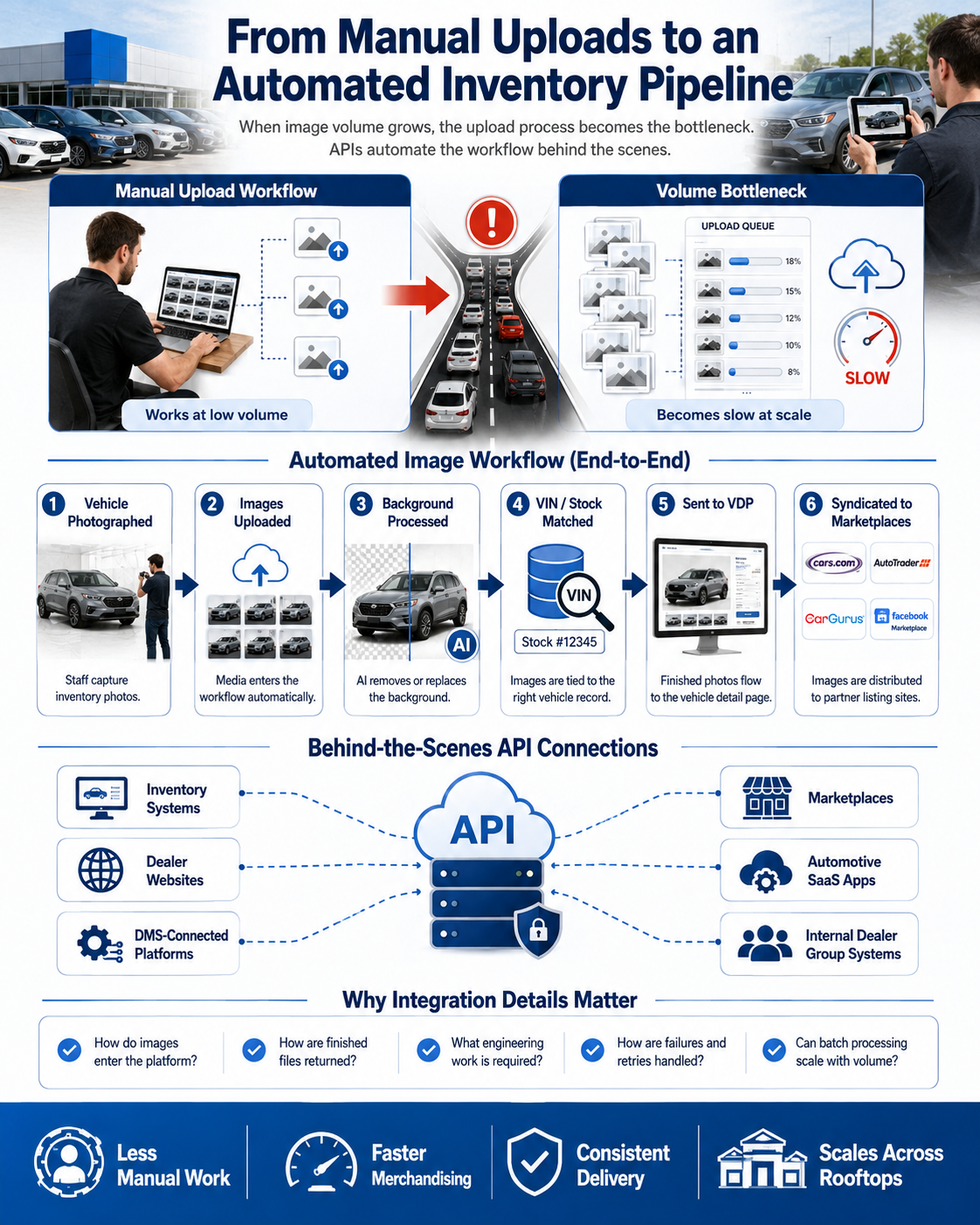
Manual uploads can work surprisingly well until volume reaches a certain point.
Eventually, the upload itself becomes the bottleneck.
For dealer groups, automotive marketplaces, website providers, and SaaS companies, an API can turn image editing into part of the inventory pipeline.
A more automated workflow might look like this:
Vehicle photographed
↓
Images uploaded
↓
Background automatically processed
↓
VIN or stock record matched
↓
Finished images sent to VDP
↓
Images syndicated to marketplaces
Instead of asking employees to operate another piece of software, background processing happens behind the scenes.
Potential connections include:
AutoBackgrounding currently lists API access, website integration, and inventory-management-system integration within its Enterprise offering. Its separate API product also supports REST/JSON workflows and batch processing.
The specific integration matters, however. A logo on an integrations page should never replace technical due diligence. Ask exactly how data enters the platform, how finished media is returned, and what engineering work your organization must complete.
Static photography is only one part of automotive merchandising.
Some dealerships may eventually want a workflow that combines:
Using fewer disconnected systems can make operations easier, particularly when the same employees capture all of the media.
AutoBackgrounding currently promotes 360° vehicle spins and lists 360° spin access in its Enterprise offering.
Even if spins are not required today, dealer groups planning a larger merchandising strategy may want to understand whether their chosen platform can expand with them.
The cheapest advertised monthly price does not necessarily create the lowest operating cost.
Compare:
At the time this guide was verified, AutoBackgrounding's public pricing included:
Free: $0 per month with three background swaps and no credit card required.
Professional: 2,400 credits, unlimited backgrounding projects, 1K and 4K processing options, reference-image support, downloads, and standard support.
Bulk Business: 6,000 credits plus bulk processing, multiple-image uploads, batch-processing support, priority support, and advanced exports.
Enterprise: Demo/custom engagement with API access, website and inventory-management integration, 360° spin access, bulk processing, priority support, and custom white-label solutions.
Pricing changes. Always verify the current prices and credit rules on the AutoBackgrounding pricing page before purchasing or publishing a cost comparison.
For a multi-rooftop organization, calculate estimated cost using monthly images—not monthly vehicles.
One hundred vehicles with 40 images each means 4,000 processing events before accounting for reprocessing, alternative backgrounds, or higher-resolution outputs.
Be cautious when a platform has:
Also ask what happens when things go wrong.
Does a failed job consume credits? Can it be retried automatically? Is there a batch status page? Does one failed image stop an entire batch?
Those questions are less exciting than AI demos, but they matter considerably more once the software becomes part of daily dealership operations.
Using AutoBackgrounding as the practical example, the basic process looks like:
Original dealership photo
↓
AI detects the vehicle
↓
Background is removed
↓
Studio, showroom, outdoor, white, or custom background is applied
↓
Images are processed individually or in batches
↓
Finished media is downloaded or incorporated into a larger workflow
The current platform advertises AI vehicle background removal, professional background options, custom backgrounds, white-background mode, batch processing, branding and watermarks, API integration, inventory-system integration, and 360° vehicle spins.
That makes it a useful example of how automotive photo software is expanding from a single editing function into a broader merchandising workflow.
But the evaluation framework applies equally when comparing other providers.
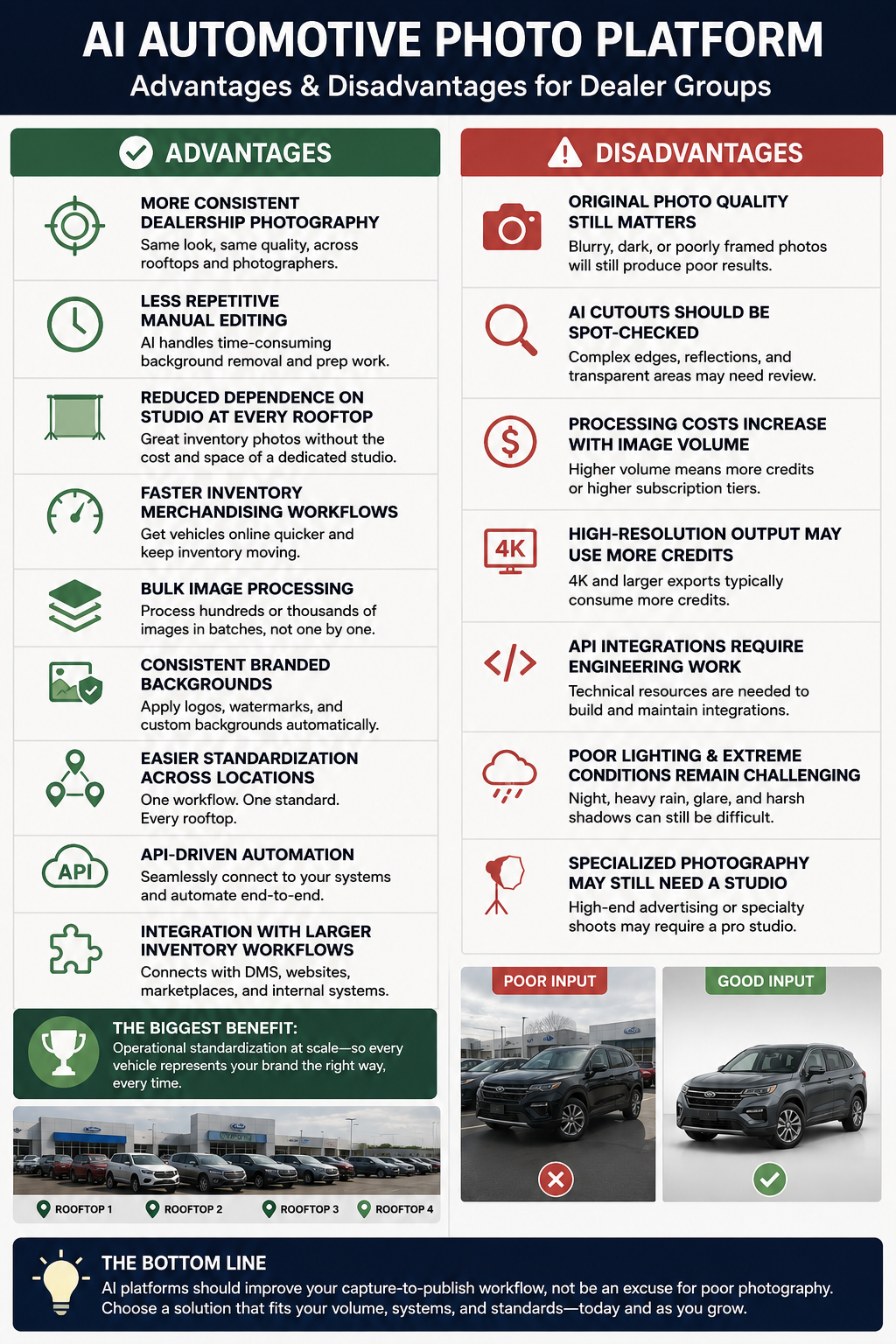
A well-designed automotive photo platform can provide:
For dealer groups, the biggest benefit may be operational standardization rather than background removal itself.
AI processing does not eliminate every photography problem.
Consider that:
AI should improve the capture-to-publish workflow, not become an excuse for poor photography.
Before selecting a provider, ask these 10 questions:
If a provider cannot clearly answer these questions, keep evaluating.
It identifies a vehicle within an image, separates it from the original environment, and places it onto a white, studio, showroom, outdoor, or other replacement background.
Yes. Automotive-specific platforms can automate much of the detection, cutout, and replacement process, although dealerships should still perform quality-control checks.
Yes, provided the platform supports batch or bulk processing. High-volume dealerships should specifically test those workflows before purchasing.
Some platforms support custom or reference backgrounds. AutoBackgrounding currently advertises both custom backgrounds and reference-image support.
Pricing models vary between subscriptions, image credits, API usage, and custom enterprise agreements. Calculate cost using your monthly image volume and required resolution rather than simply comparing advertised subscription prices.
Some enterprise and API-focused platforms support this. AutoBackgrounding currently lists API, website, and inventory-management integrations among its Enterprise capabilities.
Some automotive platforms can combine static-image processing with 360° merchandising. AutoBackgrounding currently advertises 360° spin functionality as part of its broader automotive solution.
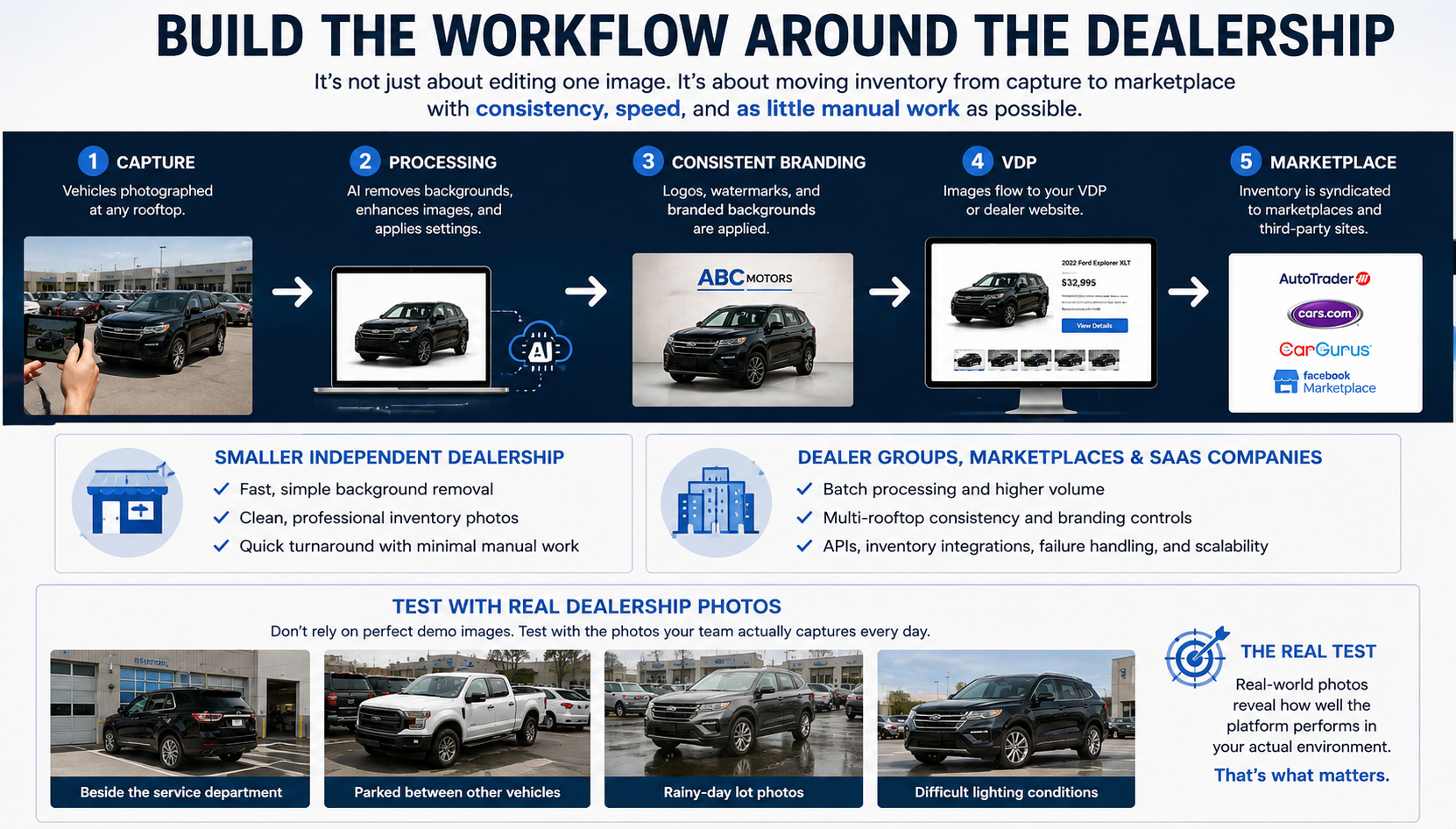
Dealerships should evaluate the entire photography process—not merely the price of editing one image.
A strong dealer group photo workflow should move inventory through:
capture → processing → consistent branding → VDP → marketplace
with as little repetitive work as practical.
A smaller independent dealership may primarily care about quickly turning inconsistent lot photographs into clean, professional inventory images.
Dealer groups, automotive marketplaces, website providers, and automotive SaaS companies should look further ahead. Batch processing, multi-rooftop consistency, APIs, inventory integrations, branding controls, failure handling, and scalability can become just as important as the background-removal model itself.
Most importantly, test platforms using real dealership photography.
Do not upload the perfect hero photograph your marketing team took on a sunny afternoon. Upload the black SUV photographed beside the service department. Upload the white pickup parked between two other vehicles. Upload the rainy-day inventory photos your employees actually produce.
Those images will tell you much more about whether the software belongs in your operation.
See AutoBackgrounding pricing and test the workflow →
Upload real dealership photos, run them through the workflow, and judge the platform based on how well it handles the inventory your team actually captures.


Compact, ready to go anywhere
Interchangeable lens that’s upgradeable
Dual 1-inch sensors for improved clarity and low light performance
Dynamic range and 6K 360° capture
360° photo resolution at 21MP

8K 360° video recording for ultra-detailed visuals.
4K single-lens mode for traditional wide-angle shots.
Invisible selfie stick effect for drone-like perspectives.
2.5-inch touchscreen with Gorilla Glass protection.
Waterproof up to 33ft for underwater shooting.

360° photo resolution in 23MP
Slim design at 24 mm thick
Built-in image stabilization for smooth video capture.
Internal 19GB storage for photo and video storage.
Wireless connectivity for remote control and sharing.

60MP 360° still images for high-resolution photography.
5.7K 360° video recording at 30fps.
2.25-inch touchscreen for intuitive control.
USB Type-C port for fast charging and data transfer.
MicroSD card slot for expandable storage.
.png)

.png)

Try it free. No credit card required. Instant set-up.







.svg)


.svg)