


.png)


A broker I talked to last spring told me she picked her listing video tool because "eleven articles all said it was the best." She hadn't noticed that nine of those eleven articles used the same three screenshots. Same testimonial, word for word, on two different "independent" review sites. That's not an accident — that's an affiliate deal wearing a lab coat.
If you've ever searched for a real estate video AI software comparison and come away more confused than when you started, you're not imagining things. The review landscape for real estate tech is thick with sponsored placement, and most of it isn't labeled clearly enough for a busy agent to catch on a quick scroll — which is exactly why more agents are choosing to just try the software themselves instead of relying on a ranked list.
This isn't a takedown of affiliate marketing — sponsorship itself isn't the problem. The problem is not knowing which is which, and buying software based on a review that was never actually testing anything.
A sponsored review is content created (or heavily influenced) because the software company paid for it, gave the writer free access in exchange for favorable coverage, or offers an affiliate commission on every sale that review generates. That last one is the sneaky part — a lot of "objective comparison" posts are really commission funnels, and the ranking order in the article often maps suspiciously well to commission rate, not feature quality.
A genuine review, by contrast, comes from someone who used the product on a real job — a real listing, a real shoot, a real deadline — and is willing to say where it fell short. Real reviews have friction in them. Sponsored ones rarely do.
Neither type is automatically fake or automatically true. A paid review can still be accurate. An unpaid one can still be wrong or outdated. What matters is knowing which lens you're reading through before you make a decision.
Agents don't have time to pilot five platforms before a listing goes live Friday morning. Most people choose software based on best real estate video apps roundups, a Facebook group recommendation, or a YouTube demo — and then live with that choice for a year of listings. A bad review-driven decision doesn't just waste a subscription fee. It costs you rendering time on deadline, MLS compliance headaches if the tool doesn't handle brokerage disclosures correctly, and — this is the part people underestimate — credibility with sellers who notice when your listing video looks like everyone else's on the street.
The stakes are higher than picking the wrong podcast recommendation. This is the tool that represents a client's biggest asset online — and according to the National Association of Realtors, listing media quality remains one of the top factors sellers cite when evaluating an agent's marketing plan. A tool chosen off a bad review doesn't just underperform quietly; it shows up in front of every buyer who clicks the listing, which is why testing a real workflow through something like PhotoAIVideo's demo before committing matters more than a ranked list ever will.
Here's how it usually goes wrong. An agent searches "AI real estate video software reviews," clicks the first three results, and finds near-identical top picks. She assumes consensus means accuracy. What she's actually looking at is three sites monetizing the same affiliate network, recycling the same vendor-supplied screenshots, possibly even the same paragraph structure with synonyms swapped in.
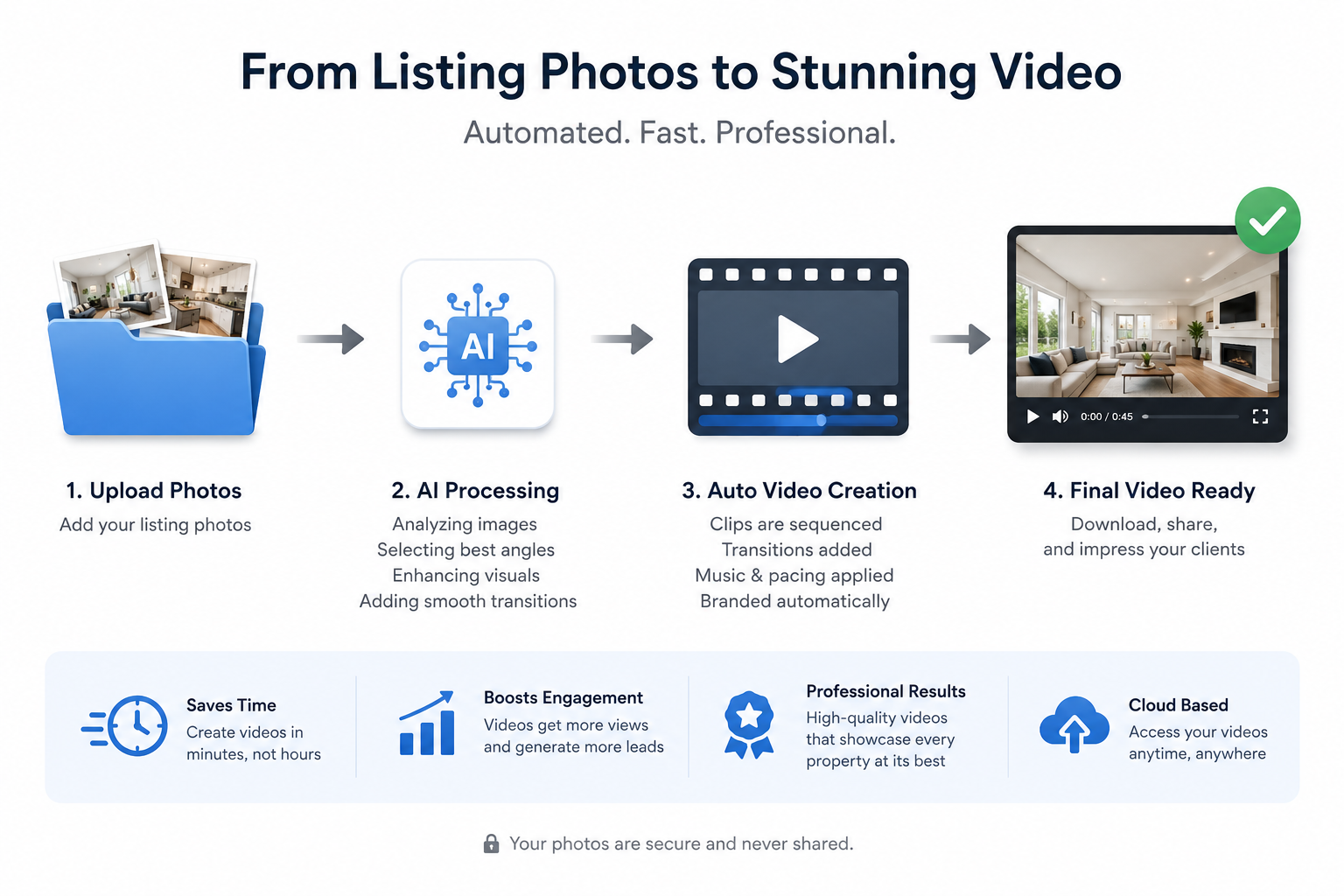
She signs up. Three weeks later she discovers the tool she picked doesn't support batch photo uploads (a dealbreaker for a 40-listing portfolio), and none of the reviews mentioned it — because none of the reviewers had actually run a real batch job. They'd logged in, made one demo video, and moved on.
This actually happens more than people realize: review sites will list "unlimited exports" as a pro when the free trial they tested never hit a real export limit, so nobody caught the throttling that shows up at scale.
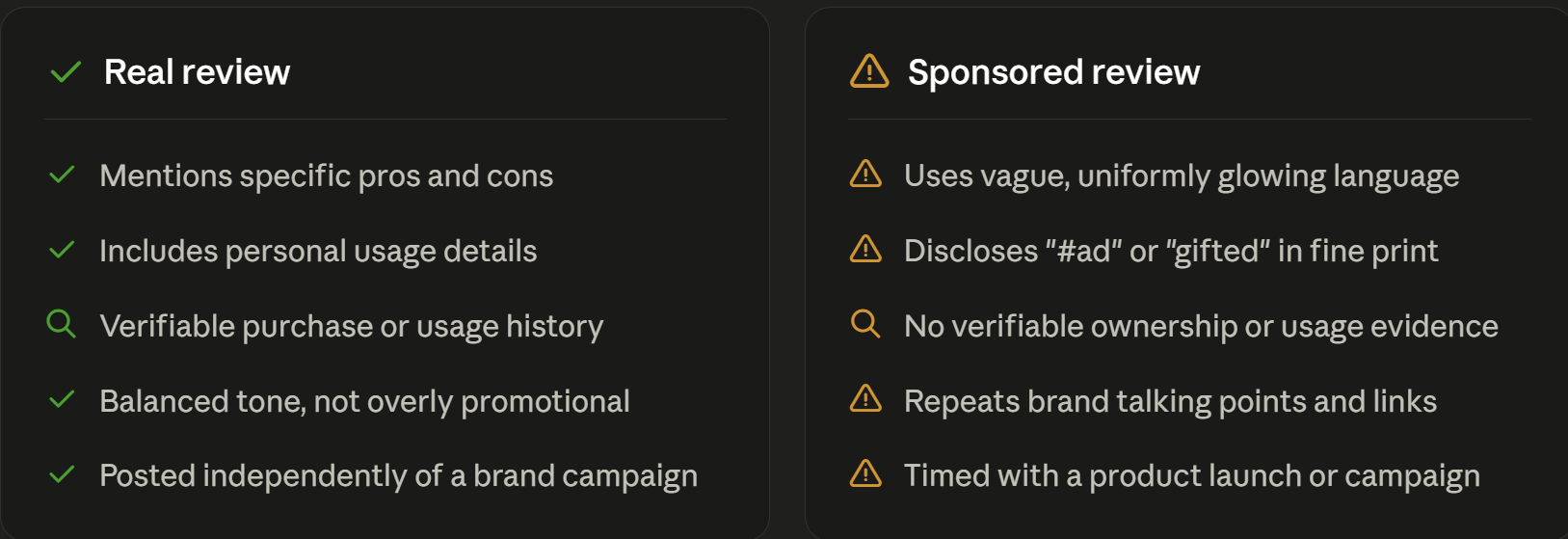
You don't need to distrust every review — you need a workflow that doesn't depend on trusting any single one.
Step 1: Read the review for specificity, not sentiment. A real user mentions render times in minutes, not "fast." They mention a specific listing type — a two-bed condo, a rural acreage property — not "any property."
Step 2: Cross-check against user forums, not just review sites. Realtor Facebook groups and subreddit threads tend to surface complaints review sites won't, because nobody's getting a commission in a group thread.
Step 3: Run your own free trial on a real listing. This is the step most agents skip, and it's the one that actually matters. Upload real photos from an active or recent listing, generate a real video, and see what breaks.
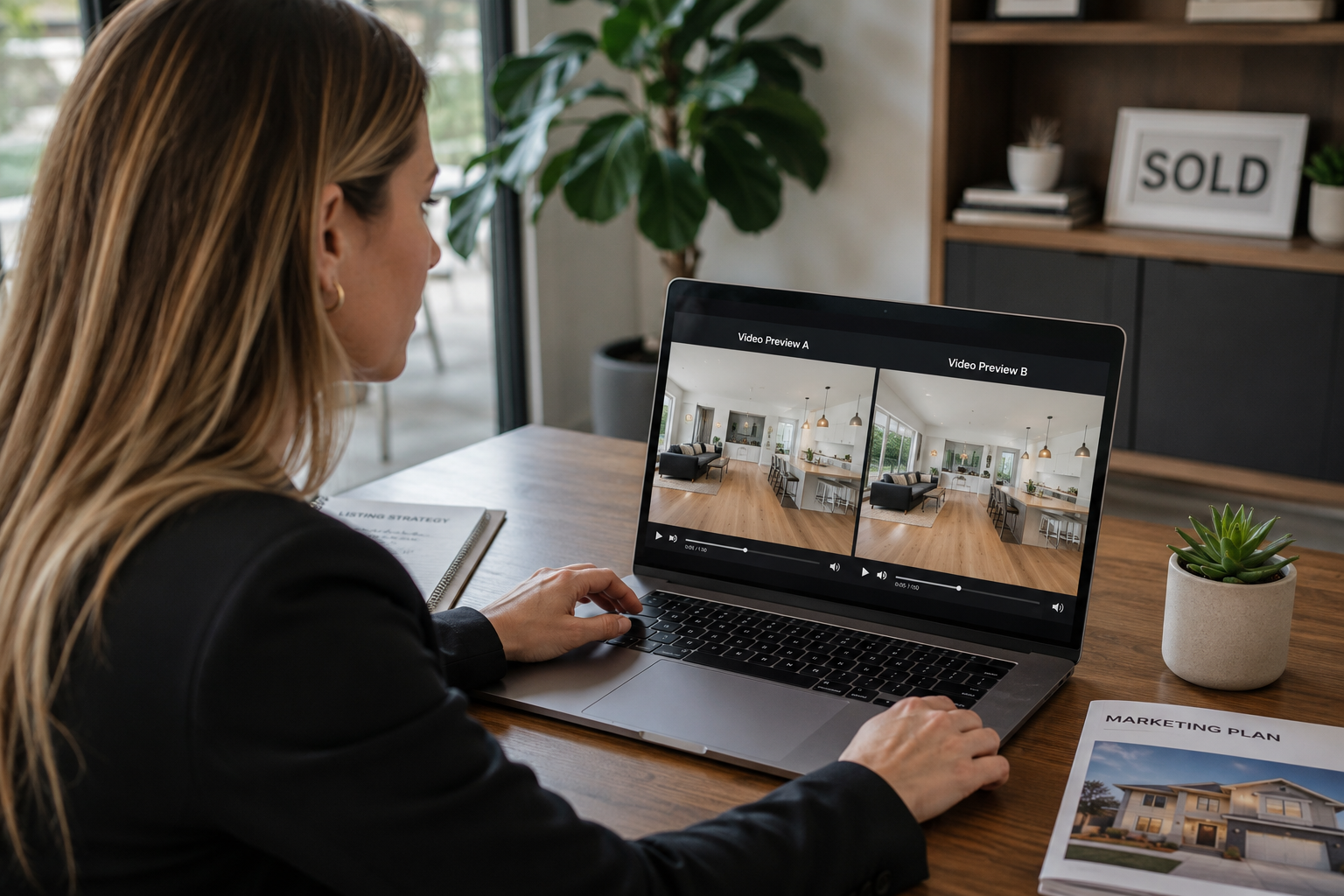
If a tool like PhotoAIVideo turns your actual photo set into a usable listing video in one sitting, that tells you more than ten articles combined.
Step 4: Test the MLS-compliance angle specifically. If your brokerage has disclosure requirements — equal housing language, brokerage name placement, licensing disclaimers — check whether the tool's compliance features handle that automatically or leave it to you to remember every time.
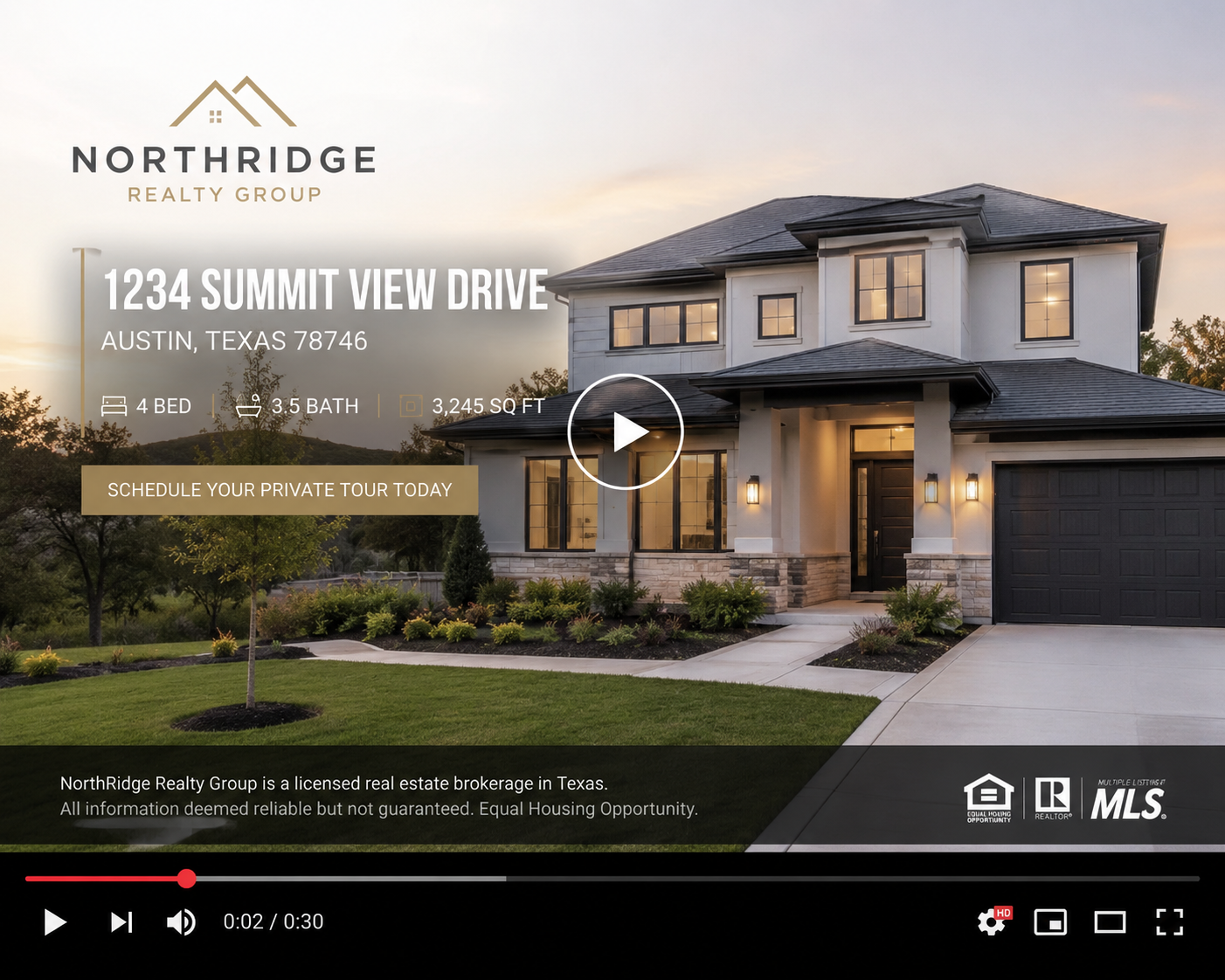
This is a detail sponsored reviews almost never test, because it requires knowing your specific MLS's rules, not just knowing the software.
Step 5: Ask what happens after month one. Pricing tiers, export limits, and support responsiveness often change once you're past the trial period. A real review sometimes mentions this. A sponsored one almost never does, because the reviewer's relationship with the product ended when the article was published.
Use this as a gut-check, not gospel — plenty of legitimate affiliate content still gives you accurate information. The table's job is to slow you down long enough to read critically.
How can I tell if a real estate software review is sponsored?
Look for vague or purely cosmetic "cons," vendor-supplied screenshots instead of the reviewer's own project, a heavy concentration of affiliate links, and missing or buried sponsorship disclosure near the top of the article.
Are sponsored reviews always inaccurate?
No. A paid or affiliate-linked review can still be factually correct. The issue is bias in framing and selective emphasis, not necessarily false information — which is why cross-checking matters more than blanket distrust.
What's the fastest way to vet AI real estate video software myself?
Run a real listing's photos through the free trial of each tool you're considering, time the export, and check MLS-required disclosure handling before you commit to a subscription.
Why do so many comparison articles list the same top pick?
Often because they're drawing from the same affiliate network or vendor outreach, not from independent hands-on testing. Consensus across sites doesn't guarantee independence.
Does MLS compliance ever get tested in these reviews?
Rarely, and it's one of the biggest gaps. Disclosure rules vary by board, so a general review can't account for your specific MLS's requirements — that has to be checked directly against your own board's rules.
Should I avoid all reviews with affiliate links?
Not necessarily — many trustworthy publishers use affiliate links to fund detailed testing. The disclosure and the specificity of the content matter more than the mere presence of a link.
What should I do if I already picked software based on a sponsored review?
Run your own trial workflow now rather than waiting for a renewal date to force the issue — better to catch a mismatch in week one than in month eleven of a contract.


Compact, ready to go anywhere
Interchangeable lens that’s upgradeable
Dual 1-inch sensors for improved clarity and low light performance
Dynamic range and 6K 360° capture
360° photo resolution at 21MP

8K 360° video recording for ultra-detailed visuals.
4K single-lens mode for traditional wide-angle shots.
Invisible selfie stick effect for drone-like perspectives.
2.5-inch touchscreen with Gorilla Glass protection.
Waterproof up to 33ft for underwater shooting.

360° photo resolution in 23MP
Slim design at 24 mm thick
Built-in image stabilization for smooth video capture.
Internal 19GB storage for photo and video storage.
Wireless connectivity for remote control and sharing.

60MP 360° still images for high-resolution photography.
5.7K 360° video recording at 30fps.
2.25-inch touchscreen for intuitive control.
USB Type-C port for fast charging and data transfer.
MicroSD card slot for expandable storage.
.png)

.png)

Try it free. No credit card required. Instant set-up.







.svg)


.svg)