


.png)


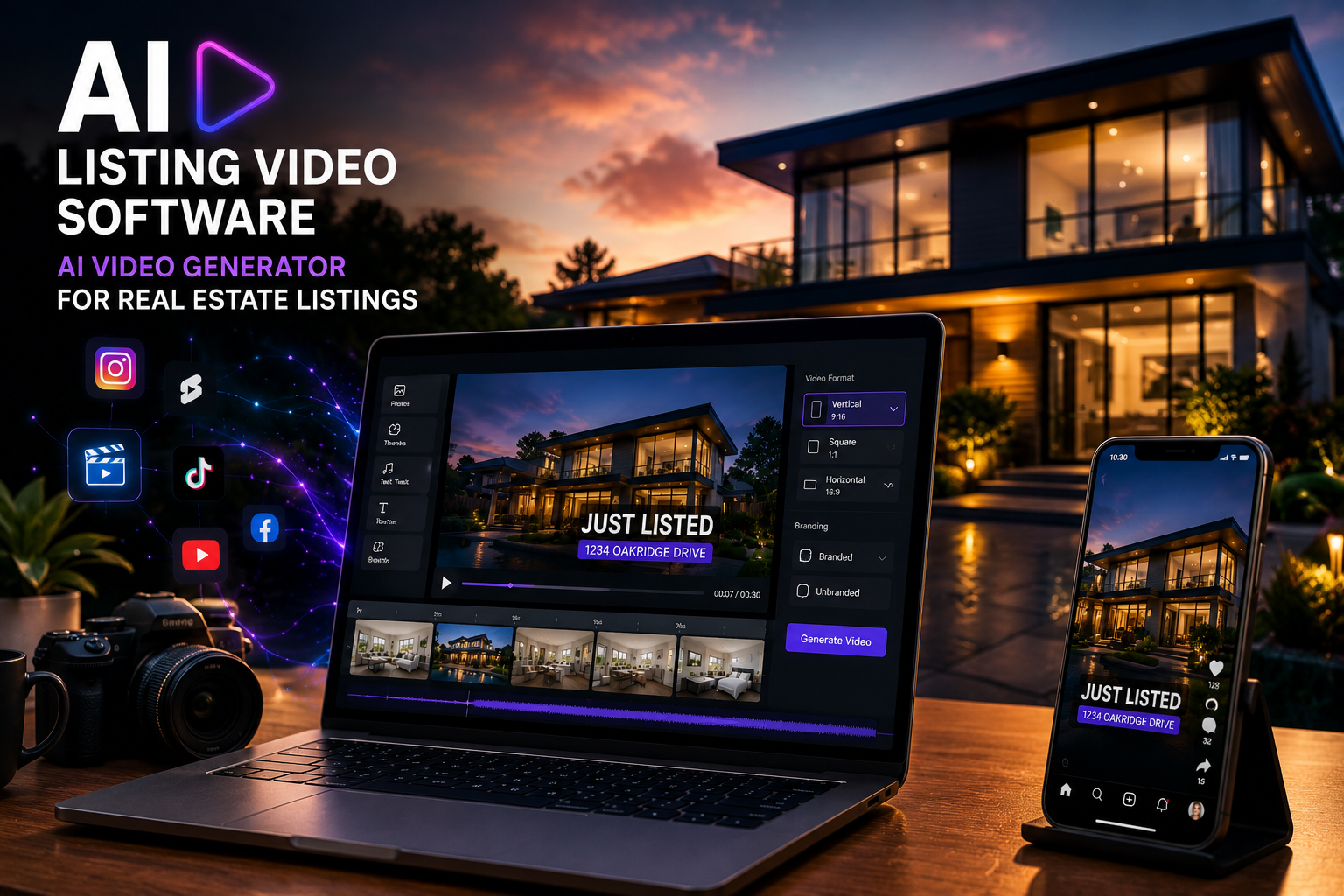
A real estate agent gets a new listing on Monday morning. The photographer delivers 35 property photos by lunch. The agent wants a polished listing video for Instagram, Facebook, YouTube Shorts, email, and maybe even an MLS-safe version — but there is one problem: traditional video editing takes time.
They could hire an editor, wait a day or two, send revisions, approve the final file, resize it for multiple platforms, and hope the video still gets posted while the listing is fresh.
Or they could use AI listing video software to turn those same property photos into a professional listing video in minutes.
That is the real shift happening in real estate marketing right now. Agents no longer need to start with drone footage, walkthrough clips, or expensive editing timelines to create video content. With the right AI video generator for real estate, listing photos can become scroll-stopping videos built for social media, ads, email campaigns, and buyer engagement.
For brokerages, teams, solo agents, and real estate photographers, this is not just a convenience feature. It is becoming a faster way to market every listing consistently.
What AI Listing Video Software Actually Does
AI listing video software takes ordinary property photos and turns them into real estate videos automatically. Instead of manually editing clips, adding transitions, selecting music, placing captions, and exporting different video sizes, the software handles most of that workflow for you.
A good real estate video generator app can help you:
📸 Upload property photos
🎬 Turn images into motion-based listing videos
🏡 Add property-style transitions
📝 Include captions, listing text, or feature callouts
🎵 Add music or pacing
📱 Export videos for social media
🏷️ Create branded and unbranded versions
⚡ Produce videos much faster than manual editing
This matters because real estate marketing is often time-sensitive. The first few days of a listing can be the most important window for attention. If your listing video is delayed, the marketing momentum is already weaker.
AI helps solve that by making video creation part of the normal listing workflow instead of a separate production project.
Why Property Photos Are Enough to Create Strong Listing Videos
A common mistake agents make is assuming they need full video footage to create a good listing video. In reality, most buyers are already used to consuming listing content through photos. The key is presentation.
When property photos are placed into a structured video format, they feel more dynamic. A living room photo can slowly zoom in. A kitchen image can move across the frame. A bedroom shot can transition into a bathroom. Captions can call out upgrades, square footage, neighborhood highlights, or open house details.
That simple movement turns static listing photos into content that feels more alive.
This is where AI listing video software becomes valuable. It does not replace the listing photos. It enhances them. It gives agents a way to reuse the assets they already paid for and convert them into video content without needing a separate shoot.
For agents who already receive professional listing photos, this is one of the fastest ways to create more marketing content from the same media package.
How PhotoAIVideo Fits Into the Real Estate Video Workflow
PhotoAIVideo is built around a simple idea: real estate professionals should be able to turn listing photos into videos quickly without needing advanced editing skills.
Instead of starting from a blank timeline, the agent or photographer uploads listing photos, chooses the style or format, and generates a video designed for real estate marketing. This is useful for agents who need fast social content, photographers who want to offer add-on video services, and brokerages that want consistent listing media across multiple agents.
The biggest advantage is speed. A traditional listing video workflow may involve back-and-forth edits, custom timelines, resizing, and delivery delays. With AI, the process can move much faster:
Upload the property photos.
Generate the video.
Review the result.
Export the version you need.
Post it while the listing is still fresh.
That workflow makes AI video generator for real estate tools especially useful for agents managing multiple listings, photographers delivering media packages, and teams trying to keep up with social content demands.
Benefits and Advantages of AI Listing Video Software
The biggest benefit of AI listing video software is not just that it saves time. It changes how often agents can create video.
When video is expensive or slow, agents only use it for premium listings. When video becomes fast and affordable, agents can use it for every listing.
✅ Faster listing launches
You can create a video shortly after receiving property photos. That means your listing can go live with stronger media from day one.
✅ More content from the same photos
Professional photos are already one of the most important listing assets. AI helps you turn them into videos for social posts, ads, email campaigns, and listing promotions.
✅ Better social media performance
Video usually feels more engaging than a static image post. A listing video gives you more motion, more storytelling, and more ways to stop the scroll.
✅ Consistent branding
Agents and brokerages can create videos that look more polished and consistent. This is especially helpful for teams that want every listing to feel professional.
✅ Lower editing costs
Instead of paying for manual video editing on every listing, agents can use AI to generate videos quickly and reserve custom editing for luxury or special projects.
✅ Easy branded and unbranded workflows
Real estate marketing often needs different versions of the same asset. A branded version may be used on social media, while an unbranded version may be needed for MLS-safe marketing depending on local rules.
✅ Better speed for photographers
Real estate photographers can add video packages without needing to manually edit every project. This creates a new upsell opportunity without dramatically increasing production time.
Why AI Video Matters for Real Estate Agents
Real estate agents are not just selling homes. They are selling attention.
Every listing competes against other listings, social posts, ads, reels, and local content. If an agent only posts a few photos and a basic caption, the listing may not stand out. A video gives the property more presence.
A strong listing video can be used in several places:
🏡 Listing announcement posts
📱 Instagram Reels and Stories
🎥 Facebook videos
📩 Email marketing
📢 Paid ads
📲 Seller update content
🧑💼 Agent branding campaigns
🌐 Property websites
This is why a real estate video generator app can become part of the agent’s everyday marketing system. It helps turn one listing into multiple pieces of content.
Instead of asking, “Should I make a video for this listing?” agents can start asking, “Which version of the video should I post first?”
That is a major shift.
Common Myths About AI
The biggest myth about AI listing video software is that it replaces real estate marketing strategy.
It does not.
AI can help create the video faster, but the agent still needs to understand the listing, the audience, and the message. A luxury home may need a slower, more elegant video style. A starter home may need a faster, social-first video. An investment property may need captions focused on rental potential or location. A family home may need highlights around schools, layout, yard space, and neighborhood lifestyle.
The best use of AI is not “click one button and forget about it.” The best use is combining automation with smart marketing direction.
AI handles the repetitive production work. The agent still brings the strategy.
That is why tools like PhotoAIVideo are useful. They reduce the editing burden, but they still allow real estate professionals to create videos that fit the listing, the brand, and the platform.

AI Listing Video Software vs. Traditional Editing
Traditional real estate video editing still has a place. For luxury listings, cinematic walkthroughs, drone footage, community videos, and high-end brand campaigns, custom editing may still be the right choice.
But most everyday listings do not need a full custom production workflow.
They need speed, consistency, and good-looking content.
That is where AI listing video software wins. It is not trying to replace every professional video editor. It is solving a different problem: helping agents create listing videos from photos quickly and affordably.
Traditional editing is best when you need full creative control.
AI video generation is best when you need fast, repeatable, listing-ready content.
For many agents, the best workflow may include both. Use AI for everyday listing videos, social content, and quick-turnaround marketing. Use custom editing for premium listings or special campaigns.
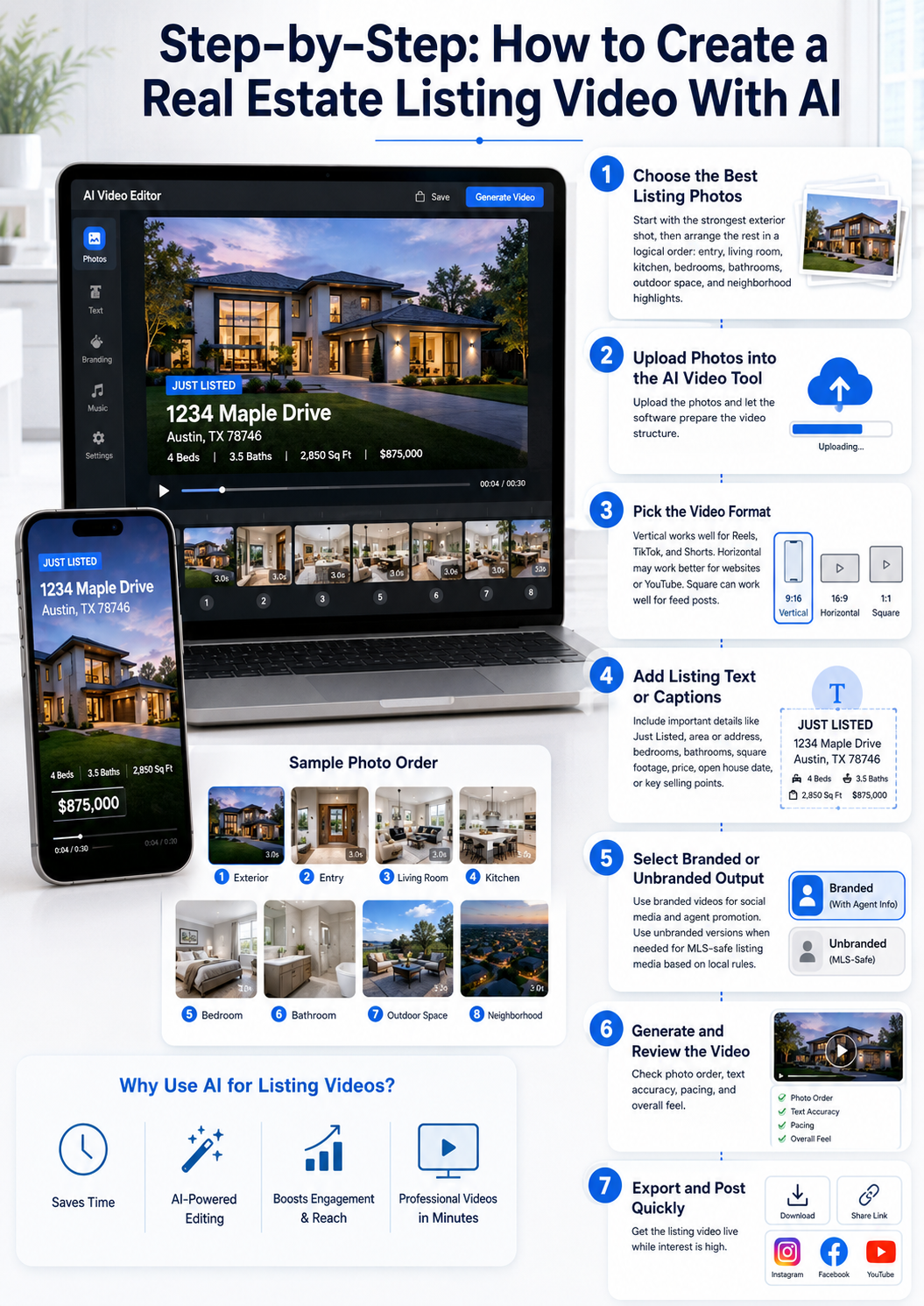
Step-by-Step: How to Create a Real Estate Listing Video With AI
Here is a simple workflow agents and photographers can use:
Practical Use Cases
A solo agent can use AI video software to create listing videos without hiring an editor for every property.
A real estate photographer can offer listing videos as an add-on service using the same photo package they already deliver.
A brokerage can give agents a consistent way to create branded listing videos across the entire office.
A team leader can create fast social content for every new listing and use it in seller reports to show marketing activity.
A property manager can turn rental photos into short videos for vacancy marketing.
A new agent can look more professional online without needing a large production budget.
A busy agent with multiple listings can create video content at scale instead of choosing only one or two properties to promote.
Mistakes to Avoid
Do not upload every photo without thinking about the story. The order of photos matters. Lead with the strongest visuals.
Do not use too much text. Listing videos should be easy to watch quickly.
Do not forget platform sizes. A horizontal video may not perform well as a Reel if it is not formatted correctly.
Do not assume one version works everywhere. Create versions for social, ads, and MLS-safe use when needed.
Do not ignore branding. Your listing video should market the property, but it should also reinforce your professionalism.
Do not wait too long to publish. Speed is one of the biggest advantages of AI video tools.
Frequently Asked Questions
What is AI listing video software?
AI listing video software turns real estate photos into listing videos automatically. It can add motion, transitions, music, captions, and export formats so agents can create property videos faster.
Can I create a real estate video without filming?
Yes. With a real estate video generator app, you can use listing photos to create a video-style presentation. This is useful when you do not have walkthrough footage or drone video.
Is an AI video generator good for real estate agents?
Yes. A strong AI video generator for real estate helps agents create more marketing content from their property photos, especially for social media, ads, email, and listing promotion.
Should photographers offer AI listing videos?
Yes. Real estate photographers can use AI video tools to add more value to their photo packages without manually editing every video from scratch.
Can AI listing videos be used for MLS?
They may be used depending on your local MLS rules and the version you export. Agents should always check local MLS requirements around branding, contact information, overlays, and unbranded media.
What makes PhotoAIVideo useful for listing videos?
PhotoAIVideo helps real estate professionals turn property photos into listing videos quickly. It is built for agents, photographers, and teams that need fast video content without a complicated editing workflow.
Final Thoughts
AI is making real estate video easier, faster, and more accessible.
Agents no longer need to wait days for a basic listing video. Photographers can offer more media products. Brokerages can create more consistent marketing across every listing. Sellers can see stronger promotion. Buyers get a more engaging way to view the property.
That is the real value of AI listing video software.
It turns the photos you already have into listing videos that can be used across social media, ads, email, and listing campaigns. And with tools like PhotoAIVideo, agents can move from “I should make a video” to “My listing video is ready.”
For real estate professionals who want faster marketing, better content, and more consistent listing promotion, an AI video generator is no longer just a nice extra.
It is becoming part of the modern listing workflow.


Compact, ready to go anywhere
Interchangeable lens that’s upgradeable
Dual 1-inch sensors for improved clarity and low light performance
Dynamic range and 6K 360° capture
360° photo resolution at 21MP

8K 360° video recording for ultra-detailed visuals.
4K single-lens mode for traditional wide-angle shots.
Invisible selfie stick effect for drone-like perspectives.
2.5-inch touchscreen with Gorilla Glass protection.
Waterproof up to 33ft for underwater shooting.

360° photo resolution in 23MP
Slim design at 24 mm thick
Built-in image stabilization for smooth video capture.
Internal 19GB storage for photo and video storage.
Wireless connectivity for remote control and sharing.

60MP 360° still images for high-resolution photography.
5.7K 360° video recording at 30fps.
2.25-inch touchscreen for intuitive control.
USB Type-C port for fast charging and data transfer.
MicroSD card slot for expandable storage.
.png)

.png)

Try it free. No credit card required. Instant set-up.







.svg)


.svg)