


.png)


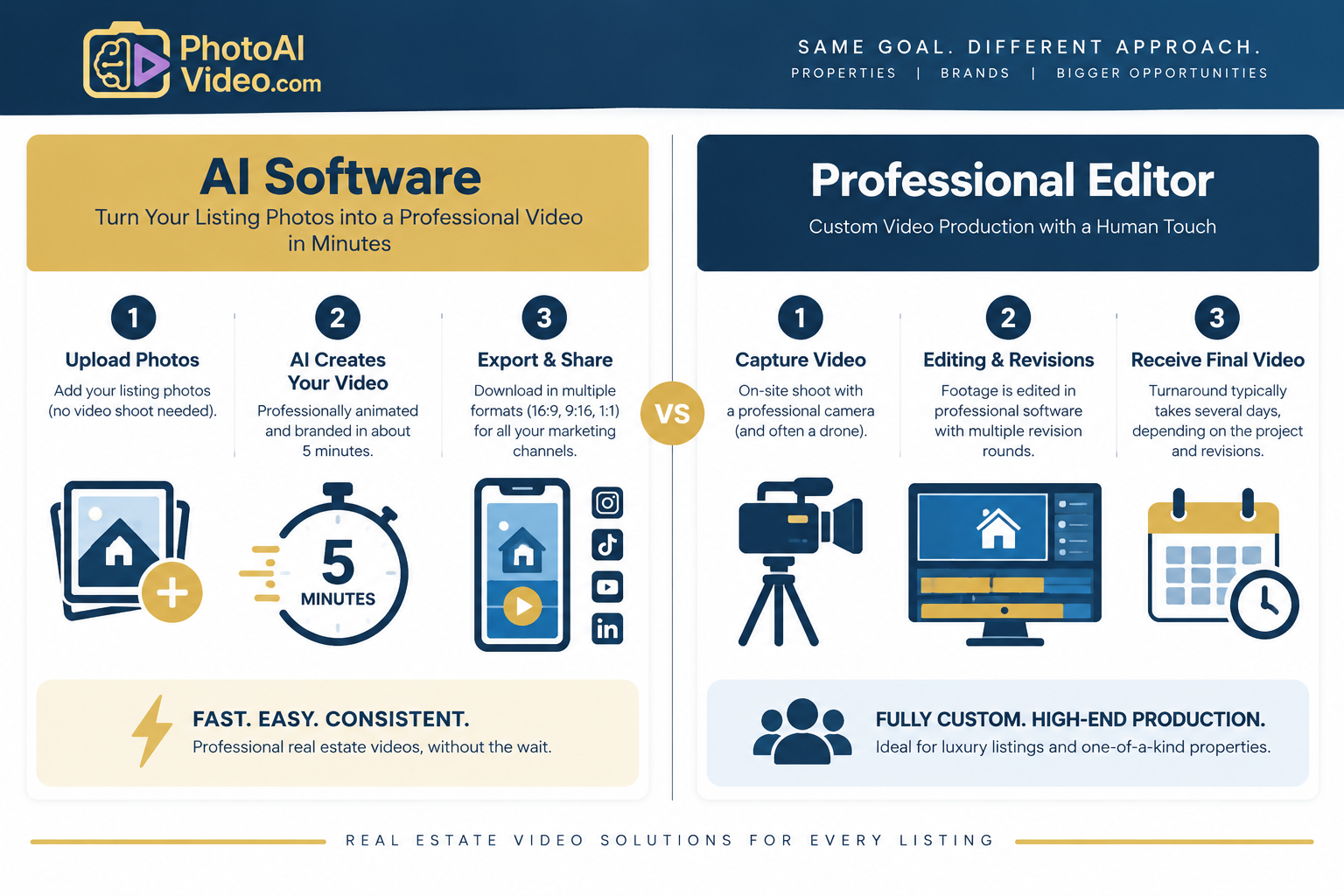
A professional editor shoots and edits raw footage into a bespoke, cinematic video, which costs more and takes longer. AI real estate video editing turns existing listing photos into a branded video in about five minutes. Professional editing suits flagship luxury listings, while AI suits agents who need speed, consistency, and volume.
Every listing video starts with the same question: who’s going to make it?
For decades, the answer was simple — you hired a professional videographer or editor, handed over the raw footage, and waited. Today, agents have a second option: AI-powered real estate video editing tools that can turn a folder of listing photos into a polished walkthrough in minutes.
Both paths can produce a video worth putting your name on, but they solve different problems at different speeds and price points.
This comparison breaks down how each workflow actually works day to day, where each one shines, and how to decide which fits your listings, budget, and schedule. If you want to see finished examples before committing to either path, it’s worth browsing a gallery of real estate video examples to get a feel for what’s achievable without a camera crew.
Buyers increasingly expect more than a basic photo carousel when exploring properties online. Industry research on buyer behavior — including data tracked by the National Association of Realtors — points to the importance of high-quality listing media in helping buyers evaluate homes before deciding which ones warrant an in-person visit.
That shift is moving real estate video editing from a “nice to have” toward an increasingly important part of listing marketing. It’s also why many agents are re-evaluating whether they need a full production crew for every property or whether a faster, software-driven approach can meet their day-to-day marketing needs.
Hiring a professional editor — whether a freelancer, a local videography studio, or an in-house marketing hire at a larger brokerage — follows a fairly consistent process, even if the specifics vary by provider.
Capturing the raw material. Most professional workflows start with a shoot: a videographer visits the property with a camera, sometimes a drone, and captures raw footage of each room, the exterior, and any standout features. Some editors will also work from a mix of still images and video clips if a full shoot isn’t in the budget.
Editing in professional software. The editor then imports the raw footage into a program like Adobe Premiere Pro or Final Cut Pro, trims and sequences the clips, color-corrects the footage, adds music and transitions, and layers in text overlays, branding, and a voiceover or agent narration track if requested.
Revision rounds. Because a human editor is interpreting your vision, there’s usually some back-and-forth. You review a draft, request changes to the pacing, music, or graphics, and the editor revises accordingly. This may happen once or several times depending on your preferences and what’s included in the package.
Cost and timeline. Pricing and turnaround vary significantly by provider, market, production requirements, and the complexity of the final video. Professional production is generally priced per project and requires more lead time than a self-serve AI workflow, particularly when an on-site shoot and revision rounds are involved.
What you get in return. The upside is genuine creative flexibility. A skilled editor can build a bespoke piece — with cinematic pacing, custom music cues, specific shot sequencing that highlights a home’s unique architecture, and a style tailored to a particular brand or luxury market. For a flagship listing, that craftsmanship can be the difference between a video that blends in and one that gets shared.
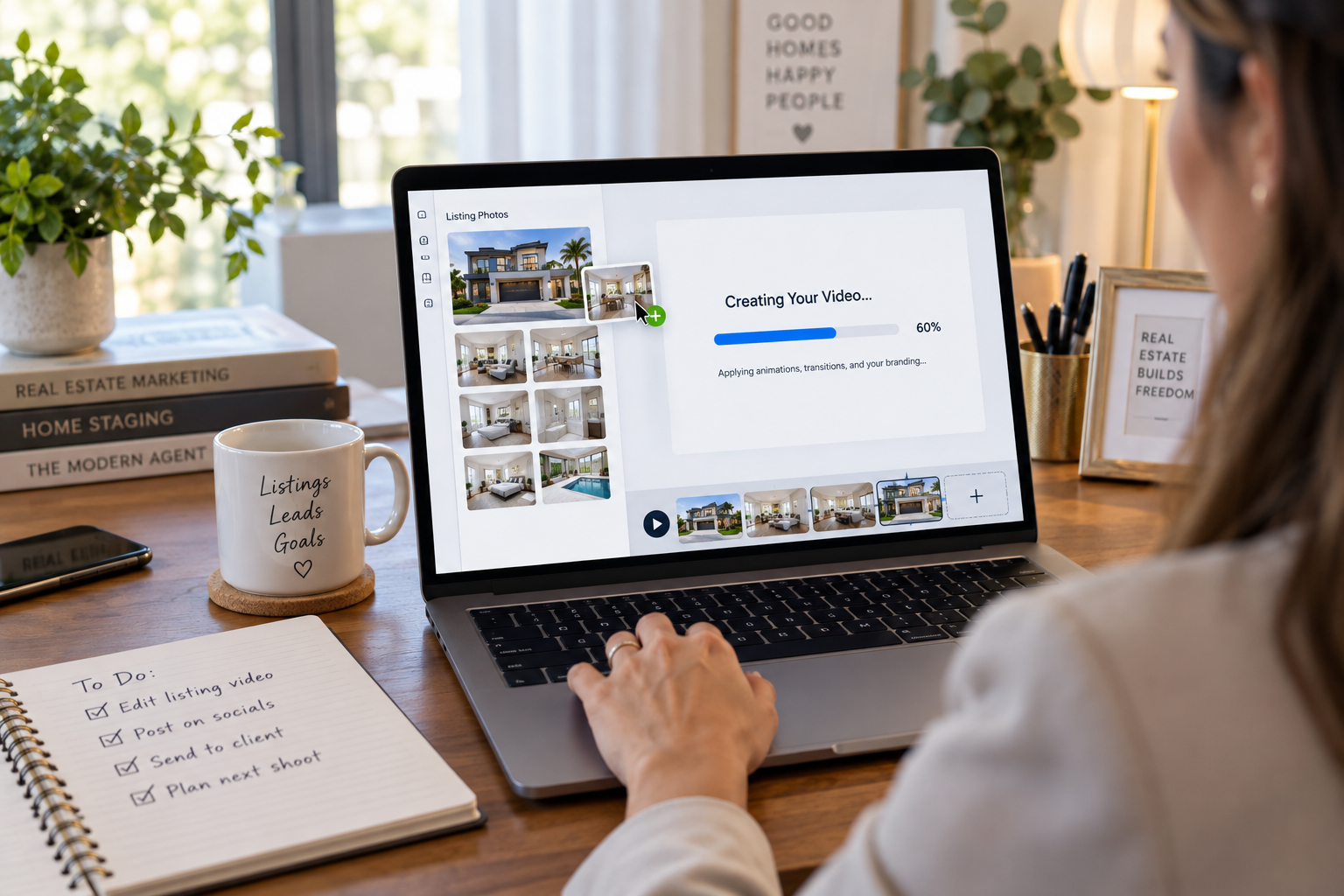
AI video tools approach the same general goal — creating a polished, shareable property video — from a completely different starting point: your existing listing photos rather than raw video footage.
Upload your photos. Instead of scheduling a video shoot, you upload the listing photos you or your photographer already have. There’s no separate camera crew, drone operator, or filming appointment required.
AI applies camera movement automatically. This is where the “editing” happens. The software analyzes each photo and applies cinematic camera movements — such as pans, zooms, tilts, dolly-style push-ins, and orbit effects — to create a sense of movement rather than presenting the images as a static slideshow. A platform like PhotoAIVideo applies more than a dozen movement styles automatically, helping create visual variety even when the video is built entirely from still photos.
Branding is applied automatically. Your logo, brand colors, contact details, and a consistent intro/outro sequence can be layered in without repetitive manual design work, helping every video maintain a consistent brand identity.
Optional add-ons. Agents can also layer in features such as AI voiceover narration or an AI avatar clone of themselves presenting the listing, adding a more personal touch without requiring the agent to appear on camera or record audio for every property.
Export for different platforms. The finished video can be prepared in multiple aspect ratios — widescreen 16:9 for YouTube and listing sites, vertical 9:16 for Reels, TikTok, and Shorts, and square 1:1 for Instagram feed posts — making it easier to repurpose listing content across marketing channels.
Timeline and cost. The process from upload to finished video can take around five minutes. Pricing follows self-serve tiers (Free, Creator, and Pro plans), with custom Enterprise pricing available for brokerages and teams producing videos at volume.
For agents who would rather hand off the process entirely, a Done-For-You option lets a production team build the video while the agent focuses on the listing itself. Solo agents, teams, brokerages, and real estate photographers looking to white-label video for their clients can all use this type of workflow. You can see how PhotoAIVideo is tailored specifically to listing agents on the real estate agents page, or see the process itself in the product walkthrough.
There are still listings where the extra time and cost of professional production can pay off.
A high-end luxury property with architectural details worth lingering on, a listing where the seller has budgeted specifically for premium marketing, or a situation where you want fully custom music, graphics, and a distinctive cinematic style — these are cases where a skilled human editor’s judgment adds real value that’s difficult to automate.
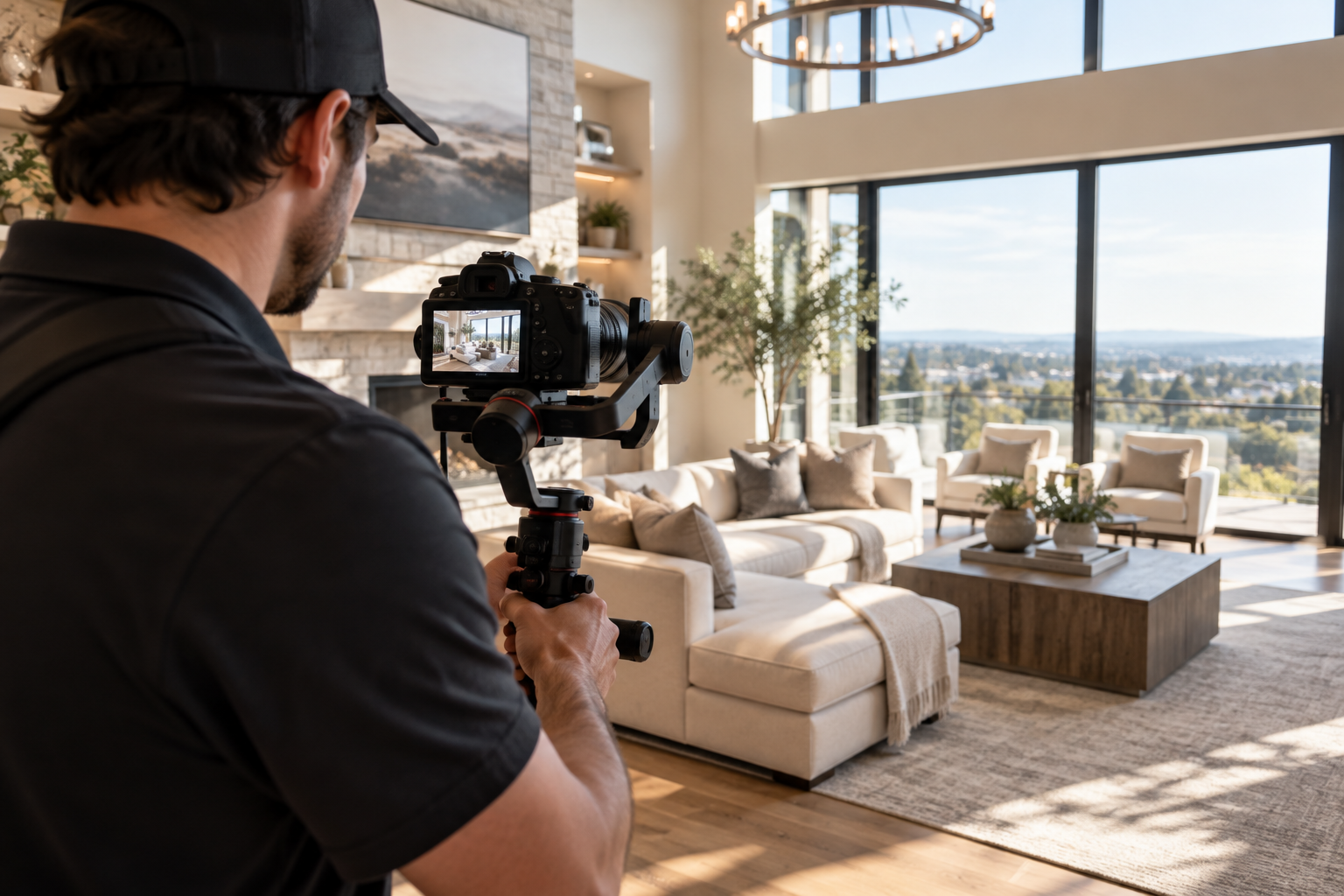
If your brand depends on video being a signature differentiator for a small number of very high-value listings each year, investing in a dedicated editor or videography team can make sense.
For agents managing multiple listings each month, the economics can favor an AI workflow.
Per-project editing costs and multi-day production timelines can add up quickly, particularly when new listing media needs to be published promptly. An AI workflow allows agents to turn existing listing photos into a branded video without waiting for a separate editing cycle, making it particularly useful when speed and production volume are priorities.
Instead of coordinating another shoot or waiting in an editor’s queue, an agent can create a branded video from the photos already produced for the listing and prepare that content for multiple marketing channels.
This is also where consistency matters. When you’re producing videos across dozens of listings each year, using the same branding, visual style, intro, and overall presentation can help create a recognizable identity across your marketing.
An automated workflow makes that consistency easier to maintain at scale because the same branding and production framework can be applied to each listing. That can be more difficult to maintain when different freelancers, production schedules, or creative approaches are involved from one property to the next.
Real estate photographers are also finding a role here. Rather than referring video work elsewhere, photographers can use AI video tools to offer property videos directly to their photography clients, potentially adding another service without building a traditional editing team.
Is AI-generated real estate video as good as a professionally edited video?
It depends on what you’re optimizing for. For a fully custom, cinematic piece built from scratch, a skilled human editor still has an edge in bespoke creative control. But for polished, branded video produced consistently across multiple listings, AI tools offer a compelling alternative — particularly when speed, consistency, and scalability matter.
Do I need a professional photographer if I use AI video editing software?
Not necessarily, but image quality matters. AI real estate video tools work from your listing photos, so sharper, well-composed images generally provide better source material. Professional photography can help, particularly for premium listings, but the AI video workflow itself doesn’t require a separate video shoot.
Can I still add a personal touch, like my own voice or face, to an AI-generated video?
Yes. AI video platforms may support features such as AI voiceover narration or an AI avatar clone of the agent presenting the listing, allowing you to personalize the video without appearing on camera live or recording narration for every property.
Is a Done-For-You video service different from a fully DIY AI tool?
Yes. A self-serve DIY app lets you upload your photos and generate the video yourself, while a Done-For-You option hands the process off to a production team that builds the video for you. This can suit agents who want the speed and consistency of an AI-powered workflow without handling the upload and production steps themselves.
Real estate video editing no longer means choosing between “no video” and “a full production budget.”
Professional editors still earn their place on flagship listings that call for fully bespoke, cinematic creative. But for the day-to-day reality many agents face — multiple listings, tight timelines, and a brand that needs to look consistent across every property — AI-powered video editing offers a faster, more predictable, and more scalable path to a polished listing video that can help a property stand out from the moment it goes live.
It depends on what you're optimizing for. For a fully custom, cinematic piece built from scratch, a skilled human editor still has an edge in bespoke creative control. For polished, branded video produced consistently across multiple listings, AI tools are a compelling alternative when speed, consistency, and scalability matter.
Not necessarily, but image quality matters. AI real estate video tools work from your listing photos, so sharper, well-composed images provide better source material. Professional photography can help, particularly for premium listings, but the AI workflow itself doesn't require a separate video shoot.
Yes. AI video platforms may support features such as AI voiceover narration or an AI avatar clone of the agent presenting the listing. These let you personalize the video without appearing on camera live or recording narration for every property.
Yes. A self-serve DIY app lets you upload your photos and generate the video yourself, while a Done-For-You option hands the process to a production team that builds it for you. It suits agents who want the speed and consistency of an AI-powered workflow without handling the production steps themselves.
A professional editor makes sense for high-end luxury properties with architectural details worth lingering on, listings where the seller has budgeted for premium marketing, or when you want fully custom music, graphics, and a distinctive cinematic style. In those cases, a skilled editor's judgment adds value that is difficult to automate.


Compact, ready to go anywhere
Interchangeable lens that’s upgradeable
Dual 1-inch sensors for improved clarity and low light performance
Dynamic range and 6K 360° capture
360° photo resolution at 21MP

8K 360° video recording for ultra-detailed visuals.
4K single-lens mode for traditional wide-angle shots.
Invisible selfie stick effect for drone-like perspectives.
2.5-inch touchscreen with Gorilla Glass protection.
Waterproof up to 33ft for underwater shooting.

360° photo resolution in 23MP
Slim design at 24 mm thick
Built-in image stabilization for smooth video capture.
Internal 19GB storage for photo and video storage.
Wireless connectivity for remote control and sharing.

60MP 360° still images for high-resolution photography.
5.7K 360° video recording at 30fps.
2.25-inch touchscreen for intuitive control.
USB Type-C port for fast charging and data transfer.
MicroSD card slot for expandable storage.
.png)

.png)

Try it free. No credit card required. Instant set-up.




.svg)


.svg)