


.png)



Video has become the default way buyers window-shop for homes before they ever call an agent, which is exactly why so many agents now reach for a real estate video creator instead of hiring a crew for every listing.
These tools make it fast and affordable to turn ordinary listing photos into polished, walkthrough-style videos, but speed alone doesn’t guarantee a video that actually sells the property. Plenty of agents publish their first AI-generated listing video, get lukewarm results, and quietly go back to static photo carousels—usually because of a handful of avoidable mistakes, not because the format doesn’t work.
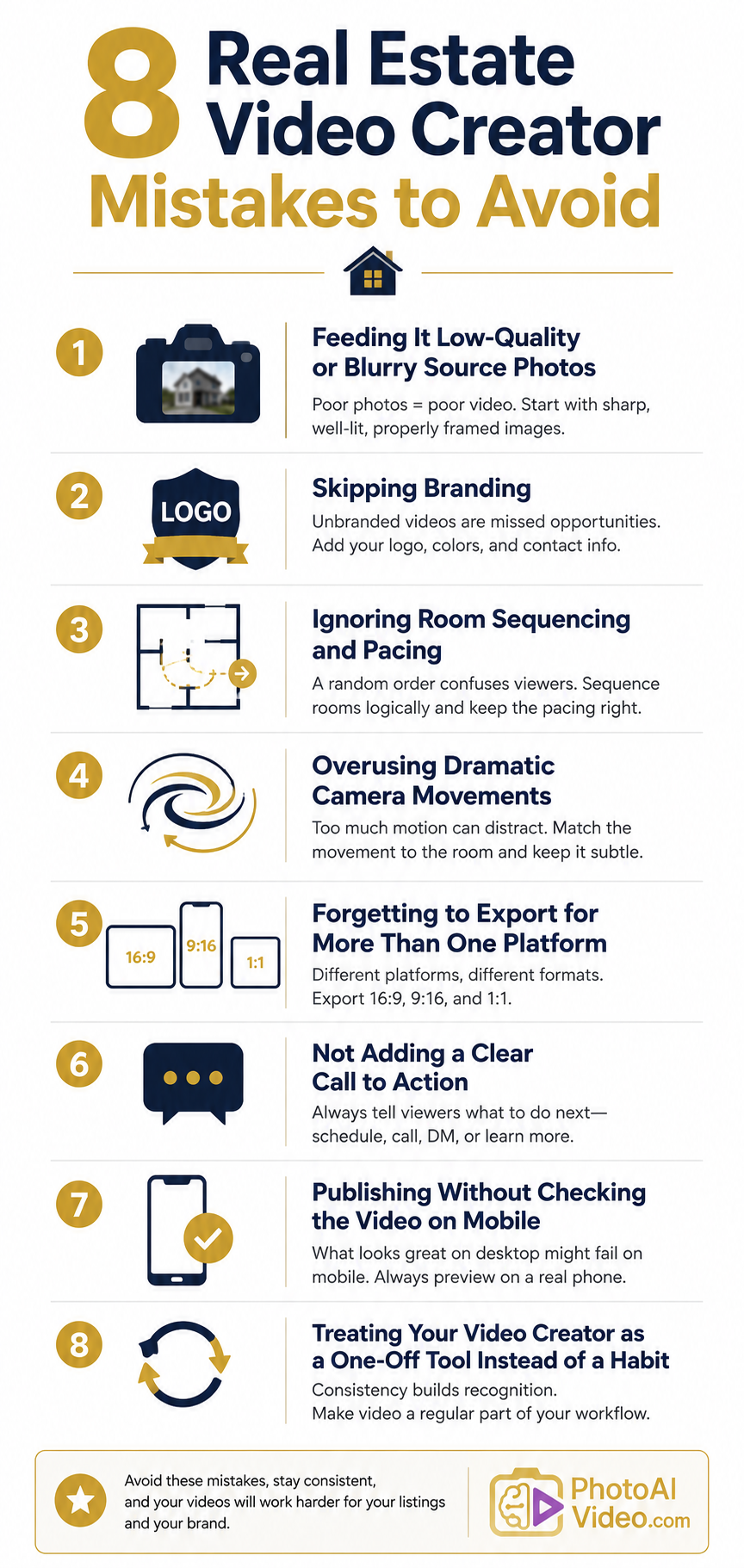
Below are the most common pitfalls agents encounter when using a real estate video creator, along with practical fixes for each one.
A real estate video creator can only work with what you give it. If your listing photos are dark, blurry, poorly cropped, or shot at odd angles, the resulting video inherits every one of those flaws—just in motion, where they’re often even more noticeable.
Camera movement across a soft-focus image or a photo with harsh shadows draws attention to the flaw instead of the room.
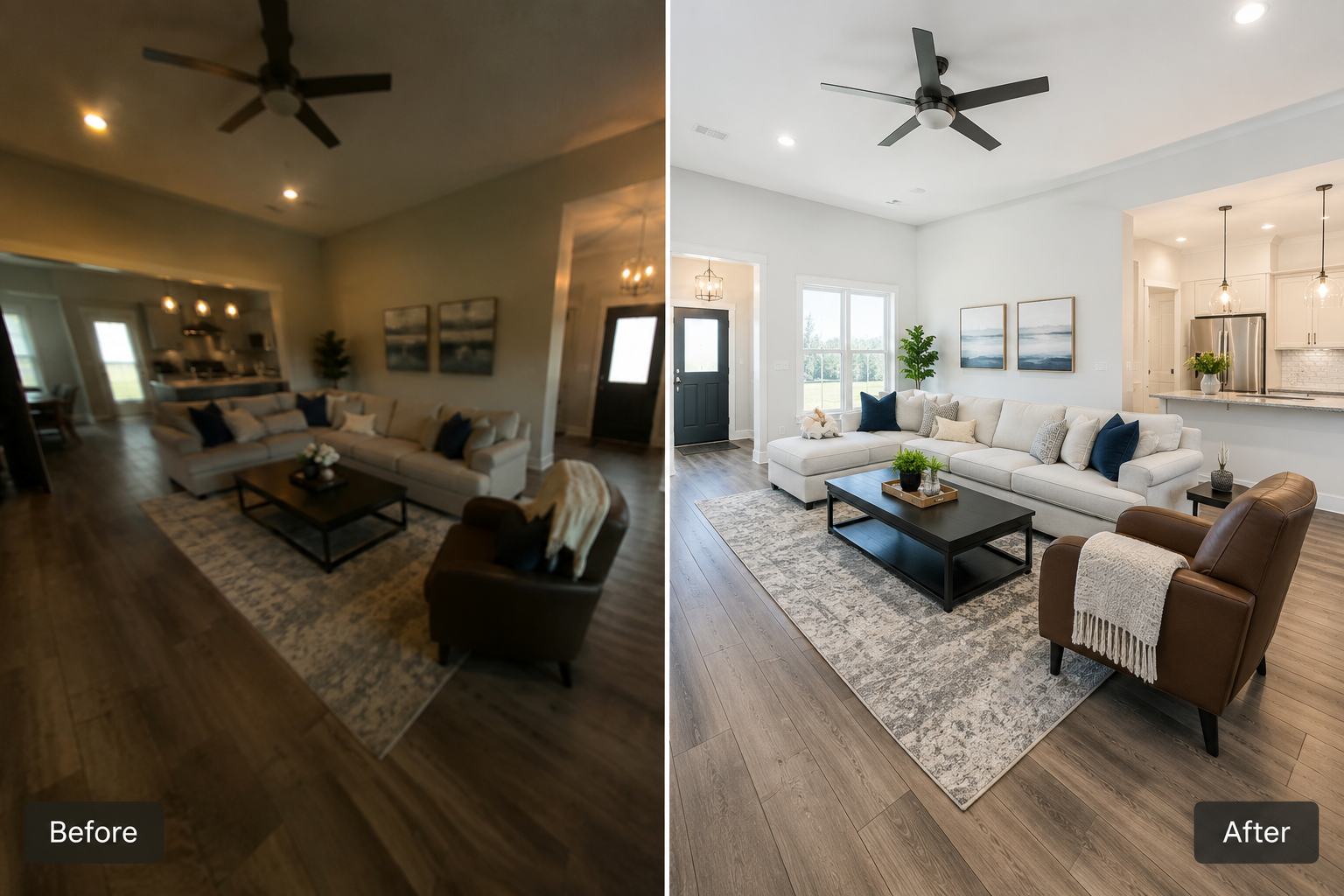
The fix:
Photo quality matters more than ever, given how much of the search process now happens online before a buyer ever requests a showing—a trend well documented on sites like the Redfin Data Center, which tracks how buyers browse and filter listings.
A video creator amplifies your photography, for better or worse, so the input is worth the extra five minutes of curation.
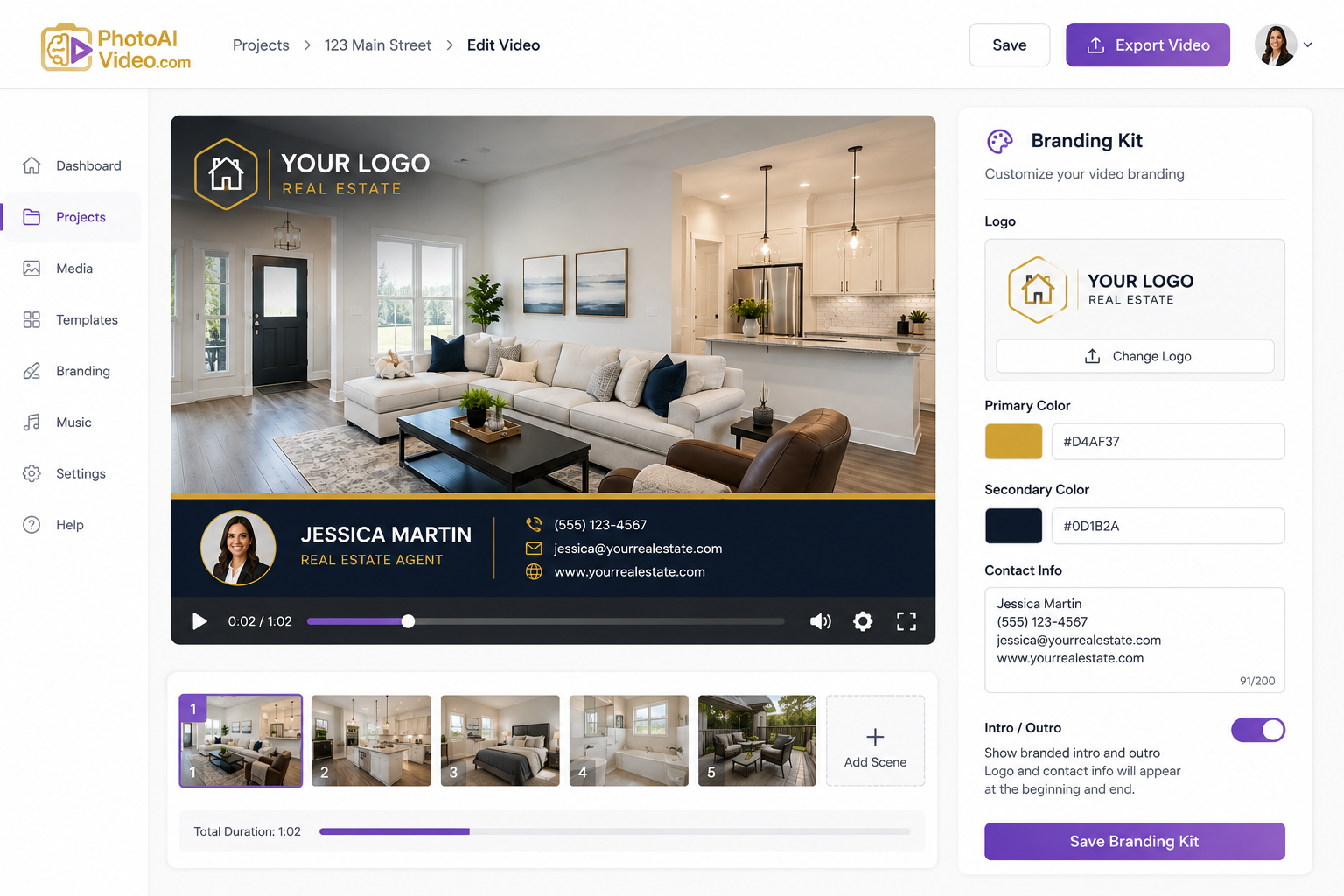
It’s tempting to treat every listing video as disposable—generate it, post it, and move on. But an unbranded video is a missed opportunity.
Viewers who watch a great walkthrough with no name, logo, or contact information attached have no way to connect that experience back to you, and you lose the opportunity to build recognition across every video you publish.
The fix:
This is one area where a purpose-built real estate video creator earns its keep—a tool built for real estate agents will have branding controls designed specifically for this repeat-use case, rather than generic video templates you have to rework every time.
Dumping photos into a video creator in the order they were shot rarely tells a coherent story. A video that opens on a bathroom, cuts to the backyard, then jumps to the kitchen forces viewers to mentally reconstruct the floor plan themselves—and most won’t bother.
The fix:
Pacing matters too. A video that lingers too long on a hallway or rushes past the primary suite feels unbalanced. If you’re not sure what good pacing looks like, review a walkthrough of the process to see how a well-ordered sequence flows from room to room.
Having 12+ professional camera movements available—pans, zooms, tilts, dolly effects, orbits, and more—is a genuine advantage of a real estate video creator over static slideshows.
But more motion isn’t automatically better. Applying an aggressive zoom or orbit to every single photo makes a video feel frantic and can actually distract from the room itself, especially in smaller spaces where an orbit effect can exaggerate proportions.
The fix:
Choosing movement per photo or per room, rather than applying one effect uniformly, is usually what separates a video that feels professionally shot from one that feels like a template.
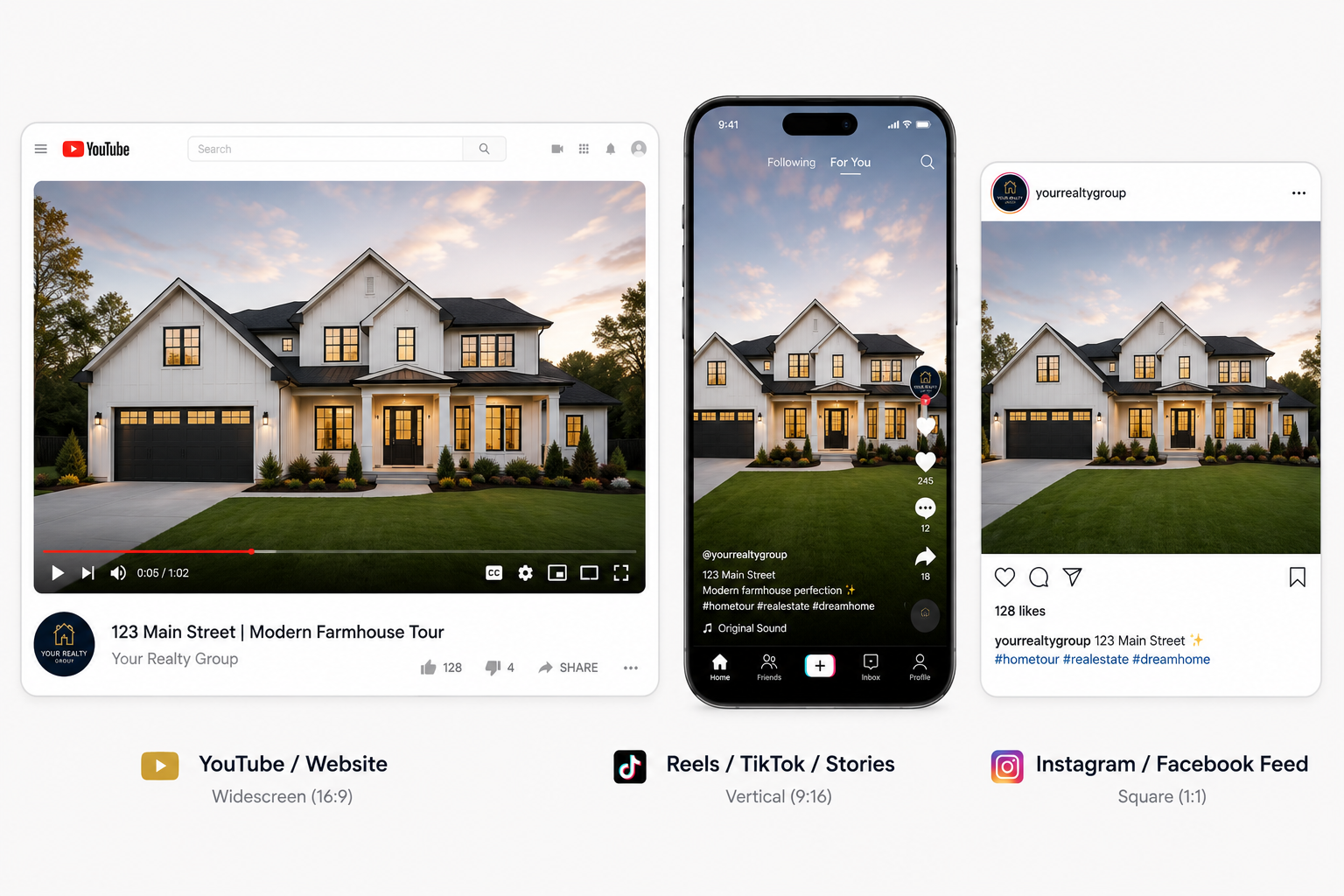
A video sized only for YouTube or a website embed can get cropped, letterboxed, or overlooked on Instagram Stories, TikTok, or Facebook Reels.
Agents who export a single widescreen file and post it everywhere are leaving reach on the table, since each platform favors a different format.
The fix:
Since a real estate video creator can typically generate all three formats from the same edit, there’s little reason to settle for one export. It takes only a few extra minutes and multiplies the number of places where your listing can be seen.
A beautifully produced video that ends with no next step is a missed conversion opportunity.
Viewers who have just watched a full walkthrough are primed to act—schedule a showing, ask a question, or request more photos—but only if you tell them how.
The fix:
Video consistently drives strong engagement, a pattern reflected in industry research such as the Wyzowl State of Video Marketing report and HubSpot’s video marketing statistics. That engagement is wasted if there’s nowhere for it to go.
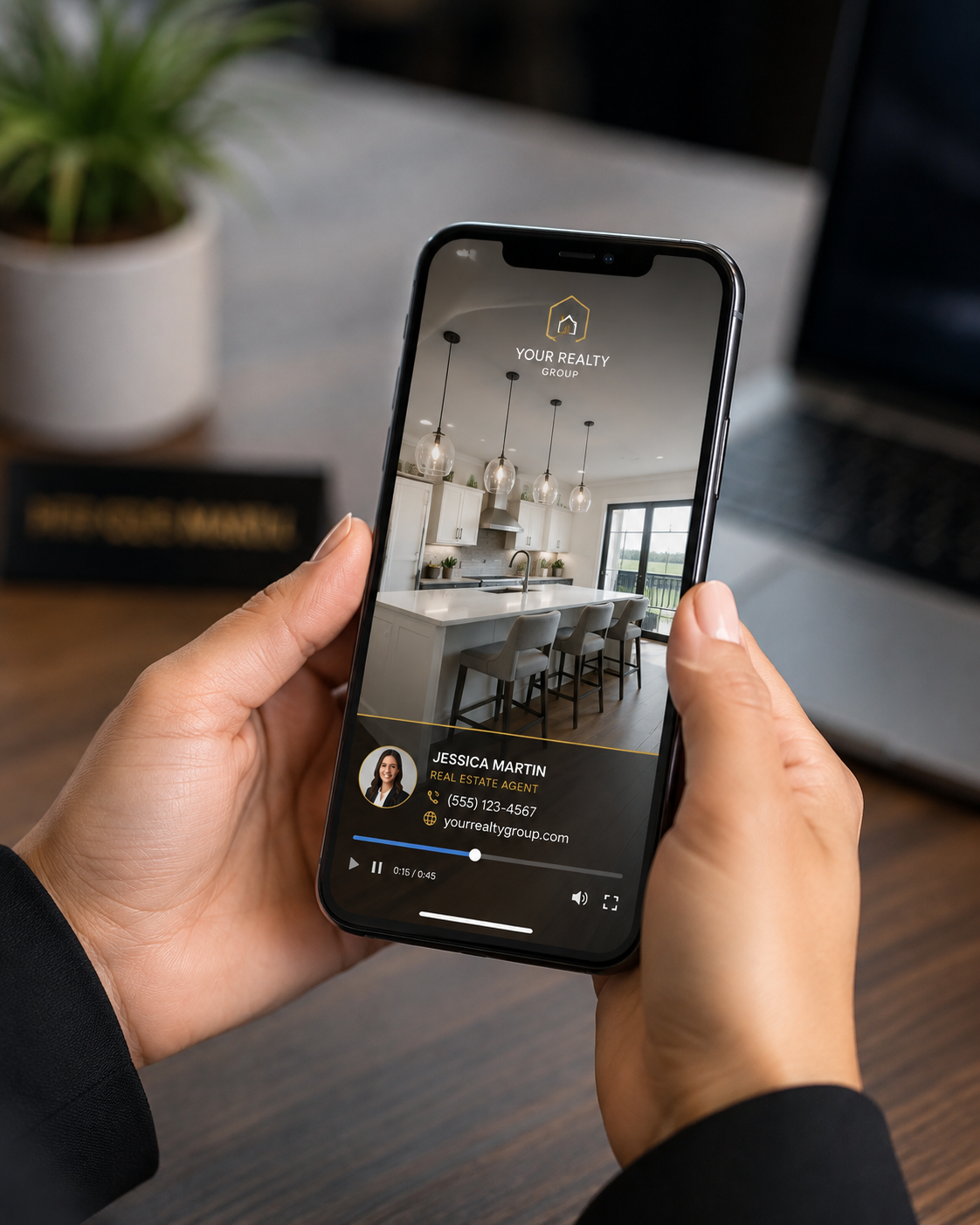
A video that looks great in a desktop preview can look completely different on a phone. Text that’s readable on a large monitor can become difficult to read on a small screen, while a branding overlay positioned perfectly in widescreen might overlap awkwardly in a vertical crop.
Since many buyers browse listings and social feeds from their phones, mobile is where a large portion of your audience will actually encounter your video.
The fix:
This small step takes only a couple of minutes and can catch formatting issues that are easy to miss when you’re focused on the edit rather than how the finished video will actually be viewed.
The biggest mistake isn’t a technical one—it’s stopping after one video.
Agents who try a real estate video creator for a single flagship listing, see decent results, and then don’t use it again are missing the compounding benefit of consistency. Buyers and past clients can start to recognize an agent who consistently posts polished video content, and that recognition builds across multiple listings, not just one.
The fix:
A real estate video creator is only as valuable as how often it gets used. Agents who treat it as a recurring part of their marketing routine, rather than a one-time experiment, are the ones most likely to turn it into a meaningful marketing advantage.
Do I need professional photography to use a real estate video creator?
No. Most tools, including PhotoAIVideo, work directly with the listing photos you already have. The better the source photos, the better the video, but you don’t need a separate video shoot or specialized equipment.
How long does it actually take to make a listing video?
With an automated real estate video creator, a full listing video can typically be produced in about five minutes once your photos are uploaded and your branding kit is set up, compared with the hours a traditional video shoot and edit can take.
Should every listing get a video, or just higher-end ones?
Every listing can benefit, though the payoff is easiest to see on listings that already have strong photography. Since a real estate video creator removes many of the time and cost barriers associated with traditional video, it can be practical to make video a standard part of your listing workflow.
Do I need a voiceover for the video to work?
No. A voiceover is an optional add-on rather than a requirement. Many effective listing videos rely on camera movement, music, and on-screen branding alone. Adding a voiceover or an AI avatar clone is worth considering when you want a more personal, narrated feel.
Avoiding these mistakes isn’t about perfection—it’s about giving each listing video the small amount of attention needed to turn a generic clip into one that represents both the property and your brand well.
Start with clean photos, sequence them thoughtfully, keep camera movements purposeful, export for every platform you actually use, and always give viewers a clear next step. Do that consistently, and a real estate video creator stops being a one-off experiment and becomes one of the more reliable parts of your listing marketing.


Compact, ready to go anywhere
Interchangeable lens that’s upgradeable
Dual 1-inch sensors for improved clarity and low light performance
Dynamic range and 6K 360° capture
360° photo resolution at 21MP

8K 360° video recording for ultra-detailed visuals.
4K single-lens mode for traditional wide-angle shots.
Invisible selfie stick effect for drone-like perspectives.
2.5-inch touchscreen with Gorilla Glass protection.
Waterproof up to 33ft for underwater shooting.

360° photo resolution in 23MP
Slim design at 24 mm thick
Built-in image stabilization for smooth video capture.
Internal 19GB storage for photo and video storage.
Wireless connectivity for remote control and sharing.

60MP 360° still images for high-resolution photography.
5.7K 360° video recording at 30fps.
2.25-inch touchscreen for intuitive control.
USB Type-C port for fast charging and data transfer.
MicroSD card slot for expandable storage.
.png)

.png)

Try it free. No credit card required. Instant set-up.







.svg)


.svg)