


.png)



A real estate team does not usually lose listings because they lack effort.
They lose momentum because the media workflow is scattered.
One agent uses a photographer. Another uploads phone photos. Someone else posts a Canva graphic. The team leader wants videos, but nobody has time to edit them. The admin is chasing floor plans. The seller wants better online exposure. The buyer wants to understand the property before scheduling.
Nothing is technically broken.
But everything is disconnected.
That is where a visual AI bundle becomes valuable. Instead of treating photos, tours, videos, staging, and floor plans as separate tasks, a real estate team can organize those assets into one listing media workflow.
For CloudPano resellers, this is a strong niche because real estate teams already understand the importance of presentation. They do not need to be convinced that listings need good visuals. They need a better way to create, manage, and scale them.
The real estate software reseller opportunity is not just about selling a tool. It is about helping real estate teams create a more consistent way to market properties.
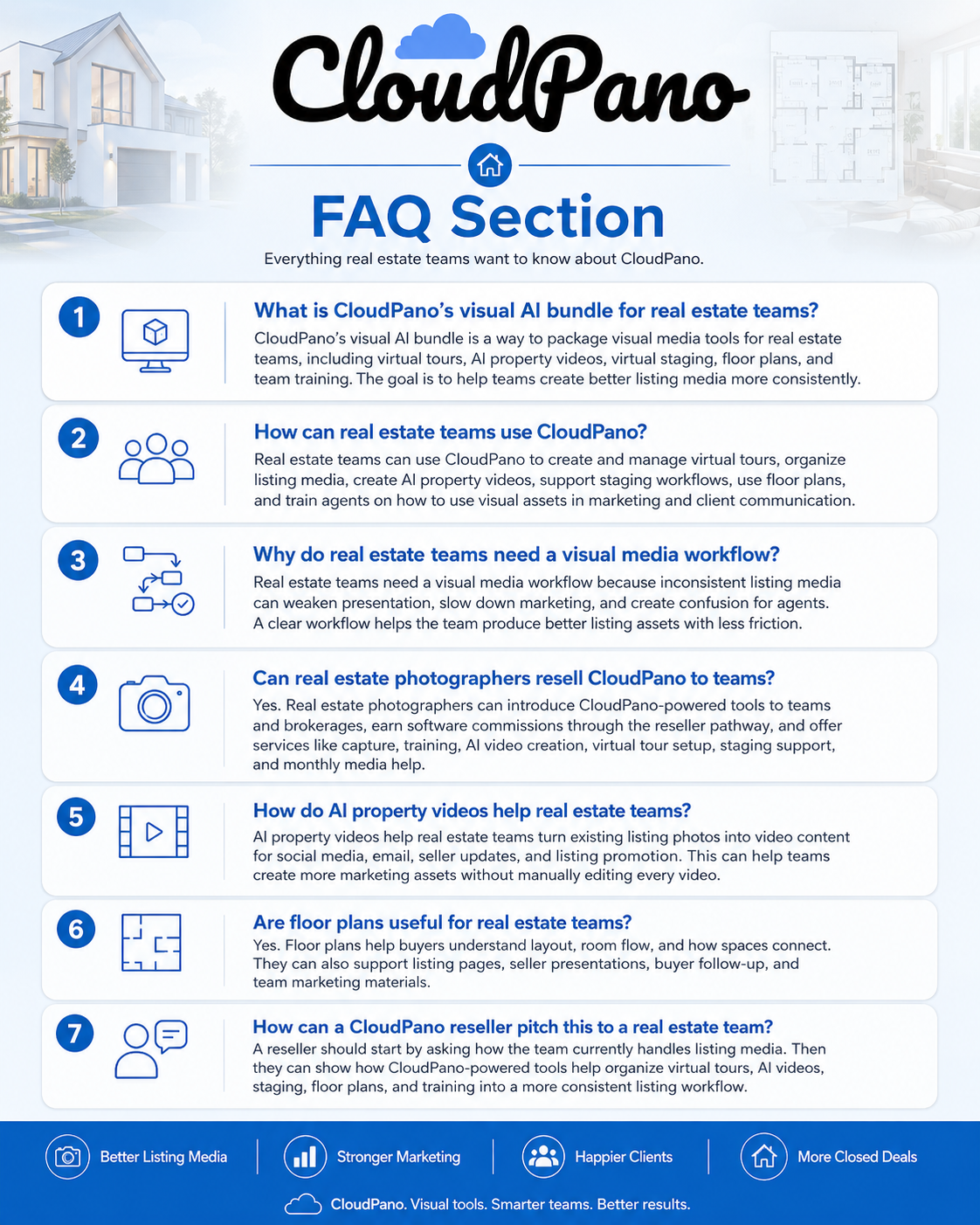
A visual AI bundle for real estate teams is a set of tools and workflows that helps agents, brokerages, and media teams create better listing content faster.
Instead of using one tool for virtual tours, another tool for video, another vendor for staging, another vendor for floor plans, and another system for delivery, the goal is to create a connected workflow around the listing.
For a real estate team, that can include:
CloudPano’s core platform is built around publishing 360° virtual tours without coding through the CloudPano virtual tour software platform. The broader reseller opportunity is to package that kind of visual media capability into a practical offer for agents, teams, and brokerages.
The key word is practical.
A team does not need another complicated dashboard nobody uses.
They need a repeatable listing media process.
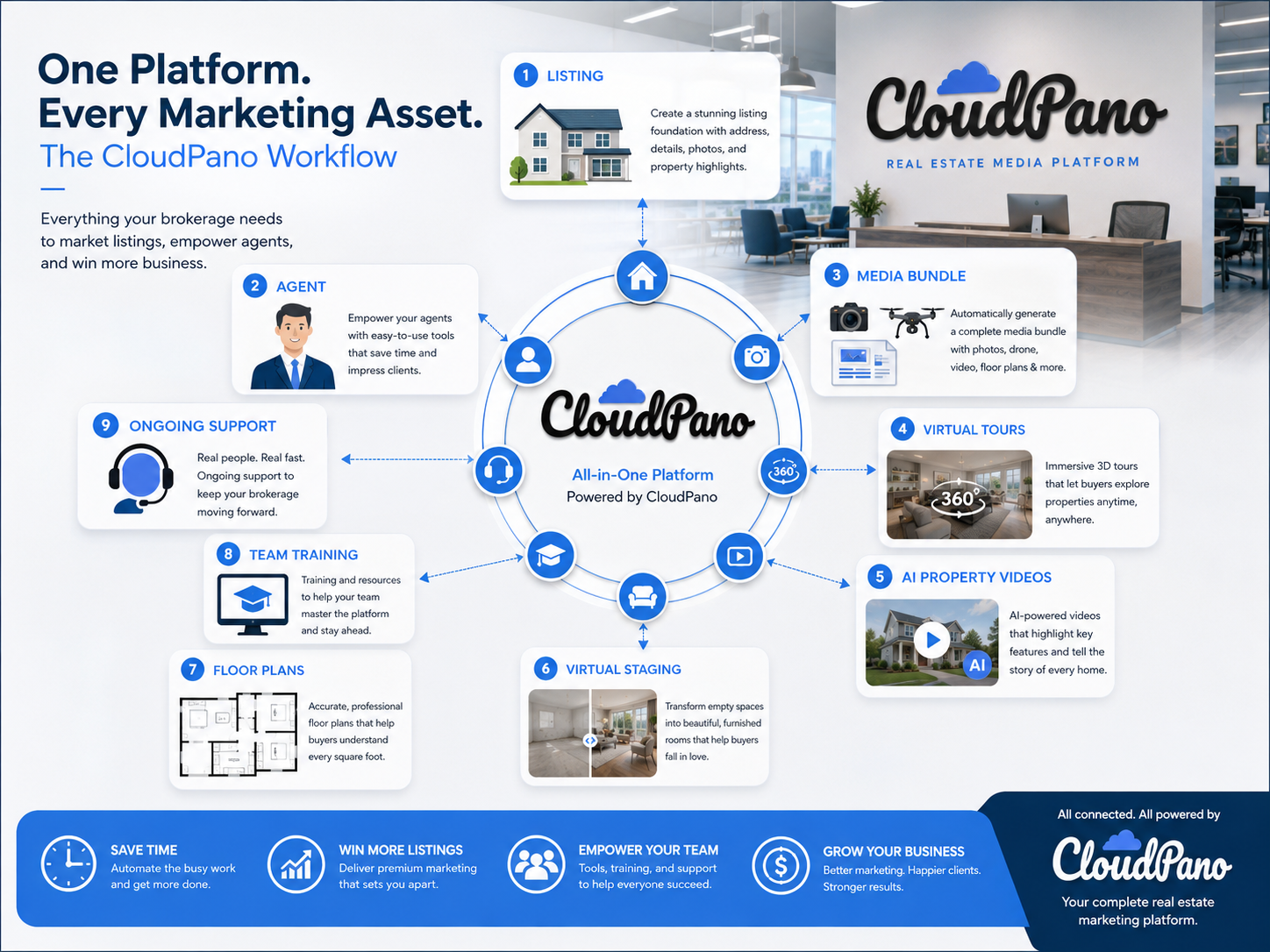
Real estate is one of the strongest niches for the CloudPano reseller program because the pain is easy to see.
Listings need media.
Agents need content.
Sellers expect strong presentation.
Buyers want to understand the space online.
Team leaders want consistency.
Admins want fewer disconnected tools.
Photographers want higher-value offers.
This creates a natural opening for CloudPano resellers.
A reseller can walk into a real estate team and talk about a real business problem:
“How are you currently creating listing media across the whole team?”
That question is more powerful than:
“Do you want to buy software?”
A team leader may already know their agents are inconsistent. They may already know some listings get great media and others do not. They may already want more videos, more tours, more staging, or better floor plans, but they do not have a simple system.
The National Association of Realtors has highlighted virtual tours and AI-powered platforms as part of modern real estate marketing in NAR’s virtual tour playbook for real estate. Zillow also promotes 3D home tours and interactive floor plans as shareable listing assets that can be used across platforms through Zillow’s 3D Home and interactive floor plan tools.
That tells you something important.
The market already understands visual media matters.
The reseller’s job is to make the workflow easier to buy and easier to use.
The common problem inside real estate teams is not a lack of tools.
It is tool overload.
Here is what actually happens.
A team leader tells agents they should create more listing videos. Everyone agrees. Then the first listing goes live, and the agent is busy. The photographer sends the images. The admin uploads photos to the MLS. Someone says they should make a reel. Another person asks about a virtual tour. The seller asks if the empty bedroom can be staged. The floor plan is still not ready.
The listing launches, but the media rollout is incomplete.
That is the gap.
Real estate teams often have the raw material. They have property photos. They have listing details. They have agents who want to market better. But they do not have a clean system for turning that material into a complete media package.
This creates several problems:
For resellers, this is a strong opening because the problem is not abstract.
The team can feel it immediately.
CloudPano fits into the real estate workflow by helping resellers package visual media tools into a clearer listing marketing system.
Instead of pitching one-off software features, a reseller can position the bundle around the life of a listing.
A property comes in.
The team gathers photos and details.
The media assets are created.
The listing gets virtual tours, AI videos, staging, floor plans, and shareable content.
Agents use those assets for sellers, buyers, social media, property pages, emails, and presentations.
That is the workflow.
CloudPano already publishes content around AI real estate video creation, including how listing photos can be turned into videos through AI tools that turn real estate photos into videos. That supports one part of the bundle.
The virtual tour component supports another.
The staging and floor plan pieces create additional value.
For a reseller, the pitch becomes:
“Instead of treating every listing media item separately, let’s give your team a connected visual media workflow.”
That is a much stronger conversation than simply saying:
“Here is a virtual tour tool.”
It also opens the door for software plus services business model opportunities. A reseller can help the team get access to the tools and then offer setup, onboarding, training, first-project support, or ongoing content help.
Do not start with the tool list.
Start with the listing.
Ask the team:
“What happens from the moment a listing is signed to the moment the property goes live?”
That question reveals the workflow.
You will quickly see where the gaps are:
A visual AI bundle works best when it fits into the existing listing process instead of sitting outside of it.
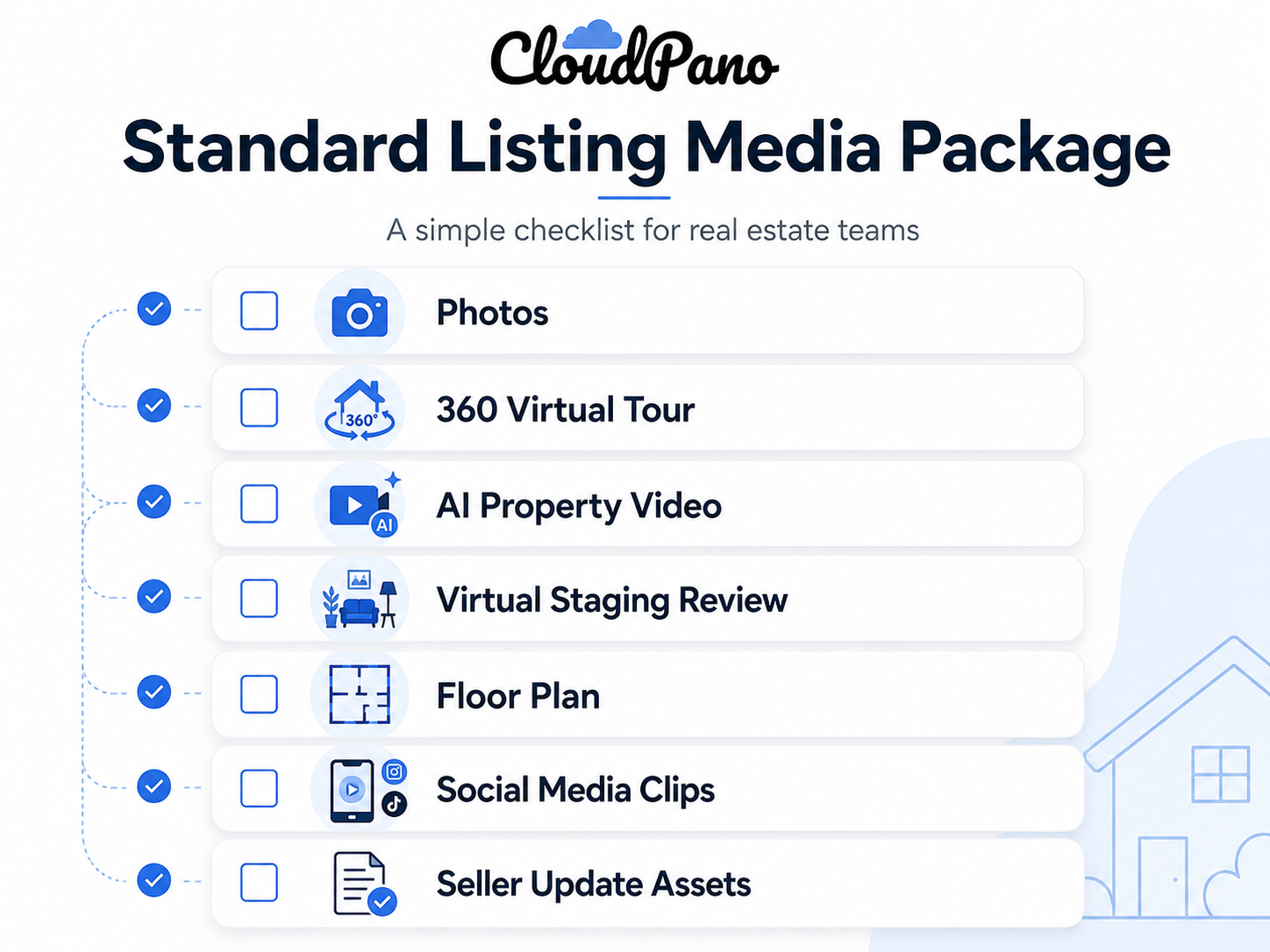
Once the workflow is clear, create a standard package.
For example, every listing could include:
Not every property needs every asset, but the team should have a default standard.
This helps agents avoid guessing.
It also helps the team leader create a more consistent brand.
A 360° virtual tour helps buyers understand the layout and flow of a property before they schedule a showing.
That matters because static photos can hide context.
Photos show rooms.
Tours show how rooms connect.
For busy agents, this can improve the quality of buyer conversations. A buyer who has already explored the property online may arrive with better context and better questions.
For sellers, it also creates a premium marketing impression.
Most teams already have property photos.
The missed opportunity is turning those photos into video assets.
AI property videos can help agents create listing reels, property walkthroughs, seller updates, email content, and social posts without manually editing every video from scratch.
This is where AI tools for real estate marketing become practical. The value is not just “AI.” The value is speed.
A team can take existing media and create more content from it.
Virtual staging is not just for empty homes.
It can help buyers understand awkward spaces, outdated rooms, vacant bedrooms, home offices, bonus areas, and open layouts.
The key is to use it strategically.
A reseller can help a team create a simple rule:
Use staging when a room’s purpose is unclear or when the current presentation weakens the perceived value of the listing.
That is a practical decision-making framework.
Floor plans help buyers understand size, flow, and room relationships.
This matters because photos and tours do not always answer layout questions quickly.
A floor plan can help a buyer understand:
For real estate teams, floor plans also create useful assets for presentations, websites, listing pages, and buyer communication.
The best tool stack fails if agents do not understand when to use it.
A reseller can offer team training around simple use cases:
This turns the software bundle into an agent enablement system.
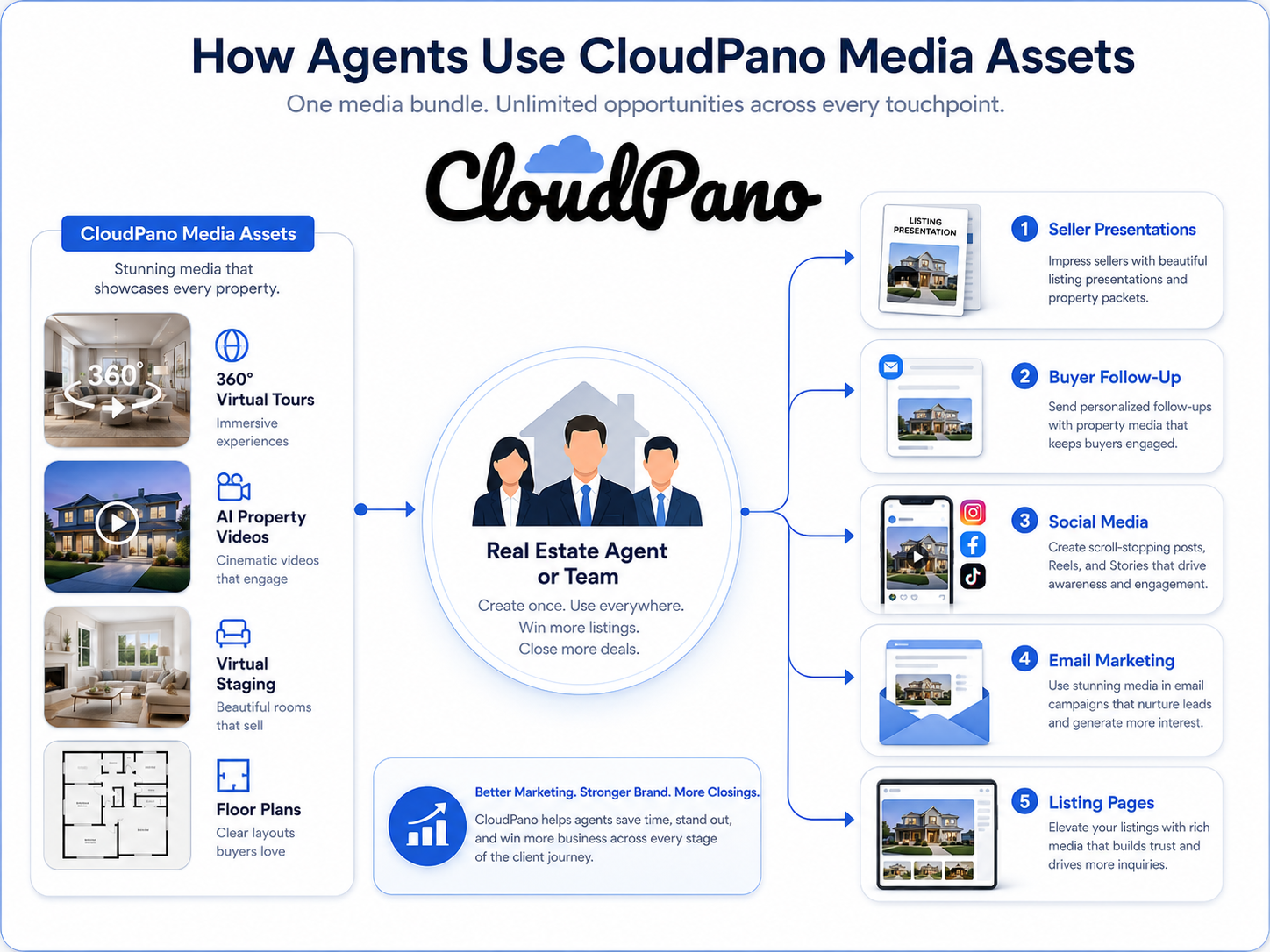
Once a team understands the value, send them through the correct reseller process.
For CloudPano, that may include sending them to the CloudPano Reseller Program page or using the approved reseller link assigned to you.
This keeps tracking clean and gives the customer a clear next step.
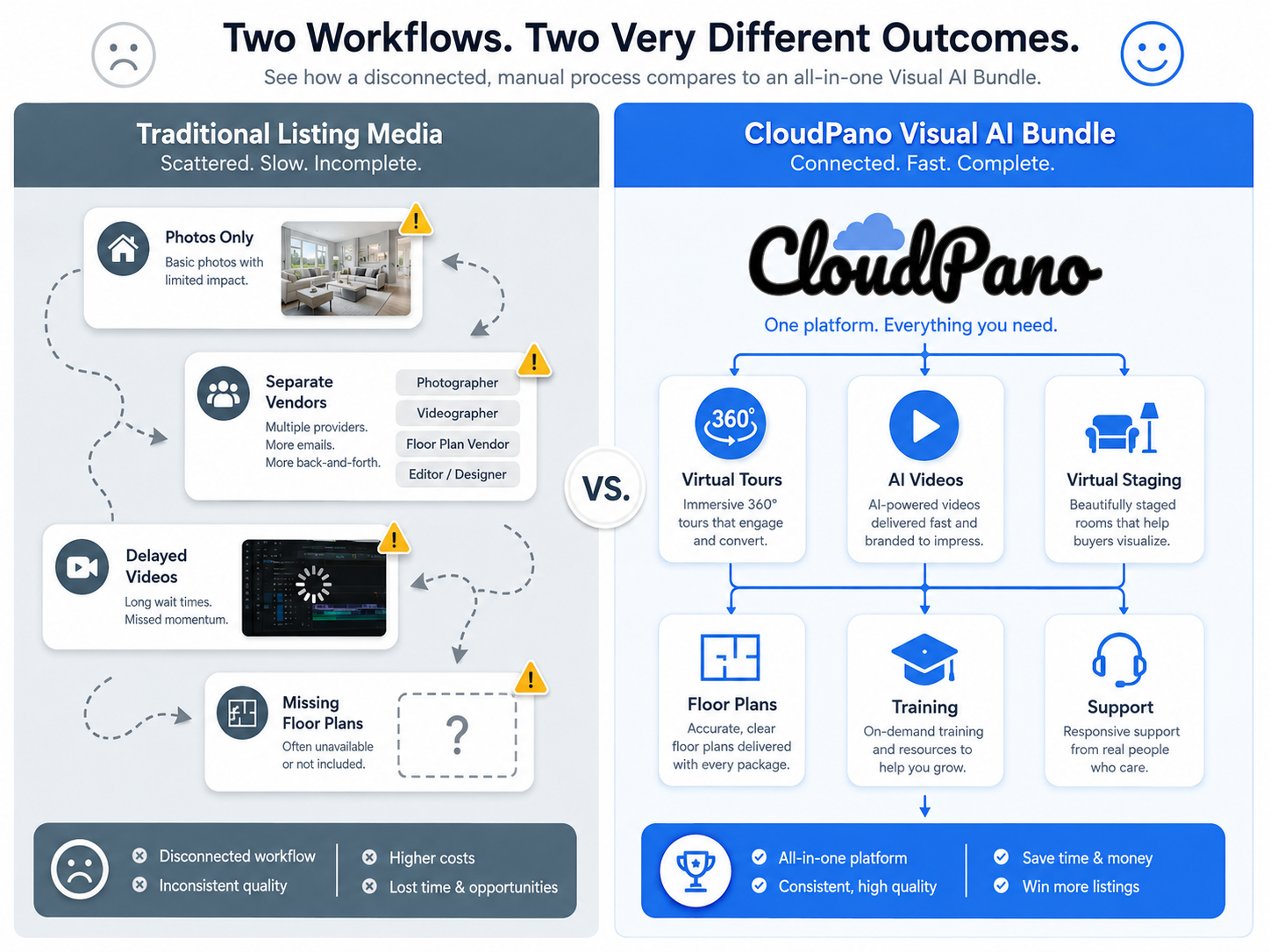
This is why the visual AI bundle matters.
It creates a more organized process for the team and a stronger offer for the reseller.
A team signs a new listing on Monday.
Instead of deciding media asset by asset, the admin follows a standard checklist:
Photos, virtual tour, AI video, floor plan, and staging review.
By the time the listing goes live, the agent has a full media package for the MLS, website, email, social media, and seller updates.
The result is not just better content.
It is less chaos.
A brokerage wants to recruit productive agents but needs to show real value.
Instead of only promoting split structure or office culture, the broker can say:
“We give our agents access to a better listing media system.”
That can include virtual tours, AI videos, staging, floor plans, and support.
For a reseller, this is a strong pitch because it connects the bundle to broker value, not just listing marketing.
A photographer already works with agents but wants to move beyond one-off shoots.
They introduce the CloudPano-powered visual AI bundle as a team solution.
The photographer can earn software commissions and offer services like capture, training, first project setup, or ongoing media creation.
This turns the photographer into a media partner, not just a vendor.

A team wants more video content but does not have a full-time editor.
They use AI property videos to turn listing photos into social-ready assets.
Now every listing can create more content without adding a complicated editing process.
This helps agents stay visible online without starting from scratch every time.
A team leader notices that some listings look polished and others look rushed.
They use the visual AI bundle to create a standard media checklist.
Now agents know what should happen for every listing.
That consistency can improve the team’s brand.
Do not overwhelm the team with a long list of features.
Start with the listing workflow.
Then introduce the tools that solve each part of the workflow.
Most real estate teams do not care about AI for its own sake.
They care about faster content creation, better listing presentation, and less manual work.
Position AI videos around speed and usability.
The admin or transaction coordinator often controls the workflow.
If the reseller only pitches the team leader but ignores the person who manages the listing process, adoption may suffer.
Include the admin in the conversation.
A luxury listing may need a full media bundle.
A rental listing may need a simpler package.
A vacant listing may need staging.
An occupied listing may need a tour and floor plan.
The bundle should create standards, not rigid rules.
If agents do not know how to use the assets, the assets sit unused.
Training helps the team get more value from the bundle.
A reseller should not only think about the software sale.
Real estate teams may need help with setup, training, capture, AI video creation, staging support, floor plan coordination, or monthly content support.
That is where the service upside appears.


Compact, ready to go anywhere
Interchangeable lens that’s upgradeable
Dual 1-inch sensors for improved clarity and low light performance
Dynamic range and 6K 360° capture
360° photo resolution at 21MP

8K 360° video recording for ultra-detailed visuals.
4K single-lens mode for traditional wide-angle shots.
Invisible selfie stick effect for drone-like perspectives.
2.5-inch touchscreen with Gorilla Glass protection.
Waterproof up to 33ft for underwater shooting.

360° photo resolution in 23MP
Slim design at 24 mm thick
Built-in image stabilization for smooth video capture.
Internal 19GB storage for photo and video storage.
Wireless connectivity for remote control and sharing.

60MP 360° still images for high-resolution photography.
5.7K 360° video recording at 30fps.
2.25-inch touchscreen for intuitive control.
USB Type-C port for fast charging and data transfer.
MicroSD card slot for expandable storage.
.png)

.png)

Try it free. No credit card required. Instant set-up.







.svg)


.svg)