


.png)


Before a buyer or seller ever shakes your hand, they've probably already formed an impression of whether they trust you — and that impression may begin on your website, Instagram profile, or the listing page where your headshot sits next to a wall of text. A short, well-made introduction video can change what people see in that moment. It's one of the simplest reasons agents turn to a real estate video maker: a few minutes of footage can communicate personality and professionalism in ways that are difficult to convey through bio copy alone.
This guide walks through why an agent introduction video matters, exactly what to include, where to use it once it's made, and how to produce it — including an option for agents who would rather not stand in front of a camera at all. You'll also find three ready-to-adapt script templates near the end, so you can go from a blank page to a filmed (or generated) video the same day.
People hire people, not just listings. Before a lead calls you, they may be scrolling through agent profiles, comparing headshots, reading reviews, and trying to get a feel for who they'd be working with on one of the biggest transactions of their life.
Video can help close that gap. Seeing your face, hearing your voice, and watching how you talk about your market gives potential clients a better sense of your personality, communication style, and expertise before you've spoken to them directly.
That's a big part of why video marketing for realtors has moved from a "nice to have" toward becoming a practical part of an agent's online presence. It also reflects a broader shift in how people consume information online. Video marketing research, including the widely cited Wyzowl State of Video Marketing report, highlights the role video plays in helping audiences understand products and services.
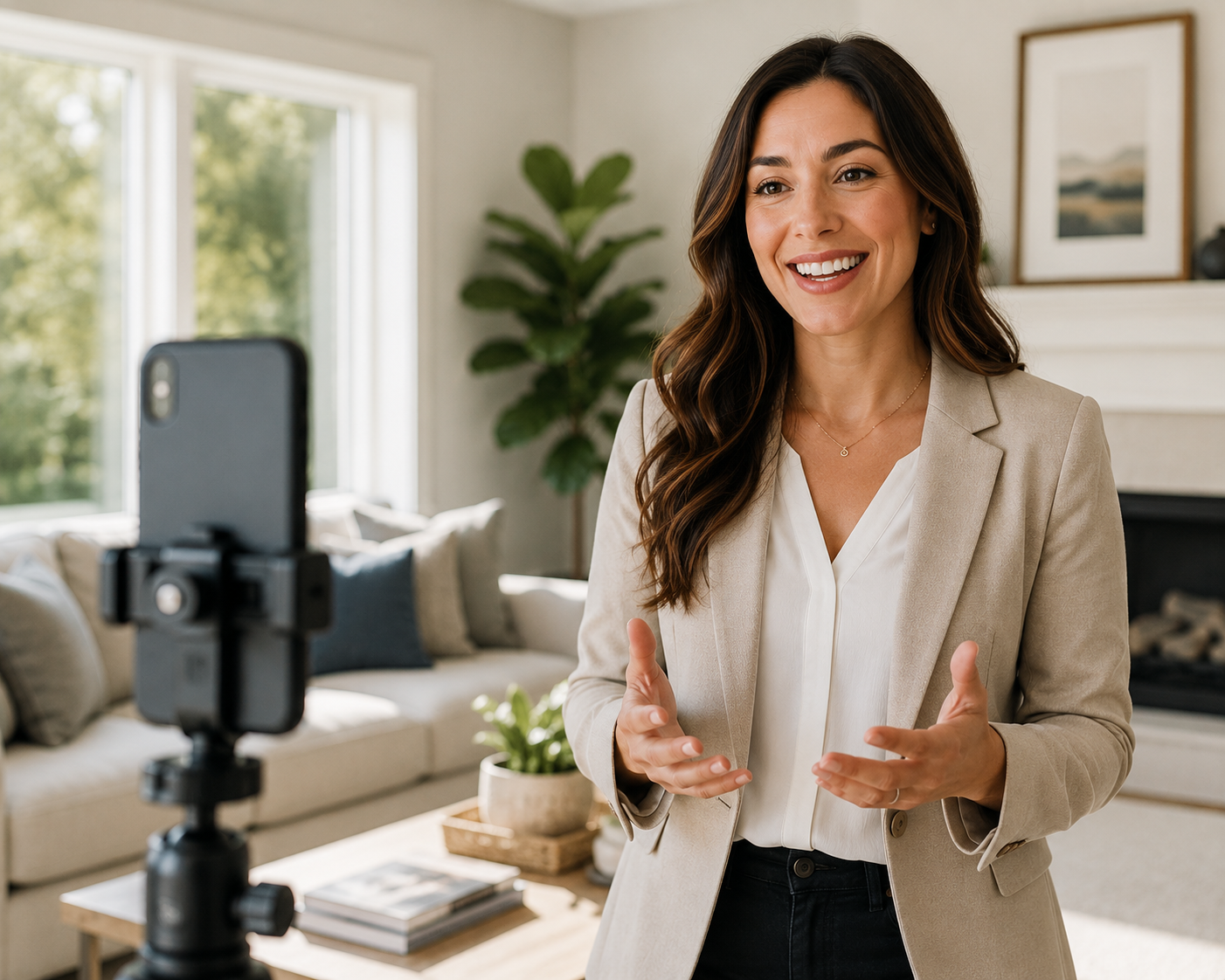
For an agent, however, you're also communicating something more personal: your personality, communication style, local knowledge, and approach to working with clients. Video gives you an opportunity to communicate all of that in a format that's visual, personal, and easy to consume.
There's also a competitive angle. Many agent profiles follow a similar format: a professional headshot, a short paragraph, contact information, and perhaps a logo. Adding a video can help differentiate your profile while putting a real, human face and voice behind your brand.
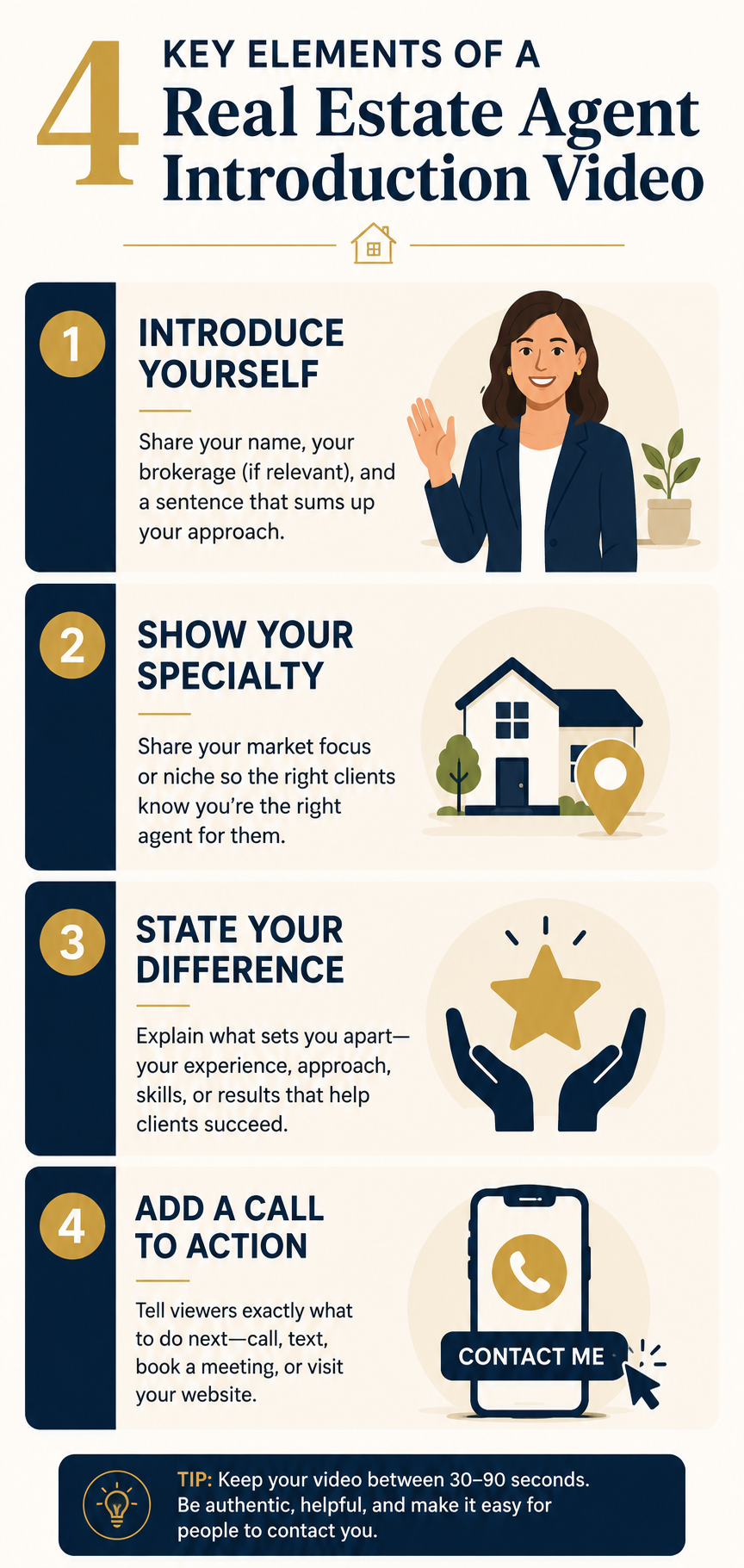
Whether you build it in a full editing suite or use a purpose-built real estate video maker, a good introduction video doesn't need to be long. Around 30 to 90 seconds is usually enough time to introduce yourself, explain what you do, and give viewers a reason to contact you.
Focus on four essential elements:
Research resources from Zillow Research and the Redfin News Data Center illustrate how much of today's home search and real estate research takes place online. That makes your digital presence an important opportunity to establish familiarity before a potential client contacts you.
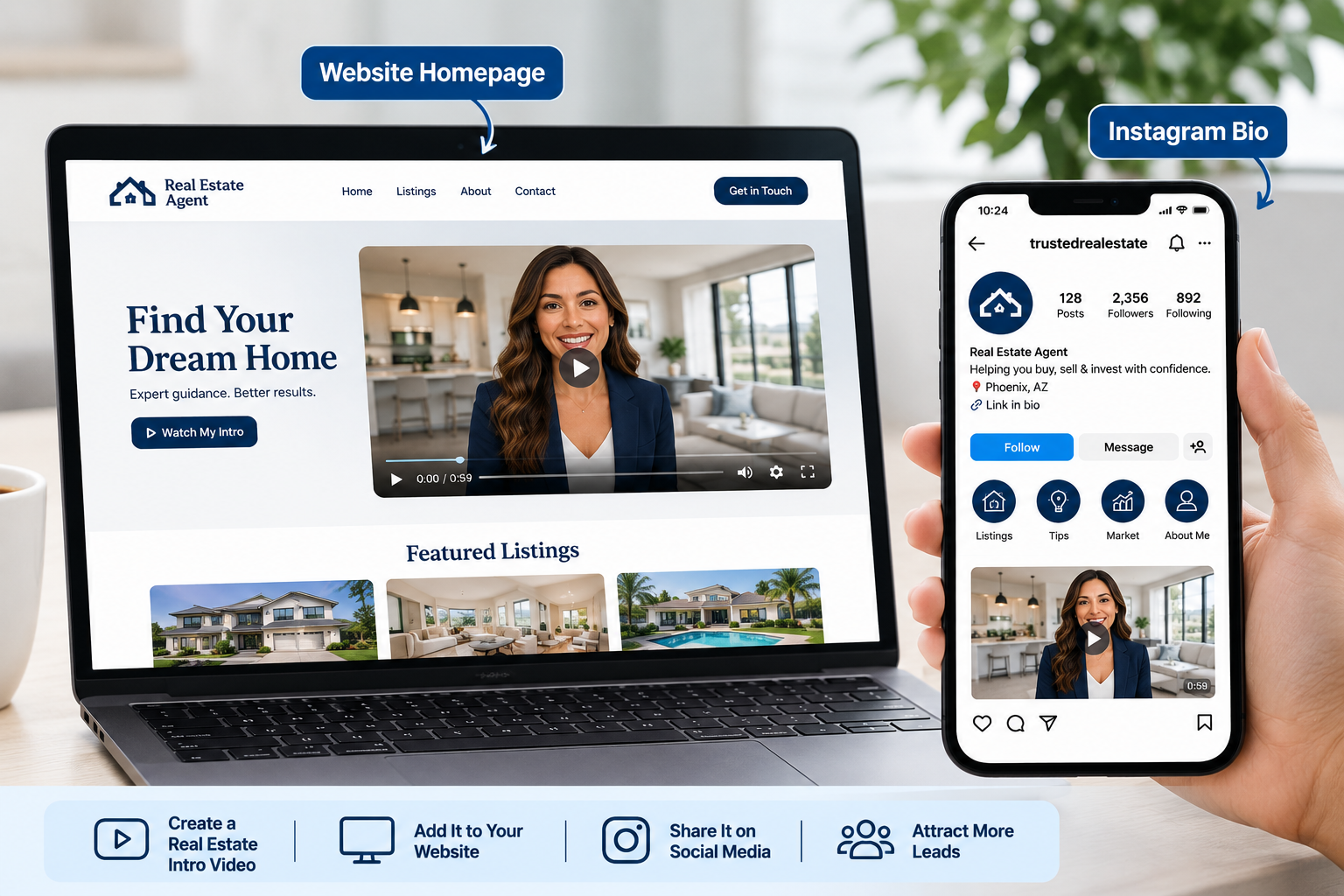
Once you've made your video, don't leave it sitting on a single platform. Repurpose it anywhere a prospective client might encounter your name:
A single well-made clip can be repurposed across these touchpoints. Instead of producing a completely different introduction for every channel, create one strong core video and adapt its format or length where necessary.
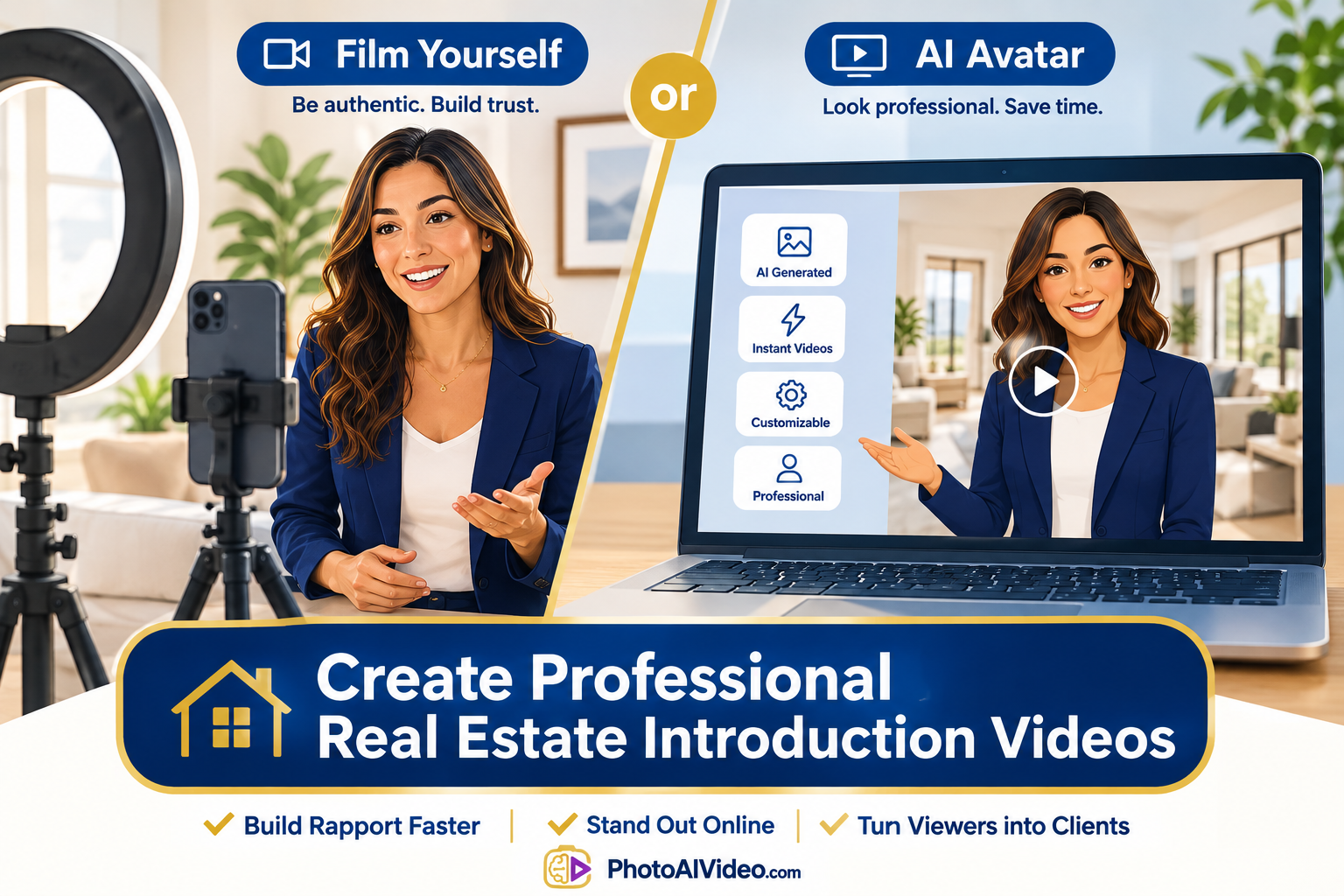
If you're comfortable on camera, a few basics can make a big difference:
Not every agent wants to be on camera, though — and that's no longer necessarily a barrier. AI avatar tools can create presenter-style videos using a digital representation of you based on provided face and voice samples.
This is one reason platforms built specifically for the industry, such as this tool built for real estate agents, offer AI avatar introduction videos alongside listing-video features. It gives camera-shy or time-strapped agents another way to create personalized video content without repeatedly setting up and filming new footage.
Whichever route you choose, aim for the same production quality you'd want from your listing content. Clear audio, flattering lighting, thoughtful framing, readable captions, and consistent branding can all contribute to a more professional final result.
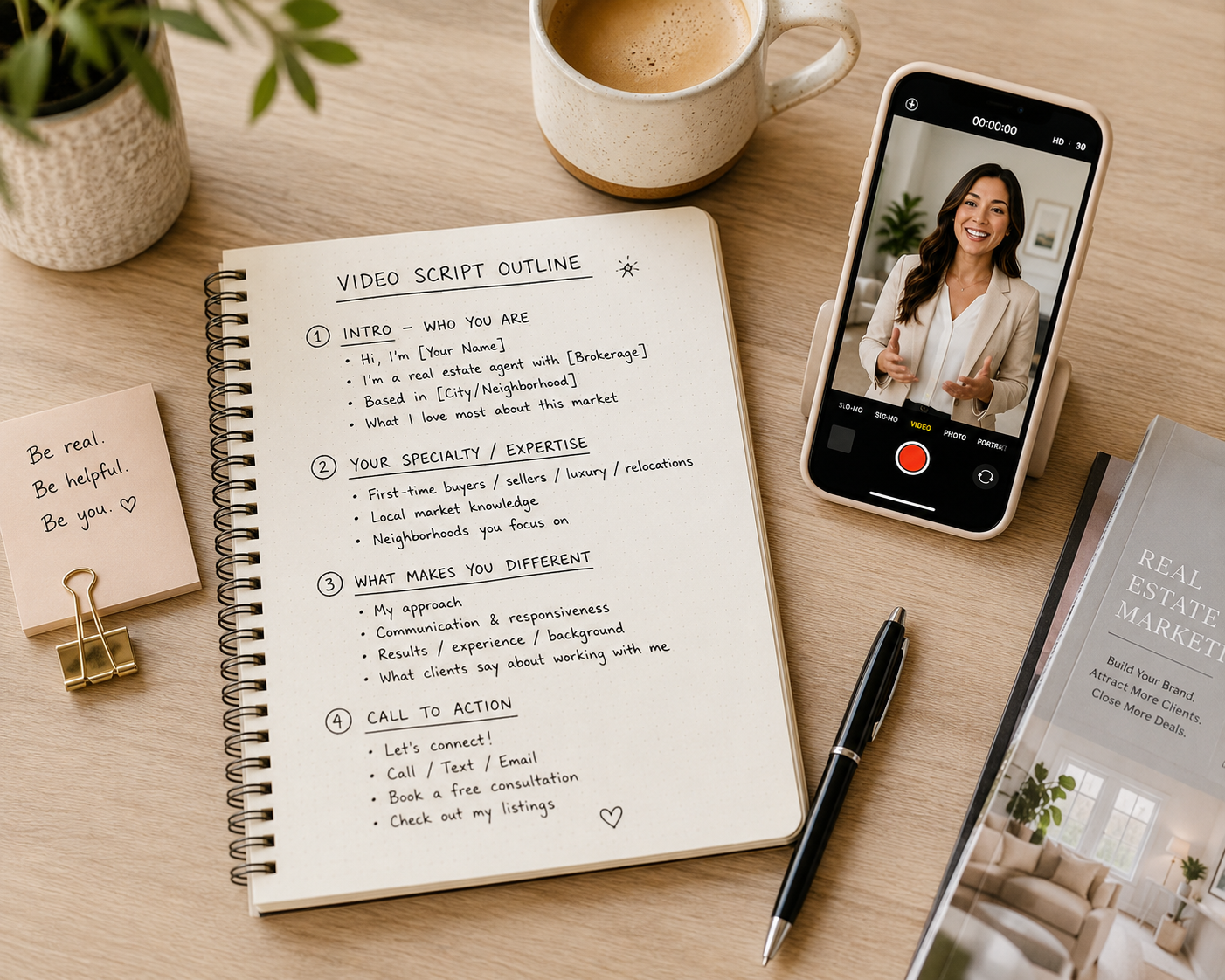
Use these as starting points. Swap in your own details, remove anything that doesn't fit your personality, and read the script aloud a few times before recording or generating the video. The goal is for it to sound like you talking, not you reading.
"Hi, I'm [Name], a real estate agent with [Brokerage] here in [City/Neighborhood]. I'm newer to the business, but I've spent [X years/background] learning this market inside and out, and I'm bringing that same energy to every client I work with. If you're thinking about buying or selling in [area], I'd love to help make the process feel simple instead of stressful. Reach out anytime — my contact information is right below, and I'd be happy to talk about what you're looking for."
"I'm [Name], and for the past [X] years, I've helped buyers and sellers navigate the [City/Neighborhood] market — from first-time buyer condos to move-up family homes. I know the neighborhoods, local market trends, and the factors that can influence what a home is worth. If you want a straightforward conversation about buying or selling in this area, send me a message or check out my current listings. I'd be happy to help."
"I just helped the [Last Name/Family] find their new home in [Neighborhood], and moments like this are why I love this job. I'm [Name] with [Brokerage], and I work with buyers and sellers across [City/Area] to make the process as smooth as possible. If you're ready to start your own search — or you're wondering what your home could sell for — let's talk. My information is below, and I'd be glad to help."
Once you've chosen a template and recorded or generated your video, you can also look at real video examples from other agents for ideas on tone, pacing, presentation, and CTA placement.
How long should a real estate agent introduction video be?
Around 30 to 90 seconds is a useful target for most agent introduction videos. That's generally enough time to explain who you are, what you specialize in, and what viewers should do next without making the introduction unnecessarily long.
Do I need professional equipment to make one?
No. A modern smartphone, good natural lighting, and a quiet room can be enough for a DIY introduction video. If you'd rather skip filming altogether, an AI video generator or avatar tool can provide another option using existing photos and a voice or video sample.
How often should I update my introduction video?
Refresh it whenever important information changes, such as your brokerage, branding, specialty, appearance, or contact details. It's also worth reviewing the video periodically to make sure it still represents how you want prospective clients to see you.
Can I use the same video for multiple listings or platforms?
Yes. Because your introduction video is primarily about you rather than a specific property, you can use the same core video across your website, social profiles, email signature, and appropriate listing pages. You may still want to create shorter cuts or different aspect ratios for individual social platforms.
An introduction video isn't just another piece of content. It can serve as an early introduction to who you are, how you communicate, and what prospective clients can expect from working with you.
Whether you film it yourself with a smartphone or generate it using an AI avatar, the goal is the same: give potential clients an opportunity to see and hear from you before they make contact.
If you're ready to put one together, a purpose-built real estate video maker can simplify elements such as pacing, branding, and editing so you can spend more time focusing on what you want to say.
PhotoAIVideo offers plans that include a free option, allowing agents to try the workflow before deciding whether it fits their ongoing marketing strategy.


Compact, ready to go anywhere
Interchangeable lens that’s upgradeable
Dual 1-inch sensors for improved clarity and low light performance
Dynamic range and 6K 360° capture
360° photo resolution at 21MP

8K 360° video recording for ultra-detailed visuals.
4K single-lens mode for traditional wide-angle shots.
Invisible selfie stick effect for drone-like perspectives.
2.5-inch touchscreen with Gorilla Glass protection.
Waterproof up to 33ft for underwater shooting.

360° photo resolution in 23MP
Slim design at 24 mm thick
Built-in image stabilization for smooth video capture.
Internal 19GB storage for photo and video storage.
Wireless connectivity for remote control and sharing.

60MP 360° still images for high-resolution photography.
5.7K 360° video recording at 30fps.
2.25-inch touchscreen for intuitive control.
USB Type-C port for fast charging and data transfer.
MicroSD card slot for expandable storage.
.png)

.png)

Try it free. No credit card required. Instant set-up.







.svg)


.svg)