Professional Results: Lighting and Audio Tips for Your Real Estate AI Avatar

Cloudpano
April 1, 2026
5 min read
Share this post

Professional Results: Lighting and Audio Tips for Your Real Estate AI Avatar

The real estate industry is famous for its "hustle," but that hustle often leads straight to a wall. You know the feeling: you need to be on camera to stay relevant, but between back-to-back showings, contract negotiations, and inspections, there just isn't time to set up a tripod.

Filming high-quality video content is a full-time job in itself. Many agents face a grueling choice—either spend thousands on professional videographers or suffer through grainy, poorly lit DIY videos that don't reflect their premium brand. This is exactly where the concept of an ai twin for real estate agents changes the game. By creating a digital clone real estate agent, you can scale your presence without ever stepping back into the "studio."

However, an AI avatar is only as good as the data you give it. To ensure your ai video clone real estate looks and sounds like a million-dollar producer, you need to master the basics of the "source capture."

Why High-Fidelity Capture Matters for Your AI Twin

When you clone myself ai real estate style, the software analyzes every micro-expression and vocal inflection. If your initial recording is dark or muffled, your digital twin will inherit those flaws. Think of it like a high-end listing; you wouldn't use a flip phone to take the hero shots for a luxury penthouse.

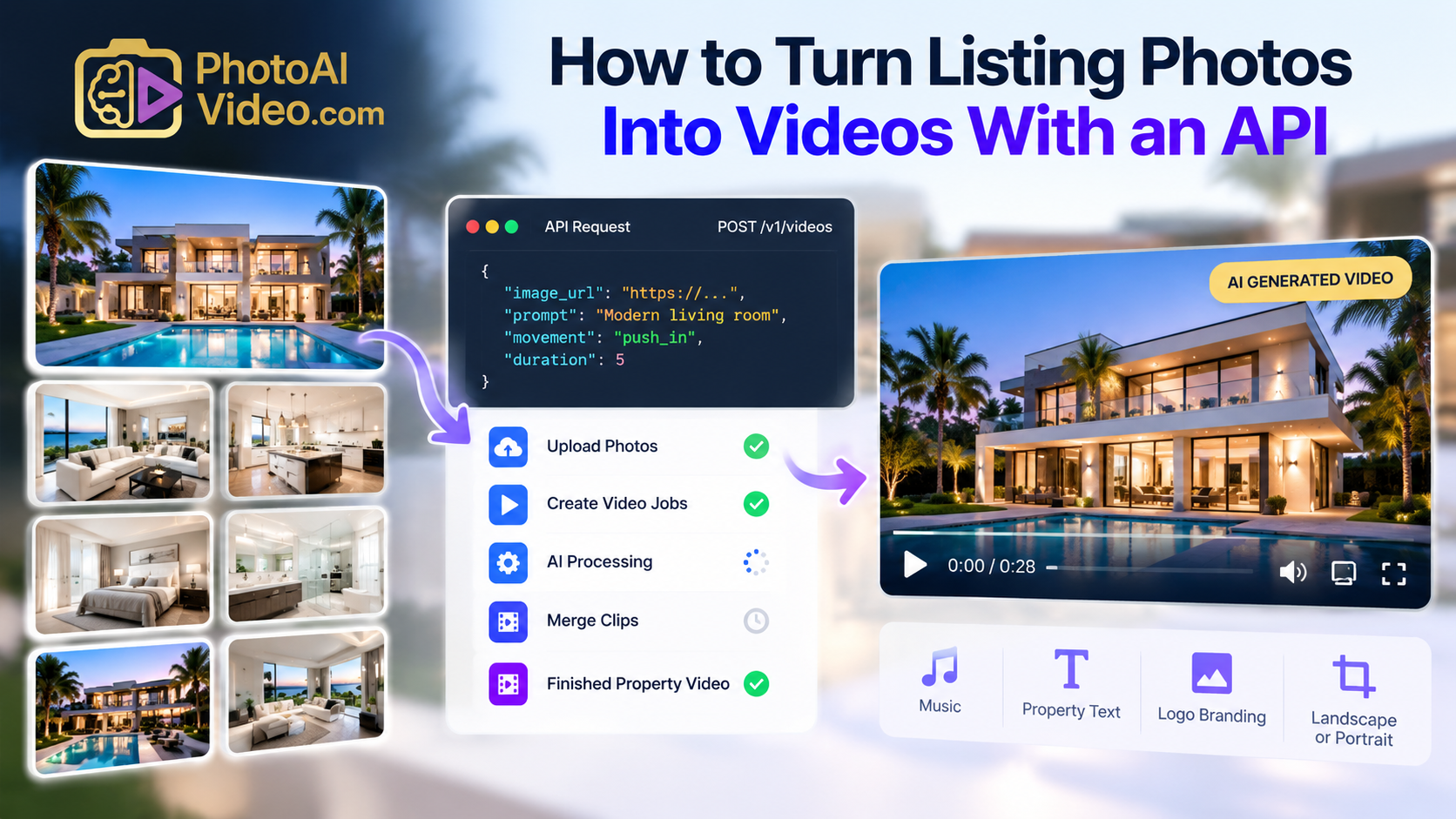
Using Photoaivideo technology allows you to transcend the physical limitations of your schedule. But before you hit record on your training video, let’s dive into the technical nuances that separate the amateurs from the pros.

The 4 Steps to Cloning Your Real Estate Brand

01
Studio-Grade Setup Optimize lighting and audio to provide clean data for your Photoaivideo twin.
02
The Source Recording Record a 2-5 minute video of yourself speaking naturally about real estate market trends.
03
AI Synthesis Photoaivideo processes your likeness and voice to create a seamless digital clone.
04
Infinite Content Type your script and generate market updates or property tours in seconds.

Lighting: The Foundation of a Professional Likeness

In the world of video production, lighting is the variable that makes a $500 camera look like a $5,000 one. For your ai twin for real estate agents, the goal is "flat" but "vibrant" lighting. You want to eliminate harsh shadows under the eyes and chin, as these can confuse the AI's facial mapping.

Three-Point Lighting Simplified

You don't need a Hollywood set, but you should follow the basic principles of three-point lighting:

  1. Key Light: Your main light source, placed at a 45-degree angle from your face.
  2. Fill Light: A softer light on the opposite side to fill in shadows.
  3. Back Light: Positioned behind you to create a "halo" effect, separating you from the background.

If you are filming in a home office, a large window provides excellent natural light, but it’s unpredictable. For the most consistent digital clone real estate agent results, a pair of LED softboxes or a large ring light is a worthwhile investment. According to a study by Zillow Research, high-quality visual media is a primary driver for listing engagement, and that same logic applies to your personal brand videos.

Master the Audio: Giving Your Clone a Voice

A common mistake is focusing entirely on the visual and neglecting the sound. Your voice is your most persuasive tool. When you clone myself ai real estate style, the AI needs to capture the "timber" and "resonance" of your speech.

Controlling the Environment

  • Echo is the Enemy: Large rooms with hardwood floors create reverb. Use rugs, curtains, or even open closets filled with clothes to dampen the sound.
  • Microphone Placement: Never rely on your laptop’s built-in mic. A dedicated USB condenser microphone or a lavalier (lapel) mic clipped to your blazer will provide the crisp audio Photoaivideo needs to generate a natural-sounding voice.
  • Background Noise: Turn off the AC, close the windows, and silence your phone. Even a faint hum can degrade the quality of your ai video clone real estate.

Content Output vs. Hours Spent

Traditional Filming With Photoaivideo Time (Weeks) Output Volume

Data suggests agents using AI avatars increase video touchpoints by over 400% while reducing production time by 85%.

Setting the Scene: Background and Wardrobe

Your background should look like a place where a high-stakes deal happens. A clean, organized office or a subtly blurred living space works best. Avoid busy patterns on the wall that might cause "visual noise" during the AI rendering process.

What to Wear for Your AI Clone

When you record for Photoaivideo, wear what you’d wear to a listing presentation. Solid colors are your best friend. Fine stripes or intricate patterns can cause a "moire effect" (a flickering distortion) in digital video. Choose a deep blue, charcoal, or a crisp white shirt. This ensures your ai twin for real estate agents looks sharp on any device, from a desktop to a smartphone.

The National Association of Realtors (NAR) often emphasizes the importance of a professional image in building consumer trust. Your digital clone is an extension of that trust. If you look like a pro in your source video, your AI will project that same authority in every video it generates.

Scripting for a Natural Feel

One of the hurdles with an ai video clone real estate is the potential for a "robotic" feel. This usually stems from the source recording being too stiff. When you record your training data for Photoaivideo, don't just read a script. Talk to the camera like you’re talking to a first-time homebuyer.

  • Use Your Hands: Natural gestures help the AI learn how you move.
  • Vary Your Pitch: Avoid a monotone delivery.
  • Smile with Your Eyes: The "Duchenne smile" is what makes humans feel connected.

By capturing these nuances, your digital clone real estate agent won't just be a talking head; it will be a charismatic digital version of you that can handle 24/7 lead nurturing.

The ROI of Digital Cloning

Let’s talk numbers. The time spent recording one high-quality 5-minute video can power an entire year of content. Instead of spending four hours every Tuesday filming, you spend 15 minutes writing scripts.

Industry reports from TechCrunch suggest that generative AI in the creative space is moving toward "hyper-realism," making it nearly indistinguishable from reality. For a real estate agent, this means you can produce:

  • Weekly market updates.
  • Personalized "Thank You" videos for every new lead.
  • Educational series on the mortgage process.
  • Social media reels highlighting neighborhood trends.

All of this happens while you are out in the field, actually selling houses. You are essentially "cloning" your most valuable asset: your time.

Scaling Without the Burnout

The beauty of using Photoaivideo is the ability to pivot instantly. If interest rates drop on a Thursday morning, you can have a video update sent to your entire database by Thursday afternoon—without ever picking up a camera.

This level of agility is what separates the top 1% of producers from the rest. They aren't working harder; they are leveraging technology to be in two places at once. Your ai twin for real estate agents is your 24/7 marketing assistant that never calls in sick and always looks perfectly polished.

Taking the First Step Toward Your Digital Future

Mastering the lighting and audio for your ai video clone real estate is a small investment that yields massive dividends. By following these professional tips, you ensure that your digital clone real estate agent is a true reflection of your brand's excellence.

The real estate landscape is shifting. Presence is the new currency, and video is the vehicle. With Photoaivideo, you no longer have to choose between a personal life and a dominant social media presence. 🚀

Ready to see your digital twin in action? Don't let your competition out-pace you in the digital space. Experience the power of high-fidelity AI video and start scaling your brand today. Your clients want to see you—more often, and in more places.

🚀 Your All-In-One Virtual Experience Stack Starts Here

Share this post
Cloudpano

Choose The Right 360° Camera

Insta360 ONE RS 1-Inch 360 Edition

  • Compact, ready to go anywhere

  • Interchangeable lens that’s upgradeable

  • Dual 1-inch sensors for improved clarity and low light performance

  • Dynamic range and 6K 360° capture

  • 360° photo resolution at 21MP

Learn More

Insta360 X4

  • 8K 360° video recording for ultra-detailed visuals.

  • 4K single-lens mode for traditional wide-angle shots.

  • Invisible selfie stick effect for drone-like perspectives.

  • 2.5-inch touchscreen with Gorilla Glass protection.

  • Waterproof up to 33ft for underwater shooting.

Learn More

Ricoh Theta Z1

  • 360° photo resolution in 23MP

  • Slim design at 24 mm thick

  • Built-in image stabilization for smooth video capture.

  • Internal 19GB storage for photo and video storage.

  • Wireless connectivity for remote control and sharing.

Learn More

Ricoh Theta X

  • 60MP 360° still images for high-resolution photography.

  • 5.7K 360° video recording at 30fps.

  • 2.25-inch touchscreen for intuitive control.

  • USB Type-C port for fast charging and data transfer.

  • MicroSD card slot for expandable storage.

Learn More
Property Marketing
Allows potential buyers to explore properties in detail from anywhere, enhancing the real estate marketing process.
Automotive Spins
Create an interactive virtual showroom and engage affluent digital buyers with live 360º video calls, all through the CloudPano mobile app for a complete automotive sales solution.
Interactive Floor Plans
Create 2D and 3D floor plans with measurements in 4 minutes or less, all from your phone. Download the Floor Plan Scanner app and get your first scan free.

360 Virtual Tours With CloudPano.com. Get Started Today.

Try it free. No credit card required. Instant set-up.

Try it free
Latest posts

See our other posts

Interviews, tips, guides, industry best practices, and news.

Property Manager Video Hub: Scaling Rental Visibility with AI Photo-to-Video Workflows

This article explains how property managers can use PhotoAIVideo to build a property manager video hub: a repeatable system for turning rental photos, amenity images, floor plans, exterior shots, and neighborhood visuals into reusable rental marketing videos. The main idea is that property managers do not just need more listing exposure. They need clearer visual answers that help renters decide whether to schedule a tour. PhotoAIVideo is positioned as a practical tool for creating: Unit availability videos Amenity highlight videos Neighborhood videos Tour reminder clips Leasing follow-up videos Owner marketing proof videos Social media rental teasers Application or availability reminder videos Key takeaways: Property managers already have the media they need; the challenge is organizing it and turning it into reusable video assets. A video hub helps teams create consistent videos across units, floor plans, amenities, communities, and owner updates. Rental videos can reduce friction by answering renter questions about layout, condition, amenities, parking, pet features, and community feel. One rental photo set can become multiple video outputs for listings, social media, email, text follow-up, tour reminders, and owner reporting. Photographers can sell AI rental video packages to property managers as an upsell. Brokerages with property management divisions can use the same workflow to standardize leasing content. The article ends with a step-by-step process, video hub framework, mistakes to avoid, visual recommendations, FAQs, and a CTA encouraging readers to use PhotoAIVideo to turn rental photos into a scalable video system for rental visibility.
Read post

YouTube Shorts Listing Teasers: The 3-Scene Structure for Higher Property Clicks

This article explains how real estate agents, photographers, brokerages, and property managers can use YouTube Shorts listing teasers to drive more property clicks and showing requests. The main idea is that a YouTube Short should not try to show the entire house. Instead, it should use a simple 3-scene structure: Scene 1: Hook — stop the scroll with the strongest property feature. Scene 2: Proof — show the visuals that support the hook. Scene 3: Click Path — tell the viewer what to do next. The article positions PhotoAIVideo as a practical tool for turning listing photos into short vertical videos for YouTube Shorts, Reels, open house promotion, and listing campaigns. Key takeaways: YouTube Shorts should create curiosity, not replace the full listing video. The strongest property feature should appear first, not necessarily the front exterior. Agents should build each Short around one click reason, such as backyard, kitchen, layout, neighborhood, open house, or price point. One listing can become multiple Shorts instead of one generic video. Photographers can offer YouTube Shorts teaser packs as a video upsell. Brokerages can standardize the 3-scene structure across agents. Property managers can use the same structure to promote rentals and tours. The article ends with practical scripts, visual recommendations, FAQs, a visual placement guide, and a CTA encouraging readers to use PhotoAIVideo to create YouTube Shorts listing teasers from property photos.
Read post

Video Retargeting for Listings: Turning Photo-Based AI Videos into Appointment Follow-Up

This article explains how Realtors, photographers, brokerages, and property managers can use photo-based AI videos as follow-up assets after someone shows interest in a listing. The main idea is that most real estate marketing focuses on getting the first click, but many buyers and sellers need multiple touchpoints before booking a showing or appointment. Video retargeting helps agents re-engage people who already clicked a listing, watched a Reel, opened an email, attended an open house, asked about a property, or went quiet after showing interest. PhotoAIVideo is positioned as a practical tool for turning listing photos into short follow-up videos, including: Feature reminder videos Layout explainer videos Neighborhood fit videos Open house recap videos Price update videos Seller proof videos Showing request videos Rental tour recovery videos Key takeaways: A first-touch listing video introduces the property, while a retargeting video answers the next likely question. Follow-up videos should be short, usually 10–30 seconds, and focused on one action. Agents should send different videos based on behavior, such as email clicks, open house attendance, listing views, or showing interest. A good video follow-up feels helpful, not pushy. Photographers can package retargeting video clips as an upsell. Brokerages can standardize video retargeting workflows across agents. Property managers can use the same strategy to recover rental leads and book tours. The article ends with a simple retargeting sequence, visual recommendations, FAQs, and a CTA encouraging readers to use PhotoAIVideo to turn listing photos into appointment-driving follow-up videos.
Read post