


.png)


A Realtor spends three hours getting a listing video made.
Then it gets posted once.
Maybe on Instagram. Maybe on Facebook. Maybe buried on the listing page. Then everyone moves on.
That is the waste.
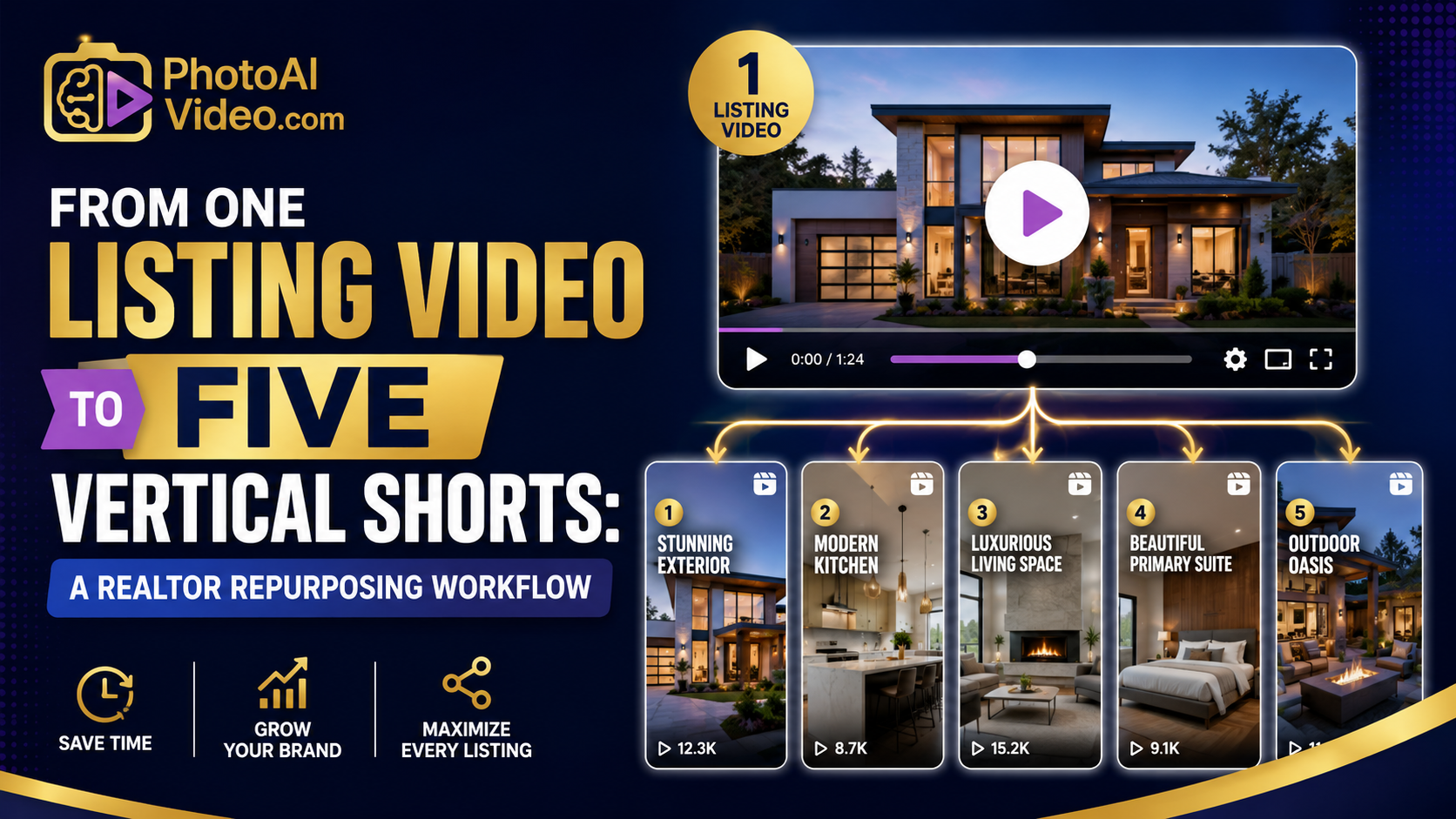
The real opportunity is not just creating one beautiful listing video. The opportunity is turning that one video, or even one approved listing photo gallery, into five short vertical videos that each do a different job.
One short should stop the scroll.
One should highlight the kitchen.
One should promote the open house.
One should re-engage stale buyers.
One should reassure the seller that marketing is happening.
That is how modern listing visibility works. Not one video. Not one post. Not one “just listed” announcement.
A repurposing workflow.
For busy agents, real estate photographers, brokerages, and property managers, this approach gives you more mileage from the media you already paid for. And with AI video tools, you can build that system without editing every clip manually from scratch.
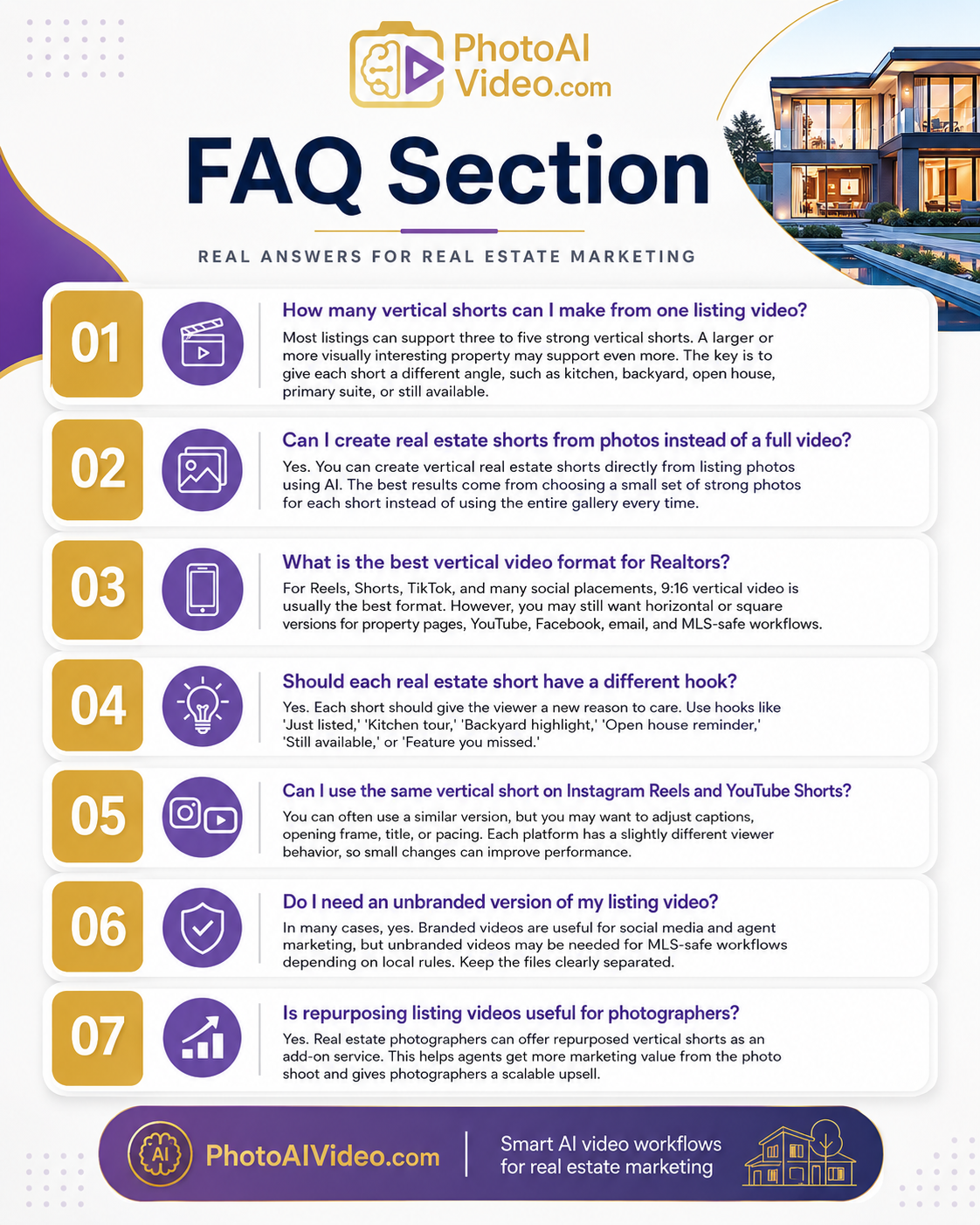
Repurposing one listing video into five vertical shorts means taking one property media asset and turning it into multiple short-form videos designed for different platforms, buyer moments, and marketing goals.
The starting point could be:
The output becomes five short vertical videos, usually designed for Instagram Reels, YouTube Shorts, TikTok, Facebook Reels, email follow-up, or listing teasers.
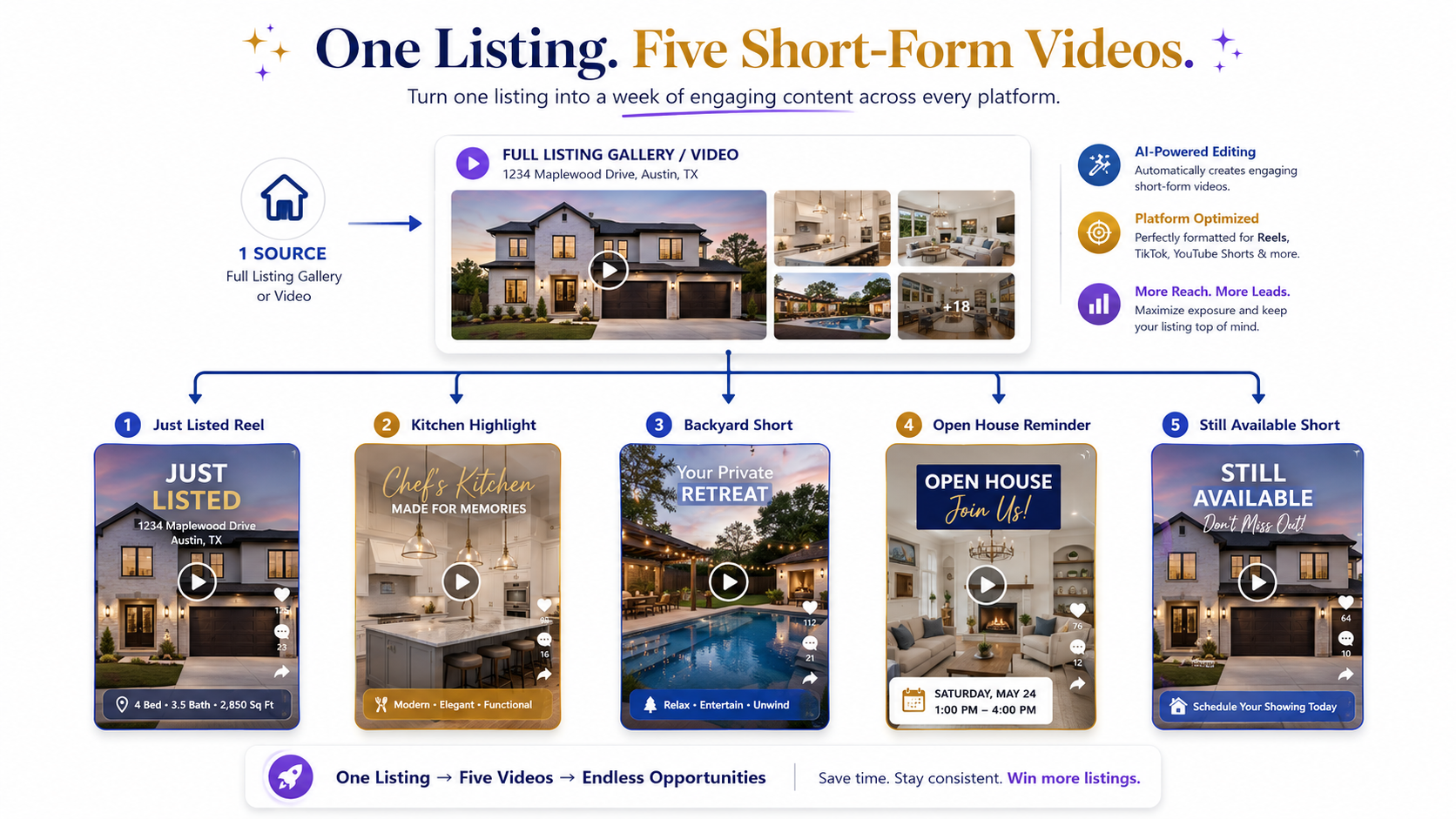
The key is that each short has a different job.
A kitchen short is not the same as an open house reminder. A seller update is not the same as a buyer teaser. A stale listing refresh should not feel like the original launch post.
When agents search for the best AI video software for real estate agents, they are usually looking for speed. But the better question is whether the tool helps them create repeatable marketing assets from one listing.
That is where repurposing matters.
One listing becomes a week of content.
Real estate marketing is no longer a single-channel job.
A buyer may see the property first on Instagram, then search the address, then watch a short clip on YouTube, then open an email from the agent, then compare the listing against similar homes online. Sellers also judge the marketing effort by what they can see. If they only see one post, they may assume the agent is not doing much.
Video solves part of that problem.
Short-form video solves more of it.
NAR’s guidance on digital marketing for real estate professionals reinforces the importance of using online channels to reach modern consumers. But posting more is not the same as marketing better. A good agent needs structure.
That is why vertical shorts are useful.
They let you turn one listing into multiple touchpoints without repeating the same message every time.
For example:
Same listing.
Five different reasons to talk about it.
For agents who want to create real estate videos from photos with AI, this is the real advantage. AI video is not just a production shortcut. It is a distribution multiplier.
The common mistake is treating the main listing video as the final product.
It should be the source material.
Here is what happens in real life.
A photographer delivers the listing photos. The agent creates or receives one nice property video. It has music, a polished opening, and maybe some branding. The agent posts it on Instagram with “Just Listed.” It gets a little engagement.
Then the listing sits.
Three days later, the agent does not know what else to post. So they repost the same video or share another static photo.
This actually happens constantly.
The issue is not lack of content. The issue is lack of slicing.
Most listings already contain several separate stories:
If you only make one video, you compress all of those angles into one asset. That makes the video longer, slower, and less useful for short-form platforms.
A better workflow starts by asking:
“What are the five reasons someone might care about this listing?”
Then each reason becomes its own short.
PhotoAIVideo fits into this workflow because it helps agents, photographers, and marketing teams turn listing photos into property videos quickly, without building every asset manually inside a traditional video editor.
That matters because repurposing only works if it is fast enough to repeat.
If it takes two hours to create every short, the system breaks.
With PhotoAIVideo’s real estate photo-to-video workflow, you can start from existing listing photos and create video assets that support social media, property pages, seller updates, and follow-up campaigns. Instead of treating every video as a custom production, you build a repeatable workflow around the source gallery.
For agents who need an AI app to turn property photos into videos, the biggest benefit is not just making one listing video. It is making multiple versions from the same media set.
A full property video might show the whole home.
A vertical short might show only the kitchen.
Another vertical short might show the backyard.
Another might show the primary suite.
Another might become a seller update.
The listing gallery becomes the engine.
PhotoAIVideo also helps photographers create more valuable deliverables. Instead of delivering only photos, a photographer can offer a repurposing package: one full video plus five vertical shorts. That is a clearer value proposition than “I’ll make a video.”
It gives the agent content they can actually use all week.
Before creating five shorts, define the main listing story.
This is not the same as writing the MLS description.
The master story answers one question:
Why should someone stop and care?
For example:
That story becomes the backbone.
Without it, the five shorts feel random.
Do not make five versions that all say “Just Listed.”
That gets repetitive fast.
Use five different angles.
A strong Realtor repurposing set could include:
Each video should have a different hook, different opening frame, and different reason to exist.
This is where a lot of agents miss the point.
Repurposing does not mean reposting the same video with a different caption.
Repurposing means reframing the same listing for a different viewer moment.
A full listing video may use 20–30 images.
A vertical short may only need 4–8.
That is important.
Short-form video gets weaker when you try to show everything. A kitchen highlight does not need the guest bathroom. A backyard teaser does not need the laundry room. An open house reminder does not need every secondary bedroom.
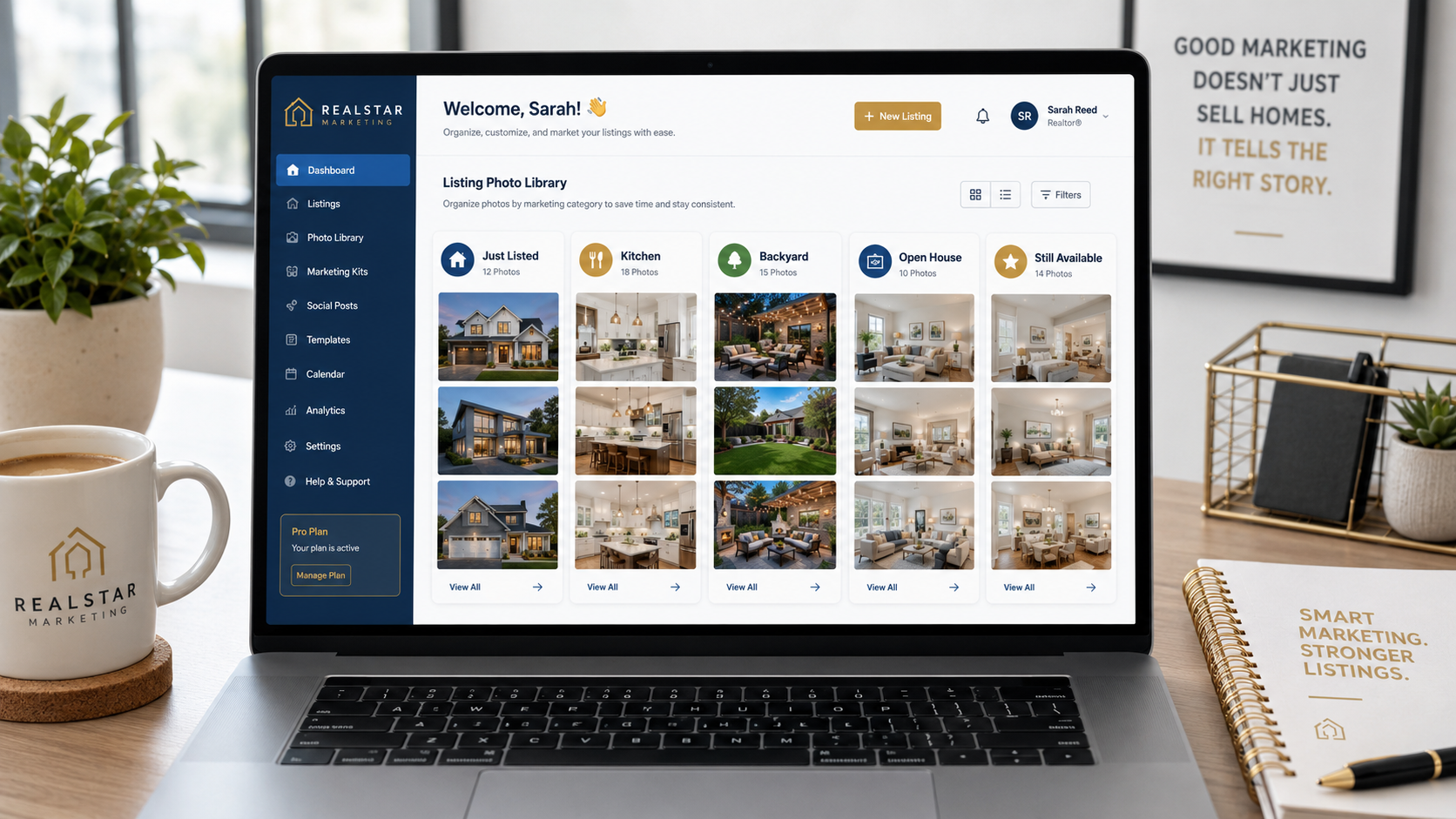
Create a small source gallery for each short:
Just Listed Reel:
Kitchen Highlight:
Backyard Short:
Open House Reminder:
Still Available / Seller Update:
For agents using PhotoAIVideo’s property video app, this is the workflow shift: do not dump the entire gallery into every video. Curate by purpose.
The first two seconds matter.
On social, the first frame is often more important than the final frame.
Here are practical hook examples:
Just Listed Reel:
“Just listed in [Neighborhood]”
Kitchen Short:
“This kitchen deserves its own tour”
Backyard Short:
“The backyard is the reason to see this one”
Open House Reminder:
“Open house this weekend — here’s the quick preview”
Still Available Short:
“Still looking in [Area]? This one is still available”
Seller Update:
“Here’s how we’re marketing your listing this week”
The hook should not be clever just to be clever.
It should match buyer intent.
Someone scrolling Instagram may respond to a dramatic visual. Someone opening an email may respond to a direct message. Someone seeing a YouTube Short may need context faster.
For social-first campaigns, the best AI real estate video generator for social media should help agents quickly turn strong listing visuals into short, platform-ready assets instead of forcing them through a long manual edit.
This is where the workflow needs discipline.
A vertical social short can include branding, captions, a call to action, and an agent logo. But a clean MLS-safe or syndication-friendly version may need to avoid those elements depending on local rules.
A branded short might say:
“DM me for a private showing.”
An unbranded version should not.
A branded short might show the agent’s logo.
An unbranded version should not.

For agents who need an AI tool for making unbranded real estate videos, this step should happen before publishing, not after a problem appears.
NAR’s Code of Ethics and Standards of Practice provides a broad professional foundation around accurate representation, but local MLS rules should always be checked before uploading or syndicating property video content.
A good rule:
Social can be branded.
MLS-safe should be clean.
Do not mix the files.
If your files are named “final-video-2.mp4,” the wrong file will eventually get posted.
Use a naming system like this:
If your team has an assistant, marketer, photographer, or brokerage coordinator involved, file names are not optional.
They are quality control.
Do not post all five shorts the same day.
The whole point is visibility over time.
A simple five-short sequence might look like this:
Day 1: Just Listed Reel
Day 2: Kitchen Highlight
Day 3: Backyard or Lifestyle Short
Day 4: Open House Reminder
Day 5: Still Available or Seller Update

For listings that sit longer, you can extend the sequence:
Week 2: Feature you missed
Week 3: Price improvement
Week 4: Buyer FAQ
Week 5: Neighborhood highlight
Google’s video SEO best practices are a reminder that videos perform best when they are accessible, well-contextualized, and placed on useful pages. Social posting matters, but your listing page, blog post, or property website should also support the video with clear text, titles, and context.
The best workflow depends on the listing.
A luxury property may still deserve a full cinematic video shoot. But even then, the agent should still create short vertical versions from the media. A standard listing may not need a full video shoot at all. It may perform better with a strong photo-based video package and a clear repurposing schedule.
That is where automated video marketing software for Realtors becomes valuable. It helps turn video from a one-time project into a repeatable listing marketing system.
A Realtor lists a home on Thursday.
Instead of posting one video, the agent creates five shorts:
The kitchen video gets saves. The backyard short gets shares. The open house reminder drives attendance. The seller sees a full week of activity.
This is the kind of marketing sellers notice.
A real estate photographer wants to increase the average invoice.
Instead of only delivering photos, the photographer offers:
“Listing photo gallery plus five vertical shorts.”
The photographer does not need to film a separate walkthrough for every property. They can use the finished photos to create video assets for the agent’s social media and email follow-up.
This is a strong use case for AI video software for real estate photographers because it turns existing photo work into a higher-value marketing package.
A brokerage wants every listing to look more professional online.
The problem is that every agent posts differently.
So the brokerage standard becomes:
Every listing gets:
That gives agents a simple framework and gives the brokerage more consistent brand visibility.
A property manager has five apartment units available.
Instead of creating one generic leasing video, the team creates five shorts per unit:
This helps prospects compare units faster and gives the leasing team more content for follow-up.
For property managers, the goal is not cinematic drama. It is clarity, speed, and repeated visibility.
A listing has been active for three weeks.
The agent already posted the original listing video.
Instead of reposting it, the agent creates new shorts from unused angles:
This gives the listing another marketing push without needing a new shoot.
That is the repurposing advantage.
A short should not do the job of the full listing page.
Pick one angle per short.
If the video is about the kitchen, stay focused on the kitchen and connected spaces. If it is about the open house, show enough to create interest and then push the event.
The exterior may be important, but it is not always the best scroll-stopper.
Sometimes the kitchen should open the video. Sometimes the pool should. Sometimes the view, primary suite, staircase, or backyard is more compelling.
Choose the opening frame based on attention, not listing order.
This makes the campaign feel repetitive.
Each short should have its own angle:
Different captions make the listing feel active instead of recycled.
Vertical videos are often covered by platform UI: captions, usernames, buttons, comments, and share icons.

Keep important text away from the bottom edge and far right side. Place essential copy near the center third when possible.
A branded social short may include logos, agent info, and CTA text.
That may not be appropriate for MLS depending on local rules.
Use a separate MLS compliant video maker for property listings workflow or keep a clearly labeled unbranded version for MLS-safe use.
Short-form content can be energetic, but the property still needs to look accurate.
Avoid misleading filters, exaggerated claims, fake scarcity, or effects that make the home look materially different. Realtor.com’s home search experience is a useful reminder that buyers compare listing visuals quickly, so the video should support accurate decision-making, not create confusion.
Repurposing feels like extra work only when there is no system.
Once you build the five-short framework, it becomes easier. The same structure can be used for every listing, rental unit, or property media package.
That is how you scale.


Compact, ready to go anywhere
Interchangeable lens that’s upgradeable
Dual 1-inch sensors for improved clarity and low light performance
Dynamic range and 6K 360° capture
360° photo resolution at 21MP

8K 360° video recording for ultra-detailed visuals.
4K single-lens mode for traditional wide-angle shots.
Invisible selfie stick effect for drone-like perspectives.
2.5-inch touchscreen with Gorilla Glass protection.
Waterproof up to 33ft for underwater shooting.

360° photo resolution in 23MP
Slim design at 24 mm thick
Built-in image stabilization for smooth video capture.
Internal 19GB storage for photo and video storage.
Wireless connectivity for remote control and sharing.

60MP 360° still images for high-resolution photography.
5.7K 360° video recording at 30fps.
2.25-inch touchscreen for intuitive control.
USB Type-C port for fast charging and data transfer.
MicroSD card slot for expandable storage.
.png)

.png)

Try it free. No credit card required. Instant set-up.







.svg)


.svg)