


.png)


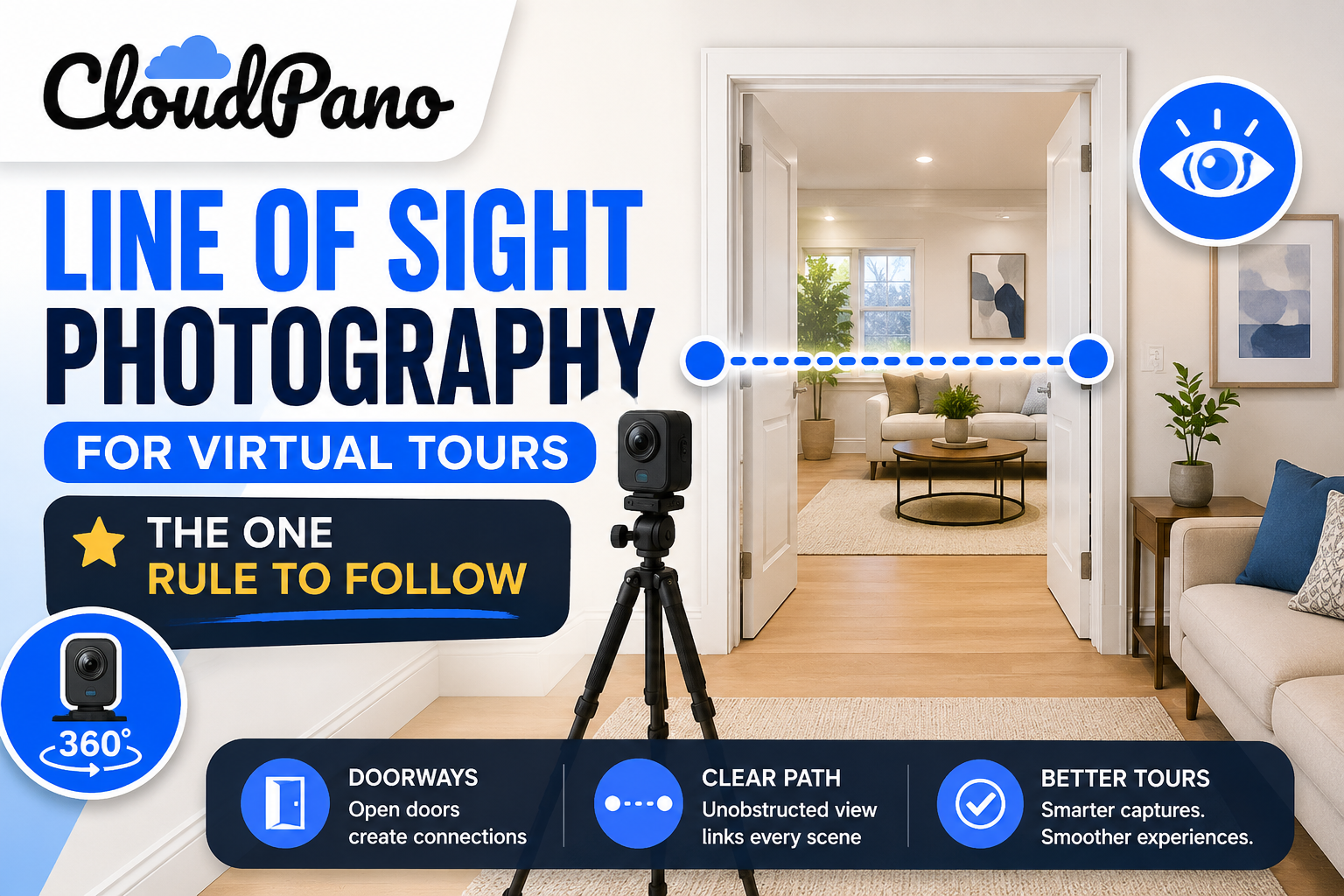
Auto-connect tour software has removed most of the tedious work from building a virtual tour, but it does ask for one thing in return: a clean capture. Get the line of sight right, and the software does the rest. Get it wrong, and you'll be back at the property for a reshoot. This is a field guide to understanding and nailing that one rule.
The concept is simpler than the terminology makes it sound. Line of sight means that from the spot where you captured one panorama, you can visually see the spot where you captured the next one. If you were standing in the middle of your first pano and looked toward the second capture point, nothing would be blocking that view — no closed door, no wall, no obstruction.
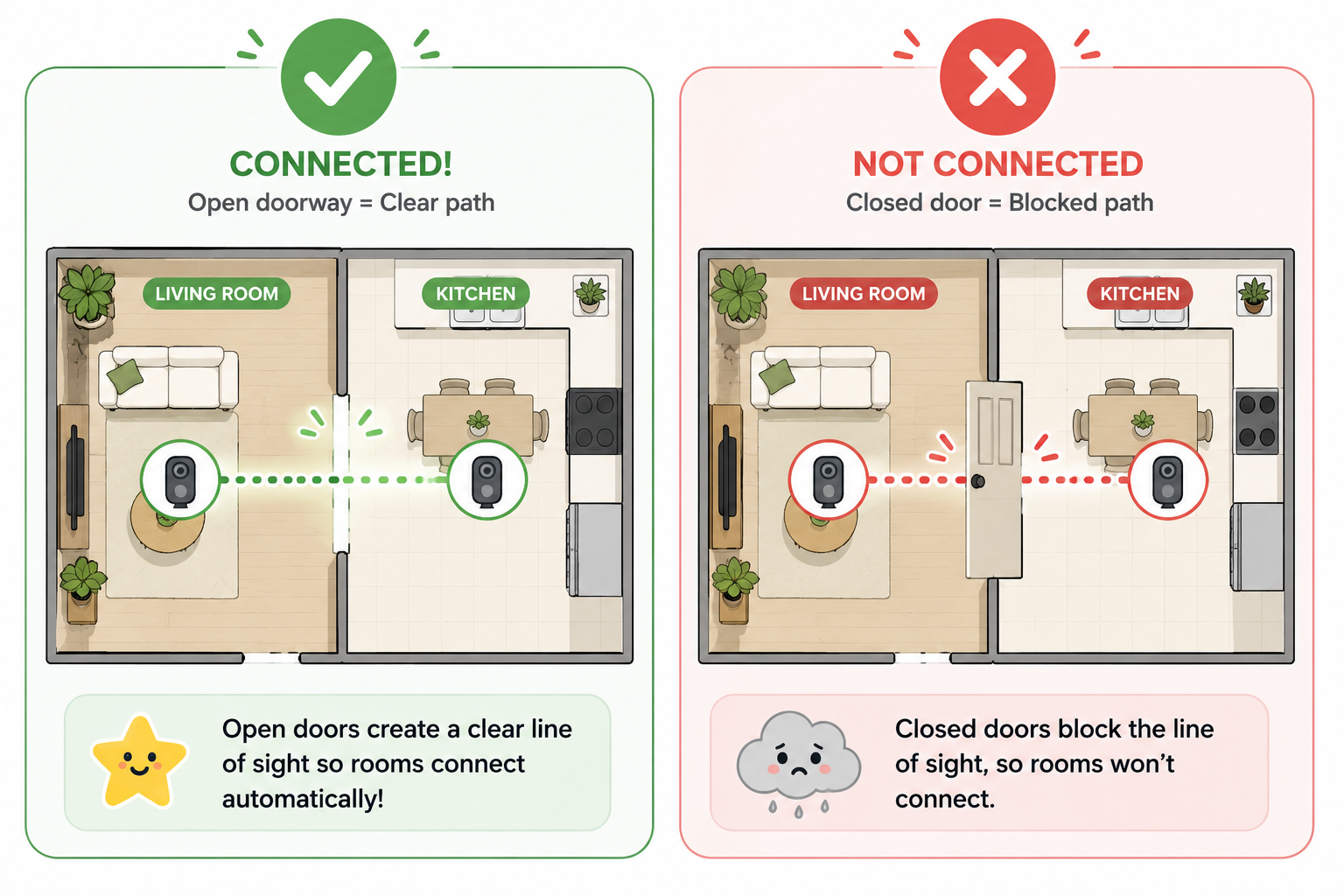
This is exactly TourFlash's line-of-sight requirement, and it's the entire basis of how the software works. Rather than you manually telling it which panos connect, TourFlash looks at your uploaded images and checks whether each one has a visual path to its neighbors. Where that visual path exists, it builds the connection automatically. Where it doesn't, it can't — because as far as the software can tell, there's no relationship between those two spots.
Think of it the way you'd think about a person walking through the space in real life. If you can stand in one room and see straight through into the next one, a viewer navigating the finished tour should be able to make that same visual jump. If a closed door or a wall is in the way, there's no path to detect — automatically or otherwise.
Most connection failures come down to a small handful of repeat offenders.
Closed doors. This is the single most common mistake. A door that's closed between two rooms blocks the sightline completely, even if the rooms are directly adjacent. If you shoot a hallway with every bedroom door shut, none of those rooms will connect to the hallway pano, no matter how close they physically are.
Obstructed hallways. Furniture, staging pieces, or a partially open door blocking a hallway sightline can prevent a clean connection. Hallways are often the connective tissue of a whole property, so one obstruction here can break more than one link at once.
Capturing rooms out of sequence. This doesn't break line of sight on its own, but it makes mistakes harder to catch. Skip around the property and it's easy to lose track of which connections actually have a clear sightline — and easy to miss a gap until you're reviewing the finished tour back at your desk.
Shooting from awkward angles. Standing too far into a corner, or capturing from a spot without a natural, direct view toward the next room, can weaken a sightline even when the path isn't technically blocked.
The fix for most of these issues isn't complicated — it's mostly about shooting in a sensible, walkable order.
For houses: Start at the main entry and move outward the way a visitor would naturally walk — living areas first, then room to room following actual doorways, saving disconnected spaces (garages, basements accessed from outside) for a dedicated pass. Keep every door you're about to walk through open before capturing the panos on either side of it.
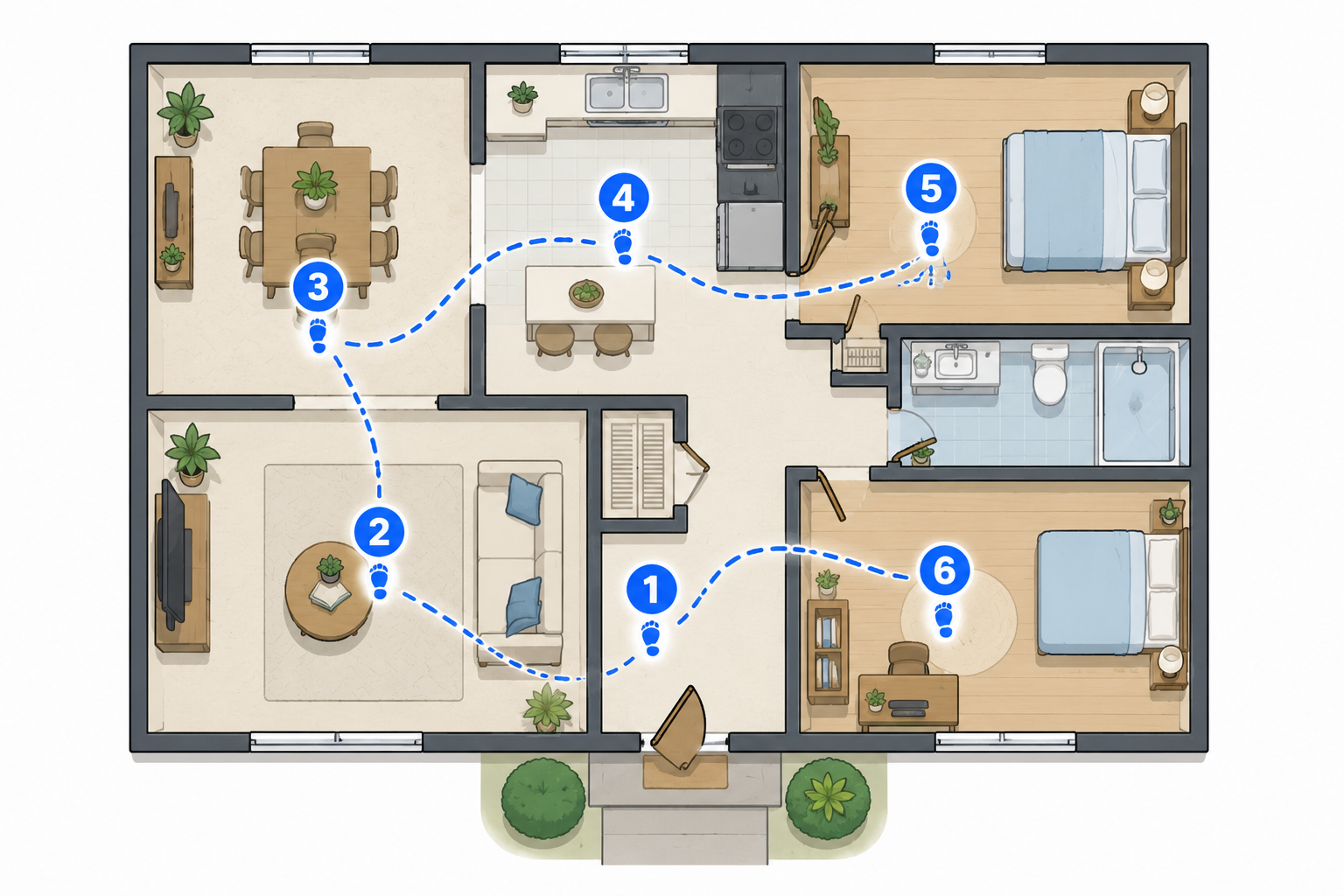
For apartments: The same logic applies at a smaller scale — start at the entry, move through common areas, then bedrooms and bathrooms last, keeping doors open as you go.
For commercial spaces: Think in "zones." Capture one wing or floor section completely before moving to the next, and make sure each zone has at least one clear connecting sightline back to the previous one — usually a hallway, lobby, or stairwell landing.
Across all three: shoot in the order a person would actually walk, keep connecting doors open, and avoid jumping between disconnected areas before you've finished the section you're in.
For more general technique background on panoramic capture beyond the line-of-sight rule itself, PetaPixel's photography guides are a solid resource, and the PPA's shot-list standards are worth reviewing if you want a broader checklist for real estate-specific capture consistency.
The best time to catch a line-of-sight problem is on-site, not after you've already packed up. Before you leave:
This is essentially how TourFlash detects connections after the fact — reviewing the same sightlines the software will check makes it far easier to predict which connections will succeed before you've even left the property.
If a line of sight gets missed, the result is predictable: that specific segment of the tour simply won't auto-connect. The rest of the property typically still links up fine — it's usually an isolated gap rather than a total failure, since the issue is almost always confined to one blocked doorway or hallway.
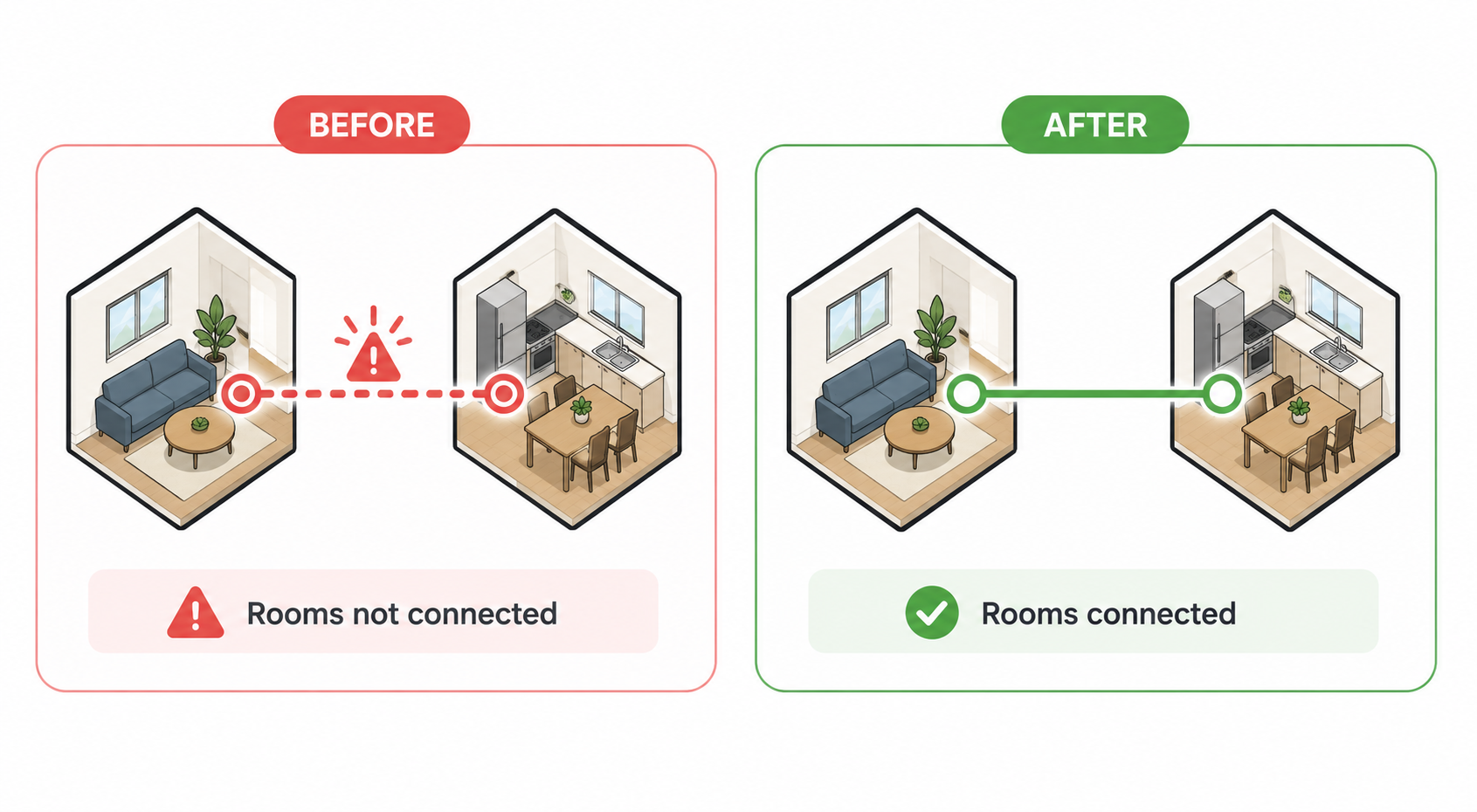
The fix depends on how the miss happened. If it was a closed door, you can often resolve it with a quick reshoot of just that one connecting pano, then re-run the auto-connect process. If it was an out-of-sequence capture that left an unclear gap, review your shot list against the finished tour to identify exactly which link is missing before deciding whether a reshoot is needed at all — sometimes the connection exists but simply needs a second look.
Line of sight isn't a complicated technical requirement — it's the same logic a person walking through the space would follow instinctively. Keep doors open, shoot in a natural walking order, and do a quick mental walkthrough before you leave the property, and you'll rarely run into a connection that doesn't build the way you expect.


Compact, ready to go anywhere
Interchangeable lens that’s upgradeable
Dual 1-inch sensors for improved clarity and low light performance
Dynamic range and 6K 360° capture
360° photo resolution at 21MP

8K 360° video recording for ultra-detailed visuals.
4K single-lens mode for traditional wide-angle shots.
Invisible selfie stick effect for drone-like perspectives.
2.5-inch touchscreen with Gorilla Glass protection.
Waterproof up to 33ft for underwater shooting.

360° photo resolution in 23MP
Slim design at 24 mm thick
Built-in image stabilization for smooth video capture.
Internal 19GB storage for photo and video storage.
Wireless connectivity for remote control and sharing.

60MP 360° still images for high-resolution photography.
5.7K 360° video recording at 30fps.
2.25-inch touchscreen for intuitive control.
USB Type-C port for fast charging and data transfer.
MicroSD card slot for expandable storage.
.png)

.png)

Try it free. No credit card required. Instant set-up.







.svg)


.svg)