


.png)


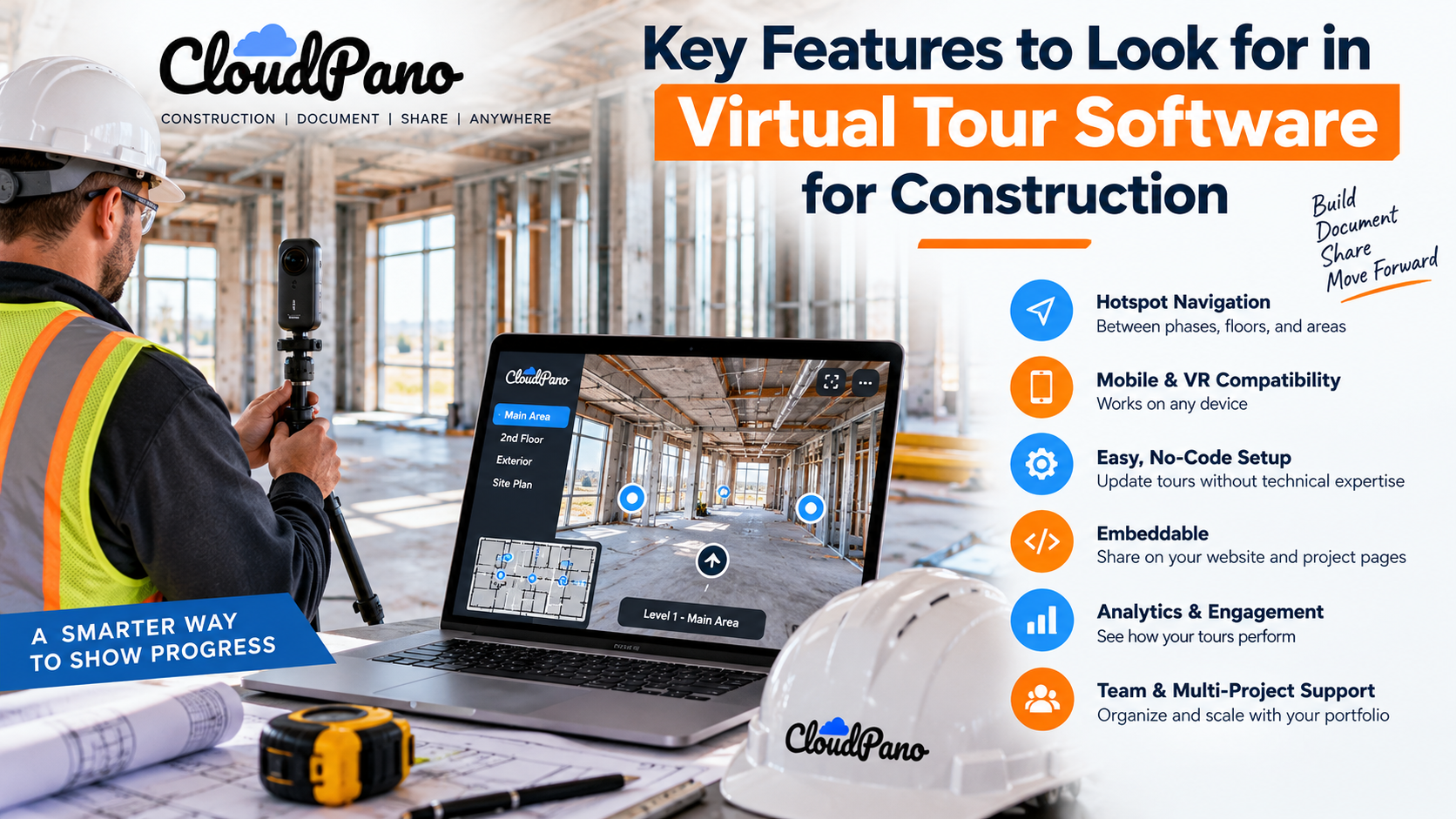
Look for intuitive hotspot navigation between phases, floors, and areas, mobile and VR compatibility, no-code setup, and easy embedding on project and company websites. Analytics, lead-generation forms, live 360° video chat, and team and multi-project management are also worth comparing. Prioritize the features that match how your team actually works.
Construction teams are under constant pressure to communicate project progress clearly, keep stakeholders informed, and reduce unnecessary site visits. A well-built virtual tour can help by allowing stakeholders to explore a site, model unit, or phased build-out remotely.
But not all platforms are created equal. Choosing the wrong one can result in clunky navigation, poor mobile performance, or a tool that teams simply don't find practical to use.
This guide walks through the features that matter most when evaluating virtual tour software for construction, helping you compare platforms against a consistent checklist rather than relying solely on a sales pitch.
The construction industry has steadily adopted more digital tools for project delivery, documentation, and communication. Publications such as Engineering News-Record regularly cover the role technology plays across the sector, from reality capture and project-management platforms to emerging digital workflows.
Virtual tours can fit naturally within that broader shift by providing another way to document and communicate the physical state of a project.
Before selecting a platform, however, it helps to understand which capabilities can turn a collection of panoramic images into a genuinely useful construction tool.
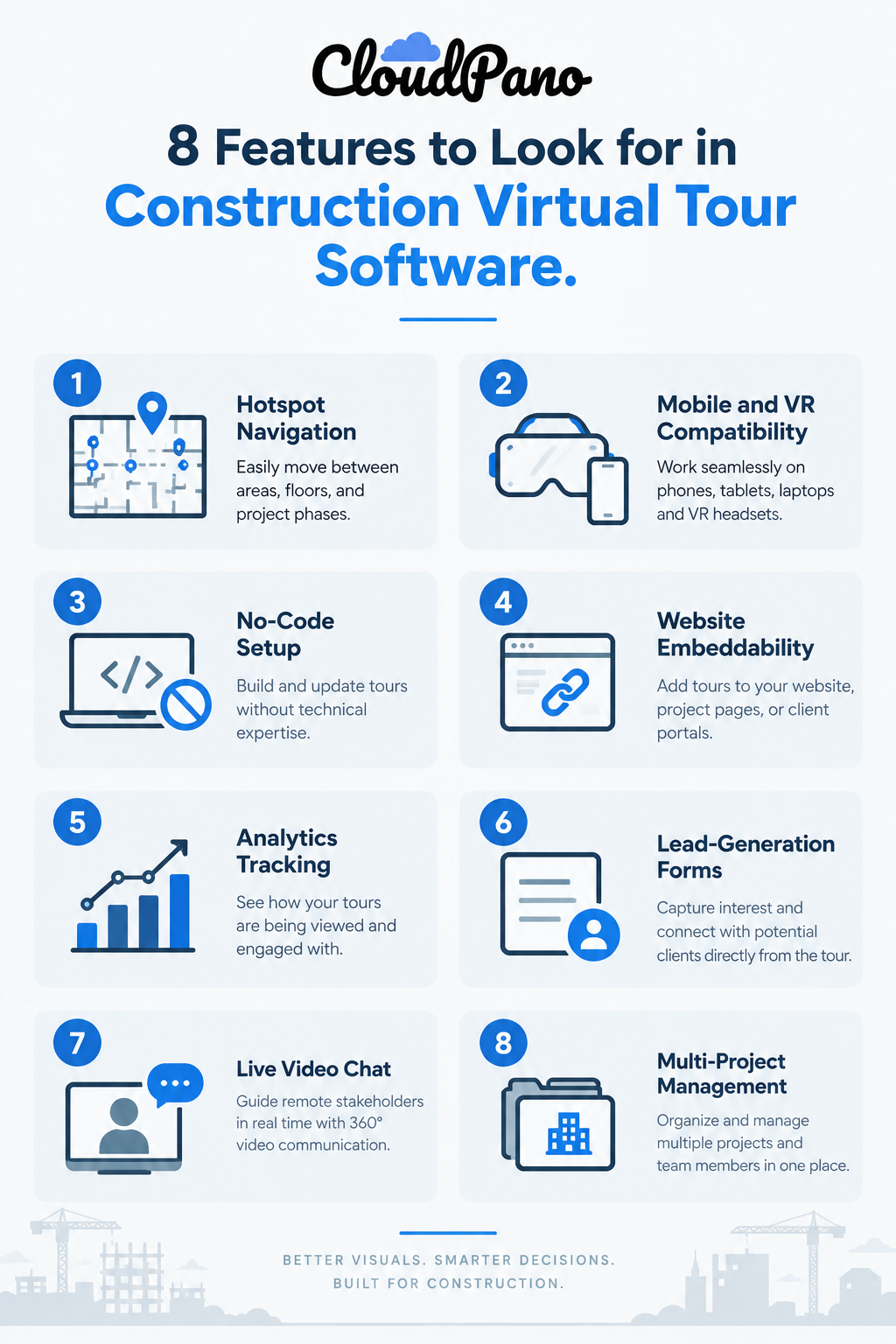
Unlike finished real estate listings or retail showrooms, active construction sites change constantly.
A tour created for a completed building has different requirements from one documenting an active jobsite with multiple phases, subcontractors, floors, and evolving site conditions.
Construction teams may also have very different audiences for the same visual information—from architects reviewing finishes and owners monitoring progress to lenders or consultants reviewing documented conditions.
The right platform should therefore make complex project information easier to navigate rather than adding another layer of administrative work.
Here are the features worth considering.
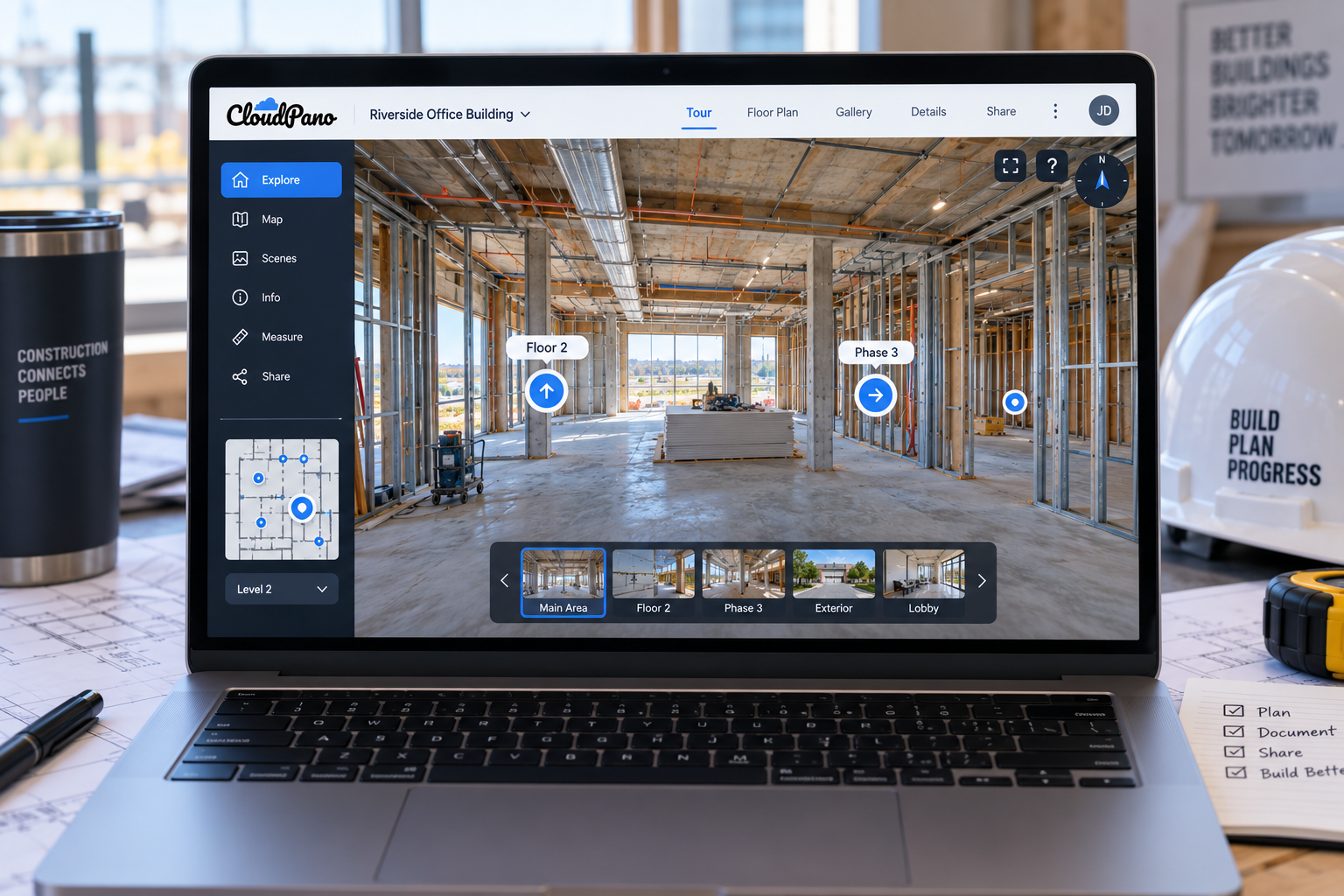
Intuitive hotspot navigation is one of the most important features for construction applications.
A viewer should be able to move logically between documented areas without getting lost or requiring someone to guide them through every scene.
Clear labels such as “Floor 2 – East Wing” or “Phase 3 – Week 12” can help project managers and other stakeholders understand where they are within a tour, even when returning to it weeks or months later.
This can be particularly valuable for progress documentation. Depending on how the platform organizes tours and scenes, teams may be able to maintain captures from different dates or phases and provide stakeholders with a clearer record of how areas changed over time.
Without logical navigation and labeling, even high-quality 360° photography can become difficult to use once a tour grows beyond a handful of scenes.
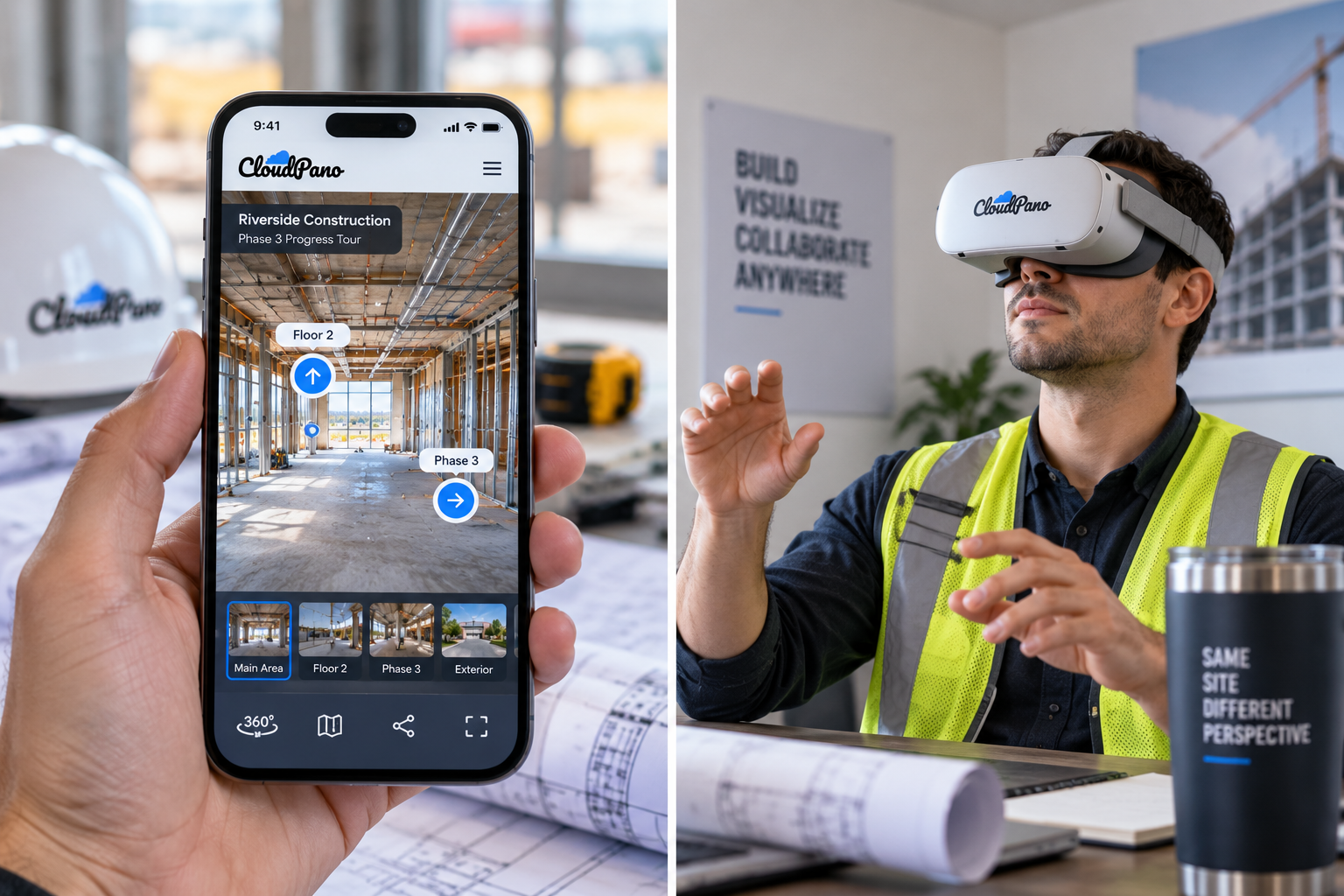
Construction stakeholders don't always review projects from a desktop computer.
Superintendents may need to access information from a phone while on-site, executives may review project updates from a tablet, and some clients may prefer a more immersive experience using compatible VR equipment.
Strong cross-device compatibility makes a virtual tour easier to access in these different situations.
When evaluating a platform, test the experience on the devices your actual stakeholders are likely to use. Navigation, loading speed, image quality, and controls should remain practical across supported phones, tablets, laptops, and desktop browsers.
If VR viewing is important to your use case, verify which headsets and viewing methods the platform currently supports rather than assuming universal compatibility.
Construction teams already manage scheduling tools, project-management platforms, document-control systems, and other software. A virtual tour platform that requires extensive technical knowledge can create unnecessary friction.
A no-code or low-code interface can allow project coordinators, documentation teams, or marketing staff to upload 360° imagery, arrange scenes, add navigation, and update tours without needing a developer for routine changes.
Ease of use also matters for consistency.
If updating a tour after a construction milestone is straightforward, teams may be more likely to keep documentation current. If the process is cumbersome, updates can easily fall behind as other project priorities take over.
Organizations such as the Associated General Contractors of America provide resources on construction technology, productivity, workforce development, and other operational issues affecting contractors.
When comparing platforms, consider not only what the software can do, but how easily your team can incorporate it into an existing workflow.
A virtual tour becomes more flexible when it can be shared where stakeholders already interact with your organization.
Depending on the platform, this may include embedding a tour directly into a project page, company website, client portal, or other compatible web experience. Tours can also be shared through direct links in emails, proposals, or project updates.
For prospective clients, an embedded tour can make it easier to explore a model unit, completed project, or development without leaving your website.
For existing clients and project stakeholders, direct sharing can provide convenient access to documented site conditions or progress updates.
When comparing virtual tour software for construction, check the available embed options, branding controls, privacy settings, and sharing permissions to make sure they match your intended workflow.
Analytics can provide another layer of information about how people interact with a virtual tour.
Depending on the platform and analytics integration, teams may be able to track metrics such as tour visits, scene views, engagement time, or other user interactions.
For construction companies using tours for marketing, these metrics can help identify which projects or spaces attract attention.
For example, if prospective buyers spend more time exploring a model unit's kitchen than other areas, the sales team may decide to investigate whether that feature deserves greater emphasis in future marketing.
However, analytics should be interpreted carefully.
A high number of views or longer engagement with a particular scene doesn't necessarily explain why someone viewed it. The data provides a signal that teams can evaluate alongside inquiries, sales conversations, stakeholder feedback, and other information.
When analytics are important, look for platforms that provide built-in reporting or integrate with tools your organization already uses.
For construction companies marketing developments, model units, completed projects, or services, a virtual tour can also support lead generation.
Some platforms allow contact or inquiry forms to be incorporated into the tour experience, giving interested visitors an opportunity to provide their information without navigating through several separate pages.
A simple form might request a visitor's name, email address, phone number, or project interest.
The usefulness of this feature depends heavily on the purpose of the tour. Lead forms may make sense for public-facing marketing tours but are generally less relevant to internal construction documentation.
If lead generation is part of your strategy, check whether form submissions can integrate with your existing CRM, email marketing platform, or sales workflow.
Self-guided virtual tours can cover many remote-viewing needs, but some situations benefit from live interaction.
If supported by the platform, live 360° communication can allow someone on-site to guide a remote stakeholder through an area while discussing visible conditions and answering questions in real time.
This could be useful for an out-of-town owner, consultant, client, or team member who can't easily visit the project.
However, live virtual communication shouldn't automatically be treated as a replacement for required physical inspections or other procedures that must be performed on-site. Whether remote review is appropriate depends on the project, purpose, applicable requirements, and the parties involved.
When considering this feature, evaluate connection requirements, supported devices, ease of use, and whether the functionality fits your actual remote-collaboration needs.
Construction companies often manage multiple sites simultaneously, so a platform's organizational capabilities can become increasingly important as usage grows.
Look for software that supports multiple projects and, where needed, multiple users or team members.
Useful capabilities may include project folders, team roles, access permissions, ownership controls, and ways to keep tours organized across a growing portfolio.
This mirrors a broader principle found in construction technology: centralized information can make coordination easier when teams are working across multiple projects and workflows.
Platforms such as Autodesk Construction Cloud demonstrate how construction organizations increasingly manage project information through connected digital environments.
Virtual tour software doesn't need to replace those systems, but it should be manageable at scale and fit reasonably well alongside the tools your organization already uses.
Usually, you'll need a compatible 360° camera if you want to capture full panoramic scenes.
Some platforms may support additional capture methods, but camera and image-format compatibility varies. Check the platform's current hardware requirements before purchasing equipment or building a capture workflow.
You generally don't need construction-specific camera hardware simply because the tour is being used on a jobsite.
Yes, provided the platform supports adding or replacing scenes after a tour has been created.
Teams can capture new imagery at selected milestones and update their tours as construction progresses.
How those updates are organized—whether as new scenes, separate tours, dated phases, or another structure—will depend on the platform.
It can serve both purposes.
Public-facing tours can showcase developments, model units, or completed projects, while internal tours can provide additional visual context for project managers, supervisors, subcontractors, consultants, and other authorized stakeholders.
The appropriate sharing and privacy settings will depend on the type of information included in the tour.
Implementation varies by platform.
Some virtual tour platforms allow forms or calls to action to appear within or alongside the tour experience. Visitors can then submit information such as their name, email address, or project interest.
Depending on the software, submissions may be stored within the platform, sent by email, or passed into another marketing or CRM system.
If this feature matters to your workflow, verify the platform's specific form and integration capabilities before choosing a plan.
Choosing the right virtual tour platform comes down to matching its features with how your teams, clients, and stakeholders will actually use it.
For construction applications, that may mean prioritizing intuitive hotspot navigation, reliable mobile access, straightforward tour creation, flexible sharing and embedding, analytics, remote collaboration, and multi-project management.
Not every company will need every feature. A contractor using 360° tours primarily for milestone documentation may prioritize organization and navigation, while a developer marketing new units may place greater value on branding, analytics, and lead-generation tools.
When evaluating virtual tour software for construction against this checklist, focus on the capabilities that solve real problems within your existing workflow. The best platform isn't necessarily the one with the longest feature list—it's the one your team can use consistently as your projects and documentation needs grow.
Usually, you'll need a compatible 360° camera to capture full panoramic scenes. Some platforms may support additional capture methods, but camera and image-format compatibility varies, so check before buying. You generally don't need construction-specific camera hardware just because the tour is being used on a jobsite.
Yes, provided the platform supports adding or replacing scenes after a tour has been created. Teams can capture new imagery at selected milestones and update their tours as construction progresses. How those updates are organized, whether as new scenes, separate tours, or dated phases, depends on the platform.
It can serve both purposes. Public-facing tours can showcase developments, model units, or completed projects, while internal tours can support progress documentation and communication among project teams. The right sharing and privacy settings depend on the type of information included in the tour.
Implementation varies by platform. Some virtual tour platforms allow forms or calls to action to appear within or alongside the tour experience. Submissions may be stored in the platform, sent by email, or passed into another system. If this matters to your workflow, verify the platform's specific form and integration capabilities.
Hotspot navigation lets viewers move logically between documented areas without getting lost. Clear labels such as "Floor 2 – East Wing" or "Phase 3 – Week 12" help stakeholders understand where they are. Without logical navigation and labeling, even high-quality 360° photography can become difficult to use.


Compact, ready to go anywhere
Interchangeable lens that’s upgradeable
Dual 1-inch sensors for improved clarity and low light performance
Dynamic range and 6K 360° capture
360° photo resolution at 21MP

8K 360° video recording for ultra-detailed visuals.
4K single-lens mode for traditional wide-angle shots.
Invisible selfie stick effect for drone-like perspectives.
2.5-inch touchscreen with Gorilla Glass protection.
Waterproof up to 33ft for underwater shooting.

360° photo resolution in 23MP
Slim design at 24 mm thick
Built-in image stabilization for smooth video capture.
Internal 19GB storage for photo and video storage.
Wireless connectivity for remote control and sharing.

60MP 360° still images for high-resolution photography.
5.7K 360° video recording at 30fps.
2.25-inch touchscreen for intuitive control.
USB Type-C port for fast charging and data transfer.
MicroSD card slot for expandable storage.
.png)

.png)

Try it free. No credit card required. Instant set-up.







.svg)


.svg)