How to Start a Virtual Tour, Drone & AI Video Company in 7 Days

Cloudpano
December 10, 2025
5 min read
Share this post

How to Start a Virtual Tour, Drone & AI Video Company in 7 Days 🚀📸

Introduction: Why Now Is the Best Time 🌍

The digital media industry is exploding!. Real estate agents, local businesses, and large enterprises all need immersive content to market properties, facilities, and services. From virtual tours to drone footage and AI-powered real estate videos, demand is higher than ever.

📺 Watch the full breakdown here: Virtual Tours, Drone Services & AI Video Guide

The best part? With tools like CloudPano Virtual Tour Software and PhotoAIVideo.com, you don’t need years of technical expertise. You can launch a profitable virtual tour, drone, and AI video company in just 7 days.

This guide will walk you step-by-step through:
✅ What services to offer
✅ How to bundle your tools for maximum profit
✅ Which niches to target for fast results
✅ How to scale with recurring revenue
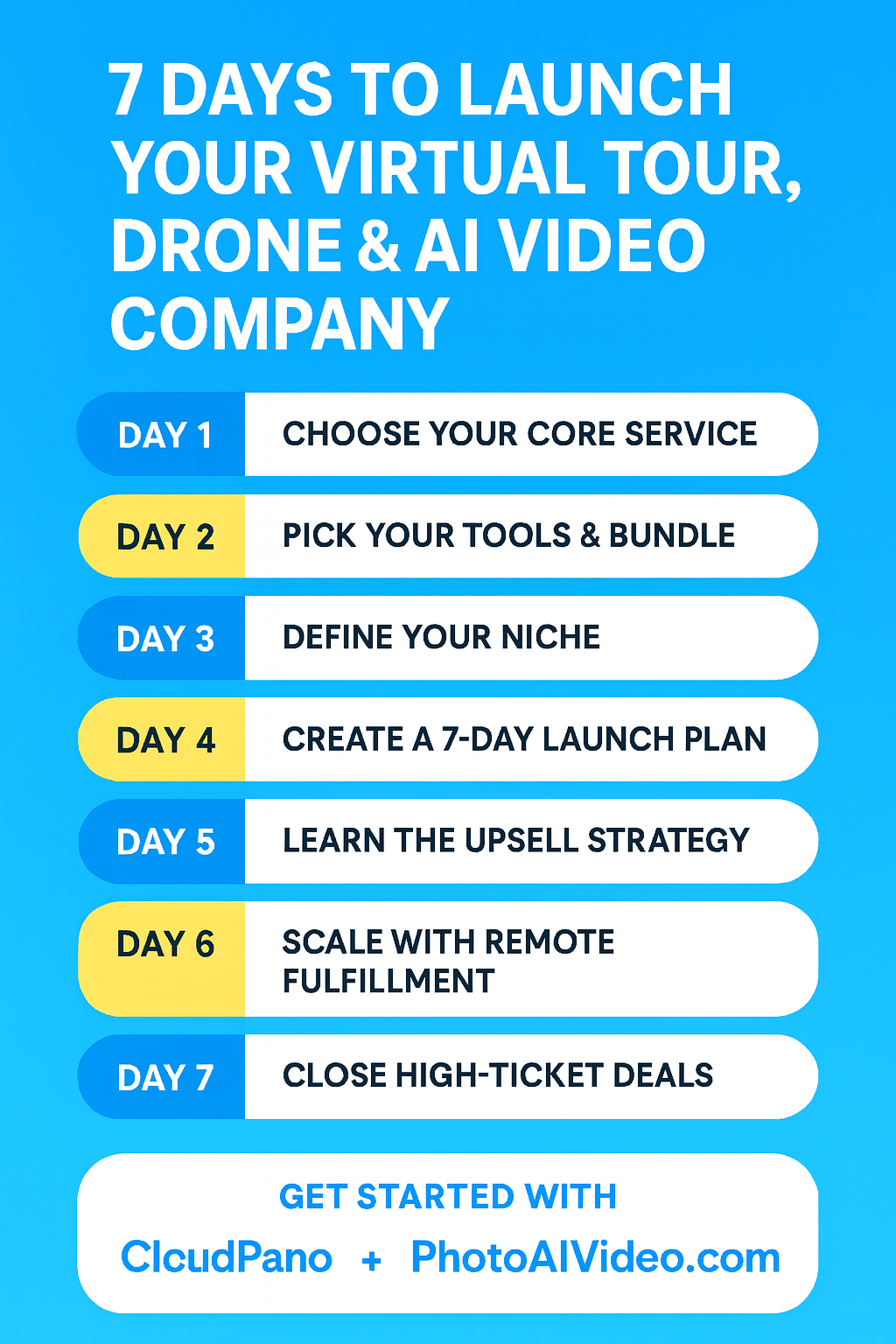
Day 1: Choose Your Core Service 🎯

The first step is identifying the services you’ll sell. Digital media is broad, but the most profitable entry points are:

  • Virtual Tours – Businesses want interactive tours hosted under your own brand/URL.
  • Drone Services – Stunning aerials for real estate, construction, hotels, and more.
  • Real Estate Photos & Videos – Still the backbone of property marketing.
  • AI-Powered Real Estate Videos – Turn listing photos into cinematic reels with PhotoAIVideo.

👉 Pro Tip: Don’t limit yourself. Start with one service (like tours) but prepare to upsell add-ons like drone footage, AI video, and 360° media.

Day 2: Pick Your Tools & Bundle Like a Pro 🛠️

The secret to scaling fast is using the right software stack.

Here’s your Swiss Army Knife of Media Tools:

  • CloudPano → Create & host 360° virtual tours.
  • PhotoAIVideo.com → Convert real estate photos into AI videos instantly.
  • Pictastic.ai → Build branded property websites & offer virtual staging.
  • 21 Lead Finder → Scrape leads directly from Google Maps & Zillow.

💡 This “360 Profit Bundle” lets you sell one service, upsell three more, and retain clients with recurring hosting fees.

Day 3: Define Your Niche 🎯

Not all customers are created equal. Focus on niches with high demand + high budgets.

🔥 Hot Niches:

  • Real Estate Agents & Brokerages 🏡
  • Hotels, Resorts, & Airbnbs 🌴
  • Senior Living & Nursing Homes 🏥
  • Gyms, Dentists & Local Businesses 🏪
  • Builders & Property Developers 🏗️

👉 Example: Nursing homes charge $4,000+/month per resident. Offering them a 360° tour + AI video package easily justifies a $5K–$10K upfront fee plus recurring hosting.

Day 4: Create a 7-Day Launch Plan 📆

Here’s how to start in just one week:

Day 1: Buy your domain, set up your brand.
Day 2: Sign up for CloudPano + PhotoAIVideo + CRM.
Day 3: Create demo tours/videos using free stock images.
Day 4: Build your website with service packages.
Day 5: Prospect using 21 Lead Finder (local realtors, hotels, dentists).
Day 6: Send outreach emails + social media DMs.
Day 7: Book your first paying client.

🚀 By the end of Week 1, you’ll have a functioning business model ready to scale.

Day 5: Learn the Upsell Strategy 💰

Your profit doesn’t just come from one-off sales. It comes from stacking offers.

Example Workflow:

  1. Sell a Virtual Tour for $500.
  2. Add AI Real Estate Videos for $200 each.
  3. Add Drone Footage for $300.
  4. Charge a $200/year hosting fee.

🎉 Total deal value: $1,200+ per client.

Multiply that by 10 clients/month and you’re already at $12K/month recurring + upsells.

Day 6: Scale with Remote Fulfillment 🌐

Here’s the best part—you don’t have to do all the work yourself.

  • Hire local drone pilots on-demand.
  • Use AI video generation remotely.
  • Host virtual tours without ever stepping on-site.

💡 Many agencies manage 25–50+ locations remotely. Once you master remote fulfillment, you can land contracts for entire chains of nursing homes, hotels, or real estate groups.

Day 7: Close High-Ticket Deals 🏆

Now that you’ve proven your process, target bigger clients:

  • Enterprise brokerages (20+ agents)
  • Hotel chains (multi-location contracts)
  • Senior living companies (25+ facilities)

Offer them a complete package:
✅ Virtual Tours
✅ Drone Footage
✅ AI Real Estate Videos
✅ Property Websites
✅ CRM & Lead Management

Instead of $500 projects, you’ll start closing $10K+ contracts with monthly retainers.

Why This Works⚡

  • AI is mainstream. Clients expect fast turnarounds.
  • Social media loves video. Reels, TikToks, YouTube Shorts = endless demand.
  • Google Street View is underused. Every small business can benefit.
  • Remote delivery scales. You can sell anywhere without leaving your city.

Key Takeaways 💡

  • Start with CloudPano + PhotoAIVideo + Pictastic + LeadStack.
  • Target high-value niches like real estate & senior living.
  • Use a 7-day launch plan to get your first client.
  • Always upsell & bundle services.
  • Scale with remote fulfillment & recurring revenue.

Conclusion 🎬

Starting a Virtual Tour, Drone & AI Video Company is easier than ever. With the right tools, niches, and strategy, you can:

✅ Launch in 7 days
✅ Close $5K–$10K contracts
✅ Build recurring revenue streams
✅ Compete in one of the fastest-growing media industries

👉 Ready to get started? Check out PhotoAIVideo.com and CloudPano today to build your first demo.

Share this post
Cloudpano

Choose The Right 360° Camera

Insta360 ONE RS 1-Inch 360 Edition

  • Compact, ready to go anywhere

  • Interchangeable lens that’s upgradeable

  • Dual 1-inch sensors for improved clarity and low light performance

  • Dynamic range and 6K 360° capture

  • 360° photo resolution at 21MP

Learn More

Insta360 X4

  • 8K 360° video recording for ultra-detailed visuals.

  • 4K single-lens mode for traditional wide-angle shots.

  • Invisible selfie stick effect for drone-like perspectives.

  • 2.5-inch touchscreen with Gorilla Glass protection.

  • Waterproof up to 33ft for underwater shooting.

Learn More

Ricoh Theta Z1

  • 360° photo resolution in 23MP

  • Slim design at 24 mm thick

  • Built-in image stabilization for smooth video capture.

  • Internal 19GB storage for photo and video storage.

  • Wireless connectivity for remote control and sharing.

Learn More

Ricoh Theta X

  • 60MP 360° still images for high-resolution photography.

  • 5.7K 360° video recording at 30fps.

  • 2.25-inch touchscreen for intuitive control.

  • USB Type-C port for fast charging and data transfer.

  • MicroSD card slot for expandable storage.

Learn More
Property Marketing
Allows potential buyers to explore properties in detail from anywhere, enhancing the real estate marketing process.
Automotive Spins
Create an interactive virtual showroom and engage affluent digital buyers with live 360º video calls, all through the CloudPano mobile app for a complete automotive sales solution.
Interactive Floor Plans
Create 2D and 3D floor plans with measurements in 4 minutes or less, all from your phone. Download the Floor Plan Scanner app and get your first scan free.

360 Virtual Tours With CloudPano.com. Get Started Today.

Try it free. No credit card required. Instant set-up.

Try it free
Latest posts

See our other posts

Interviews, tips, guides, industry best practices, and news.
CloudPano

Choosing ADA Compliant Walkthrough Software: What to Look For

Not all walkthrough software is built with accessibility in mind, and choosing the wrong platform can quietly exclude a meaningful portion of your audience. This guide breaks down exactly what to look for when evaluating ADA compliant walkthrough software — from keyboard navigation and screen reader support to alt text and caption features — plus the key questions to ask vendors before you commit.
Read post
CloudPano

Should Your Virtual Tour Be ADA Compliant, Even If It's Not Required?

Not every business is legally required to make its virtual tours ADA compliant—but accessibility is still worth considering. This article explores why accessible virtual tours can help businesses reach more people, improve user experience, support inclusive digital experiences, and demonstrate a commitment to accessibility. Discover practical ways to make your virtual tours more accessible and why doing so can be a smart business decision.
Read post
CloudPano

Why the Difference Between ADA Compliant and Non-Compliant Virtual Tours Matters for Your Business

ADA compliance can make a significant difference in how customers experience your virtual tours and interact with your business. This article explains the key differences between ADA compliant and non-compliant virtual tours, including accessibility features such as keyboard navigation, screen reader support, alt text, color contrast, and video captions. Discover how creating more accessible virtual tours can improve the customer experience, support inclusive marketing, reduce accessibility risks, and help your business serve a wider audience.
Read post