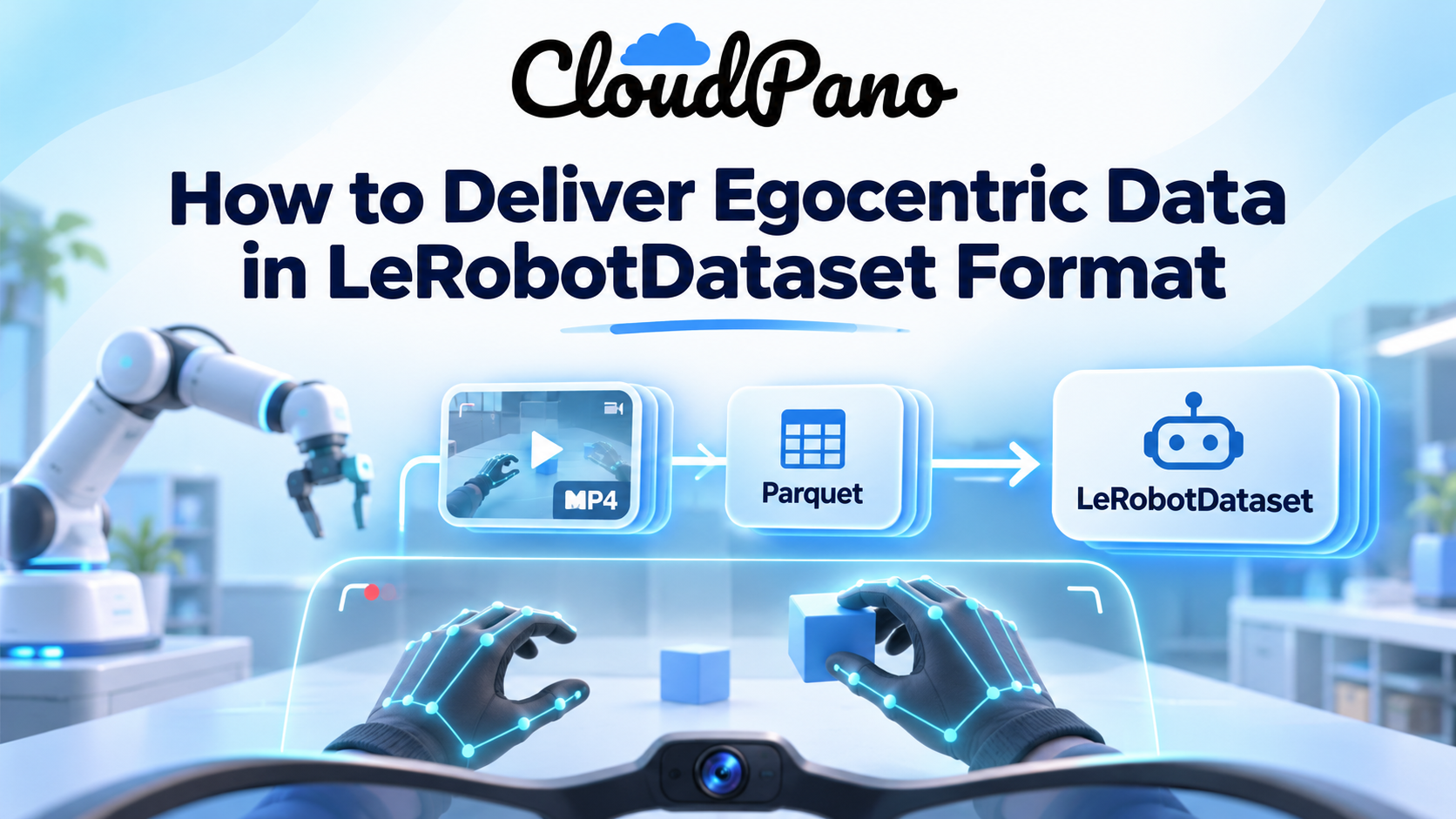
Write each egocentric episode as a LeRobotDataset v3.0: camera video goes into MP4 files, hand and body pose into observation.state in parquet, and metadata into meta/. Build it with LeRobotDataset.create(), add_frame() with a task string, save_episode(), and finalize(). Data already in v2.1 converts with one script.
If your training stack runs on Hugging Face's LeRobot, a pile of head-camera MP4s and pose CSVs is not a delivery. It is a conversion project. Hugging Face's own guide to porting the DROID dataset shows the scale: 1.7 TB of RLDS data took 7+ days to port on a single machine before a 3+ day upload to the Hub.
Getting the format right at delivery time removes that work for the buyer. This guide walks through the LeRobotDataset v3.0 layout, how egocentric (first-person) video and hand pose map into it, a working code pattern, and the checks to run before you hand the dataset over.
LeRobotDataset is now the default format for open robot learning, and RLDS is no longer maintained. Google's RLDS repository on GitHub was archived by its owner on November 29, 2025, and is read-only.
RLDS stored episodes as nested TensorFlow datasets of steps, with is_first and is_last flags on every step. It worked, but it tied every buyer to TensorFlow. LeRobot datasets, by contrast, return PyTorch tensors. LeRobot's documentation describes a hardware-agnostic Python interface for real robots, plus tools to record, store and share data in one standard LeRobotDataset format that can be streamed from the Hugging Face Hub.
That matters for egocentric data buyers because the policies they train sit on the same stack. LeRobot implements imitation-learning models such as ACT and vision-language-action models such as π₀ and SmolVLA, all trained from LeRobotDataset inputs.
If you hold an RLDS archive today, you do not have to throw it away. Hugging Face's porting guide converts DROID from RLDS, and Firsthand publishes a step-by-step mapping in its guide to converting RLDS to LeRobot.
A LeRobotDataset v3.0 has three parts: parquet files for numbers, MP4 files for camera video, and a meta folder that ties them together. It ships in lerobot 0.4.0 and later, according to the LeRobotDataset v3.0 docs.
The big change from v2.1 is that v3.0 is file-based, not episode-based. Many episodes are packed into each parquet and MP4 file, and episode boundaries live in metadata instead of filenames. The layout looks like this:
Hugging Face's porting guide lists the payoff: a 3-5x reduction in dataset initialization time, memory-mapped access, and support for datasets with millions of episodes. v3.0 can also be streamed straight from the Hub with StreamingLeRobotDataset, so a buyer can train without downloading everything first.
Egocentric video maps cleanly onto LeRobot's observation keys: each camera becomes an observation.images.<name> video feature, and body and hand pose become observation.state. The harder question is action, because a human demonstrator sends no motor commands.
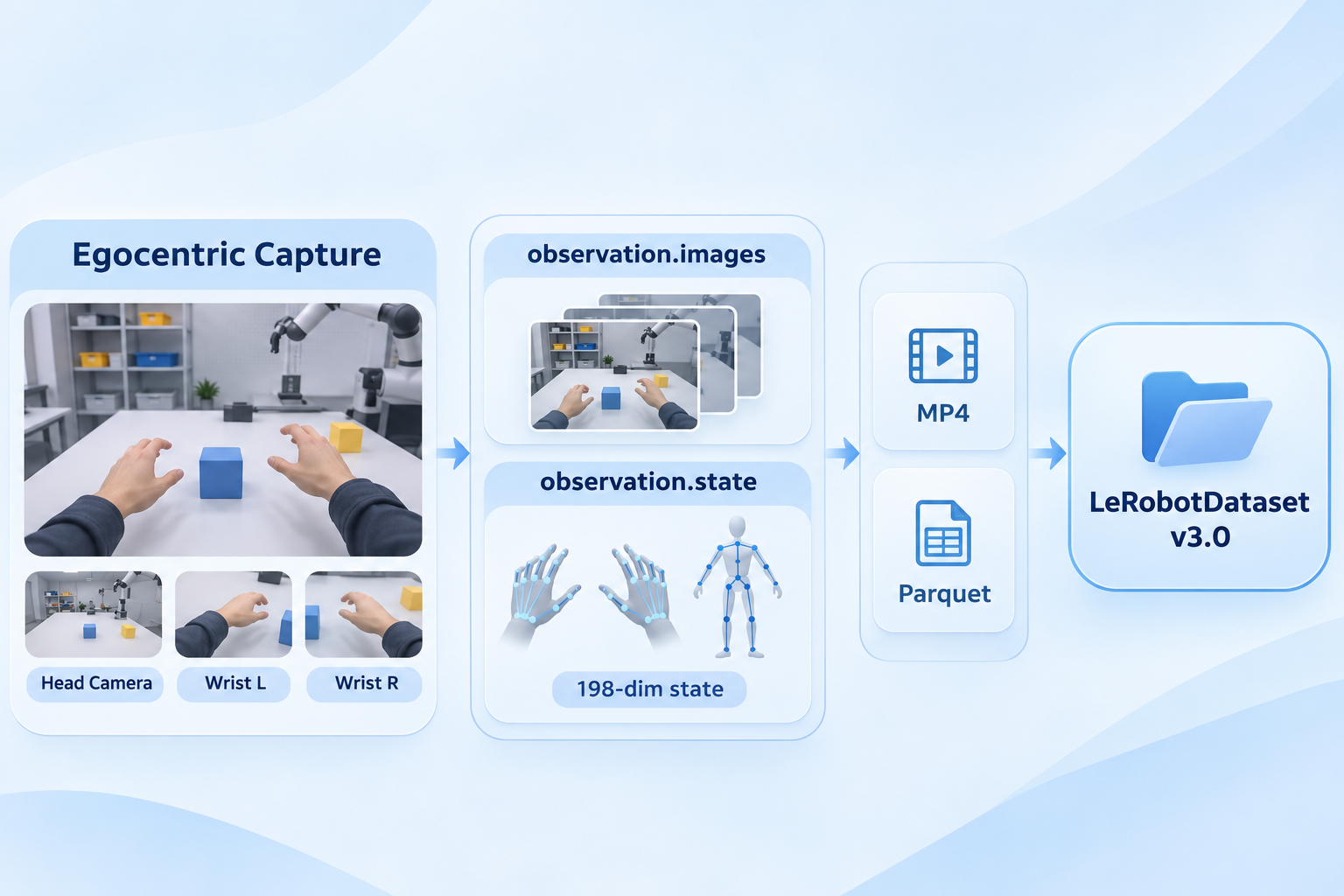
Here is how Firsthand's LeRobot delivery format maps its fields, as the page states them:
observation.images.head, plus observation.images.wrist_l and observation.images.wrist_r for wrist cameras.Three decisions are worth writing into your delivery notes, because a buyer cannot guess them:
You build it in four calls: LeRobotDataset.create() to define the schema, add_frame() for every timestep, save_episode() at the end of each episode, and finalize() once all episodes are written. Then push_to_hub() uploads it.
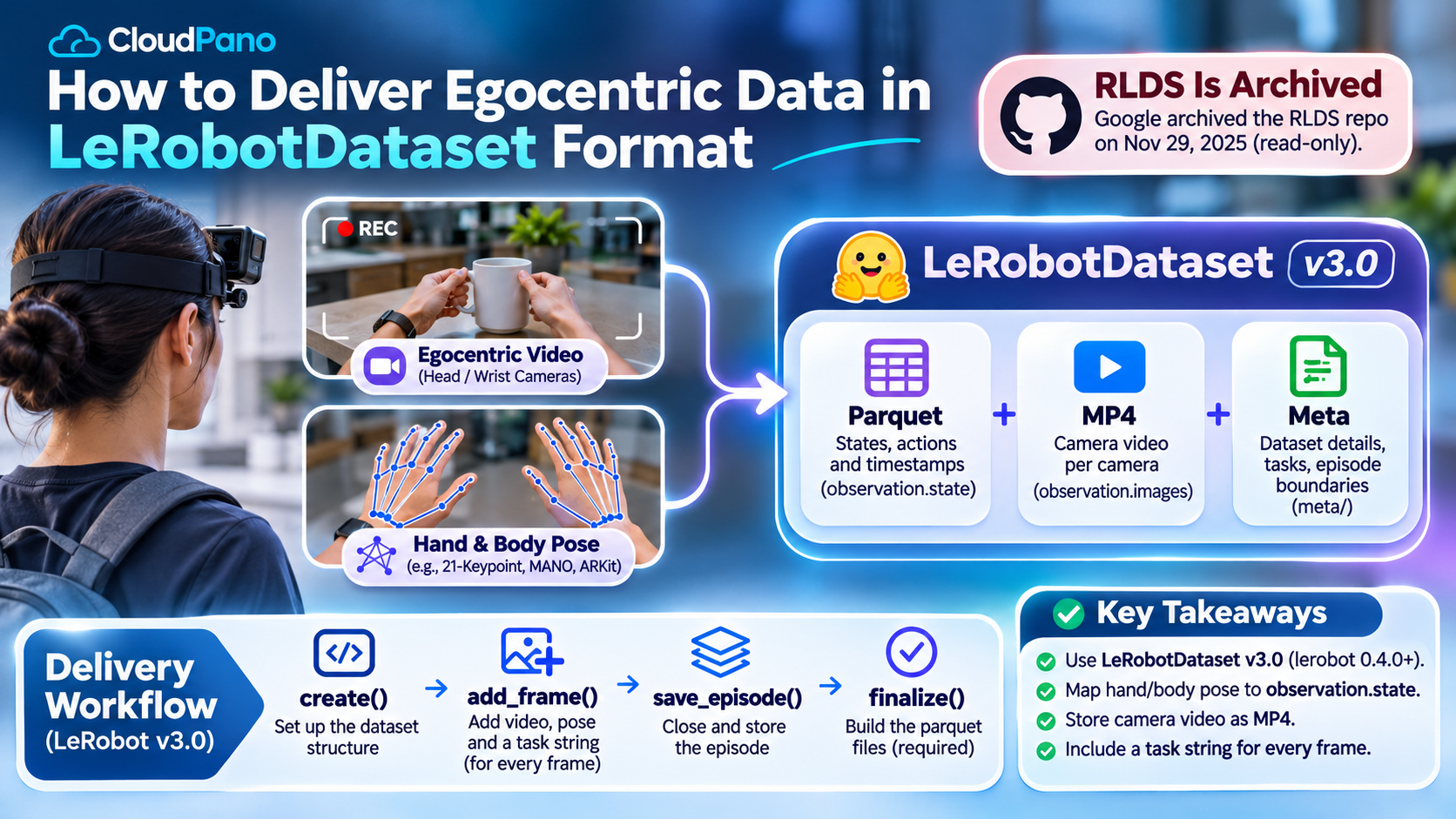
The pattern below follows the LeRobot datasets API reference and the v3.0 docs. The resolution, frame rate and 198-dimension state are example values; use your own capture specs.
from lerobot.datasets import LeRobotDataset
FEATURES = {
"observation.images.head": {
"dtype": "video",
"shape": (480, 640, 3),
"names": ["height", "width", "channels"],
},
"observation.state": {"dtype": "float32", "shape": (198,)}, # hands then body
"action": {"dtype": "float32", "shape": (198,)}, # define this in the card
}
ds = LeRobotDataset.create(
repo_id="your-org/ego-kitchen-v1",
fps=30,
features=FEATURES,
robot_type="human",
use_videos=True,
)
for episode in episodes: # your own episode reader
for frame in episode.frames:
ds.add_frame({
"observation.images.head": frame.rgb, # HxWx3 uint8
"observation.state": frame.state, # float32[198]
"action": frame.action, # float32[198]
"task": episode.task, # e.g. "dice an onion"
})
ds.save_episode()
ds.finalize() # required before pushing
ds.push_to_hub()
Two details trip people up. First, the API reference says every frame passed to add_frame() must include a task key. Second, the v3.0 docs warn that skipping finalize() leaves the parquet files without footer metadata, so the dataset will not load.
Run the official converter. It merges per-episode files into shared shards and rewrites the metadata. Hugging Face documents a one-line command in the v3.0 docs:
python -m lerobot.scripts.convert_dataset_v21_to_v30 --repo-id=<HF_USER/DATASET_ID>
According to the porting guide, the script converts the file structure, moves metadata from JSON Lines to parquet, aggregates statistics with per-episode stats, and updates the version number. Under v2.1, each episode had its own episode_000000.parquet and MP4; after conversion they become file-000.parquet and file-000.mp4 shards.
This step applies to Firsthand deliveries today, as explained in the limits section below.
Load it the way the buyer will, then check the schema, the stats and a few episodes by eye. A delivery that only loads on your machine is not done.
LeRobotDataset("your-org/ego-kitchen-v1") returns samples, and dataset[0] has every key in your feature list.meta/info.json reports the codebase version the buyer expects (v3.0 for current LeRobot).meta/stats.json has sensible mean and std for observation.state; a zero std usually means a dead joint.dataset.meta.episodes matches your capture log.delta_timestamps query (for example 0.2 s and 0.1 s back) to confirm frames line up with state.LeRobot's v3.0 docs also point to a browser-based dataset visualizer, which is the fastest way to spot a frozen camera or a state stream that drifts.
Firsthand delivers LeRobot data in the v2.1 layout, not v3.0. Its LeRobot delivery format page and its custom LeRobot dataset page both say v2.1, and its loading example uses the older lerobot.common.datasets import path. Current LeRobot imports from lerobot.datasets. If your stack runs lerobot 0.4.0 or later, plan to run the v2.1-to-v3.0 converter on arrival.
Other limits to know:
action field, but the format page does not define what it holds for human video. Ask before training.What Firsthand does offer, per its site, is one capture exported several ways. The same episodes ship as RLDS, LeRobot, WebDataset, HDF5/zarr and Rerun, with identical fields, timestamps and units, as described in our data format documentation. Its sample pack holds 40 episodes across 4 environments, so you can test your loader before you buy.
LeRobotDataset v3.0 is where robot learning data now lives, and RLDS is archived. For egocentric data, the work is mostly decisions: which camera sets the clock, what order the joints sit in, and what "action" means for a human. Write those down, build with create(), add_frame(), save_episode() and finalize(), and test the load before delivery.
If you need first-person data captured to your spec and delivered in a format your pipeline already reads, see Firsthand's egocentric video data collection service.
LeRobot is Hugging Face's open-source library for real-world robot learning. It gives a hardware-agnostic Python interface for controlling robots, from low-cost arms like the SO-ARM101 to humanoids, plus tools to record, store and share datasets. Every dataset uses the standard LeRobotDataset format of synchronized video and state/action data.
LeRobot follows a four-step loop: teleoperate, record, train, deploy. You control the robot yourself, each demonstration is saved as a LeRobotDataset with synchronized video and actions, and a policy such as ACT, SmolVLA or π₀ is trained on that data. Datasets can be streamed directly from the Hugging Face Hub.
Egocentric data collection means recording tasks from the point of view of the person doing them, from a phone in a chest mount up to a synchronized multi-camera head and wrist rig. For robot learning, the footage is then annotated, for example with hand and body pose, and delivered in a training format such as LeRobotDataset.
In robotics, egocentric data is first-person video and sensor data showing how people handle objects and tools. It matches the viewpoint a robot's head or wrist camera will have. Teams use it to pretrain or fine-tune manipulation policies, often paired with 3D hand and body pose for each frame.
Egocentric video data is footage shot from the camera wearer's own viewpoint rather than from a fixed camera across the room. In a LeRobotDataset it is stored as MP4 under observation.images keys, with aligned pose or sensor values in parquet, so a model sees what the wearer saw at each timestep.


Compact, ready to go anywhere
Interchangeable lens that’s upgradeable
Dual 1-inch sensors for improved clarity and low light performance
Dynamic range and 6K 360° capture
360° photo resolution at 21MP

8K 360° video recording for ultra-detailed visuals.
4K single-lens mode for traditional wide-angle shots.
Invisible selfie stick effect for drone-like perspectives.
2.5-inch touchscreen with Gorilla Glass protection.
Waterproof up to 33ft for underwater shooting.

360° photo resolution in 23MP
Slim design at 24 mm thick
Built-in image stabilization for smooth video capture.
Internal 19GB storage for photo and video storage.
Wireless connectivity for remote control and sharing.

60MP 360° still images for high-resolution photography.
5.7K 360° video recording at 30fps.
2.25-inch touchscreen for intuitive control.
USB Type-C port for fast charging and data transfer.
MicroSD card slot for expandable storage.


Try it free. No credit card required. Instant set-up.