


.png)



Plenty of businesses have a vague sense that virtual tours are "probably worth it," without ever having actually run the numbers. This article is about running the numbers — a concrete method for calculating virtual tour software ROI, with a simple formula and a worked example you can adapt using your own estimates, rather than relying on intuition alone.
Feeling like something is probably worthwhile is a reasonable starting instinct, but it doesn't help you decide between competing priorities, justify a budget line to someone else in your business, or know whether a price increase still makes sense. A calculated ROI — even a rough one — gives you something concrete to work with, and concrete numbers can be revisited and adjusted as your actual results come in, unlike a general impression that never gets any more precise over time. This matters especially for a shared or team budget, where a specific number is far more persuasive to a business partner or manager than an intuition, however confident that intuition might feel to you personally.
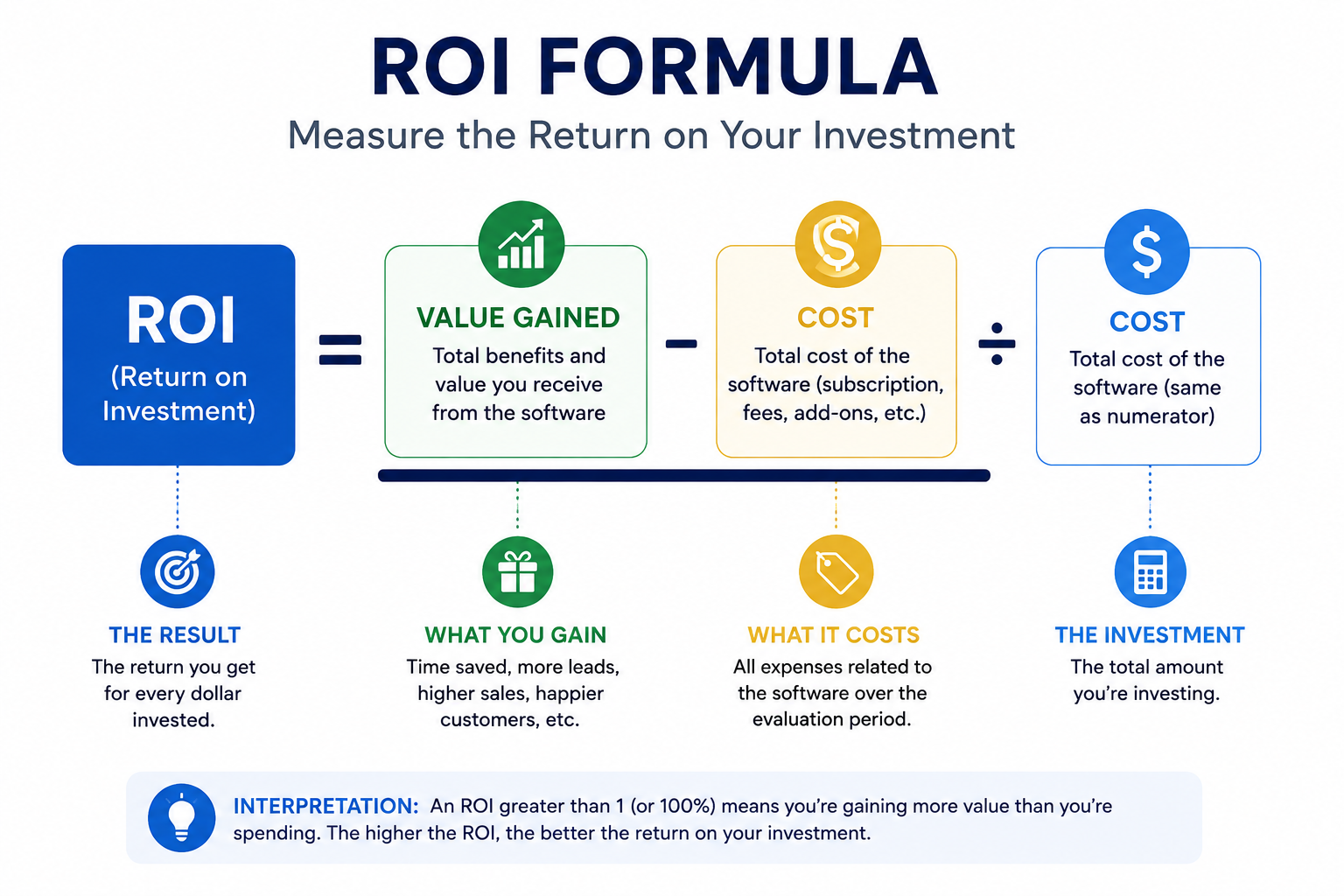
The standard ROI formula, adapted for this context, is straightforward:
ROI = (Value Gained − Cost) ÷ Cost, expressed as a percentage.
The challenge isn't the formula itself — it's estimating "value gained" in a category where the benefit isn't always a direct sale. The next section walks through how to build that estimate.
Building a reasonable 3D tour cost benefit estimate starts with identifying which specific outcome you're trying to attribute to virtual tours. Common options include: reduced in-person showing time (valued at your team's hourly cost), a measurable increase in listing inquiries or engagement (valued at your typical conversion rate to a sale or booking), or faster time-to-close (valued at the cost of an extended vacancy or unsold inventory period).
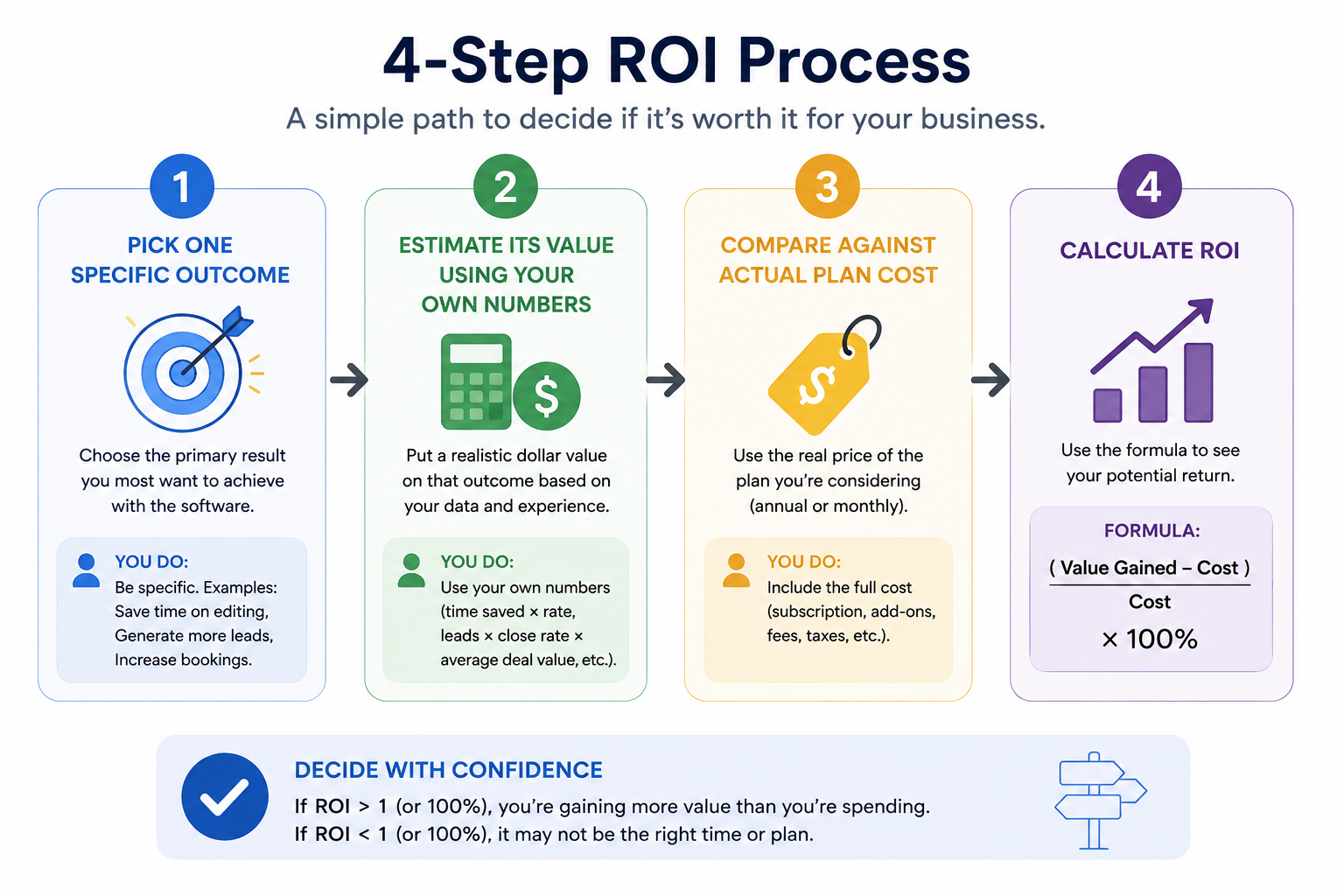
Pick the outcome most relevant to your specific business, rather than trying to estimate all of them at once — a simpler, more focused calculation is more trustworthy than an ambitious one built on multiple shaky assumptions stacked together.
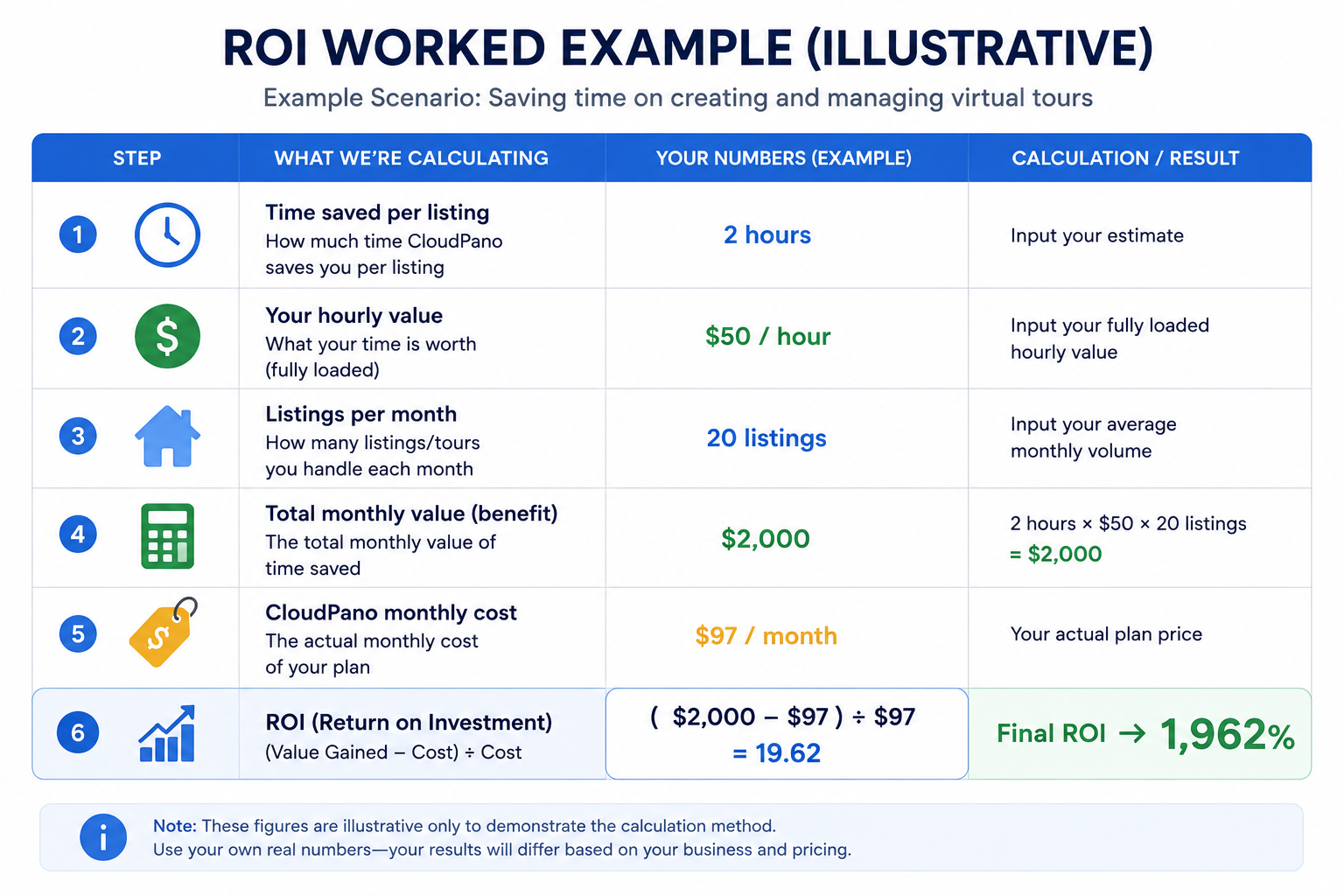
To make this concrete, here's a worked example using placeholder numbers — not real data, just a demonstration of the method itself:
Imagine a small real estate team that estimates virtual tours reduce average in-person showing time by one hour per listing, valued at $50/hour in staff time, across 10 listings a month. That's an estimated value of $500/month in saved staff time.
If their virtual tour software costs $150/month at their relevant tier, the calculation looks like this:
ROI = ($500 − $150) ÷ $150 = 2.33, or approximately 233%.
This same structure works regardless of which specific benefit you're measuring — just replace the value-gained estimate with whichever outcome matters most for your business, and replace the cost with your actual current plan cost.
Not every benefit is as cleanly measurable as time saved. Measuring virtual tour value for something like "improved brand perception" or "professional presentation" is genuinely harder to quantify, but it's worth attempting a rough estimate rather than excluding it from the calculation entirely just because it's imprecise.
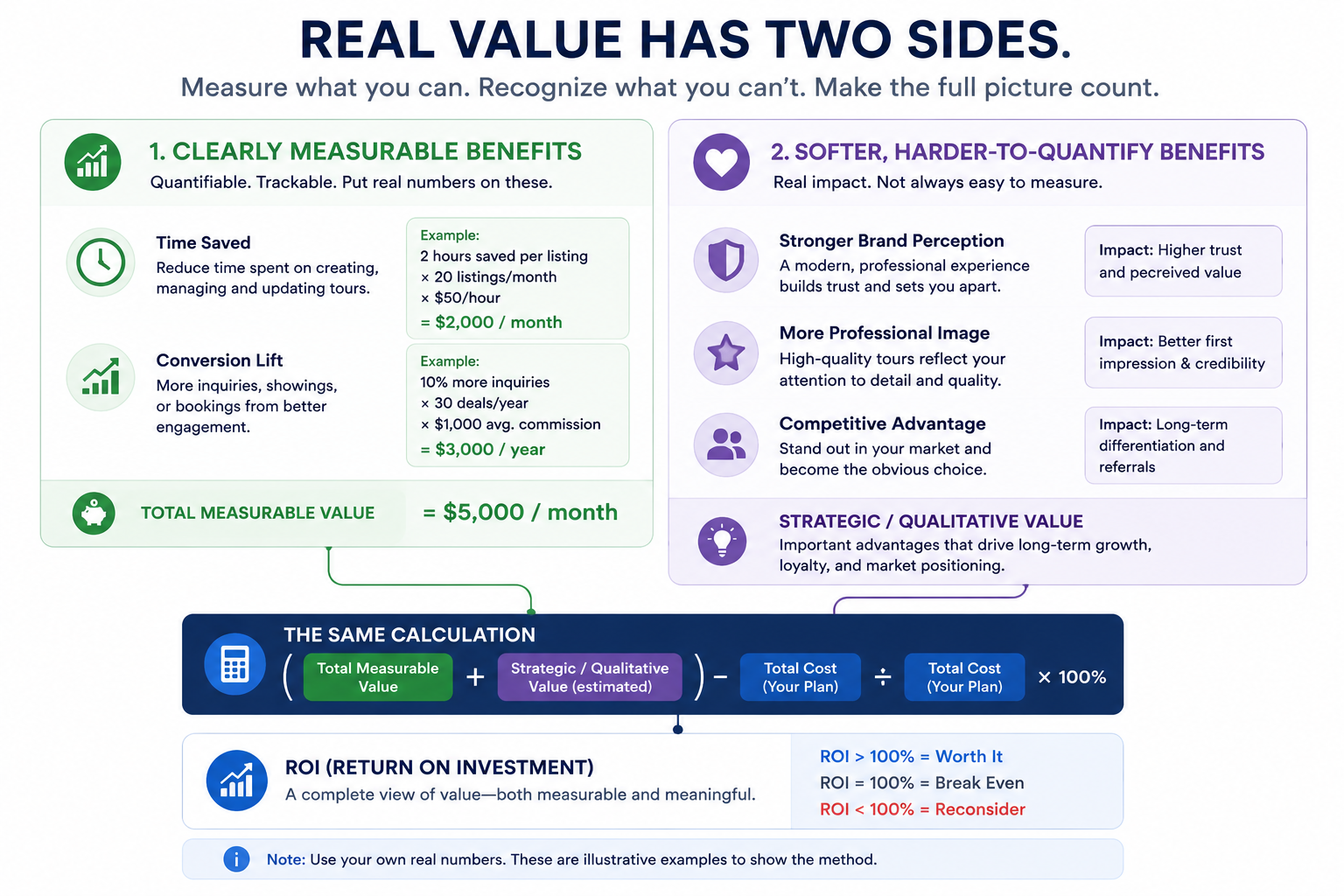
One reasonable approach: estimate what you'd be willing to pay for that softer benefit in isolation, even if the number feels somewhat arbitrary. An imperfect estimate, clearly labeled as an estimate, is still more useful for decision-making than treating the benefit as unmeasurable and ignoring it in your calculation entirely.
Once you're comfortable with a single calculation, it's worth running the same formula against a couple of alternative scenarios — a different plan tier, a different platform, or a different assumption about time saved — to see how sensitive your ROI figure actually is to changes in any one input. If your ROI stays comfortably positive across a reasonable range of assumptions, that's a stronger signal than a calculation that only looks good under one specific, optimistic set of numbers. If small changes in your assumptions flip the result from positive to negative, that's useful to know too — it suggests your decision is more marginal than a single favorable calculation might have suggested.
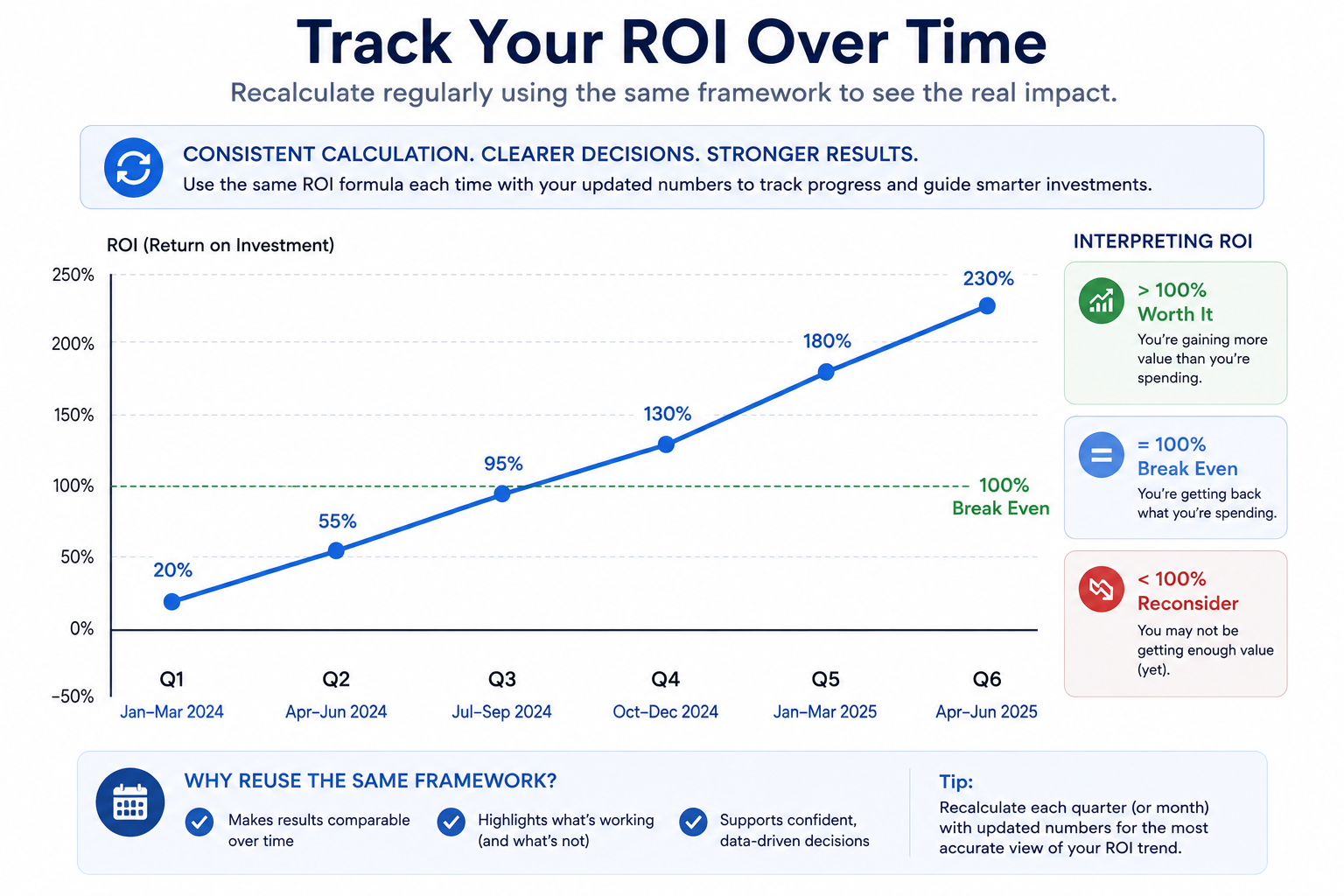
If you want to build a simple ROI calculator virtual tour template for your own repeated use — checking this periodically as your usage or pricing changes — keep the structure consistent: identify the specific benefit, estimate its value using your own real numbers, subtract actual cost, divide by cost. Reusing the same structure each time makes your calculations comparable to each other over time, which is useful for tracking whether ROI is improving, declining, or holding steady as your business changes.
A few patterns tend to undermine an otherwise reasonable ROI calculation, and they're worth watching for specifically. Overestimating the specific benefit attributable to virtual tours — crediting tours for an entire sale when other factors (pricing, market conditions, listing quality) clearly played a role too — inflates the calculation unrealistically. Underestimating your true cost by using only the advertised entry-tier price, rather than the tier that actually covers your real usage, has the opposite effect. And stacking multiple optimistic assumptions together (maximum time saved, maximum conversion lift, minimum realistic cost) compounds error in a way that a single conservative estimate wouldn't.
The fix for all three is roughly the same: use a conservative, defensible estimate for each variable rather than the most favorable plausible number, and be honest with yourself about how much of a given outcome is actually attributable to the tours specifically versus other factors happening at the same time.
Industry publications like Inman occasionally cover real estate technology ROI in general terms, which can be a useful supplementary read for benchmarking your own assumptions about time savings or engagement lift against broader industry discussion, though any specific figures should be treated as directional rather than definitive for your specific market.
On G2's virtual tour software category page, reviewers occasionally reference specific outcomes (faster sales, reduced showing time) that can serve as a sanity check for whether your own value estimate is in a reasonable range compared to what others report.
"My estimates feel too rough to be a 'real' ROI calculation."
That's a fair concern, and it's worth reframing rather than avoiding the calculation entirely: a rough estimate, clearly acknowledged as rough, is still meaningfully more useful than no calculation at all. Precision can improve over time as you gather more actual data; it doesn't need to be perfect on the first attempt.
"What if my ROI calculation comes out negative?"
That's valuable information, not a failure of the method — it suggests either your cost is too high relative to the specific benefit you're measuring, or you should be measuring a different benefit that better reflects why you're actually using virtual tours. Either way, a negative result is worth investigating rather than ignoring.
Calculating virtual tour software ROI doesn't require perfect data — it requires picking a specific, relevant benefit, making an honest estimate of its value, and comparing that against your actual cost using a simple, consistent formula. Even a rough calculation beats a vague sense that tours "probably help," and revisiting the calculation periodically as your business changes keeps it useful over time.
If your calculation suggests you're not getting strong value from your current platform specifically, it may be worth testing whether a different cost structure changes the outcome — our broader guide on whether CloudPano is worth the cost covers that more qualitative side of the same underlying question. Whichever platform you're evaluating, running this calculation with honest, conservative estimates gives you a genuinely useful number to work from, rather than continuing to operate on a vague sense that things are "probably fine."


Compact, ready to go anywhere
Interchangeable lens that’s upgradeable
Dual 1-inch sensors for improved clarity and low light performance
Dynamic range and 6K 360° capture
360° photo resolution at 21MP

8K 360° video recording for ultra-detailed visuals.
4K single-lens mode for traditional wide-angle shots.
Invisible selfie stick effect for drone-like perspectives.
2.5-inch touchscreen with Gorilla Glass protection.
Waterproof up to 33ft for underwater shooting.

360° photo resolution in 23MP
Slim design at 24 mm thick
Built-in image stabilization for smooth video capture.
Internal 19GB storage for photo and video storage.
Wireless connectivity for remote control and sharing.

60MP 360° still images for high-resolution photography.
5.7K 360° video recording at 30fps.
2.25-inch touchscreen for intuitive control.
USB Type-C port for fast charging and data transfer.
MicroSD card slot for expandable storage.
.png)

.png)

Try it free. No credit card required. Instant set-up.







.svg)


.svg)