


.png)


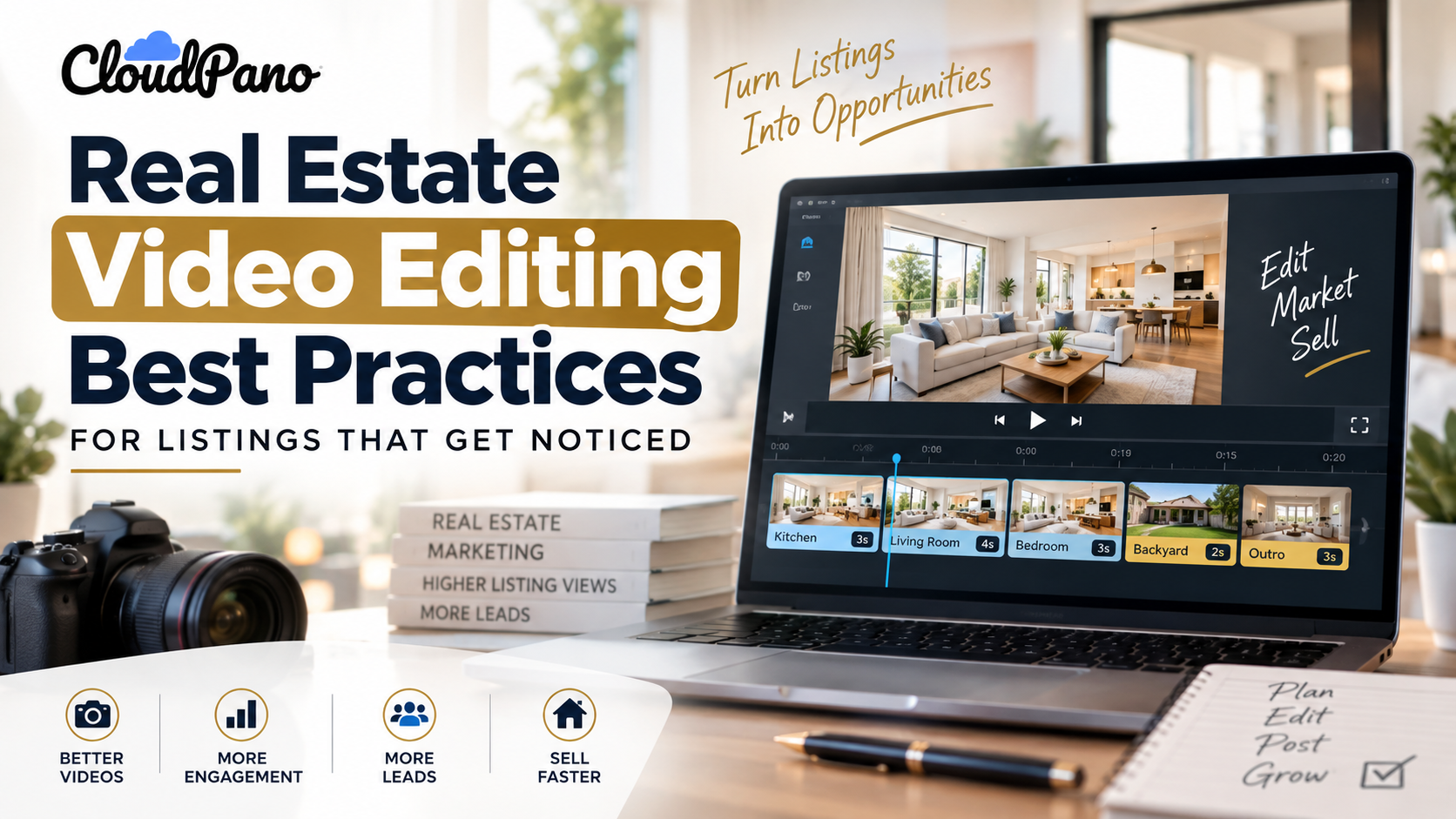
Creating professional real estate listing videos requires strong visuals, purposeful pacing, consistent branding, and a clear call to action. Start with your property's most impressive shot, keep transitions smooth, use appropriate music or voiceovers, and optimize video formats for different social media platforms. AI-powered tools like PhotoAIVideo simplify the editing process by transforming listing photos into polished videos with automated camera movements and effects. Always verify property details before publishing to ensure your videos remain accurate, engaging, and professional.
1. Capture Attention With Your Best Shot: Open your listing video with the property's most impressive feature within the first two to three seconds to encourage viewers to keep watching.
2. Maintain Smooth Pacing and Professional Editing: Keep most shots around two to four seconds, remove repetitive footage, and use natural-looking camera movements to create an engaging property walkthrough.
3. Use Consistent Branding and Purposeful Audio: Include your logo, contact information, and appropriate background music or voiceovers without distracting viewers from the property's features.
4. Optimize Videos for Different Platforms: Export listing videos in 16:9 for YouTube and property websites, 9:16 for Instagram Reels and TikTok, and 1:1 for square-format social media posts when appropriate.
5. Include a Clear Call to Action and Accurate Listing Details: Encourage viewers to schedule a showing or request more information, and verify that property prices, availability, square footage, and other listing details are current before publishing.
Real estate video editing can make the difference between a property listing that gets overlooked and one that captures a potential buyer's attention. A well-edited listing video highlights a home's most attractive features, maintains viewer interest, and encourages buyers to take the next step.
But creating professional real estate videos doesn't necessarily require expensive cameras, advanced editing software, or a dedicated production team.
With the right editing techniques and AI-powered tools like PhotoAIVideo , real estate agents and photographers can transform existing property photos into engaging listing videos without filming every room or manually editing each scene.
In this guide, you'll discover seven practical real estate video editing best practices to help you create polished property videos, improve your real estate marketing, and make your listings stand out.
The best real estate video editing practices include opening with your strongest property shot, maintaining tight pacing, using subtle branding, adding appropriate music or voiceovers, optimizing video formats for different platforms, including a clear call to action, and keeping listing information accurate.
These seven techniques help real estate professionals create videos that are visually engaging, easy to follow, and suitable for property websites and social media marketing.
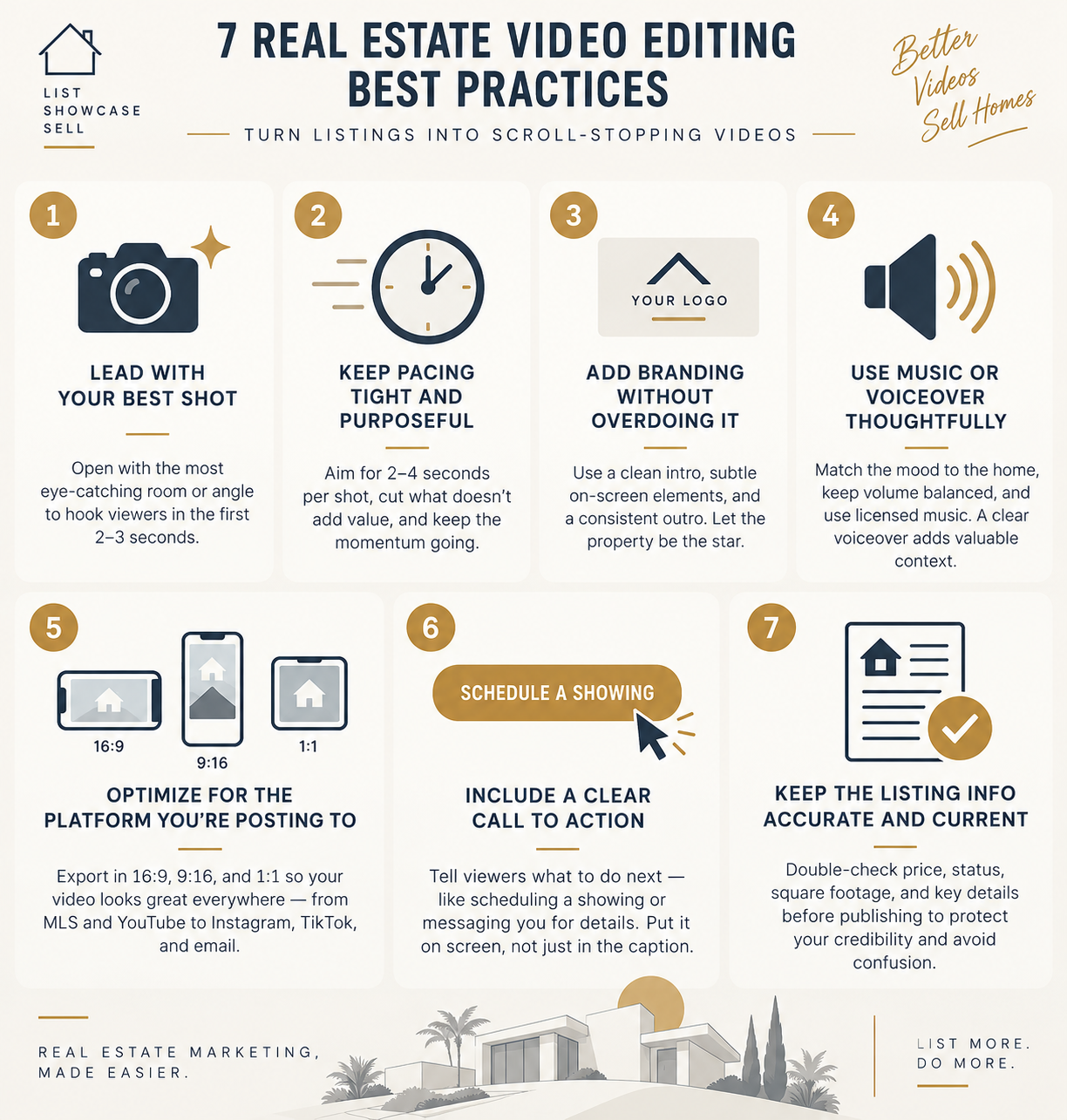
These practices apply whether you're editing traditional property footage or creating AI-generated real estate videos from existing listing photos.
Start your real estate listing video with the property's most visually impressive feature. The first two to three seconds are an opportunity to capture attention and give viewers a reason to keep watching.
Instead of automatically opening with the driveway or mailbox, choose the room or angle that creates the strongest first impression.
For example, you might open with a spacious kitchen featuring a large island, a bright living room with floor-to-ceiling windows, or a backyard with an attractive outdoor entertainment area.
The goal is to immediately communicate what makes the property worth exploring.
Choose a photo or video clip that clearly showcases the home's most attractive selling point.
For a luxury property, this might be a dramatic entryway or panoramic view. For a smaller home, a bright, well-designed living area could make a stronger opening.
After introducing the property's standout feature, transition into a logical walkthrough that helps viewers understand the home's layout.
Pro tip: Arrange your video clips according to visual impact rather than the order in which you photographed the property.
This simple editing technique can help create a more engaging introduction without requiring additional filming.
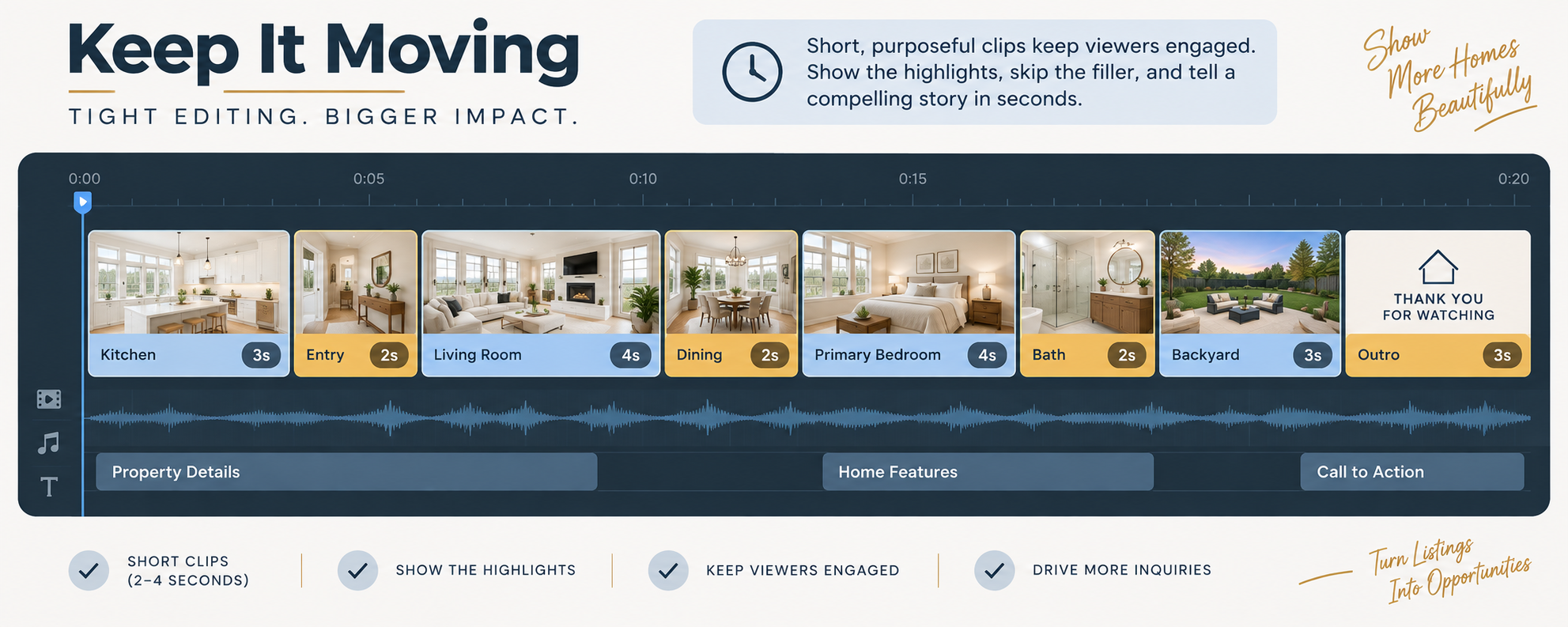
For a short real estate listing video, aim for approximately two to four seconds per shot. Allow slightly more time for standout features, such as a primary bedroom, panoramic view, or outdoor living area.
The ideal duration depends on the complexity of the scene, the video's purpose, and the platform where it will be published.
A listing video should provide enough time for viewers to appreciate each room without making the walkthrough feel unnecessarily slow.
Tight pacing keeps the video moving and helps viewers focus on the property's most important features.
Long, repetitive shots of similar rooms or empty hallways can make a listing video feel unnecessarily drawn out.
Instead, select the strongest angle of each room and remove footage that doesn't provide additional visual information.
For example, if you have three nearly identical photographs of the living room, choose the one that best communicates its size, layout, and natural lighting.
AI-powered video tools can automate camera movements and transitions, making it easier to create smooth, consistent videos from still property photos.
PhotoAIVideo offers automated camera effects, including pans, zooms, tilts, dolly movements, and orbit effects.
These animations add movement to still images without requiring agents or photographers to manually create keyframes in video editing software.
For real estate professionals who produce videos regularly, automated editing can simplify the process of creating consistent property marketing content.
Add branding that helps viewers recognize your real estate business without distracting them from the property.
A professional listing video can include your company logo, brand colors, agent name, contact information, and a consistent closing screen.
However, branding should complement the property's visuals rather than compete with them.
A simple branding structure can include a short introduction with your logo, a discreet name or contact overlay during the video, and a closing screen featuring your contact details.
Keep fonts, colors, and logo placement consistent across your listing videos.
Avoid placing large logos or text overlays over important property features, such as kitchen countertops, architectural details, or scenic views.
The property should remain the main focus of the video.
Create reusable branding elements that can be applied to future videos.
For example, you can establish a standard logo placement, font style, color palette, and closing screen for every property video.
This approach helps maintain a recognizable visual identity while reducing the time spent recreating branding elements for each listing.
If you regularly produce listing videos for multiple agents or properties, reusable templates can make your video production workflow more efficient.
Real estate listing videos can benefit from background music, voiceover narration, or a combination of both.
Music helps establish the atmosphere of the property, while voiceovers provide additional information that viewers may not immediately understand from visuals alone.
The most effective choice depends on the property's character, your intended audience, and the platform where the video will appear.
Select music that complements the home's visual style and overall atmosphere.
A modern luxury property may suit subtle, cinematic instrumental music, while a bright, contemporary home might benefit from a lighter, more upbeat track.
Keep the volume balanced so the music doesn't overpower narration or distract from the property's presentation.
Always use appropriately licensed music, especially when publishing listing videos on social media, websites, or paid advertising platforms.
A real estate video voiceover should provide useful context about the property without simply describing what viewers can already see.
For example, narration can highlight the property's square footage, bedroom and bathroom count, recent renovations, distinctive architectural features, or outdoor amenities.
Keep the script concise, conversational, and aligned with the visuals.
If the video is showing the kitchen, discuss the kitchen's features rather than introducing information about a bedroom that appears later.
This creates a more natural viewing experience.
Yes. AI voiceover tools can generate spoken narration from a written script, allowing real estate professionals to create narrated property videos without recording their own voices.
AI avatar presenters can also provide a digital on-screen host for property introductions or walkthrough narration.
These features can be useful for agents and photographers who want to produce video content consistently without appearing on camera for every listing.
For additional guidance on video marketing, explore Wyzowl's video marketing research .
The best real estate video format depends on where you plan to publish your content.
A video designed for a property website may require a different aspect ratio from one created for Instagram Reels or TikTok.
Optimizing your videos for each platform helps ensure that important property features, branding, and contact information remain visible.
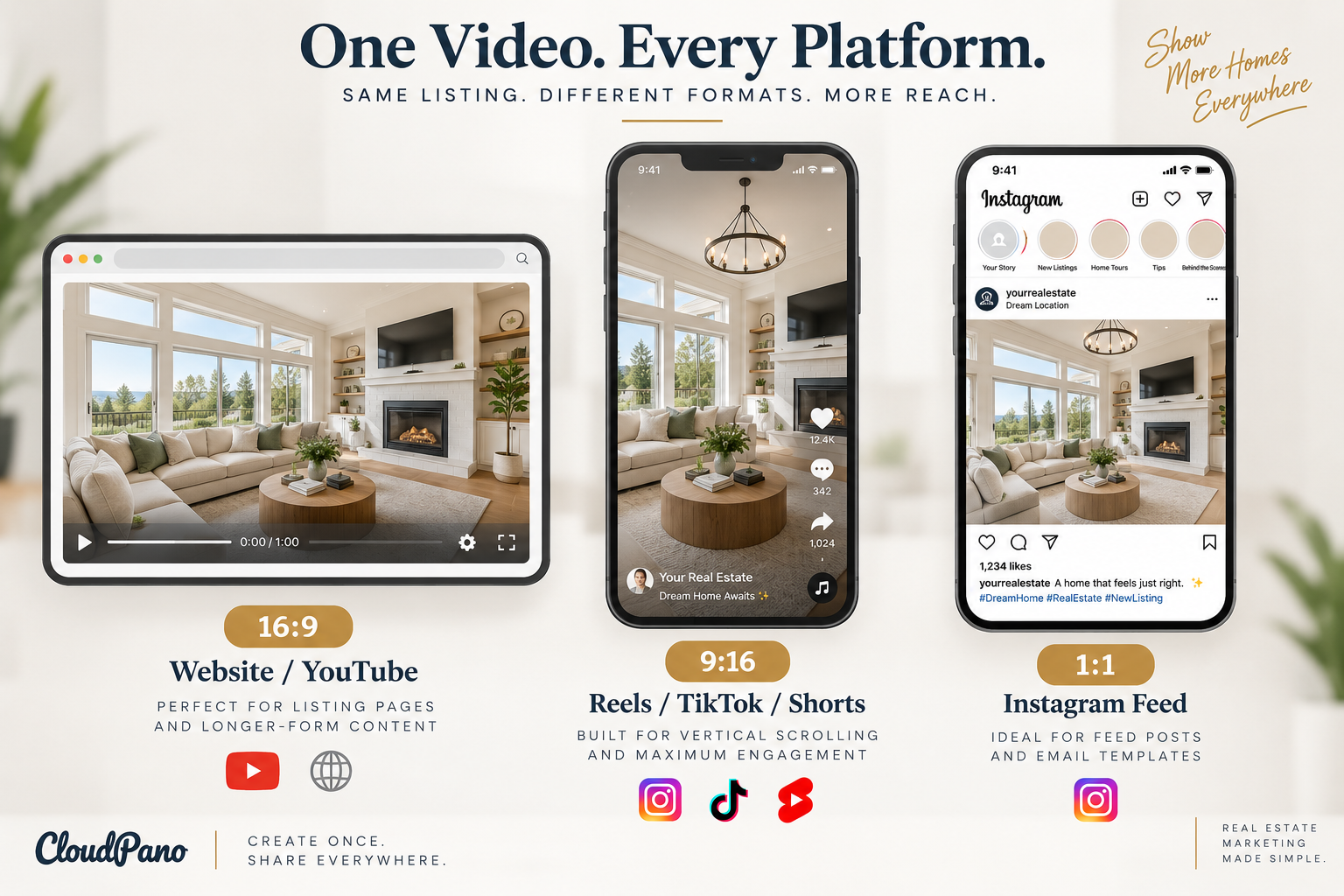
16:9 — Widescreen
Website / YouTube
Suitable for property listing pages, YouTube videos, and longer walkthrough presentations.
9:16 — Vertical
Reels / TikTok / Shorts
Designed for vertical, mobile-first video experiences on short-form social media platforms.
1:1 — Square
Instagram Feed / Email
A useful option for square-format social media posts and certain email marketing layouts.
Instead of producing entirely separate videos for every marketing channel, create one primary listing video and adapt it to the formats you need.
For example, a widescreen property video can be reformatted into a vertical version for Instagram Reels and a square version for social media feed posts.
Before publishing, check that the new crop doesn't cut off important room features, captions, logos, or contact information.
Building multiple video formats into your production workflow makes it easier to maintain consistent property marketing across different channels.
The best call to action tells viewers exactly what to do after watching your listing video.
Depending on your marketing goal, you might encourage potential buyers to schedule a showing, request additional property information, contact the listing agent, or visit the full property listing.
A clear call to action helps connect the viewing experience with a practical next step.
Include your primary call to action near the end of the video, preferably on a dedicated closing screen.
Your outro can feature the agent's name, business logo, contact information, and a short message.
For example, you might use one of the following:
Make sure your call to action is visible on screen rather than relying entirely on the post caption.
This is especially useful for viewers watching videos without sound or encountering your content through social media feeds.
Keep the message short and focused on one primary action.
Review all property details before publishing or reposting a real estate listing video.
This includes the listing price, property status, square footage, bedroom and bathroom count, and any features mentioned in the narration or on-screen text.
Outdated or incorrect information can confuse potential buyers and create inconsistencies between your video and the current property listing.
Check that the video accurately reflects the property's current listing details.
For example, a video should not display a "Just Listed" banner if the property is already under contract.
Similarly, the advertised price should match the current listing price, and claims about renovations, amenities, school districts, or HOA information should be verified before publication.
If the listing changes, review your existing marketing videos to determine whether any text overlays, narration, or closing screens need to be updated.
Property videos often serve as an introduction to a listing before a buyer contacts an agent or schedules a showing.
When the information in a video differs from the listing page, viewers may become confused about the property's availability or features.
Maintaining accurate information helps create a consistent experience across your website, social media content, and other real estate marketing channels.
For additional insights into how buyers research properties online, visit Zillow Research .
You can create professional-looking real estate videos without advanced editing experience by using AI-powered photo-to-video tools.
Instead of filming every room or manually creating transitions, you can use existing listing photos to build a video that showcases the property's most important features.
PhotoAIVideo is designed to help real estate agents, photographers, and media creators transform property photos into video content using automated camera movements and editing features.
A simple workflow involves selecting your strongest property photos, arranging them into a logical sequence, adding suitable music or narration, applying your branding, and reviewing the finished video before publishing.
Even when using AI automation, the seven editing practices discussed above remain important.
Review the opening shot, pacing, branding, audio, video format, call to action, and property information to ensure the final video communicates your listing effectively.
Effective real estate video editing is about presenting a property clearly, maintaining viewer interest, and making it easy for potential buyers to take the next step.
Start with your strongest shot, keep your pacing purposeful, and use branding and audio to support the property's presentation. Choose the appropriate video format for each platform, include a clear call to action, and verify every property detail before publishing.
These principles are consistent with the broader approach to purposeful, audience-focused video marketing discussed in Think with Google's video marketing guidance .
Treat these seven practices as a repeatable standard for every listing video you create. Whether you're producing a traditional walkthrough or using AI to animate property photos, consistent editing can help you build a recognizable real estate marketing style and deliver a more professional viewing experience.
Professional real estate video editing doesn't have to be complicated or time-consuming. By focusing on strong visuals, smooth pacing, consistent branding, suitable audio, and accurate property information, you can create listing videos that showcase homes effectively.
AI-powered tools can simplify the production process even further, allowing agents and photographers to transform existing listing photos into polished video content without advanced editing skills.
If you're looking for inspiration, explore these real estate listing video examples to see how different properties can be presented through video.
Use the examples to refine your editing style, improve your property marketing workflow, and create more engaging listing videos for your next real estate project.
Start with your property's most attractive shot, maintain smooth transitions, keep clips concise, and use consistent branding. Add suitable background music or voiceovers, optimize the video for your publishing platform, and finish with a clear call to action. Always ensure that property information is accurate and up to date.
Video length depends on the platform, property size, and marketing goals. Short-form social media videos can focus on the property's highlights in approximately 15–60 seconds, while longer walkthrough videos can provide a more detailed presentation. Keep each shot purposeful and avoid unnecessary repetition.
Yes. AI-powered tools like PhotoAIVideo allow real estate agents and photographers to transform existing property photos into professional-looking videos. Automated features such as camera movements, transitions, music, and branding simplify video production without requiring advanced editing skills.
Vertical 9:16 videos are suitable for Instagram Reels, TikTok, and YouTube Shorts. Widescreen 16:9 works well for YouTube and property websites, while square 1:1 videos can be useful for certain social media feed posts. Choose the format based on the platform and ensure important property details remain visible.
Music and voiceovers can make listing videos more engaging and informative. Choose background music that complements the property's style and use voiceovers to highlight important features, renovations, and property details. Keep narration clear, balance audio levels, and use properly licensed music.


Compact, ready to go anywhere
Interchangeable lens that’s upgradeable
Dual 1-inch sensors for improved clarity and low light performance
Dynamic range and 6K 360° capture
360° photo resolution at 21MP

8K 360° video recording for ultra-detailed visuals.
4K single-lens mode for traditional wide-angle shots.
Invisible selfie stick effect for drone-like perspectives.
2.5-inch touchscreen with Gorilla Glass protection.
Waterproof up to 33ft for underwater shooting.

360° photo resolution in 23MP
Slim design at 24 mm thick
Built-in image stabilization for smooth video capture.
Internal 19GB storage for photo and video storage.
Wireless connectivity for remote control and sharing.

60MP 360° still images for high-resolution photography.
5.7K 360° video recording at 30fps.
2.25-inch touchscreen for intuitive control.
USB Type-C port for fast charging and data transfer.
MicroSD card slot for expandable storage.
.png)

.png)

Try it free. No credit card required. Instant set-up.





.svg)


.svg)