How CloudPano Makes Website Tour Embedding Simple

Cloudpano
February 5, 2026
5 min read
Share this post

How CloudPano Makes Website Tour Embedding Simple (And Why That Matters for Your Marketing) 🧩🌍

If you’ve ever tried to add interactive media to a website, you already know the usual friction: weird sizing, slow loading, broken layouts on mobile, and “embed codes” that feel like they were written in 2009.

CloudPano tour embedding is designed to be the opposite of that—fast to publish, easy to paste into nearly any website builder, and flexible enough to fit real-world marketing pages (landing pages, listings, portfolio sites, and client delivery pages).

In this guide, you’ll learn how to embed virtual tour CloudPano tours the clean way, how to think about CloudPano website integration for SEO and conversions, and how to avoid common embedding mistakes. We’ll also cover a real industry issue that impacts virtual tour visibility: the Zillow–Matterport–CoStar dispute and what it means for distribution.

What “tour embedding” really means (in plain English) 👇

When people say “embed a virtual tour,” they usually mean one of these:

  • Display the tour directly on a page (so visitors don’t have to click away)
  • Keep the experience interactive (pan/zoom, hotspots, navigation)
  • Make it responsive (works on phones, tablets, desktop)
  • Keep it fast (doesn’t tank page speed)
  • Keep it simple (copy/paste, not a custom dev project)

CloudPano website integration typically uses an iframe embed (and CloudPano also supports alternative embed approaches, like JavaScript-based embed options, depending on the sharing method you choose).

That’s why CloudPano feels like an easy virtual tour embedding solution: it’s built around the reality that most users are embedding tours into WordPress, Squarespace, Wix, Webflow, and custom HTML pages—not custom apps.
Why embedding tours on your website is a big deal for leads 📈🏡

Embedding matters because it changes visitor behavior:

  • More time on page: Interactive tours keep people engaged longer.
  • Higher trust: A tour feels transparent—like “you can look around yourself.”
  • Better conversion flow: You control the CTA next to the tour (book a showing, request pricing, schedule a demo).
  • Brand control: The experience lives inside your page and your design system.

CloudPano is built to support this “on-site experience” approach, where the tour becomes part of the page—not a separate destination.

How to embed a CloudPano tour on your website (step-by-step) ✅

The core workflow is straightforward:

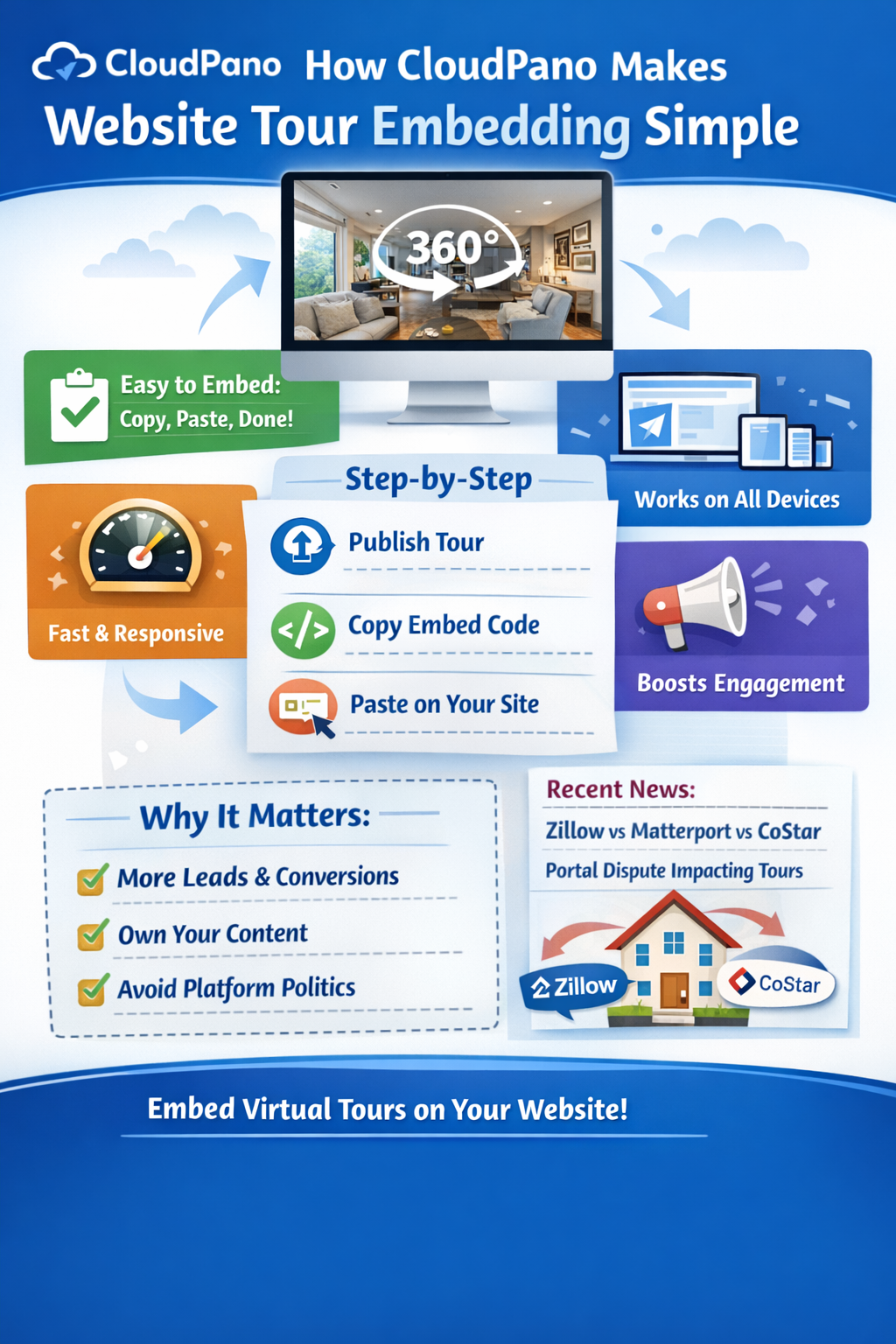
  1. Publish your CloudPano tour
  2. Click Share
  3. Copy the embed code
  4. Paste it into your website page (HTML block / embed element)
  5. Adjust width/height as needed

CloudPano’s help docs show a standard iframe embed pattern and explain how to change the height value to fit your layout.

A practical sizing approach (that works on most sites) 📐

Most websites do best with:

  • Width: 100% (fills the container)
  • Height: 500–800px depending on your design and how “immersive” you want it to feel

CloudPano specifically calls out that the iframe sizing is customizable for your layout.

“Virtual tour website plugin” vs embed code: what’s the difference? 🔌

A lot of people search for a virtual tour website plugin because they want a one-click widget.

In practice, an embed code functions like a plugin for most modern site builders:

  • WordPress: Custom HTML block
  • Webflow: Embed element
  • Squarespace: Code block
  • Wix: Embed HTML iframe
  • Shopify: Custom HTML section (for real estate teams selling services)

So even if you never install a “plugin,” CloudPano tour embedding behaves like a plug-and-play component: copy → paste → publish.

Best practices for CloudPano website integration (so it looks pro) ✨

1) Put the tour “above the fold” on key pages 🧠

If the tour is the main selling asset, don’t bury it. Place it near:

  • The headline
  • The property highlights
  • The primary CTA

2) Add context next to the tour 📝

A tour alone is great—but a tour plus context is better:

  • Bullet highlights (beds/baths, sqft, upgrades)
  • “What to look for” prompts (“Check the kitchen remodel”)
  • Social proof (review snippet, client logo)

3) Make the embed responsive 📱

Most builders automatically scale if the iframe is set to 100% width. Confirm it on mobile before publishing.

4) Don’t let the tour slow your whole page ⚡

If your page is heavy, consider:

  • Reducing above-the-fold image weight
  • Avoiding multiple big embeds on one page
  • Using clean page sections so the tour loads smoothly

CloudPano’s embed approach is meant to integrate cleanly into web pages while keeping the experience interactive.

Troubleshooting: when an embedded tour “doesn’t work” 🛠️

Common issues usually come from the website—not the tour:

  • Pasting embed code into a “text” element instead of an HTML/embed element
  • Page builders stripping script elements (some platforms sanitize code)
  • Mixed content issues (rare now, but can happen if a site forces non-HTTPS assets)
  • Container conflicts (CSS overflow hidden, fixed height containers, etc.)

CloudPano’s support documentation notes that tours can be embedded via iframe or JavaScript embed methods and offers troubleshooting guidance when embeds fail.

SEO: will embedding a tour help rankings? 🔎

Embedding itself isn’t a magic SEO button—but it supports SEO when used correctly:

  • Engagement signals: Tours can increase time on page (a quality signal).
  • Content depth: Pair the embed with crawlable text (property description, neighborhood notes, FAQs).
  • Internal linking: Link to related pages (portfolio categories, service pages, city pages).
  • Clear page intent: Use one main keyword theme per page.

Tip: If you want Google to crawl and index the page well, make sure there’s plenty of text content around the embed—not just the tour. Search engines primarily index the page’s HTML content, so your supporting copy is what anchors relevance.

The Zillow–Matterport–CoStar dispute (and why tour distribution can change) ⚖️🏘️

If you rely on third-party portals for exposure, it’s important to understand a recent conflict that affected virtual tour availability on major listing sites.

In October 2025, Zillow said it was removing Matterport 3D tours from listings on Zillow and StreetEasy, citing an API agreement and content-use restrictions connected to CoStar (which acquired Matterport). Zillow characterized it as an attempt to restrict how tour content could be used on competing platforms. Source: Zillow pulls Matterport tours from listings, blames CoStar

CoStar disputed Zillow’s framing, and the public statements around the situation happened in the broader context of escalating legal and competitive tension between Zillow and CoStar (including lawsuits and accusations related to content/media use). Source: Zillow pulls Matterport tours from listings, blames CoStar

Separately, CoStar completed its acquisition of Matterport on February 28, 2025, making Matterport part of a company directly competing with Zillow through portals like Homes.com. Source: CoStar Acquires Matterport, Ushering in AI-Powered 3D Real Estate Innovation

What this means for virtual tour creators 🎥

Even if you don’t use Matterport, the lesson is bigger:

  • Distribution rules can change when platforms compete.
  • A tour platform’s ownership and licensing terms may affect where content can appear.
  • Relying on a single portal is risky.

The practical takeaway ✅

Your safest strategy is to:

  • Embed tours on your own website (you control it)
  • Build landing pages you can drive traffic to (email, ads, social, QR codes)
  • Use portals as a channel—not the foundation

That’s one reason easy virtual tour embedding on your own site is valuable: it helps you “own the experience,” regardless of platform politics.

Putting it all together: a simple embedding checklist 📌✅

Before you publish:

  • Tour published + share settings confirmed
  • Embed placed in an HTML/embed block (not plain text)
  • Width set to 100% (or container-based)
  • Height set for comfortable viewing (500–800px typical)
  • Mobile view tested
  • Text added around embed (for SEO + conversion)
  • CTA visible near the tour (“Schedule a showing”, “Get a quote”, “Book a demo”)

Final thoughts: simple embedding is a competitive advantage 🚀

When your tours are easy to embed, you publish faster, test more landing pages, and reduce “tech bottlenecks” that slow marketing down. That’s the real win behind CloudPano tour embedding and CloudPano website integration: it makes immersive media practical—not precious.

If your goal is more leads, more booked calls, or more client retention, the fastest path is usually:
tour + landing page + strong CTA + simple embed + repeat 🔁✨

🚀 Your All-In-One Virtual Experience Stack Starts Here

Share this post
Cloudpano

Choose The Right 360° Camera

Insta360 ONE RS 1-Inch 360 Edition

  • Compact, ready to go anywhere

  • Interchangeable lens that’s upgradeable

  • Dual 1-inch sensors for improved clarity and low light performance

  • Dynamic range and 6K 360° capture

  • 360° photo resolution at 21MP

Learn More

Insta360 X4

  • 8K 360° video recording for ultra-detailed visuals.

  • 4K single-lens mode for traditional wide-angle shots.

  • Invisible selfie stick effect for drone-like perspectives.

  • 2.5-inch touchscreen with Gorilla Glass protection.

  • Waterproof up to 33ft for underwater shooting.

Learn More

Ricoh Theta Z1

  • 360° photo resolution in 23MP

  • Slim design at 24 mm thick

  • Built-in image stabilization for smooth video capture.

  • Internal 19GB storage for photo and video storage.

  • Wireless connectivity for remote control and sharing.

Learn More

Ricoh Theta X

  • 60MP 360° still images for high-resolution photography.

  • 5.7K 360° video recording at 30fps.

  • 2.25-inch touchscreen for intuitive control.

  • USB Type-C port for fast charging and data transfer.

  • MicroSD card slot for expandable storage.

Learn More
Property Marketing
Allows potential buyers to explore properties in detail from anywhere, enhancing the real estate marketing process.
Automotive Spins
Create an interactive virtual showroom and engage affluent digital buyers with live 360º video calls, all through the CloudPano mobile app for a complete automotive sales solution.
Interactive Floor Plans
Create 2D and 3D floor plans with measurements in 4 minutes or less, all from your phone. Download the Floor Plan Scanner app and get your first scan free.

360 Virtual Tours With CloudPano.com. Get Started Today.

Try it free. No credit card required. Instant set-up.

Try it free
Latest posts

See our other posts

Interviews, tips, guides, industry best practices, and news.

Matterport and CloudPano: Website Integration Compared

This in-depth comparison breaks down Matterport website integration vs CloudPano website embedding, focusing on how each platform performs when embedding 3D and virtual tours directly onto your website. The article explores real-world workflows, mobile responsiveness, branding control, SEO considerations, and long-term platform stability. It also covers the Zillow–Matterport–CoStar dispute and explains why owning your website experience is critical for future-proofing virtual tour distribution. Ideal for real estate professionals, photographers, property managers, and businesses deciding which virtual tour platform best supports their website and marketing strategy.
Read post

How CloudPano Makes Website Tour Embedding Simple

This article explains how CloudPano simplifies virtual tour embedding for real estate professionals, photographers, and media teams. It covers how CloudPano integrates seamlessly with modern websites, supports branding and SEO-friendly workflows, and enables easy, reliable tour embedding without plugins. The post also examines the Zillow, Matterport, and CoStar dispute and why owning tour distribution through website embedding has become essential for long-term marketing stability.
Read post

Virtual Tour Hosting Options for Real Estate Professionals

This article reviews top virtual tour hosting options for real estate professionals, covering key features like speed, branding, interactivity, and MLS integration. It compares leading platforms used by agents and brokers and explains how to choose the right 360° property tour software based on budget, flexibility, and marketing needs. The post also discusses the industry landscape involving Zillow, Matterport, and CoStar, helping readers understand how hosting control and distribution impact their virtual tour strategy.
Read post



