


.png)


A photographer in Charlotte texted her editor at 6:40pm on a Friday: "Open house is tomorrow at 11am, can we get the video up tonight?" The photos had come off the card twenty minutes earlier. That's the actual test that matters for real estate video software — not how the finished product looks in a vendor's case study, but whether it can go from raw photos to a published video before the listing goes cold.
Most comparisons of the best real estate video apps rank tools by features: templates, music libraries, branding options. Almost none of them rank by the thing that actually decides whether an agent keeps using the tool three months in — how fast it gets from upload to publish, under real deadline pressure, not lab conditions.
Workflow speed isn't just render time. It's the full clock, start to finish: how long it takes to upload photos, apply branding, generate captions, export in the formats you need, and get the file onto the channel where a buyer will actually see it. A tool can have a fast render engine and still be slow in practice if branding has to be reset manually every time, or if exporting for Instagram and YouTube means running the process twice.
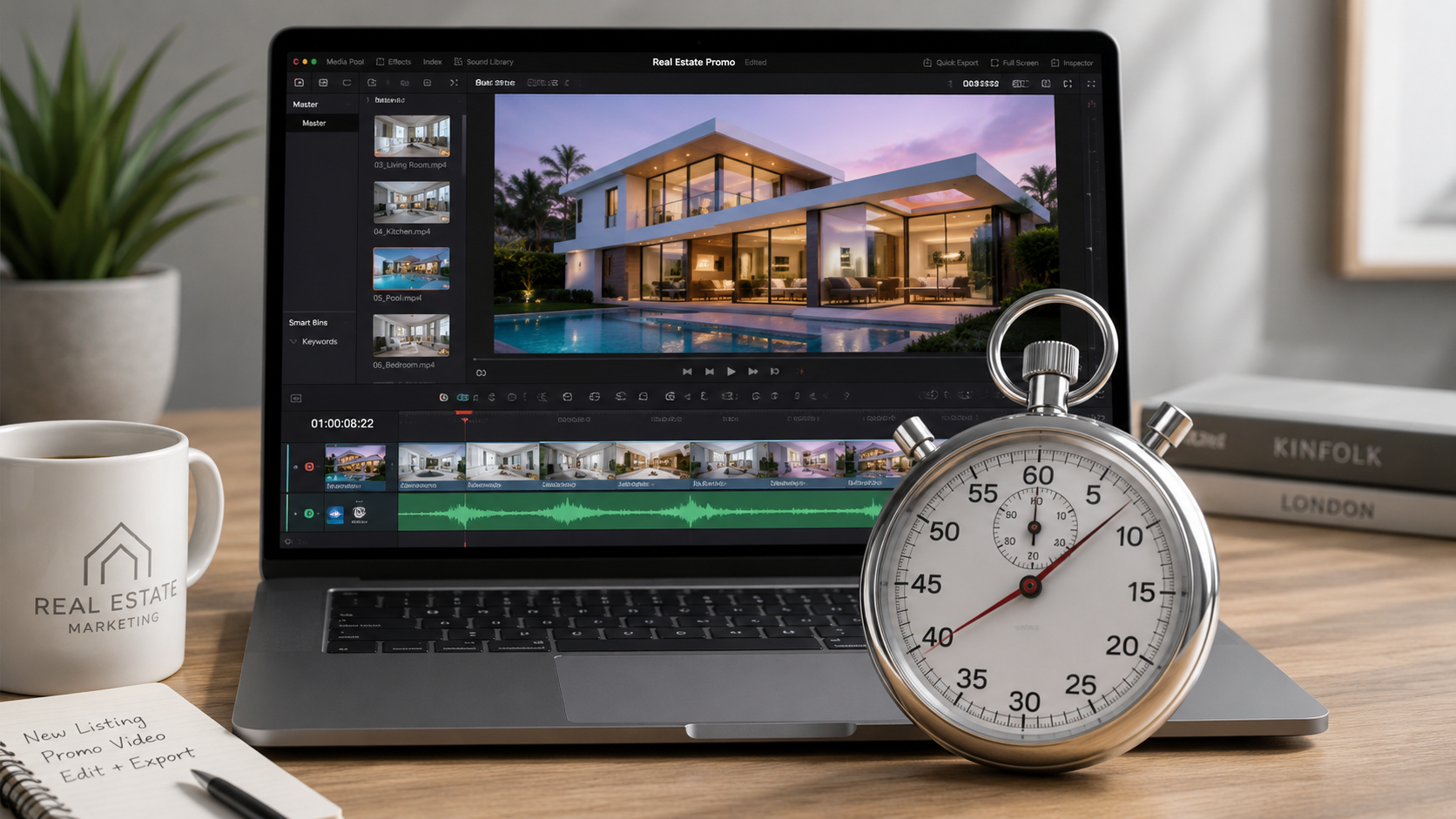
This is where a lot of AI real estate video software reviews miss the point — they benchmark render speed in isolation, as if that's the whole workflow. It isn't. It's one step out of six.
Real estate marketing is time-sensitive in a way most other content marketing isn't. A blog post can go up whenever. A listing video loses value fast — the first 24 to 48 hours after a listing goes live are when it gets the most organic reach on social platforms, and buyer attention is highest right when the "For Sale" sign goes up. Zillow Research has published data showing that homes tend to get the most online views in their first week on market, which means marketing assets need to exist before that window closes, not after.
There's also a compounding cost that's easy to miss: a slow tool doesn't just delay one video. It changes behavior. Agents and photographers who know a tool takes 45 minutes per listing will quietly start skipping video for anything that isn't a "big" listing — which means your lowest-priced inventory, often the properties that need the most marketing help, gets the least.
Here's the pattern that shows up across brokerages and photo studios that switch tools every year or two:
They pick software based on a demo reel that looks great, sign up, and it works fine — for the first listing, tested calmly, with no deadline. Then a Tuesday happens: eight listings hit the pipeline, three need same-day social posts, and the tool that felt fast in the demo turns out to have a five-minute render queue per video, plus manual re-branding on each one. Multiply that by eight, and "fast enough" becomes a two-hour bottleneck.
This is usually the moment someone searches for real estate video automation software instead of just editing software — because the problem was never the video quality. It was the number of manual steps standing between a photo folder and a published post.
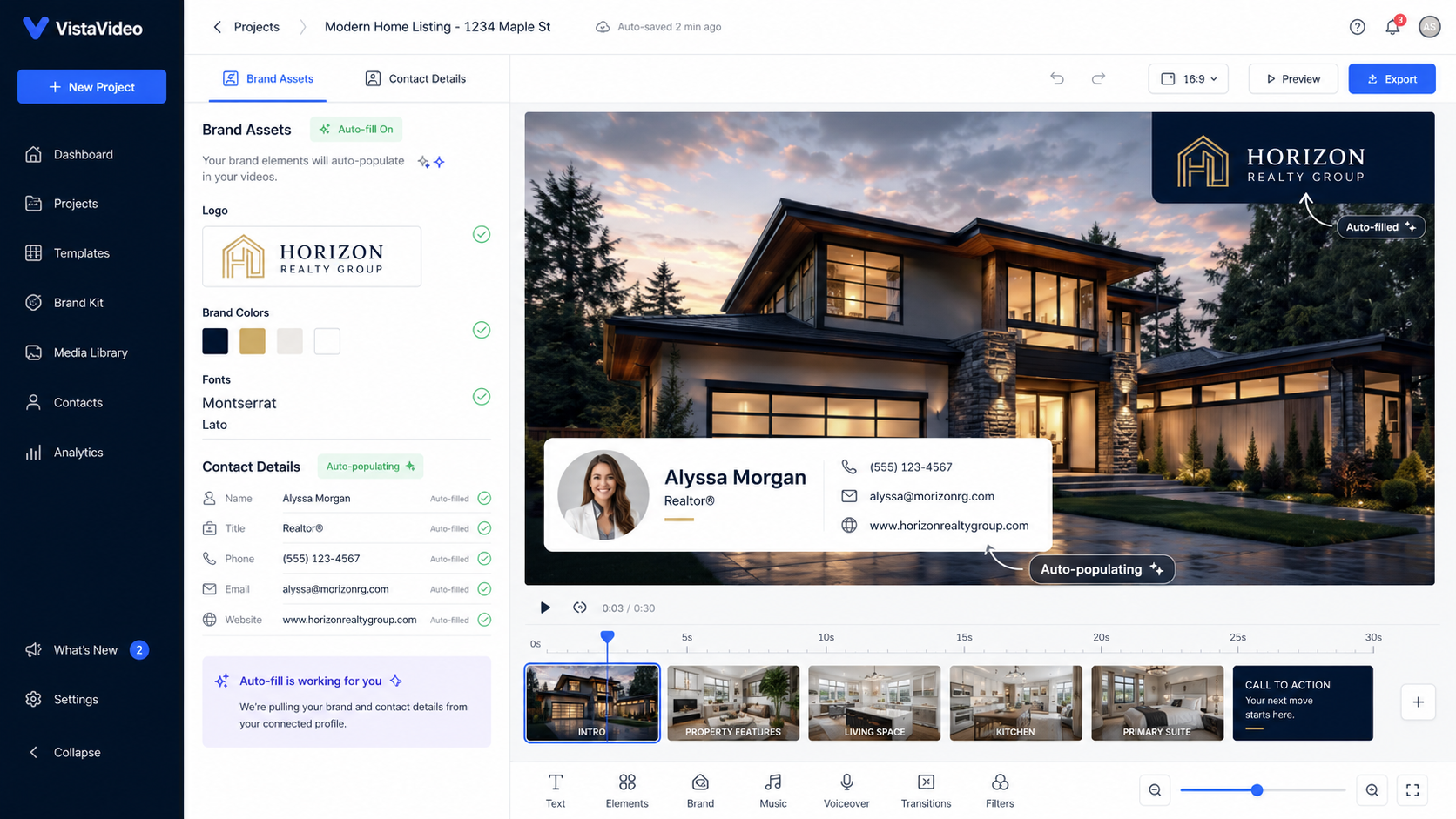
PhotoAIVideo treats speed as the primary design constraint, not a feature to bolt on later. Brand kits — logo, colors, agent contact card — are saved once and applied automatically to every future upload, so there's no re-branding step per listing. Exports generate in vertical, square, and horizontal formats from a single render pass, which removes the "export twice" tax that eats time on other platforms.
The practical effect: a listing that would take 30–45 minutes on a manual-branding tool typically takes the length of a short coffee break here, from photo upload to a multi-format, ready-to-post file. For a solo agent, that's the difference between posting the night the listing goes live or waiting until the weekend. For a fifteen-agent office, it's the difference between one marketing coordinator keeping up or drowning by Wednesday.
If you're weighing PhotoAIVideo against a current subscription, the honest test isn't the free trial's sample listing — it's your actual Tuesday.
If you want to benchmark AI video tools for real estate marketing by speed instead of taking a vendor's word for it, run this test with a stopwatch:
Most people are shocked by how much time step 2 and step 3 eat compared to the render itself — the "fast" part of the process usually isn't the slow part.
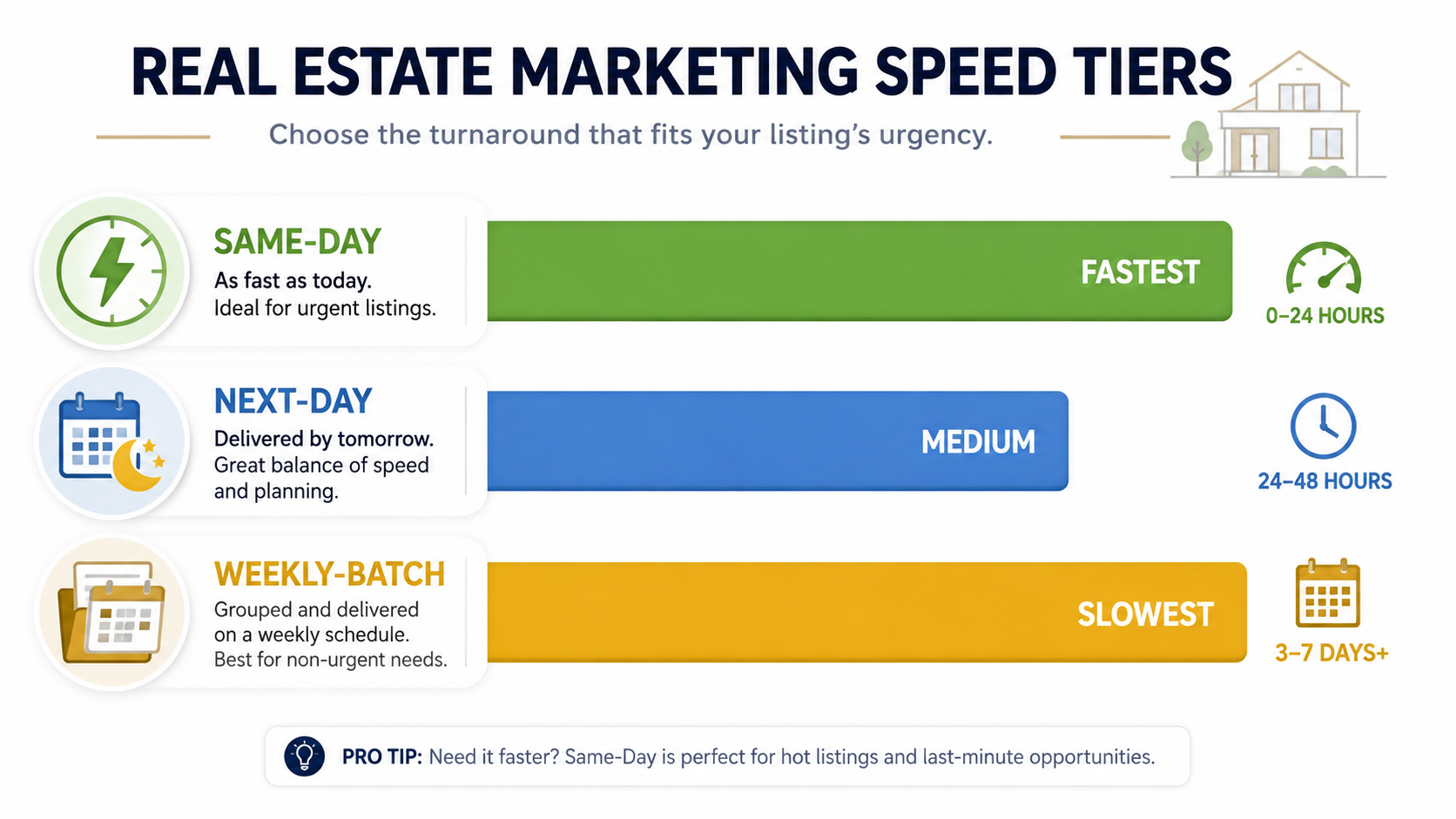
Rather than a feature checklist, it's more useful to sort real estate video tools into three honest speed tiers based on what they're actually built for:
Same-day tier — built for listings that need to post within hours of the shoot. Look for saved brand kits, one-pass multi-format export, and minimal manual reordering. This tier matters most for solo agents and fast-moving markets.
Next-day tier — solid output, but branding or formatting still requires manual steps per video. Workable for smaller volume, but it starts to create a backlog once you're handling more than a handful of listings a week.
Weekly-batch tier — tools built more for polish than speed, often used for a handful of flagship or luxury listings rather than full-volume production. Fine for a boutique brokerage doing five listings a month; painful for anyone doing thirty.
Knowing which tier a tool actually falls into — regardless of what its landing page claims — is more useful than any individual feature comparison.
A solo agent posting the night a listing goes live. Speed isn't a preference here, it's the whole job — a video that's ready in ten minutes gets posted; one that takes forty-five minutes gets pushed to "maybe tomorrow," which usually means never.
A photographer bundling video into same-day delivery. Adding video without adding same-day turnaround risk means the tool has to be fast enough to fit inside an existing delivery window, not extend it.
A property management company turning over rental listings weekly. Here speed compounds — forty units a month means forty chances for a slow tool to eat an afternoon, versus forty quick renders that barely register as extra work.
A brokerage marketing coordinator managing fifteen agents' listings. Volume is the real test of speed, not any single video — a tool that's "fast" for one listing but requires resetting branding fifteen times a week isn't actually fast at scale.
A team running weekend open houses. Friday afternoon photo delivery, Saturday morning open house — there's no room in that timeline for a tool with a rendering queue or a manual export process.
Judging speed from a single test render. One video with no deadline tells you nothing about how a tool performs across eight listings on a real Tuesday.
Ignoring the branding reset step. A five-minute render means nothing if you're spending ten extra minutes re-entering your logo and contact card every single time.
Exporting formats one at a time out of habit. If your tool supports multi-format export in a single pass and you're still exporting vertical, then square, then horizontal separately, you're doubling your own workload for no reason.
Assuming faster always means lower quality. This used to be true; it increasingly isn't, and treating speed and polish as always opposed can lead teams to stick with slow tools out of an outdated assumption.
Not timing your actual workflow before switching tools. Comparing marketing pages instead of your own stopwatch is how brokerages end up re-evaluating software every year without ever fixing the underlying bottleneck.
What's the fastest way to turn listing photos into a video?
The fastest workflows use software with saved brand settings and one-pass multi-format export, which removes the two slowest manual steps — re-branding and re-exporting — rather than just speeding up the render itself.
How fast should a real estate listing video actually be produced?
For social-first marketing, same-day turnaround from photo delivery to published video is the benchmark worth aiming for, since the first 24–48 hours after a listing goes live typically drive the most organic engagement.
Do faster real estate video tools sacrifice quality?
Not necessarily — modern AI-driven platforms can generate simulated camera movement and apply full branding without adding manual editing time, which was much harder with older, template-based tools.
Is there a real difference between real estate video apps for solo agents versus brokerages?
Yes — solo agents typically prioritize raw speed for single listings, while brokerages need speed that holds up across many agents and listings simultaneously without branding drift.
How do I benchmark real estate video editing software for agents before committing to a subscription?
Time your own real listing, start to finish, including branding and multi-format export — not just the render step — since that's where most of the hidden time actually goes.
Does posting a listing video faster actually help it get seen?
Timing correlates with visibility because buyer interest and platform reach for a listing tend to peak shortly after it goes live, a pattern consistent with search behavior tracked in Realtor.com's market data on new listing activity.
What should I look for when comparing an AI listing video software alternative to my current tool?
Compare the full time-to-publish, not just render speed — branding steps, export formats, and caption review all add real minutes that a render-speed claim alone won't show you.


Compact, ready to go anywhere
Interchangeable lens that’s upgradeable
Dual 1-inch sensors for improved clarity and low light performance
Dynamic range and 6K 360° capture
360° photo resolution at 21MP

8K 360° video recording for ultra-detailed visuals.
4K single-lens mode for traditional wide-angle shots.
Invisible selfie stick effect for drone-like perspectives.
2.5-inch touchscreen with Gorilla Glass protection.
Waterproof up to 33ft for underwater shooting.

360° photo resolution in 23MP
Slim design at 24 mm thick
Built-in image stabilization for smooth video capture.
Internal 19GB storage for photo and video storage.
Wireless connectivity for remote control and sharing.

60MP 360° still images for high-resolution photography.
5.7K 360° video recording at 30fps.
2.25-inch touchscreen for intuitive control.
USB Type-C port for fast charging and data transfer.
MicroSD card slot for expandable storage.
.png)

.png)

Try it free. No credit card required. Instant set-up.







.svg)


.svg)