


.png)


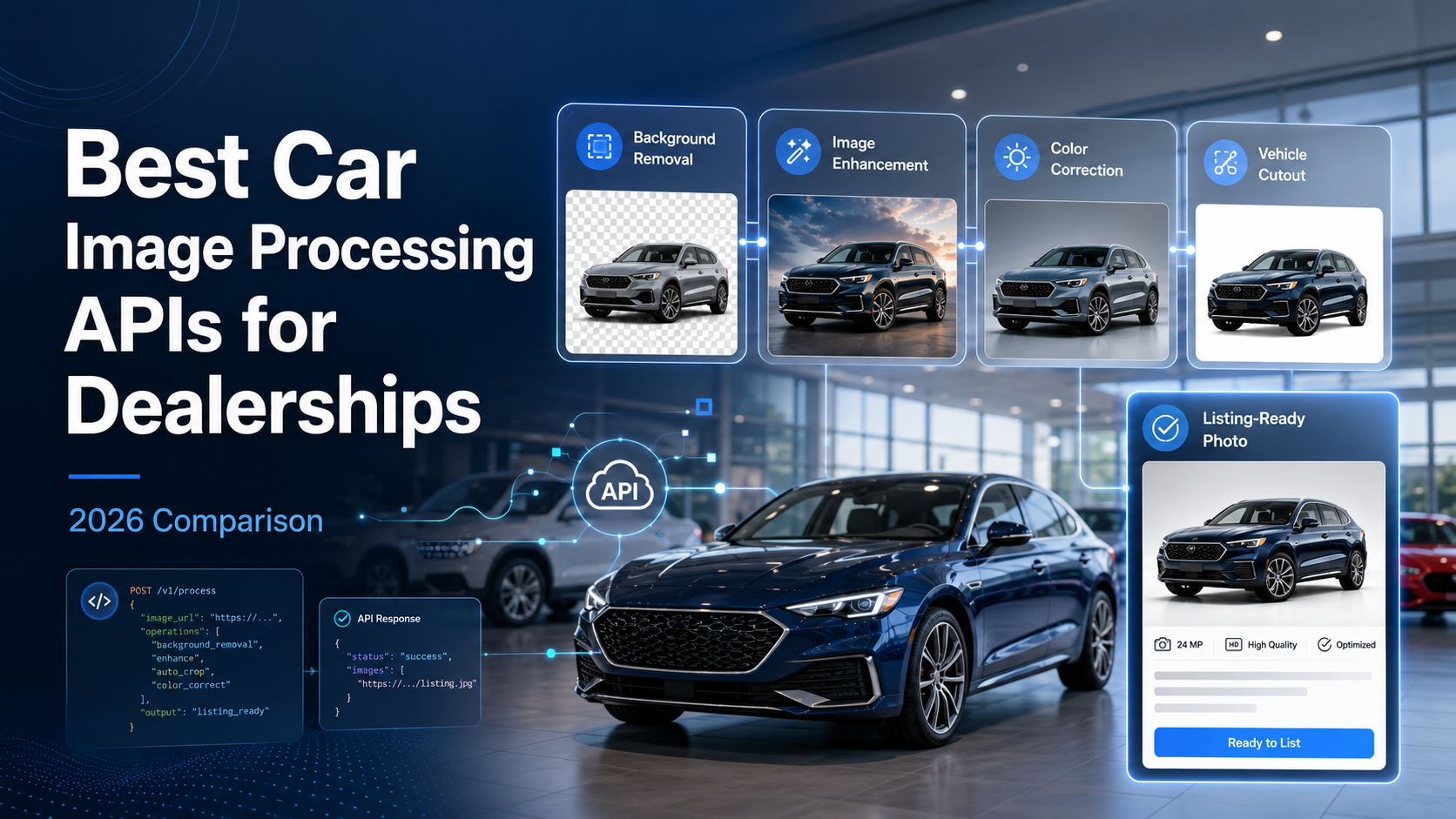
Walk any dealership lot iand you'll notice the same thing every general manager has already figured out: buyers shop with their eyes before they ever pick up a phone. A listing with a clean, consistent photo gets clicked. One with a crooked driveway shadow or a cluttered lot in the background gets scrolled past. That's why so many dealer groups have quietly swapped out manual photo editing for a car image processing API — software that strips backgrounds, standardizes lighting, and preps hundreds of vehicle photos while your team focuses on selling cars, not cropping them.
This guide breaks down what actually matters when evaluating a car image processing API , where these tools shine, where they fall short, and how to pick one that fits your dealership's volume and workflow. 🚗
A few years ago, background removal for vehicle photos meant one of two things: a freelance photo editor working through a batch overnight, or an in-house staffer spending hours in Photoshop. Both work, but neither scales cleanly. As soon as inventory grows — or a dealer group adds a second or third rooftop — manual editing turns into a bottleneck that delays listings and ties up payroll hours that could go toward higher-value work.
A car image processing API solves this by plugging directly into your existing photo workflow. Upload a raw shot from the lot, and the API returns a polished image — usually within seconds — ready to drop onto your website, Facebook Marketplace, or a syndication feed like Google Vehicle Ads. For dealerships processing dozens or hundreds of vehicles a week, that speed difference compounds fast.
Not all background removal tools are built with vehicles in mind, and that distinction matters more than most buyers expect going in.
Before you demo a single tool, it helps to score every car image processing API you're considering against the same six axes. Print this table, fill it in for each vendor, and the right choice usually becomes obvious fast.
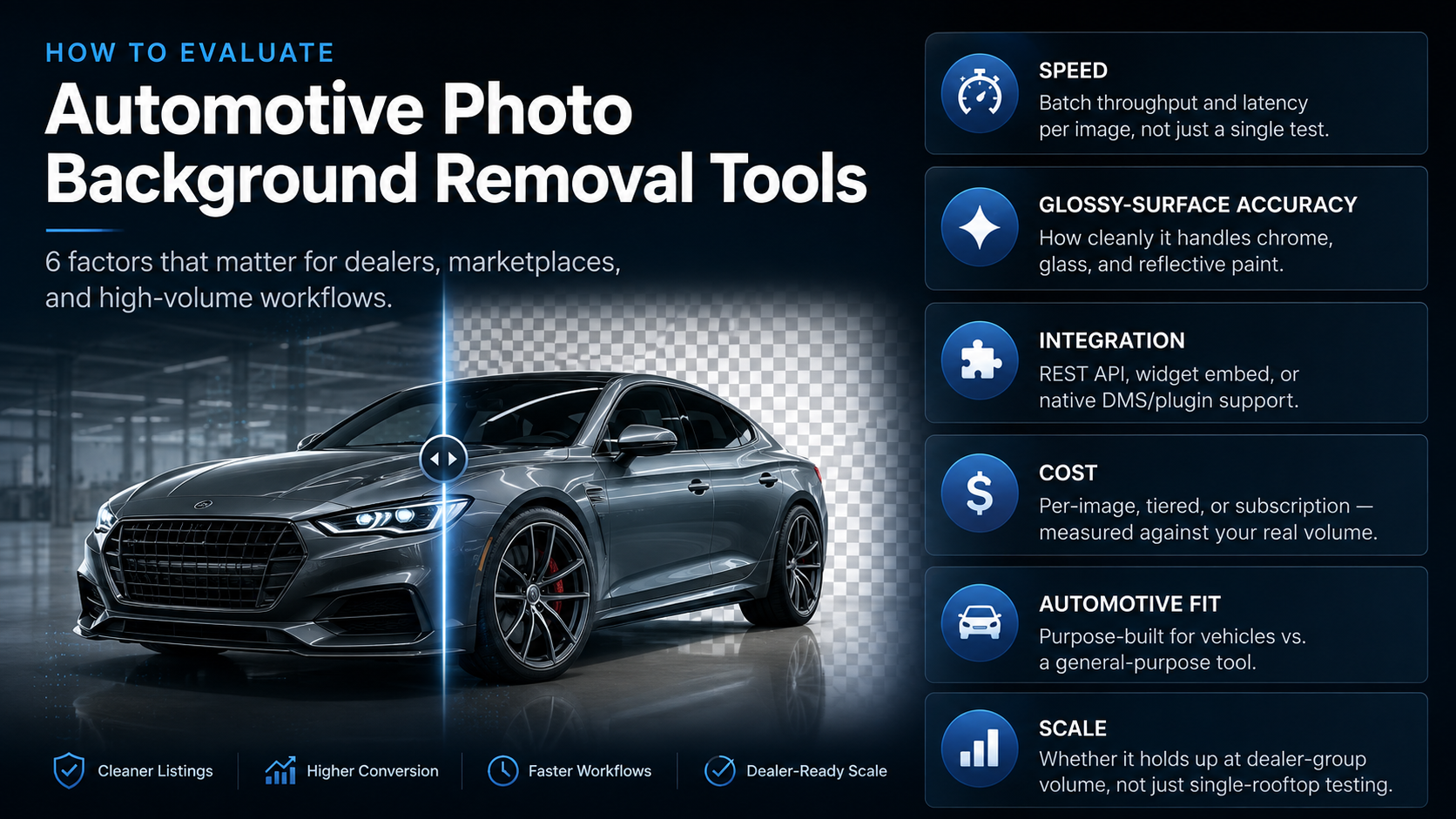
The next four sections walk through each of these in detail, starting with the one that trips up the most tools: reflective surfaces.
Cars are one of the hardest subjects for background removal software. Chrome trim, tinted glass, and glossy paint all reflect their surroundings, which confuses generic algorithms trained mostly on product photography or portraits. A general-purpose car image processing API built for e-commerce products often leaves faint halos around mirrors or fails to mask a windshield's reflection correctly. Automotive-specific tools are trained on vehicle-heavy datasets, so they handle these edge cases — literally — with far fewer artifacts.
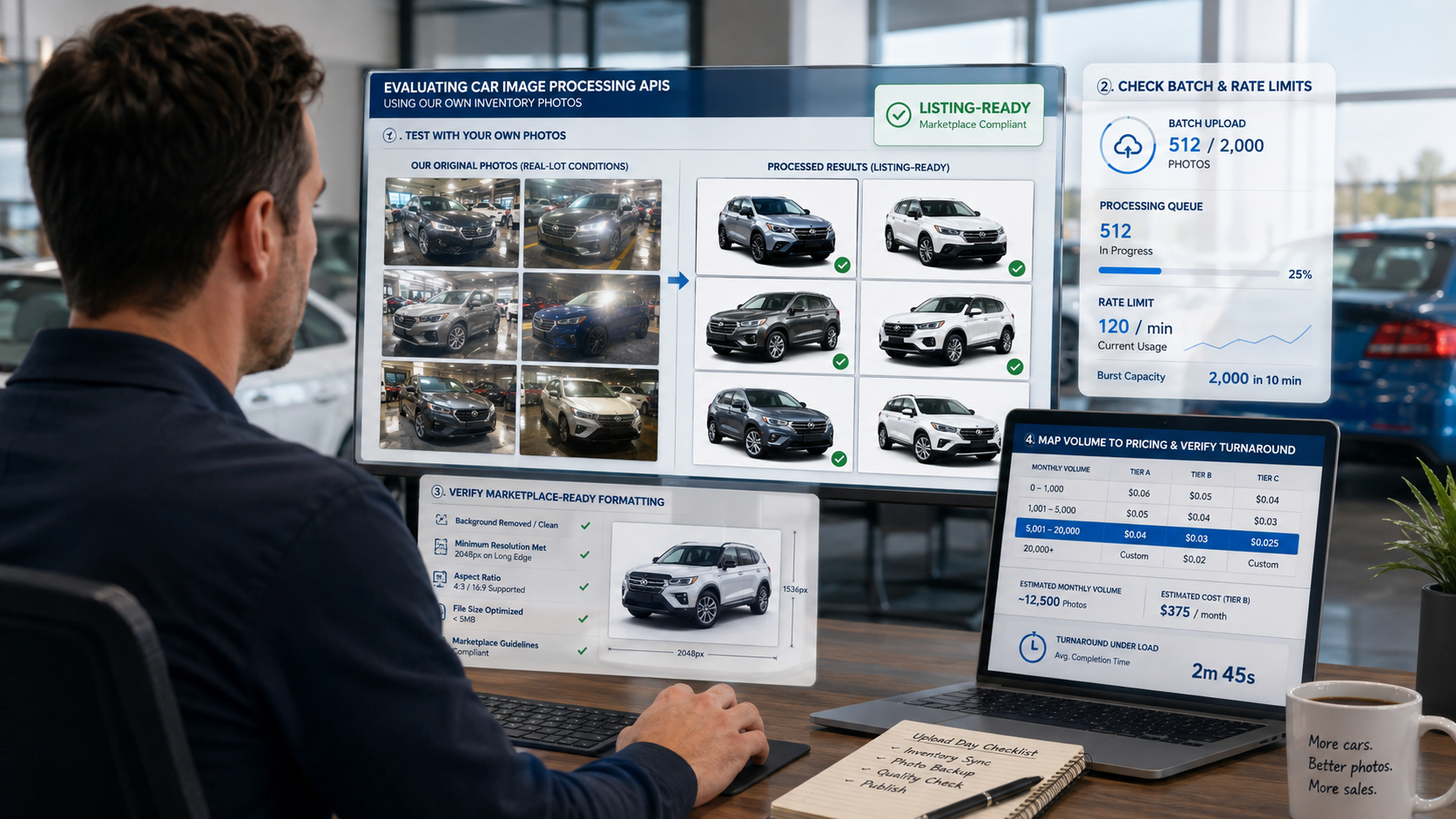
Ask any photo editor: the real cost isn't the first photo, it's the fifty-first. Look for a car image processing API that supports true batch processing rather than one image at a time. Some APIs cap concurrent requests or throttle heavily during peak hours, which matters if your team uploads an entire week's trade-ins on a Monday morning.
The best API in the world isn't useful if it doesn't fit your stack. Most dealerships fall into one of three integration patterns:
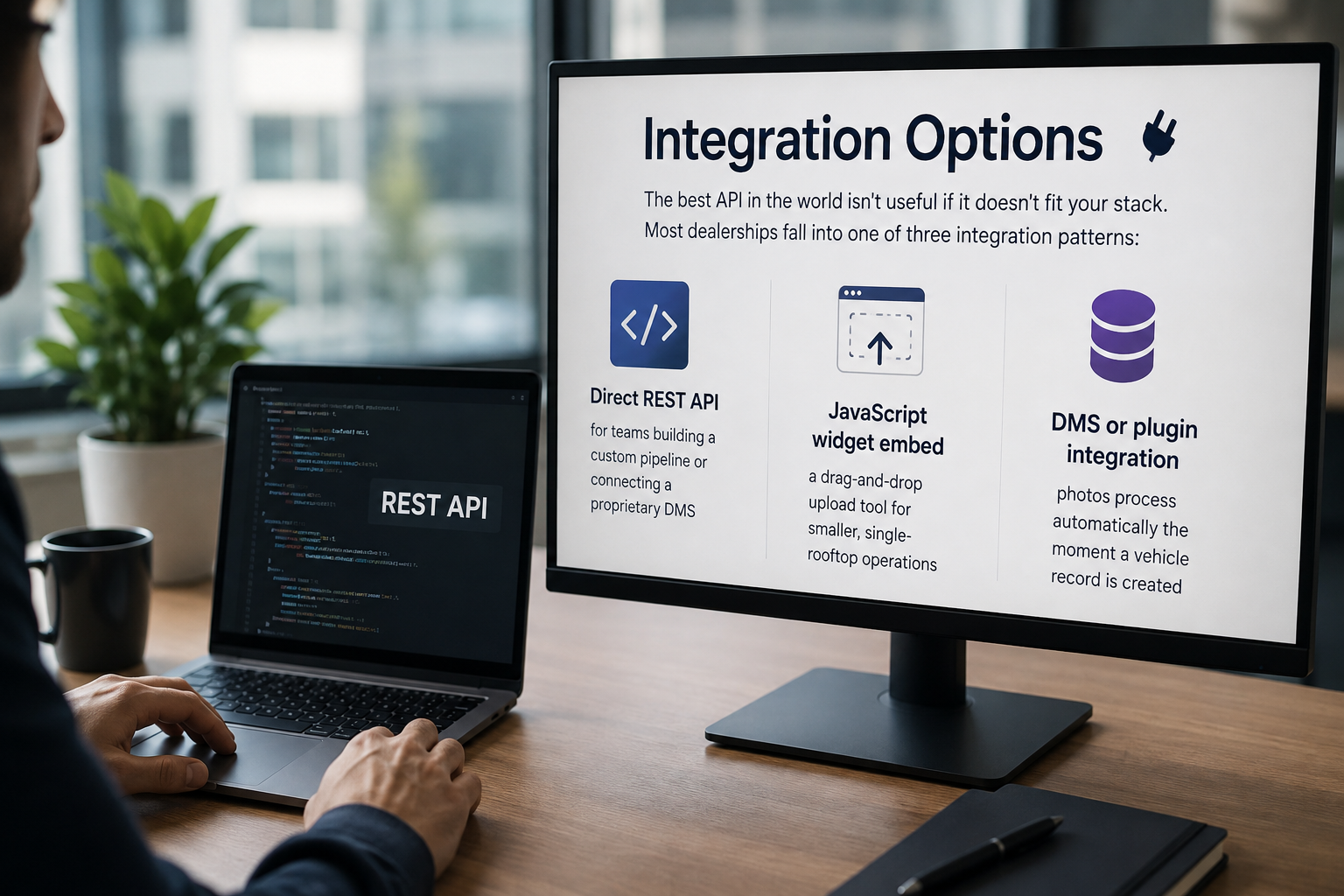
Dealer groups managing multiple rooftops typically want webhook-based batch automation so photos sync back to inventory without anyone touching a folder.
Pricing usually falls into three buckets: per-image, tiered (rate drops at volume thresholds), or flat-rate subscription. A car image processing API priced per image can work fine for smaller lots, but high-volume dealer groups almost always come out ahead on a tiered or subscription plan. It's worth running your actual monthly photo count against each pricing structure before committing — the "cheapest" listed rate isn't always the cheapest at your real volume.
For a full worked example — including what manual editing and an in-house team actually cost per 1,000 photos versus an API — see our per-image cost breakdown.
General-purpose background removal tools — the kind built for product photography, headshots, or social content — will technically process a car photo. But "technically works" and "works well for inventory at scale" are different bars.
Automotive-specific car image processing API providers tend to differentiate in three ways:
If your dealership only edits a handful of trade-ins a month, a general tool might be good enough. Once you're processing inventory at real dealership scale, the gap in consistency becomes obvious fast.
Curious what's actually happening behind the scenes — masking, edge detection, batch calls? We break the full technical process down in how a vehicle photo background removal API works.
Is a car image processing API worth it for a single small dealership? It depends on volume. If you're only editing a handful of trade-in photos a month, manual editing might still be cost-effective. Once you're regularly processing dozens of vehicles, the time savings usually outweigh the API cost.
Can these APIs handle interior photos too, or just exterior background removal? Most car image processing API providers focus primarily on exterior background removal, since that's where consistent, marketplace-ready photos matter most. Interior editing capabilities vary by provider, so check this specifically if it's a priority.
Do I need developer resources to integrate an API? Not always. Widget-based embeds and DMS plugins are built for non-technical teams. A direct REST API integration typically does require some developer support, especially for custom batch workflows.
How long does background removal usually take per photo? Processing time varies by provider and current load, but most automotive-focused APIs return a single image in a few seconds, with batch jobs scaling accordingly.
Choosing a car image processing API comes down to matching the tool to your actual volume and workflow — not just picking whichever option ranks highest in a quick search. Dealerships with steady, high-volume inventory turnover benefit most from automotive-specific APIs built to handle chrome, glass, and batch consistency at scale, while smaller lots may get by with lighter tools for longer.
Whatever your current volume, run it against the six axes above before you commit to a provider — speed and accuracy are only half the decision.


Compact, ready to go anywhere
Interchangeable lens that’s upgradeable
Dual 1-inch sensors for improved clarity and low light performance
Dynamic range and 6K 360° capture
360° photo resolution at 21MP

8K 360° video recording for ultra-detailed visuals.
4K single-lens mode for traditional wide-angle shots.
Invisible selfie stick effect for drone-like perspectives.
2.5-inch touchscreen with Gorilla Glass protection.
Waterproof up to 33ft for underwater shooting.

360° photo resolution in 23MP
Slim design at 24 mm thick
Built-in image stabilization for smooth video capture.
Internal 19GB storage for photo and video storage.
Wireless connectivity for remote control and sharing.

60MP 360° still images for high-resolution photography.
5.7K 360° video recording at 30fps.
2.25-inch touchscreen for intuitive control.
USB Type-C port for fast charging and data transfer.
MicroSD card slot for expandable storage.
.png)

.png)

Try it free. No credit card required. Instant set-up.







.svg)


.svg)