


.png)


The fastest way to create a compliance problem is to move fast without a workflow.
That is what happens when a team finally decides to “do more video.”
An agent turns a listing gallery into a branded reel. The brokerage posts it everywhere. Someone uploads the same file to the MLS. The video has a logo, a phone number, maybe a “DM me for a private showing” overlay, and now the team has a problem that could have been avoided with one simple rule:
Not every real estate video belongs everywhere.
That is the heart of this playbook.
Automated video can help Realtors, photographers, brokerages, and property managers create more visibility from the photos they already have. But speed only works if the system separates MLS-safe content from social media content, seller update content, and lead-generation content.
The goal is not just to make more videos.
The goal is to make the right version for the right channel.
The automated video playbook is a repeatable system for turning property photos into videos while reducing the risk of MLS violations, branding mistakes, inconsistent media quality, and rushed manual editing.
It includes:
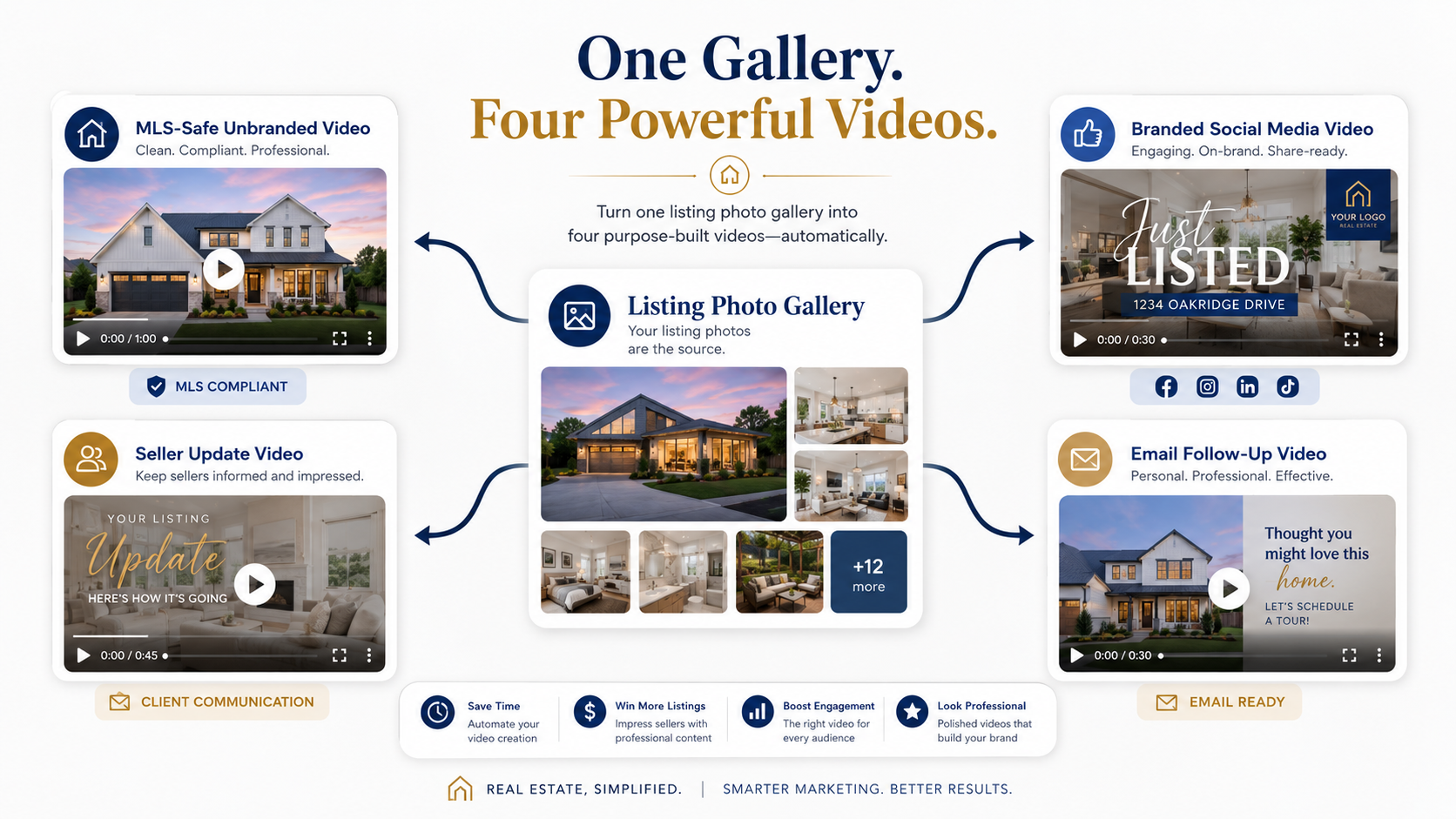
This matters because an agent might need three or four versions of the same listing video:
That is why automated video marketing software for Realtors should not be judged only by how fast it generates a video. The better question is: can it support the real-world workflow where every channel has different rules, goals, and audiences?
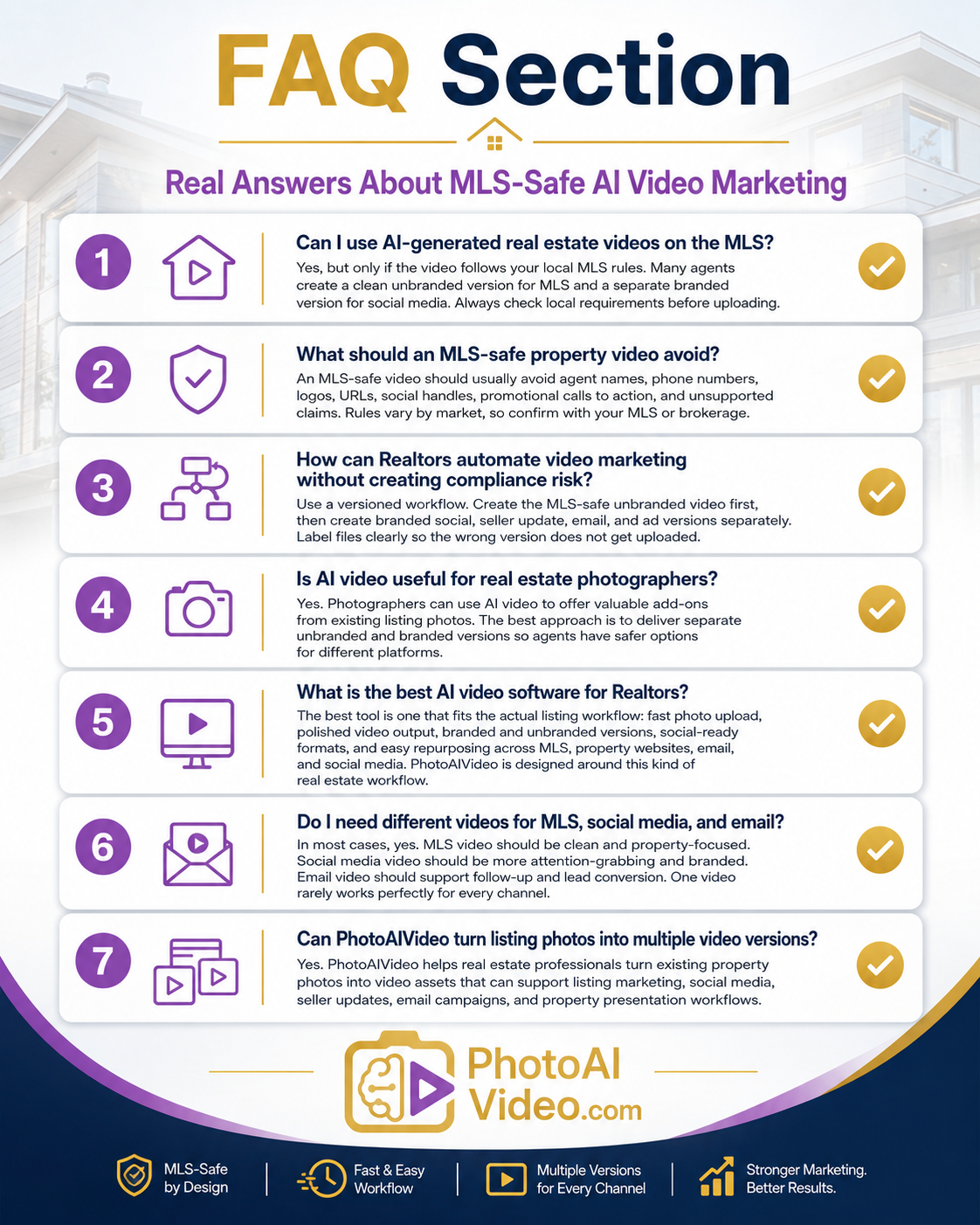
With PhotoAIVideo’s real estate photo-to-video workflow, the practical advantage is that agents and media teams can start from existing property photos and create video assets quickly without filming every listing from scratch.
Video creates visibility, but visibility without control can create risk.
A branded social video may help an agent get shares, comments, and seller attention. But the same branding may be a problem if uploaded into an MLS environment where local rules restrict agent names, phone numbers, logos, URLs, or promotional calls to action.
MLS rules vary by market, so agents should never assume one video file is safe for every platform. NAR’s professional standards emphasize truthful representation and ethical conduct, which is a helpful baseline, but the specific publishing rules often come from the local MLS, brokerage policy, or board guidance. Agents should use NAR’s Code of Ethics and Standards of Practice as a professional foundation while checking local MLS rules before posting listing media.
At the same time, online presence is no longer optional. NAR notes that consumers expect accurate information quickly and conveniently, making digital marketing an important part of how real estate professionals serve modern buyers and sellers. That means teams need media systems that are both visible and controlled. NAR’s online marketing guidance for real estate professionals reinforces the importance of using digital tools to meet consumer expectations.
That is the tension.
More video can win attention.
The wrong video in the wrong place can create headaches.
For agents comparing the best AI video software for real estate agents, the important feature is not just generation speed. It is whether the tool fits a disciplined listing workflow: upload photos, create clean versions, publish with intent, and avoid mixing MLS-safe media with promotional social content.
Most teams do not have a video problem.
They have a version-control problem.
Here is how it usually happens.
A listing goes live Thursday morning. The agent wants a reel by lunch. The photographer sends photos. The marketing assistant grabs the full gallery, creates a branded video with the agent’s name and call-to-action, and posts it on Instagram. Great.
Then the agent asks, “Can we add this to the MLS?”
Someone uploads the same video file.
That file was built for social media, not MLS.
This actually happens.
The video might include:
Even if the property visuals are accurate, the context may be wrong for MLS.
The fix is not to stop making social videos. Social videos are useful. The fix is to build a versioning system before the video is generated.
One listing should become multiple controlled outputs, not one video dragged across every platform.
PhotoAIVideo fits into the workflow as the production layer between listing photos and channel-specific marketing assets.
Instead of filming a new video for every property or building each edit manually, agents and teams can use PhotoAIVideo’s AI real estate video generator to turn listing photos into polished video presentations quickly.
The key is to use it with a compliance-first process.
For example, a brokerage could create a simple rule:
First generate the unbranded version.
Then create the branded version.
That one order reduces risk.
The unbranded version can be reviewed for MLS-safe use. The branded version can include the agent’s name, brokerage identity, captions, social call-to-action, and stronger promotional elements for platforms where that content is allowed.
This makes PhotoAIVideo especially useful for teams that need speed but still want control. The tool helps create the video. The team’s playbook determines which version goes where.
For a photographer, this also creates a better client deliverable. Instead of sending one generic video, the photographer can offer a “listing video package” with an unbranded version and a branded version. That makes the service more valuable and more professional.
For a property manager, the same structure applies. A leasing team can create clean unit videos for property pages and branded versions for social ads, without manually editing each one.
If you need an AI app to turn property photos into videos, the app should support a workflow that avoids confusion after the video is made.
Before uploading photos, decide where the video will go.
Do not start with the tool. Start with the destinations.
Create a simple use map:
Each destination has a different goal.
MLS video should help buyers understand the property without promotional distractions. Social video should stop the scroll. Email video should pull the lead back into conversation. Seller update video should show the owner that marketing is being executed. Paid ad video should drive action.
A video made for one job may not be safe or effective for another.
The MLS-safe version should be the cleanest version.
Use property-only visuals. Avoid agent identity, contact information, social handles, brokerage branding, URLs, promotional language, or anything that could conflict with local requirements.
A safer MLS-oriented video usually includes:
Avoid:
This is where real estate video software that works with MLS rules becomes important. The software can help you generate video assets quickly, but the workflow must prevent branded social files from being treated like MLS files.
The practical rule: if the video is going to the MLS, make it boringly clean.
That is not bad marketing. It is risk management.
Once the clean version is done, build the social version.
Now the video can become more promotional, assuming the platform and brokerage allow it.
A strong branded social version can include:

This version is meant to generate attention, not satisfy MLS neutrality.
For agents looking for the best AI real estate video generator for social media, the important point is that social video needs a different structure from MLS video. It needs a stronger hook, faster pacing, captions, and a clear next action.
A 15-second reel might open with:
“New listing in West Houston”
Then show the kitchen, living room, backyard, and primary suite.
The MLS-safe version would not need that same promotional treatment.
This step is boring.
It also prevents expensive confusion.
Use file names that clearly identify the intended use:
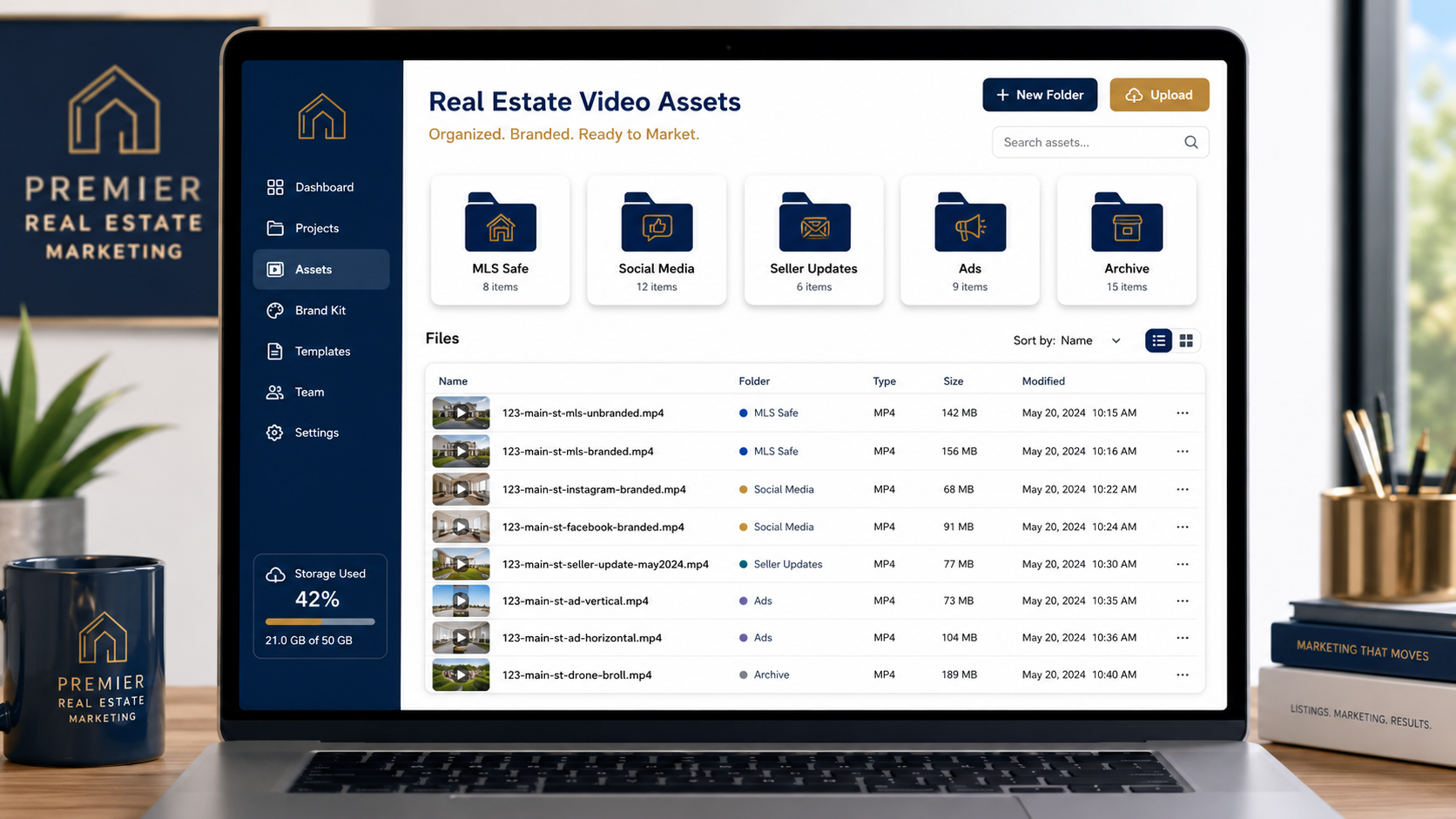
Do not name files “final-video.mp4.”
That is how the wrong version gets uploaded.
A brokerage or photographer should also consider storing videos in separate folders:
This is one of the easiest ways to scale video without chaos.
Before anyone uploads to MLS or syndication portals, run a simple review.
Ask:
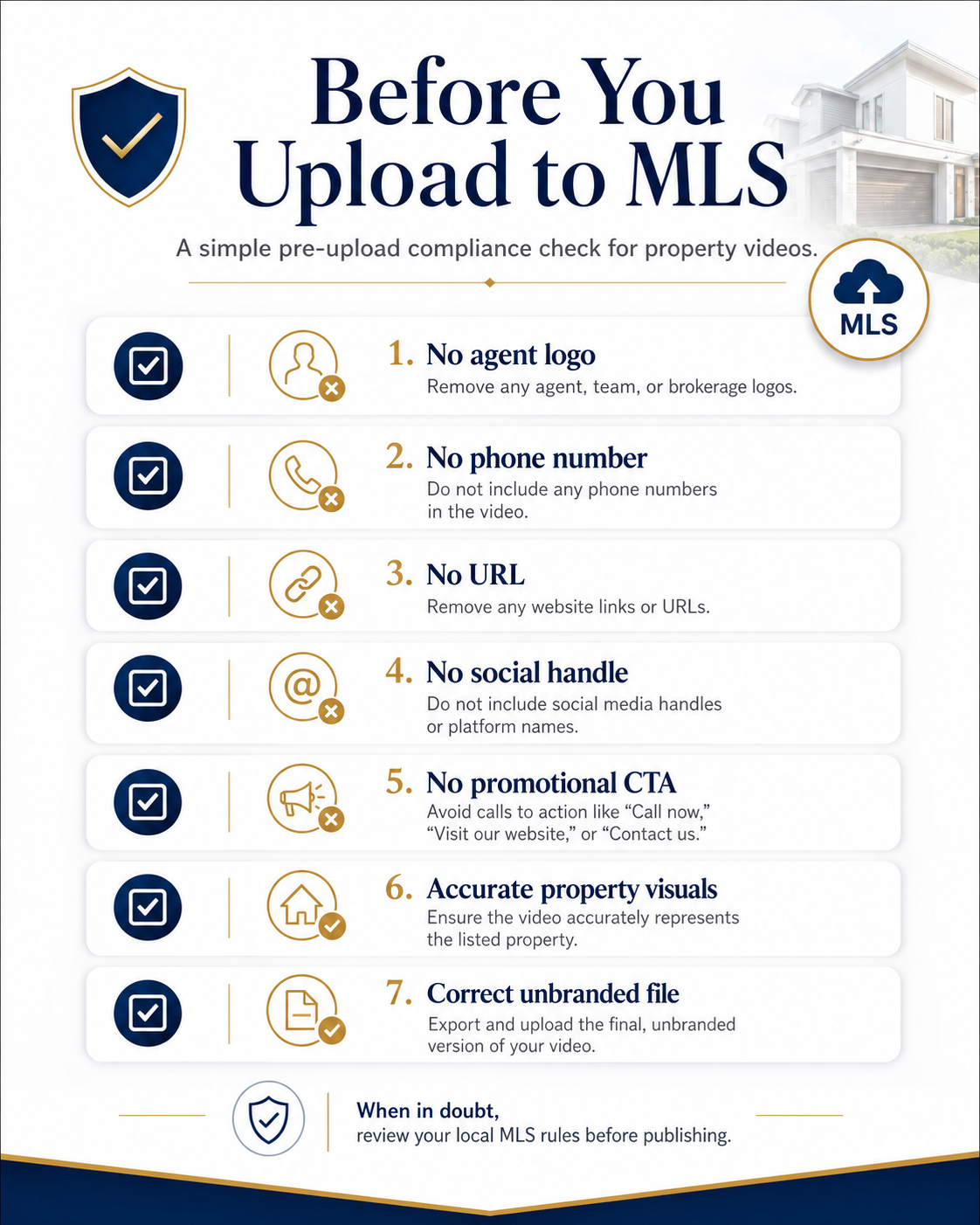
If there is any doubt, do not upload it until someone checks the local MLS guidance.
The checklist should be simple enough that a new assistant can follow it.
That is the point of a playbook.
MLS compliance is one side of the system.
Visibility is the other.
When you publish listing videos on a property website, blog post, or landing page, make sure the video is supported by crawlable page content. Google’s video SEO best practices explain that search engines need to access video files and understand the video’s context to show video features in search results.
For a property page, that means you should include:
For PhotoAIVideo users, this matters because the video is not only a social asset. It can also support organic visibility when placed on a well-structured page.
Automation only becomes powerful when it becomes routine.

A simple Realtor video rhythm might look like this:
This does not mean creating every video from scratch.
It means reusing the same listing photos intelligently.
With PhotoAIVideo, agents can turn a photo gallery into multiple video assets and use those assets across several marketing moments. The difference is planning the outputs before publishing begins.
The best system is not the flashiest.
It is the one your team can repeat without mistakes.
A solo agent has one new listing and a folder of professional photos.
Instead of creating one video, the agent creates three:
The same photo gallery supports all three outputs. The MLS file stays clean. The social file includes a call to action. The seller file focuses on showing effort and professionalism.
This is the simplest version of the playbook.
A real estate photographer wants to offer AI video but does not want to create compliance headaches for agents.
So the photographer offers two deliverables:
The photographer labels both files clearly and includes a note: “Please confirm local MLS rules before uploading any video to MLS.”
This positions the photographer as a professional partner, not just a media vendor.
It also creates a natural upsell for AI video software for real estate photographers because the value is no longer just motion. The value is versioned delivery.
A brokerage has dozens of agents sending listing photos to the marketing department.
Without a system, requests become messy:
“Can you make this a reel?”
“Can you add my logo?”
“Can this go on MLS?”
“Can we make it vertical?”
“Can we add the open house date?”
The brokerage playbook solves this by creating preset output categories:
Now the marketing team has a repeatable structure.
This is where AI real estate marketing software for agents becomes a brokerage-wide operating system rather than a one-off tool.
A property manager has 25 available units.
Some units have professional photos. Others have basic interior shots. The leasing team needs more visibility, but they cannot manually edit 25 videos every week.
Using an automated workflow, they create clean unit walkthrough videos for listing pages and branded versions for social media or paid leasing campaigns.
The compliance angle is different from residential MLS, but the versioning principle still applies.
One video for the listing.
Another video for advertising.
Another for follow-up.
That prevents leasing content from becoming disorganized.
An agent wants to retarget visitors who viewed a property page but did not schedule a showing.
The MLS-safe video is not the right asset for that job.
The retargeting ad needs a stronger hook:
“Still looking in this neighborhood?”
Then it can show the best rooms, include a branded call to action, and invite the viewer to schedule a showing.
That is the benefit of having separate video versions ready. You are not scrambling after the campaign idea appears.
This is the big one.
Social videos often contain branding, calls to action, contact information, and promotional overlays. Depending on local rules, those elements may not belong in the MLS version.
Always build and label the MLS-safe version separately.
Unbranded is safer, but it does not automatically mean compliant.
A video may still include restricted content, unsupported claims, copyrighted music, URLs, or misleading overlays. Local rules still matter.
MLS, YouTube, Instagram Reels, TikTok, Facebook, and email may all favor different layouts.
A horizontal property video may work well on a listing page. A vertical reel may work better on social. Do not force the same layout everywhere just because it is faster.
Agents often think video is only for buyers.
But video is also a seller communication tool.
Sending a short polished update to the seller can reinforce confidence, reduce “what are you doing to market my home?” questions, and make the agent look proactive.
If a team member has to guess, the system is broken.
File names, folders, and approval steps should make the correct use obvious.
A branded social video can include captions and calls to action, but too many overlays make the property hard to see.
The home should still be the hero.
Do not let automation create misleading marketing.
Avoid exaggerated claims, fake urgency, inaccurate room labels, or visual effects that make the property look materially different. Realtor.com’s consumer-facing listing experience reinforces how much buyers rely on listing details and media to evaluate homes, which is why accuracy matters in every video asset. See Realtor.com’s home search experience as a reminder of how quickly buyers compare visual information across properties.


Compact, ready to go anywhere
Interchangeable lens that’s upgradeable
Dual 1-inch sensors for improved clarity and low light performance
Dynamic range and 6K 360° capture
360° photo resolution at 21MP

8K 360° video recording for ultra-detailed visuals.
4K single-lens mode for traditional wide-angle shots.
Invisible selfie stick effect for drone-like perspectives.
2.5-inch touchscreen with Gorilla Glass protection.
Waterproof up to 33ft for underwater shooting.

360° photo resolution in 23MP
Slim design at 24 mm thick
Built-in image stabilization for smooth video capture.
Internal 19GB storage for photo and video storage.
Wireless connectivity for remote control and sharing.

60MP 360° still images for high-resolution photography.
5.7K 360° video recording at 30fps.
2.25-inch touchscreen for intuitive control.
USB Type-C port for fast charging and data transfer.
MicroSD card slot for expandable storage.
.png)

.png)

Try it free. No credit card required. Instant set-up.






.svg)


.svg)