


.png)


Virtual tour software for universities is a platform that connects 360° campus images into an interactive, navigable online tour. Prospective students click hotspots to move between buildings, residence halls and classrooms from a laptop, tablet or phone. Admissions teams use no-code tools to build tours, embed lead forms, track engagement with analytics, and reach students who can't visit campus in person.
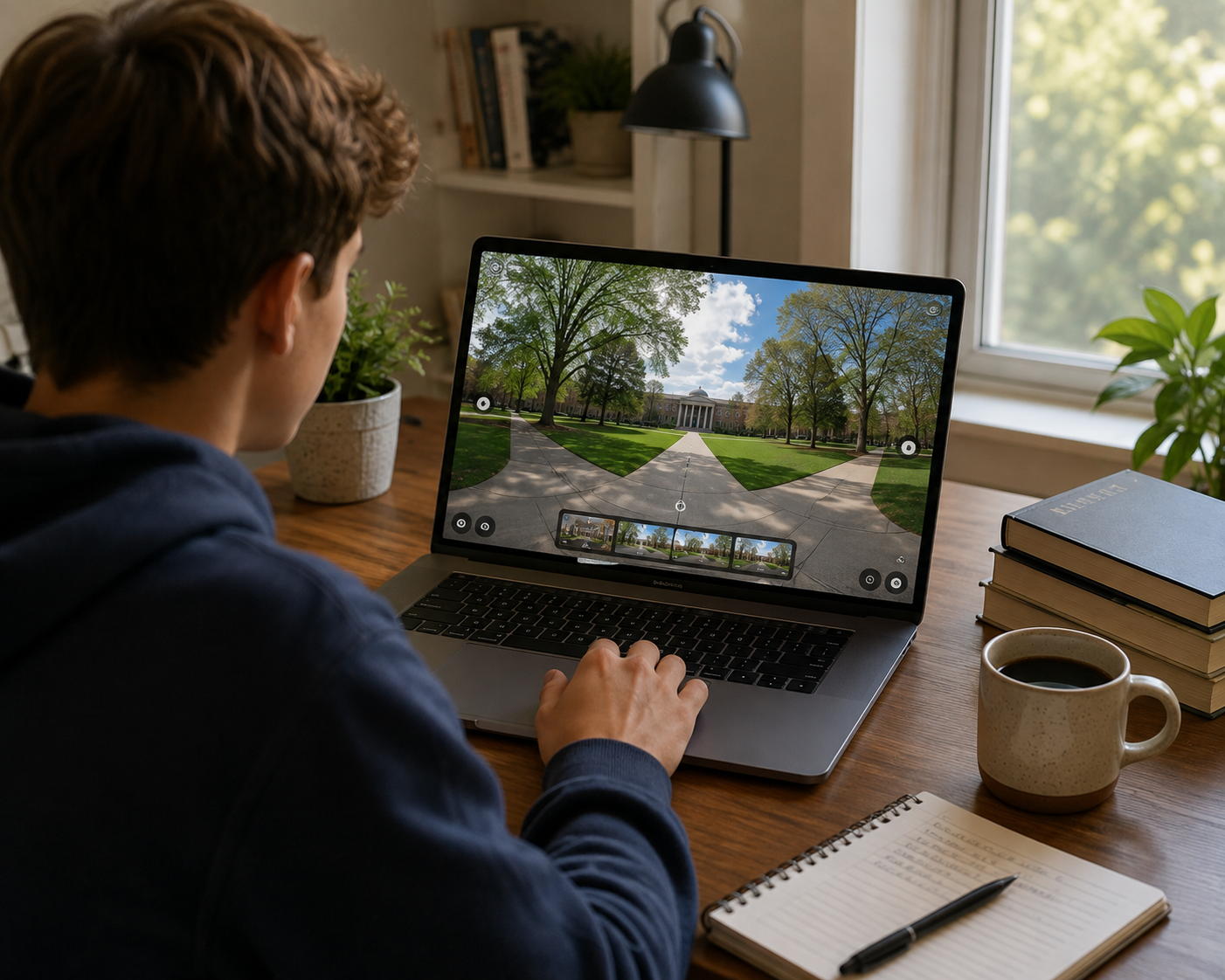
Campus visits have always been a cornerstone of college decision-making, but the way prospective students and their families experience a campus has changed dramatically. While an in-person walk-through was once the primary way to get a feel for a university, admissions offices now offer immersive, web-based alternatives that allow students to explore a campus from a laptop, tablet, or phone. This shift has made virtual tour software an increasingly important tool in enrollment marketing, and understanding what it is — and how it fits into a modern admissions strategy — matters for teams evaluating virtual tour software for university admissions.
This guide breaks down what virtual tour software is, how it works, why higher-ed institutions are adopting it, and what to look for when choosing a platform built for university admissions offices.
At its core, virtual tour software is a technology platform that allows an organization to connect 360° panoramic images or videos into an interactive, navigable experience. Instead of viewing a single flat photo of a lecture hall or dormitory, a prospective student can click through hotspots to move between scenes — virtually walking from the admissions building to the student union, into a residence hall room, and across the quad — all within a single browser window or embedded experience on a university website.
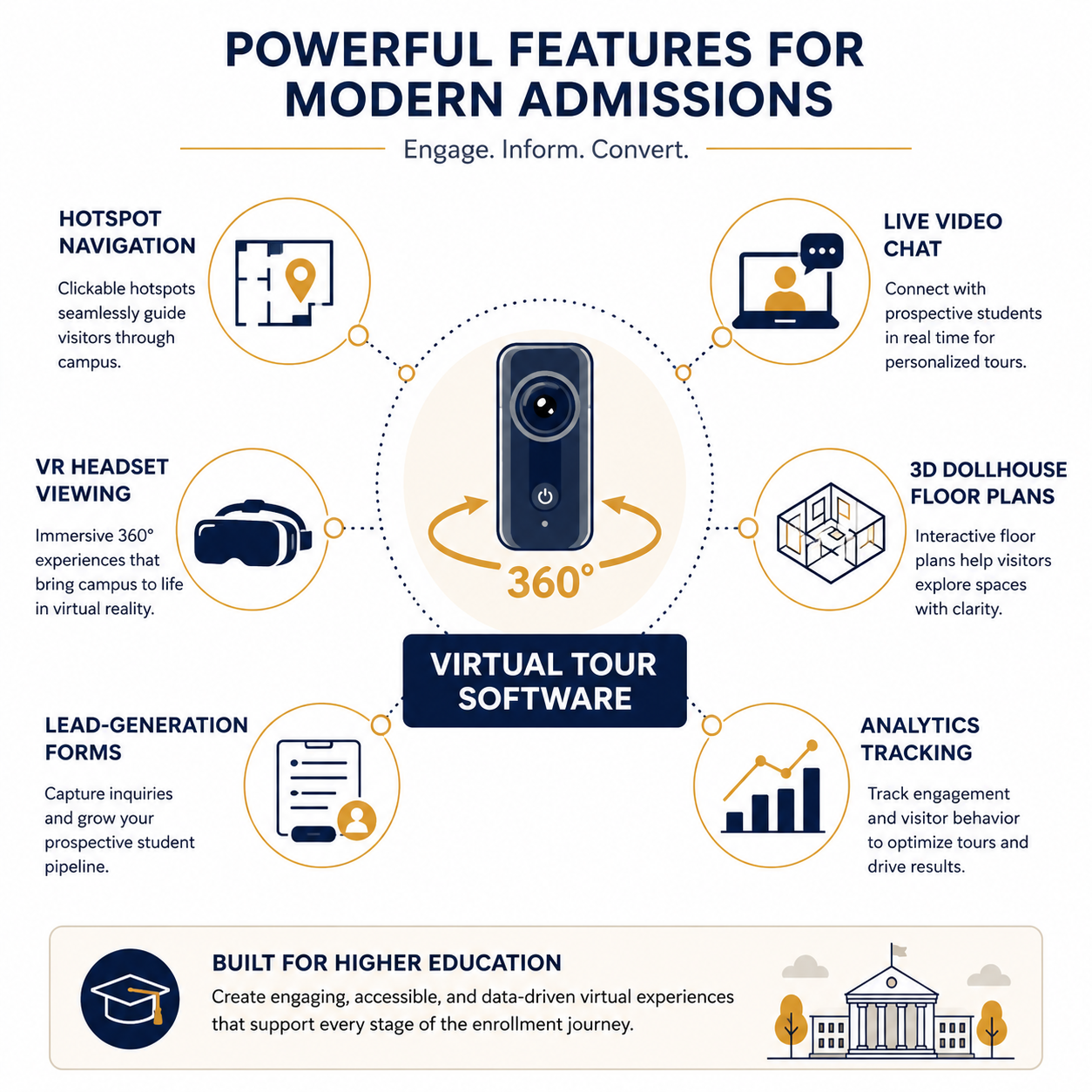
Modern platforms go beyond simple photo stitching. No-code virtual tour builders allow staff without technical or development experience to upload 360° images, place interactive hotspots that link one scene to another, and publish a finished tour without relying on extensive custom development. This ease of tour creation is a big part of why virtual tours have become an increasingly practical component of enrollment marketing toolkits.
A typical virtual tour workflow starts with capturing 360° imagery using a specialized camera, either handheld or mounted on a tripod, at key locations across campus. Those images are then uploaded to the software platform, where an admissions or marketing staff member arranges them into a logical sequence and adds navigational hotspots — clickable icons that let viewers "walk" from one panoramic scene to the next.
Many platforms also allow teams to embed informational pop-ups, video clips, text callouts, and even lead-generation forms directly within a scene. For example, a visitor exploring a dining hall might also see a quick fact about meal plans or a prompt to request more information.
Once built, the tour is typically published as a link or embedded directly into the university's website, giving prospective students and their families a way to explore the campus on their own schedule from virtually anywhere.
The growing use of virtual campus tours reflects broader changes in how students research and evaluate where to apply and enroll. Prospective students — particularly those who live out of state or internationally — may begin researching universities online long before they ever set foot on campus. For students who cannot easily travel for an in-person visit because of distance, cost, or scheduling conflicts, a well-designed virtual tour can provide another way to explore an institution before deciding whether to pursue it further.
Higher-ed publications have tracked changes in enrollment and recruitment strategies closely. Outlets like Inside Higher Ed regularly cover evolving enrollment strategies and student expectations. Similarly, The Chronicle of Higher Education has reported extensively on the broader pressures facing enrollment offices, from shifting demographics to increased competition for prospective students. In this environment, every meaningful touchpoint with a prospective student — including a virtual visit — can play a role in the overall recruitment experience.
Beyond expanding access, virtual tours also extend the "shelf life" of a campus visit. An in-person tour happens at a specific time and place. A virtual tour, by contrast, is available around the clock, can be revisited as a family compares schools, and can be shared with a parent, guardian, counselor, or other decision-maker who wasn't able to attend an in-person visit.
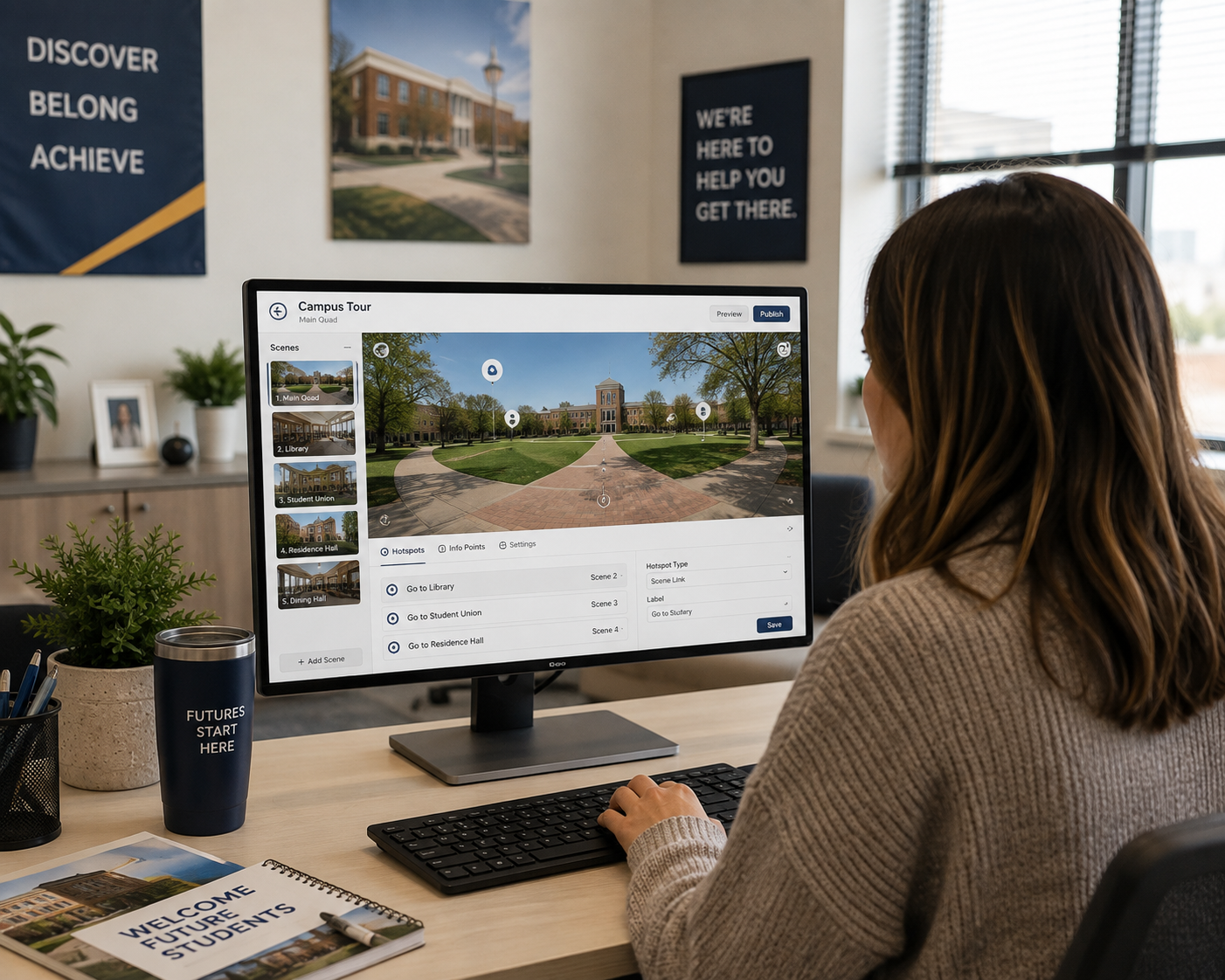
Not all virtual tour platforms are built the same way, and understanding the available feature set can help admissions and marketing staff determine whether a tool fits their needs. Some of the most relevant capabilities for a university setting include:
When researching these capabilities, admissions teams may benefit from considering a dedicated solution for higher-ed virtual tours alongside more general-purpose 360° platforms, particularly when features such as lead capture and multi-building navigation are priorities.
Virtual tour software can support several different stages of the enrollment funnel:
Top-of-funnel discovery. Prospective students may encounter a university's virtual tour before speaking with an admissions counselor, often while researching schools online or comparing options. A polished, easy-to-navigate tour can help shape an early impression of the institution.
Supplementing in-person visit days. Universities with established in-person visit programs can use virtual tours to let families preview the campus before arriving or revisit specific buildings — such as a dining hall, residence hall, or academic department — after the visit.
Reaching students who can't visit. For out-of-state, international, or other prospective students who face barriers to traveling for a campus visit, a virtual tour can provide another way to explore residence halls, classrooms, facilities, and campus grounds remotely.
Yield and deposit-stage decision-making. Once a student has been admitted, a virtual tour can provide another resource for comparing institutions, particularly when combined with lead forms or live sessions that allow admitted students to ask questions about housing, dining, academics, or campus life.
Open houses and admitted-student events. Institutions may also use VR-compatible tours at recruiting fairs, open houses, or admitted-student events to provide another way for prospective students and families to explore campus.
Professional associations focused on college admissions counseling, including NACAC, emphasize access to information throughout the college search process — a principle that aligns with the ability of virtual tours to provide campus information to students who may face barriers to visiting in person.
When comparing virtual tour software options, admissions and enrollment marketing teams should look beyond the initial "wow factor" of 360° imagery and consider several practical questions:
Does it require technical expertise to build and update? A no-code platform can allow marketing or admissions staff to make updates themselves — such as adding a new building or updating a hotspot — without relying on a developer or outside vendor for every change.
Can it scale with the institution's needs? A single admissions office might need only a handful of published tours to start, while larger institutions with multiple colleges, campuses, or graduate programs may need to publish and manage many tours across departments.
Does it integrate with existing marketing tools? Analytics integration and lead-capture tools are especially useful when they fit into the CRM, analytics, or marketing systems an enrollment office already uses.
Does it support the university's branding standards? White-label or custom-domain options can help keep a tour experience visually consistent with the rest of an admissions website rather than making it feel like a disconnected third-party experience.
What support is available for larger teams? Institutions with multiple staff members contributing to tour creation, or enterprise-level needs across several departments, may require collaboration and account-management capabilities beyond those offered by a basic single-user tool.
Working through these questions can help an admissions office choose a platform that fits its actual workflow rather than selecting a tool based primarily on visual presentation.
Virtual tour software has evolved from a novelty into a practical tool universities can use to present their campuses to prospective students and families online. From hotspot navigation and lead-generation forms to VR compatibility and analytics integration, the technology gives admissions and enrollment marketing teams additional ways to reach students wherever they are in their college search — whether they're beginning to research schools or deciding between their final options.
For institutions evaluating their options, CloudPano's platform for campus tours brings these virtual tour capabilities together in a no-code platform designed to support higher-ed admissions and campus marketing use cases.
Not necessarily. Virtual tours are generally better viewed as a complement to in-person visits rather than a direct replacement. They extend access to students who can't easily travel and give prospective applicants an opportunity to explore campus remotely, but they don't completely replicate the experience of walking the grounds and interacting with students and staff in person.
For a 360° image-based tour, you'll typically need a 360° camera to capture panoramic images of each location. Those images are then uploaded to virtual tour software, where hotspots, informational overlays, and navigation can be added. With a no-code platform, specialized programming skills aren't typically required to assemble and publish the tour.
Because a virtual tour is available online, a student who cannot travel because of distance, cost, scheduling, or other barriers can still explore residence halls, classrooms, facilities, and campus grounds remotely. Depending on the platform, they may also be able to submit an inquiry through an embedded form or participate in a live virtual experience.
When the platform supports analytics integration, admissions and marketing teams can track available engagement data to better understand how visitors interact with the tour. The exact metrics available will depend on the platform and analytics configuration.
Universities should look for hotspot navigation, live 360° video chat, VR headset compatibility, Google Street View publishing, embeddable or white-label tours, 3D dollhouse floor plans, lead-generation forms and analytics integration. A no-code builder also matters, so admissions and marketing staff can create and update tours themselves without relying on a developer.


Compact, ready to go anywhere
Interchangeable lens that’s upgradeable
Dual 1-inch sensors for improved clarity and low light performance
Dynamic range and 6K 360° capture
360° photo resolution at 21MP

8K 360° video recording for ultra-detailed visuals.
4K single-lens mode for traditional wide-angle shots.
Invisible selfie stick effect for drone-like perspectives.
2.5-inch touchscreen with Gorilla Glass protection.
Waterproof up to 33ft for underwater shooting.

360° photo resolution in 23MP
Slim design at 24 mm thick
Built-in image stabilization for smooth video capture.
Internal 19GB storage for photo and video storage.
Wireless connectivity for remote control and sharing.

60MP 360° still images for high-resolution photography.
5.7K 360° video recording at 30fps.
2.25-inch touchscreen for intuitive control.
USB Type-C port for fast charging and data transfer.
MicroSD card slot for expandable storage.
.png)

.png)

Try it free. No credit card required. Instant set-up.







.svg)


.svg)