


.png)


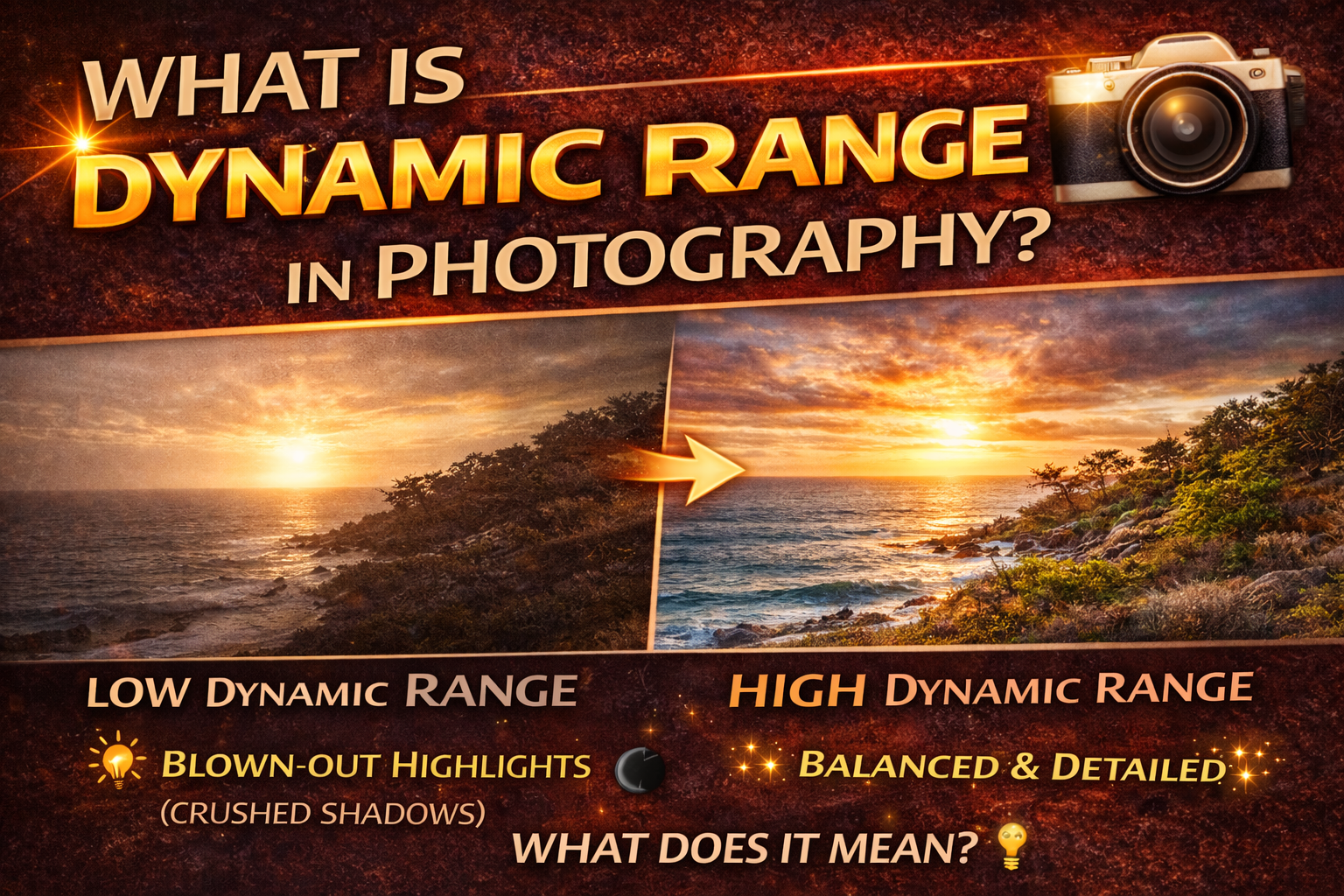
Understanding Dynamic Range Photography Meaning for Better, Balanced Images
If you’ve ever taken a photo where the sky looks perfect but the ground is too dark — or the room looks bright but the windows are pure white — you’ve run into a dynamic range problem.
Understanding the dynamic range photography meaning is one of the most important steps toward taking more professional, balanced photos. Whether you shoot real estate, landscapes, interiors, or everyday scenes, dynamic range affects how much detail your camera can capture in bright and dark areas at the same time.
In this guide, we’ll break down what dynamic range is, why it matters, and how you can work with it to create better photos. Let’s dive in. 🚀
In simple terms, dynamic range is the difference between the brightest and darkest parts of a scene that a camera can capture with visible detail.
The dynamic range photography meaning refers to how well a camera sensor can record:
☀ Bright highlights (like skies or windows)
🌑 Dark shadows (like corners or shaded areas)
If a scene has more dynamic range than your camera can handle, you’ll lose detail in either the highlights (blown out) or the shadows (too dark).
Your eyes can see a huge range of light and dark at once. Cameras have limits.
When you understand the dynamic range photography meaning, you can:
✔ Avoid blown-out highlights
✔ Prevent crushed shadows
✔ Capture more realistic scenes
✔ Create more professional-looking images
Dynamic range directly affects the quality and usability of your photos.
Some scenes naturally have extreme contrast.
• Sunsets
• Interiors with bright windows
• Outdoor scenes with deep shadows
• Cityscapes at dusk
These scenes often exceed a camera’s limits.
• Cloudy days
• Evenly lit rooms
• Softly lit portraits
These are easier for cameras to capture in one exposure.
Understanding the dynamic range photography meaning helps you recognize when you need special techniques.
When a scene’s contrast is greater than your camera can handle, you’ll see:
❌ Blown-out highlights (pure white areas)
❌ Crushed shadows (pure black areas)
Once detail is lost in these areas, it usually can’t be recovered.
That’s why managing dynamic range is a key photography skill.
Your camera has a maximum dynamic range it can capture. Modern cameras vary, but even the best sensors have limits.
If the scene dynamic range is greater than your camera dynamic range, you must adjust your approach.
This is where techniques like HDR and exposure blending come into play — both rooted in the dynamic range photography meaning.
Exposure determines which parts of the scene get priority.
If you expose for highlights:
✔ Skies and windows look good
❌ Shadows become darker
If you expose for shadows:
✔ Dark areas show detail
❌ Bright areas may blow out
Balancing exposure is all about managing dynamic range effectively.
HDR (High Dynamic Range) photography is designed specifically to overcome dynamic range limitations.
You take multiple exposures:
📷 One for highlights
📷 One for midtones
📷 One for shadows
Then blend them into one balanced image.
HDR is a direct response to understanding the dynamic range photography meaning and working around camera limitations.
Here are practical ways to handle high-contrast scenes.
RAW files store more highlight and shadow data than JPEGs, giving you more room to recover detail.
Take multiple shots at different exposures for blending later.
Soft morning or evening light reduces extreme contrast.
Adding light to shadows reduces contrast in the scene itself.
All of these methods stem from understanding the dynamic range photography meaning.
Dynamic range is often measured in “stops.”
Each stop represents a doubling of light. A camera with more stops of dynamic range can capture more detail between dark and bright areas.
Higher dynamic range means:
✔ Better shadow recovery
✔ Better highlight preservation
✔ More flexible editing
Real estate photography is one of the best examples of dynamic range challenges.
You often deal with:
🪟 Bright windows
🛋 Dim interiors
Without understanding the dynamic range photography meaning, you’ll end up with either blown-out windows or dark rooms.
That’s why HDR and flash techniques are so popular in property photography.
Landscapes frequently have bright skies and dark foregrounds.
Photographers manage this by:
✔ Shooting at sunrise or sunset
✔ Using graduated filters
✔ Blending exposures
Again, it all comes back to dynamic range control.
Portraits can have dynamic range issues too, especially in backlit situations.
To manage contrast:
✔ Use fill flash
✔ Move your subject into shade
✔ Adjust exposure for the face
Balancing light ensures skin tones look natural.
Editing can help — but only if detail was captured in the first place.
If highlights are pure white or shadows are pure black, information is lost.
That’s why understanding the dynamic range photography meaning during the shoot is more important than trying to fix it later.
Look for:
❌ White patches with no detail
❌ Solid black shadows
❌ Washed-out skies
❌ Murky interiors
These are clues that the scene exceeded your camera’s dynamic range.
Newer sensors have improved dynamic range, but no camera matches human vision.
Even high-end cameras benefit from HDR and exposure blending when contrast is extreme.
Dynamic range = the span between the darkest and brightest parts of a photo that still show detail.
When you understand this, you can:
✔ Choose better lighting
✔ Use bracketing
✔ Avoid exposure mistakes
✔ Create balanced, professional images
The dynamic range photography meaning isn’t just a technical concept — it’s a practical tool that improves every type of photography.
When you learn to recognize high-contrast scenes and apply techniques like RAW shooting, exposure bracketing, and thoughtful lighting, your photos instantly become more balanced and professional.
Mastering dynamic range is one of the biggest steps you can take toward better photography — no matter what you shoot. 📸✨


Compact, ready to go anywhere
Interchangeable lens that’s upgradeable
Dual 1-inch sensors for improved clarity and low light performance
Dynamic range and 6K 360° capture
360° photo resolution at 21MP

8K 360° video recording for ultra-detailed visuals.
4K single-lens mode for traditional wide-angle shots.
Invisible selfie stick effect for drone-like perspectives.
2.5-inch touchscreen with Gorilla Glass protection.
Waterproof up to 33ft for underwater shooting.

360° photo resolution in 23MP
Slim design at 24 mm thick
Built-in image stabilization for smooth video capture.
Internal 19GB storage for photo and video storage.
Wireless connectivity for remote control and sharing.

60MP 360° still images for high-resolution photography.
5.7K 360° video recording at 30fps.
2.25-inch touchscreen for intuitive control.
USB Type-C port for fast charging and data transfer.
MicroSD card slot for expandable storage.
.png)

.png)

Try it free. No credit card required. Instant set-up.







.svg)


.svg)