


.png)


Pricing virtual tours correctly is one of the most important—and most misunderstood—parts of running a successful visual marketing business.
Too many providers underprice their services, overcomplicate their offers, or copy competitors without understanding why certain pricing works. The result? Low margins, constant negotiation, and clients who don’t value the work.
The truth is simple: virtual tour pricing is not about being cheap—it’s about being clear, confident, and conversion-focused.
In this guide, we’ll break down virtual tour pricing strategies that convert, explain how to structure virtual tour packages, and show how smart pricing leads to better clients, higher revenue, and long-term growth.
This content is designed to stay relevant year after year—no trends, no gimmicks, just proven pricing principles. 🚀
Most businesses treat pricing as a final step.
High-performing businesses treat pricing as a sales tool.
Your pricing communicates:
Before a prospect ever talks to you, your virtual tour pricing has already shaped their expectations.
Clear, confident pricing builds trust. Confusing or hesitant pricing creates friction—and friction kills conversions.
The most common mistake providers make is pricing virtual tours like a one-time deliverable.
A virtual tour is not just:
A virtual tour is:
When you price only the creation and ignore the value, you cap your income and attract price-sensitive clients.
Before you decide on numbers, you must decide how you want to be positioned.
Are you:
Your virtual tour pricing should align with your positioning—not fight against it.
High-converting pricing feels intentional, not reactive.
Clients don’t buy virtual tours because they like technology.
They buy them because they want:
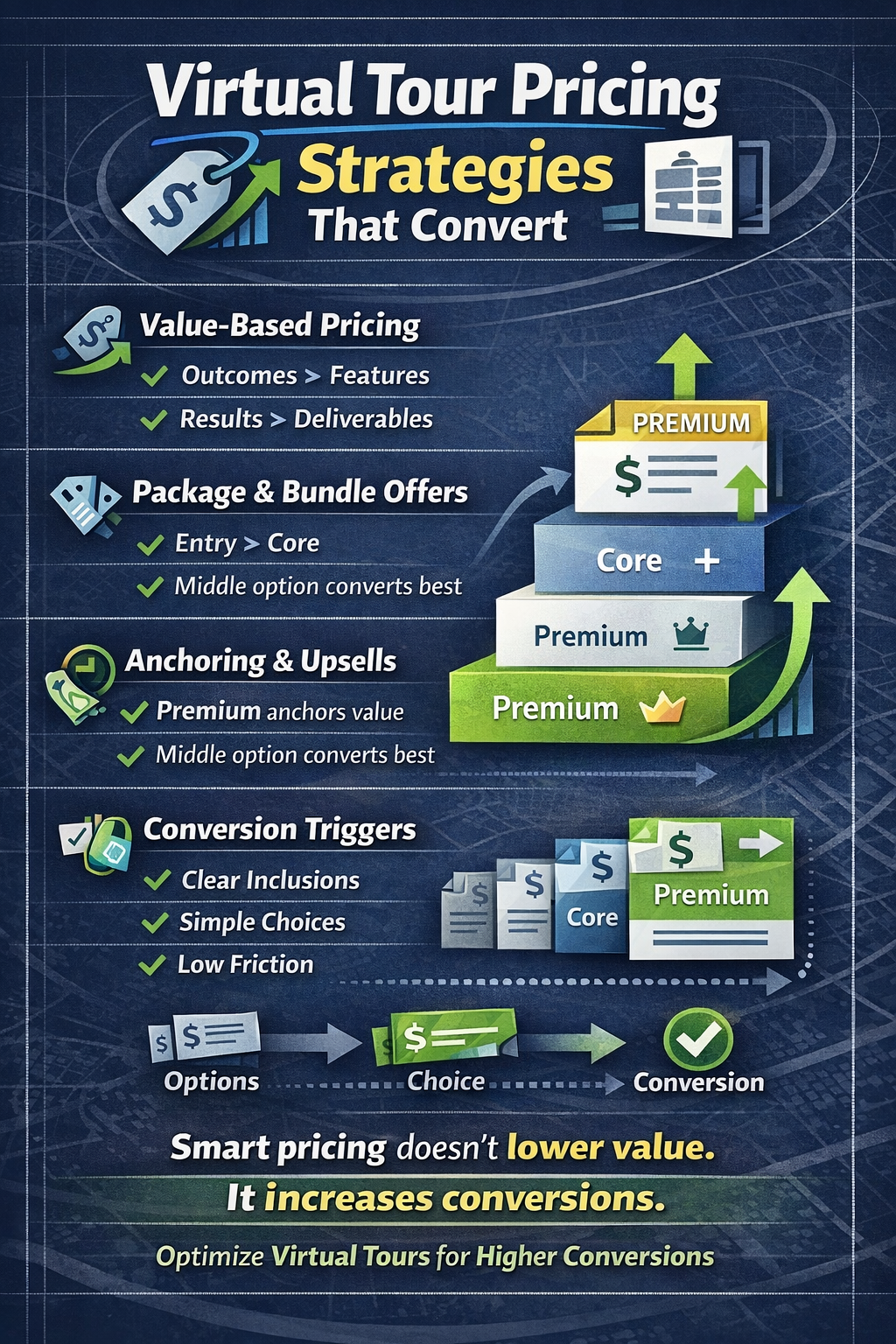
Outcome-based pricing focuses on what the client gains, not what you deliver.
Instead of framing your offer as:
“A virtual tour with X panoramas”
Frame it as:
“A marketing asset designed to attract qualified buyers 24/7”
This mental shift increases perceived value and reduces price resistance.
Single-price offers force prospects into a yes-or-no decision.
Virtual tour packages create comparison—and comparison drives conversions.
Packages work because they:
When structured correctly, most clients naturally choose the middle or premium option.
This is one of the highest-impact improvements you can make to your virtual tour pricing.
Complex pricing feels “custom,” but it often hurts conversions.
Avoid:
Instead, group services into clear tiers that are easy to understand in seconds.
Simple pricing:
If a prospect needs an explanation, your pricing is too complicated.
Virtual tours perform best when they’re part of a larger solution.
Bundling virtual tours with:
Increases average order value and positions you as a strategic partner, not a vendor.
Bundled virtual tour packages feel more valuable than standalone services—even if the price is higher.
Anchoring is a psychological principle where people judge prices relative to the first option they see.
By placing a premium package first:
Anchoring helps prospects self-select without pressure, which increases trust and close rates.
One-time pricing creates spikes. Subscription pricing creates stability.
Subscription models work well for:
When virtual tours are positioned as an ongoing marketing asset, subscriptions feel logical—not forced.
Recurring virtual tour pricing improves cash flow and reduces the stress of constantly finding new clients.
Virtual tours don’t disappear after delivery.
They live on websites, listings, emails, and social media for months or years.
Your pricing should reflect:
When clients understand they’re paying for ongoing exposure, not just capture, higher pricing becomes easier to accept.
Uncertainty kills conversions.
Your virtual tour pricing should clearly explain:
Clarity reduces objections before they arise.
High-quality clients prefer transparent pricing—even if it’s not the cheapest option.
Not every client is your client—and pricing helps enforce that.
Low pricing attracts:
Strong pricing attracts:
Your virtual tour packages should protect your time and energy, not just generate sales.
Pricing is not static.
As you improve:
Your pricing should evolve.
Many providers wait too long to raise prices, fearing pushback. In reality, better clients often expect higher pricing—it signals quality.
Avoid these common traps:
Pricing should support your business goals—not undermine them.
Smart pricing:
Bad pricing forces you to work harder for less.
Your pricing strategy determines whether your business stays reactive or becomes predictable and scalable.
Virtual tour pricing is one of the most powerful tools in your business.
When structured correctly, virtual tour packages:
Pricing isn’t just about covering costs—it’s about positioning, psychology, and confidence.
Treat pricing as a strategic asset, and your virtual tour business will grow stronger every year. ✨🏡


Compact, ready to go anywhere
Interchangeable lens that’s upgradeable
Dual 1-inch sensors for improved clarity and low light performance
Dynamic range and 6K 360° capture
360° photo resolution at 21MP

8K 360° video recording for ultra-detailed visuals.
4K single-lens mode for traditional wide-angle shots.
Invisible selfie stick effect for drone-like perspectives.
2.5-inch touchscreen with Gorilla Glass protection.
Waterproof up to 33ft for underwater shooting.

360° photo resolution in 23MP
Slim design at 24 mm thick
Built-in image stabilization for smooth video capture.
Internal 19GB storage for photo and video storage.
Wireless connectivity for remote control and sharing.

60MP 360° still images for high-resolution photography.
5.7K 360° video recording at 30fps.
2.25-inch touchscreen for intuitive control.
USB Type-C port for fast charging and data transfer.
MicroSD card slot for expandable storage.
.png)

.png)

Try it free. No credit card required. Instant set-up.







.svg)


.svg)