


.png)



Virtual tours have become a cornerstone of modern real estate marketing. They let buyers explore properties from anywhere — increasing engagement, improving lead quality, and shortening sales cycles. For years, Matterport dominated the space, especially in 3D immersive experiences. But as the landscape evolves, more agents are asking: What are some reputable Matterport alternatives for virtual tours?
This blog explores virtual tour software options for real estate, explains why some teams seek platforms beyond Matterport, and covers the best virtual tour platforms beyond Matterport — all with an eye toward flexibility, branding, integration, and long-term strategy.
In October 2025, Zillow made a headline-grabbing change: it removed Matterport 3D tours from its Zillow and StreetEasy listings, citing a decision by Matterport’s parent company, CoStar, not to renew the API agreement necessary to display those tours on Zillow’s platforms. Zillow said the updated terms of service prevented the tours from being shown. Source: Real Estate News
CoStar, on the other hand, disputed that interpretation — asserting that Matterport users can still share tours widely and that Zillow’s removal was not due to licensing restrictions. Source: HousingWire
Whatever the interpretation, this dispute reminded real estate professionals of an important lesson: relying on a single platform’s integrations can be risky if that platform’s policies change.
This has led many agents and brokerages to investigate Matterport competitors comparison options — especially platforms that offer customization, flexibility, and long-term content control.
Matterport remains a powerful tool known for high-quality spatial tours and advanced visualization. But alternatives may be appealing for teams or agents who want:
✔ More brand control
✔ Flexible hosting and embed options
✔ Lower or more predictable costs
✔ Compatibility with a range of capture devices
✔ Better integration with custom marketing workflows
In other words, while Matterport’s tech is excellent, it isn’t always the best fit for every situation — particularly for agents who prioritize control and marketing flexibility.
When evaluating different tools, consider these aspects:
Can you create tours quickly using common cameras or devices?
Can you embed tours on any website or MLS listing without limitations?
Can you add your own logo, colors, and marketing messaging?
Can you host and control your tours over time without vendor lock-in?
Does the platform fit your budget today, and does it scale as your business grows?
Based on these principles, we’ll explore several virtual tour software options for real estate that fall into the “best alternatives beyond Matterport.”
One of the most frequently recommended Matterport alternatives for virtual tours is CloudPano.
🔹 Embedding Flexibility: CloudPano allows tours to be embedded anywhere using standard iframe codes. You can place them on personal sites, landing pages, MLS/IDX fields, and more.
🔹 Branding Control: You can remove platform logos and replace them with your own branding — essential if marketing control is a priority.
🔹 Device Agnostic: CloudPano works with many 360° cameras, meaning you’re not tied to specific proprietary hardware.
🔹 Lead Capture & CTAs: It supports interactive elements like contact forms and calls-to-action embedded directly in tours.
For agents and marketers focused on control and customization, CloudPano often ranks high in the Matterport competitors comparison. Its balance of flexibility, branding, and cost-effectiveness makes it attractive for teams of all sizes.
EyeSpy360 is another strong contender among virtual tour software options for real estate, especially for agents who want interactive features without complexity.
🔹 360° panoramic tours with hotspots
🔹 Interactive floor plans
🔹 Virtual staging support
🔹 VR compatibility for headset viewing
EyeSpy360 is user-friendly and works well with multiple camera types. Its interactive features make tours engaging, and it’s generally more affordable than some of the traditional platform incumbents, making it a good entry alternative to Matterport.
If you’re looking for something simple and directly integrated with one of the largest listing portals, Zillow 3D Home is worth a mention — though it’s not a full substitute for immersive 3D experiences.
🔹 Built-in Zillow tour capture
🔹 Automatically integrated on Zillow listings
🔹 No third-party hosting required
While Zillow 3D Home tours are easy to embed on that portal, they offer limited customization and branding outside of Zillow. Still, for agents focused on lead generation via Zillow’s audience, it’s a useful Matterport alternative for virtual tours when used in conjunction with other platforms.
iGUIDE stands out as a tool that blends virtual tours with accurate floor plans and measurement data.
🔹 Detailed floor plans with room measurements
🔹 Interactive tour walkthroughs
🔹 Combined media and layout insights
For agents selling homes where layout clarity matters — such as architectural or luxury properties — iGUIDE offers a compelling combination of visuals and utility.
Both Ricoh360 and Insta360 are hardware-agnostic platforms that offer simple capture workflows and integrate into many tour creation tools.
🔹 Capture using popular 360° cameras
🔹 Upload to hosting platforms (CloudPano, others)
🔹 Fast turnaround for tours and embeds
These work best when combined with platforms focused on marketing and branding rather than standalone portals.
Looking across these platforms, what differentiates them isn’t just features — it’s how well they let you control your marketing and content.
CloudPano, iGUIDE, and others let you tailor the look and feel of your tours.
Platforms that generate standard iframe codes work universally across websites and MLS fields.
Avoiding proprietary hardware gives you pricing flexibility and more hardware choices.
Some platforms support lead capture or analytics integrations that help turn tours into conversion tools, not just visual experiences.
Here’s how CloudPano stacks up against Matterport in terms of flexibility and marketing control:
CloudPano:
Offers potent branding tools, letting you add logos, color schemes, calls to action, and more. Great for teams that want tours to reflect their brand identity.
Matterport:
Provides polished, immersive visuals but offers more limited customization out of the box. Branding often appears through the Matterport viewer rather than your own.
CloudPano:
Tours can be embedded anywhere with simple code — on websites, landing pages, and MLS listings.
Matterport:
Embeds are supported, but deeper hosting independence isn’t as flexible as CloudPano’s; links are tied to the Matterport ecosystem.
CloudPano:
Works with many 360° cameras — meaning you aren’t locked into proprietary capture gear.
Matterport:
Often leverages specific scanners for highest-quality 3D capture — great for high-end tours, but limiting if you want cost flexibility.
CloudPano:
Designed with marketing integrations in mind — customizable tours, calls to action, and direct embed controls.
Matterport:
Strong for immersive experiences, measurement, and spatial features — perhaps less focused on marketing workflows without custom development.
For agents evaluating Matterport alternatives for virtual tours, the choice comes down to your priorities:
Read More:
CloudPano vs Matterport: Which Offers More Flexibility for Agents?
How Virtual Tour Platform Choice Affects Your Marketing Control
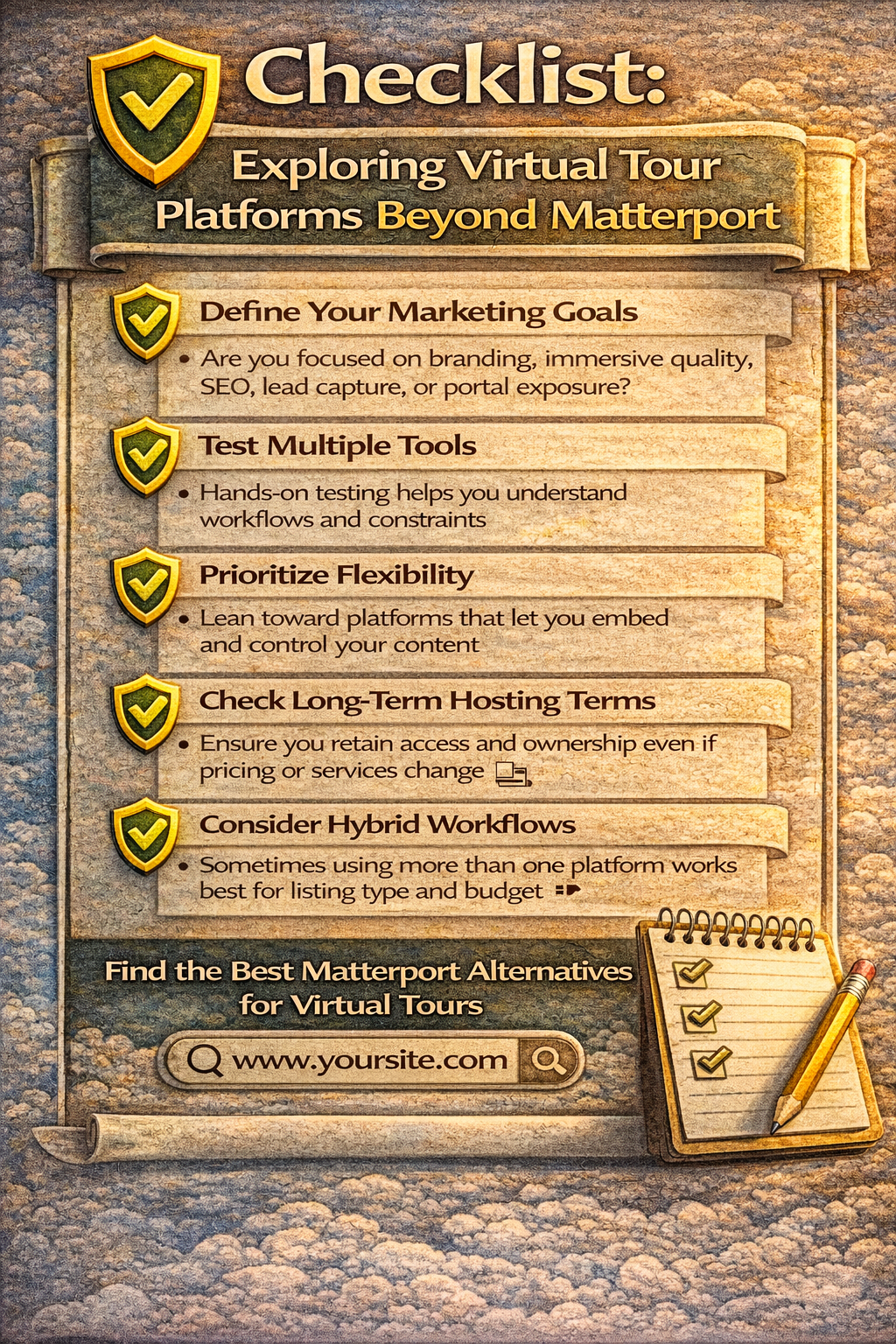
Here are some evergreen tips for picking a solution that will continue working as your business grows:
Are you focused on branding, immersive quality, SEO, lead capture, or portal exposure?
Hands-on testing helps you understand workflows and constraints.
Lean toward platforms that let you embed and control your content — not lock it behind a single ecosystem.
Ensure you retain access and ownership even if pricing or services change.
Sometimes the best strategy uses more than one platform depending on listing type and budget.
While Matterport remains one of the most recognized names in 3D tour technology, the world of Matterport alternatives for virtual tours offers powerful, flexible, and cost-effective options that may better suit your marketing and growth strategies.
Whether you prioritize branding, cost control, ease of use, or customization, the key is choosing a platform that supports how you want to engage buyers — not merely how the platform wants to deliver content.
Exploring the best virtual tour platforms beyond Matterport equips you with tools that evolve with your business and keep your marketing adaptable, future-proof, and under your control. 🚀


Compact, ready to go anywhere
Interchangeable lens that’s upgradeable
Dual 1-inch sensors for improved clarity and low light performance
Dynamic range and 6K 360° capture
360° photo resolution at 21MP

8K 360° video recording for ultra-detailed visuals.
4K single-lens mode for traditional wide-angle shots.
Invisible selfie stick effect for drone-like perspectives.
2.5-inch touchscreen with Gorilla Glass protection.
Waterproof up to 33ft for underwater shooting.

360° photo resolution in 23MP
Slim design at 24 mm thick
Built-in image stabilization for smooth video capture.
Internal 19GB storage for photo and video storage.
Wireless connectivity for remote control and sharing.

60MP 360° still images for high-resolution photography.
5.7K 360° video recording at 30fps.
2.25-inch touchscreen for intuitive control.
USB Type-C port for fast charging and data transfer.
MicroSD card slot for expandable storage.
.png)

.png)

Try it free. No credit card required. Instant set-up.







.svg)


.svg)