Understanding MLS Rules for CloudPano and Matterport Virtual Tours

Cloudpano
February 8, 2026
5 min read
Share this post

Understanding MLS Rules for CloudPano and Matterport Virtual Tours 📍

Virtual tours have become a must-have feature in real estate listings — especially in an age where whether buyers view a property online can determine how fast it sells. However, navigating the MLS virtual tour rules and understanding compliance for services like CloudPano MLS compliance or Matterport MLS guidelines can be confusing.

This guide breaks down everything agents need to know about using virtual tours properly on MLS, how different platforms handle compliance, and what the latest industry disputes — including controversies between CoStar, Matterport, and Zillow — mean for your listings.

Why MLS Virtual Tours Matter in Real Estate 🌍

Virtual tours are interactive, immersive experiences that allow buyers to walk through properties online. These tours:

  • Increase engagement and listing views
  • Shorten days on market
  • Elevate seller marketing
  • Improve buyer confidence

But just because a virtual tour exists doesn’t mean it will appear on the MLS feed or syndicated sites. MLS listing virtual tour policy is very specific about how tours can be added, displayed, and shared.

MLS Virtual Tour Rules Explained 📝

Every MLS board has rules governing virtual tour links — and while they vary slightly by region, most adhere to some common principles:

Unbranded vs. Branded Tour Links

When submitting a tour to MLS, one key requirement is whether the link must be branded or unbranded:

  • Unbranded links contain only property visuals, with no agent logos, CTAs, or marketing overlays.
  • Many MLS boards require unbranded links to avoid agent promotion directly within the MLS feed.

For example, if you use CloudPano or Matterport, make sure you copy the unbranded version of your virtual tour link when submitting.

Step-by-Step: How to Upload a Virtual Tour to MLS 📍

Here’s a simple process real estate professionals follow to ensure MLS virtual tour rules are met:
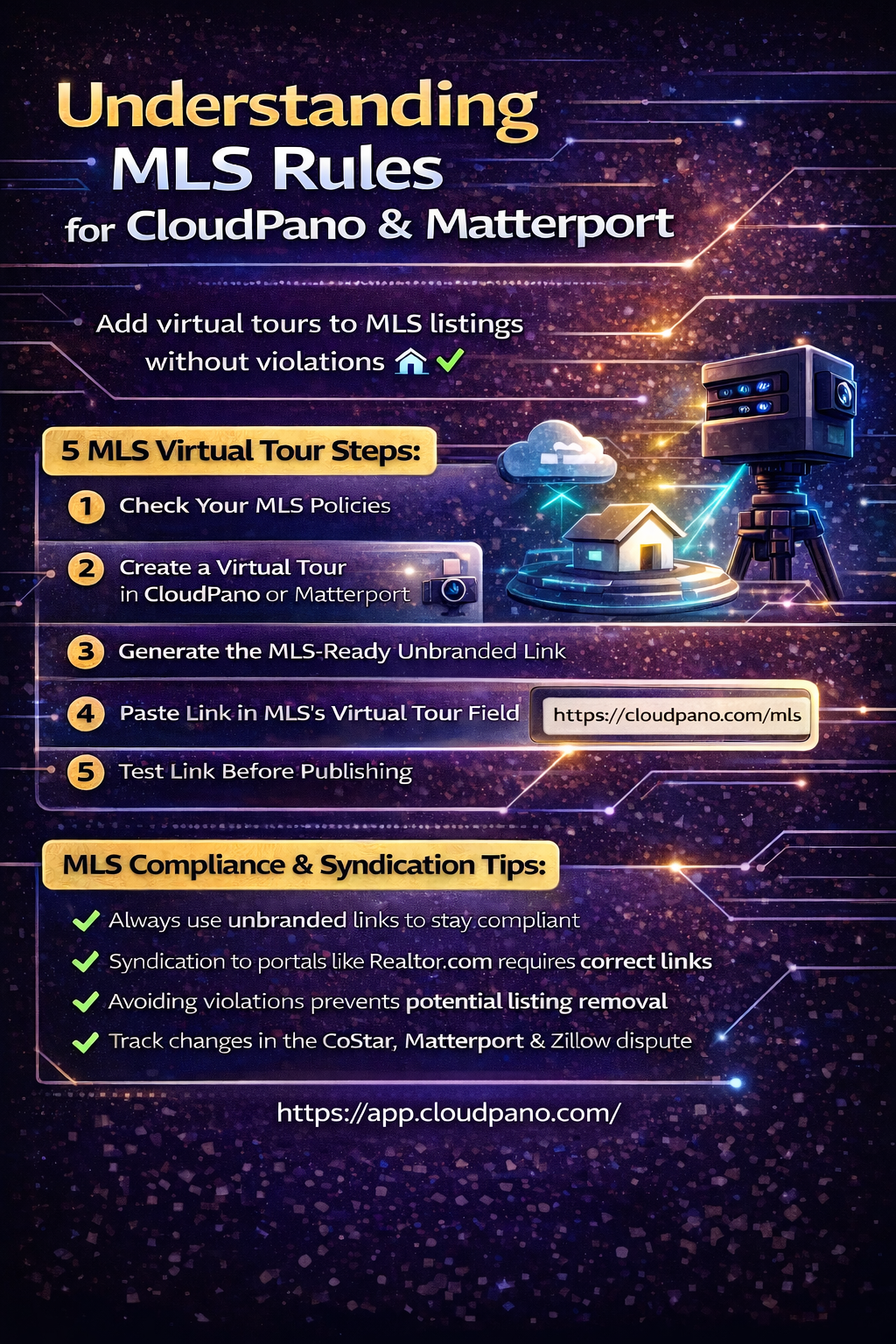
  1. Check Your MLS Rules: Each MLS board has its own compliance guidelines. Some allow logos in certain sections; others do not.
  2. Create the Virtual Tour: Use a platform like CloudPano or Matterport to build a 360° or 3D tour.
  3. Get the MLS-Ready Link: Most platforms provide two link options — branded and unbranded. Choose the unbranded version.
  4. Paste in Correct MLS Field: In most MLS dashboards, you’ll see a field labeled “Virtual Tour URL” or “Unbranded Tour”. This is where the link goes.
  5. Test Before Publishing: Always preview to make sure the link opens correctly and displays on syndicated portals like Zillow or Realtor.com.

CloudPano MLS Compliance: What You Need to Know ✨

CloudPano is widely used because it makes it easy to generate MLS-compliant virtual tours. Here’s why real estate professionals choose it:

MLS-Ready Link Generation

CloudPano lets you export tours specifically meant for MLS, removing branding elements automatically.

Easy Syndication

Compatible with MLS systems and syndicated listing sites like Realtor.com and others, provided the link meets MLS guidelines.

Less Risk of Rejection

By using the unbranded format, your tour is less likely to be stripped out or rejected by MLS systems.

Matterport MLS Guidelines: The Industry Standard (and Confusion) 📍

Matterport has long been the go-to technology for high-end 3D property tours. However, changes in ownership and licensing have complicated Matterport MLS guidelines. Source: Matterport

CoStar Acquisition and Policy Change

CoStar Group acquired Matterport in early 2025. Subsequently, a dispute with Zillow erupted when Zillow removed Matterport 3D tours from its platform, citing changed terms of service and a lapsed API agreement. Source: Zillow pulls Matterport tours from its listings

This has implications for MLS and syndicated traffic:

The result? Agents must ensure their MLS virtual tours are shared using compliant links and not rely solely on platform syndication if portals choose to restrict certain media. Source: Zillow pulls Matterport tours from listings, blames CoStar

Real Estate Tour Regulations: What Agents Should Follow 🧭

In addition to MLS virtual tour rules, here are key compliance points to consider:

Link Integrity

MLS systems often reject broken or insecure links (http://). Use secure links (https://) for best results.

Location of Link

Never paste a virtual tour link inside a photo caption or remarks section — use the dedicated virtual tour field instead.

MLS-Specific Policies

Different MLS providers (Matrix, Paragon, Flexmls) may label fields differently, but all require unbranded tours to appear correctly.

The CoStar–Matterport–Zillow Dispute: A Brief Overview 🥊

Virtual tour technology isn’t just about better marketing — it’s now part of a larger industry conflict:

Zillow Removes Matterport Tours

In October 2025, Zillow removed Matterport 3D virtual tours from listings on Zillow.com and StreetEasy, claiming CoStar did not renew their API and restricted the use of the tours on third-party platforms.

CoStar’s Response

CoStar stated Zillow misrepresented the terms and that Matterport customers can share their tours anywhere — including on Zillow.

Broader Impacts

This dispute reflects broader legal battles between MLS portals and listing platforms about data use, licensing, and control, affecting how 3D tours are shared and displayed across the industry.

Helpful links for deeper context:

  • Zillow removes Matterport tours, blames CoStar
  • Zillow pulls Matterport tours from listings, industry reaction
  • CoStar Group statement on Matterport usage rights
  • Inman coverage of Zillow removal and licensing issues
  • Analysis of 3D tour conflicts beyond MLS

Syndication and How MLS Feeds Affect Virtual Tours 🔁

Even after proper MLS upload, your tour needs to syndicate effectively:

  • Sites like Realtor.com, Homes.com, and some regional MLS feeds automatically pull the unbranded virtual tour link.
  • Syndication through portals like Zillow may vary depending on agreements and API access.
  • Always test the link on multiple platforms to ensure it displays properly.

Best Practices for Real Estate Virtual Tour Compliance 🏆

Here are key recommendations agents should follow:

  • Always use unbranded MLS links whenever required.
  • Know your local MLS policies and documentation.
  • Test virtual tours after publishing to ensure syndication works.
  • Monitor portal display changes, especially in dynamic disputes like CoStar vs Zillow.
  • Consider backup tour providers approved by MLS and syndicated spaces.

Final Thoughts: Compliance Matters 🧠

Understanding MLS virtual tour rules, CloudPano MLS compliance, and Matterport MLS guidelines is essential for real estate professionals. Done right, virtual tours enhance listings, improve buyer engagement, and help properties sell faster. Done wrong, they can be stripped from MLS or syndicated feeds, harming marketing efforts.

Stay informed, follow MLS policies precisely, and keep up with industry developments — especially when major players like CoStar and Zillow are reshaping how virtual tours appear and are shared online.

If you have specific questions about your MLS board’s policies or recent changes in tour syndication, it’s always wise to consult your MLS support team or an experienced real estate tech specialist.

🚀 Your All-In-One Virtual Experience Stack Starts Here

Share this post
Cloudpano

Choose The Right 360° Camera

Insta360 ONE RS 1-Inch 360 Edition

  • Compact, ready to go anywhere

  • Interchangeable lens that’s upgradeable

  • Dual 1-inch sensors for improved clarity and low light performance

  • Dynamic range and 6K 360° capture

  • 360° photo resolution at 21MP

Learn More

Insta360 X4

  • 8K 360° video recording for ultra-detailed visuals.

  • 4K single-lens mode for traditional wide-angle shots.

  • Invisible selfie stick effect for drone-like perspectives.

  • 2.5-inch touchscreen with Gorilla Glass protection.

  • Waterproof up to 33ft for underwater shooting.

Learn More

Ricoh Theta Z1

  • 360° photo resolution in 23MP

  • Slim design at 24 mm thick

  • Built-in image stabilization for smooth video capture.

  • Internal 19GB storage for photo and video storage.

  • Wireless connectivity for remote control and sharing.

Learn More

Ricoh Theta X

  • 60MP 360° still images for high-resolution photography.

  • 5.7K 360° video recording at 30fps.

  • 2.25-inch touchscreen for intuitive control.

  • USB Type-C port for fast charging and data transfer.

  • MicroSD card slot for expandable storage.

Learn More
Property Marketing
Allows potential buyers to explore properties in detail from anywhere, enhancing the real estate marketing process.
Automotive Spins
Create an interactive virtual showroom and engage affluent digital buyers with live 360º video calls, all through the CloudPano mobile app for a complete automotive sales solution.
Interactive Floor Plans
Create 2D and 3D floor plans with measurements in 4 minutes or less, all from your phone. Download the Floor Plan Scanner app and get your first scan free.

360 Virtual Tours With CloudPano.com. Get Started Today.

Try it free. No credit card required. Instant set-up.

Try it free
Latest posts

See our other posts

Interviews, tips, guides, industry best practices, and news.

How to Stay MLS-Friendly with Your CloudPano and Matterport Virtual Tour Links

This article explains how to stay MLS-friendly with virtual tour links when using platforms like CloudPano and Matterport. It breaks down MLS friendly virtual tour links, CloudPano MLS compliance, Matterport MLS rules, and broader real estate virtual tour link guidelines so agents can avoid rejected listings, lost syndication, and visibility issues. The post also provides real-world context around the ongoing CoStar, Matterport, and Zillow dispute, showing why MLS compliance and platform control are more important than ever for long-term listing exposure.
Read post

Branded vs Unbranded Links: CloudPano vs Matterport for Real Estate Listings

This article explains the key differences between branded vs unbranded virtual tour links and why link type plays a critical role in MLS acceptance and listing syndication. It compares CloudPano vs Matterport workflows, outlines best practices for creating MLS compliant virtual tour links, and shows how real estate listing tour branding impacts visibility on major portals. The post also provides industry context around the ongoing CoStar–Matterport–Zillow dispute, helping agents understand why compliance and platform control matter more than ever.
Read post

Understanding MLS Rules for CloudPano and Matterport Virtual Tours

This article provides a clear, up-to-date breakdown of MLS virtual tour rules and how they apply to platforms like CloudPano and Matterport. It explains CloudPano MLS compliance, Matterport MLS guidelines, and broader real estate tour regulations, helping agents understand how to properly add virtual tours to MLS listings without violations. The article also explores how MLS listing virtual tour policy impacts syndication to major portals and includes industry context around the ongoing dispute between CoStar, Matterport, and Zillow—highlighting why compliance, link structure, and platform choice matter more than ever.
Read post