


.png)


If you've ever posted a listing video and watched it sit at a few dozen views, the problem usually isn't the property — it's the video itself. A great real estate video maker can help you produce something polished in minutes, but polish alone doesn't guarantee views, watch time, or inquiries. Performance comes down to a handful of specific, learnable choices: how you open the video, how long you make it, whether people can follow it without sound, and where you publish it.
This guide walks you through exactly that. You'll learn how to hook viewers immediately, structure your video's length and captions so people actually watch to the end, write titles and calls to action that turn curiosity into leads, and choose where to publish so your listing reaches the right buyers. None of this requires a film crew or an editing degree — just a repeatable process you can use for every listing.
Social platforms and YouTube place significant importance on early viewer retention. If viewers scroll or click away within the first few seconds, your listing video has less opportunity to capture their attention and encourage them to keep watching.
Skip the slow logo intro, agency slate, and generic establishing shot of the street. Instead, open with the single most impressive view of the property: the vaulted living room, pool at golden hour, kitchen island, or skyline view. Pair that opening shot with a short text overlay or spoken line that communicates the value immediately — "3BR waterfront with a private dock" does far more to capture attention than a simple fade-in.
This is also where camera movement earns its keep. A slow push-in, rising crane shot, or smooth orbit around a feature room feels cinematic rather than static, and that visual movement can help stop a viewer mid-scroll. Research on video marketing, including Wyzowl's State of Video Marketing report, has consistently highlighted video's ability to engage audiences — but first, you need to give viewers a reason to stop and watch. The hook is what earns that attention.
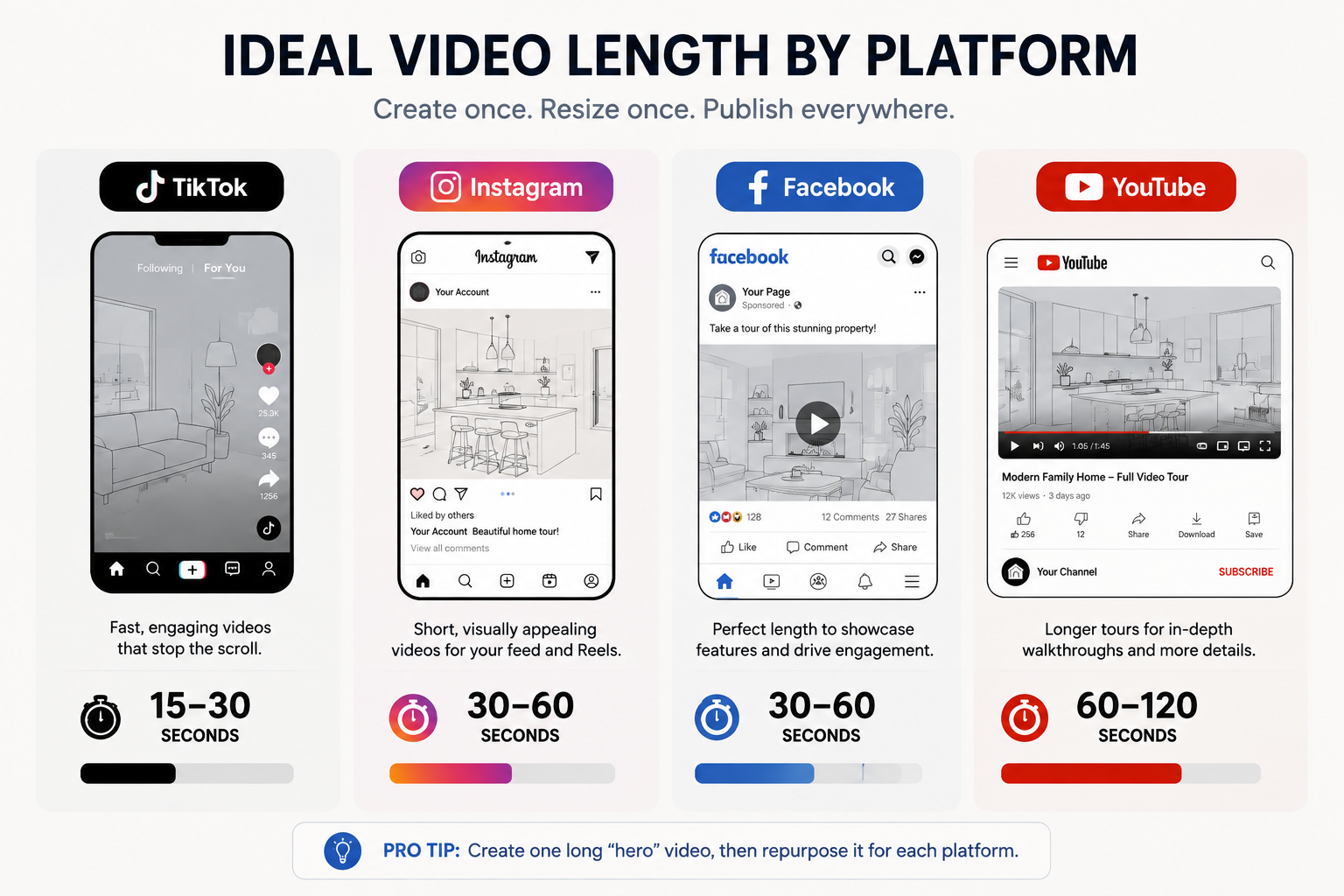
There's no single "correct" length for a property video — the right answer depends on where it's going to be published.
Instagram Reels and TikTok: 15–30 seconds. Use fast cuts, one strong hook, and one CTA. Keep the pacing tight so every second gives viewers a reason to continue watching.
Facebook and Instagram feed posts: 30–60 seconds. You have slightly more room to show multiple rooms and property features, but the video should still stay focused.
YouTube: 60–120 seconds for a standard listing tour. Longer videos of 2–4 minutes can work well for luxury or unique properties where interested buyers may want a more complete walkthrough.
Your website and MLS listing: This is where a longer, more complete tour can make sense because visitors have already shown interest by clicking on the property.
A useful habit is to create one longer "hero" video for your website and MLS, then cut shorter versions from it for social media. Many real estate video maker tools can generate multiple aspect ratios and lengths from the same source material, so you don't have to reshoot or re-edit everything for every platform.
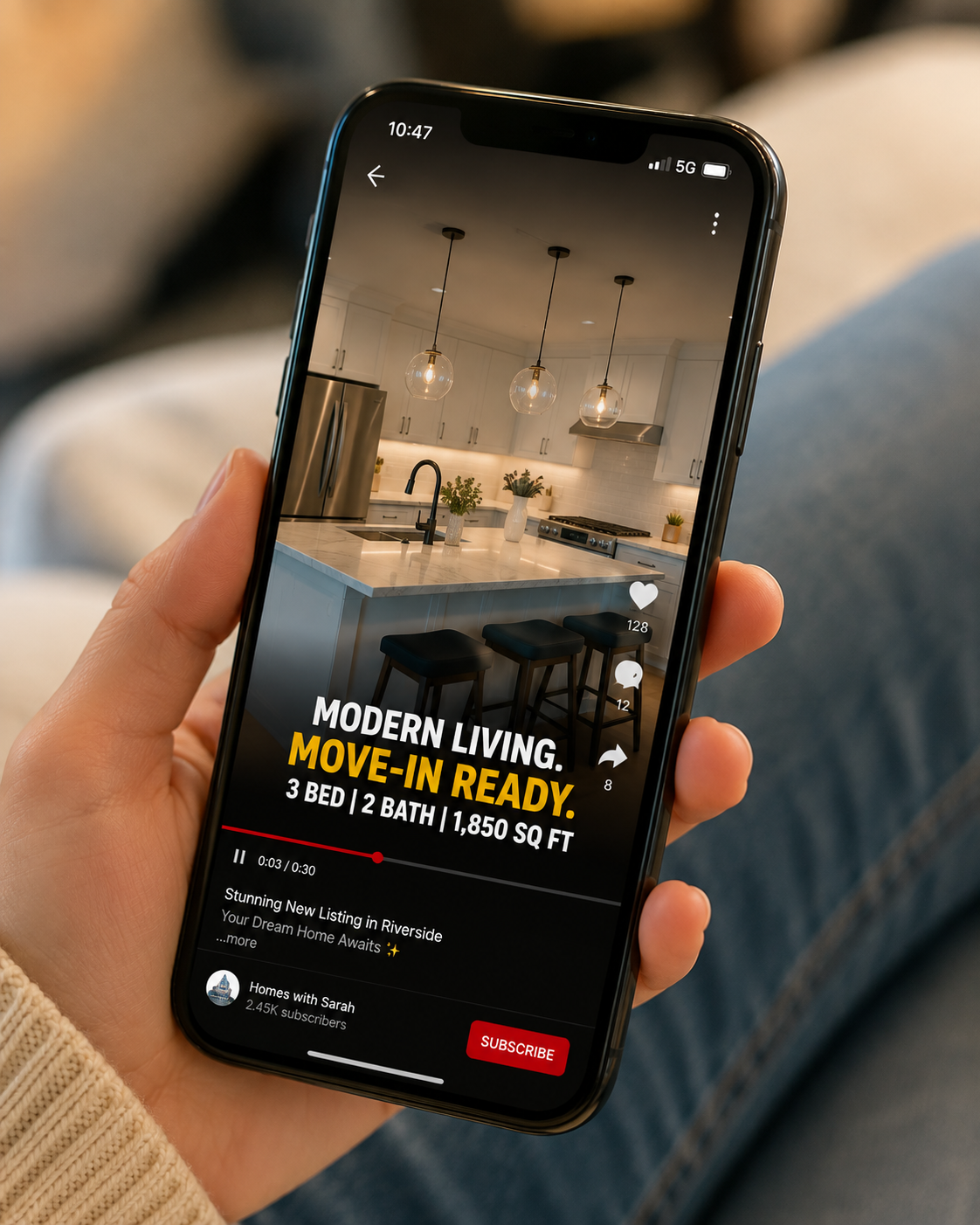
Autoplay videos on platforms such as Instagram, Facebook, and LinkedIn may begin without sound, and many viewers continue scrolling without turning the audio on — especially when they're browsing in public, at work, or somewhere they can't easily listen. If your listing video depends entirely on a voiceover to communicate the address, price, or key features, those viewers could miss important information.
Solve this with burned-in captions or text overlays for spoken lines, along with short on-screen callouts for important property details such as square footage, bedroom count, price range, neighborhood, and contact information. Keep the text on screen long enough for viewers to read it comfortably.
If you use a voiceover or an AI avatar intro to personally welcome viewers to the listing, caption that too. It helps sound-off viewers follow the video while also making your content accessible to a wider audience.
On YouTube and Facebook especially, your thumbnail and title help persuade someone to press play before they ever see a second of footage.
For thumbnails, choose the same kind of striking, well-lit interior or exterior shot you'd use for the video's opening hook. Avoid generic exterior photos taken in flat midday light. For titles, lead with information that matters to the buyer rather than your brokerage name. For example, "Move-In Ready 4BR in [Neighborhood] – Full Video Tour" is generally more compelling than "123 Main Street Listing" because it immediately communicates what the property offers.
Descriptions also play an important role. Use the first two lines — the section visible before "show more" — to reinforce the hook. Then include bedrooms, bathrooms, square footage, neighborhood highlights, and a link to schedule a showing. Descriptive copy can also give platforms more context about your video and its subject matter.
Consistency is what compounds into leads over time. One great video won't build your pipeline, but 20 good videos posted reliably can create a much stronger body of marketing content. That's difficult to sustain if every listing video requires hours of filming and manual editing.
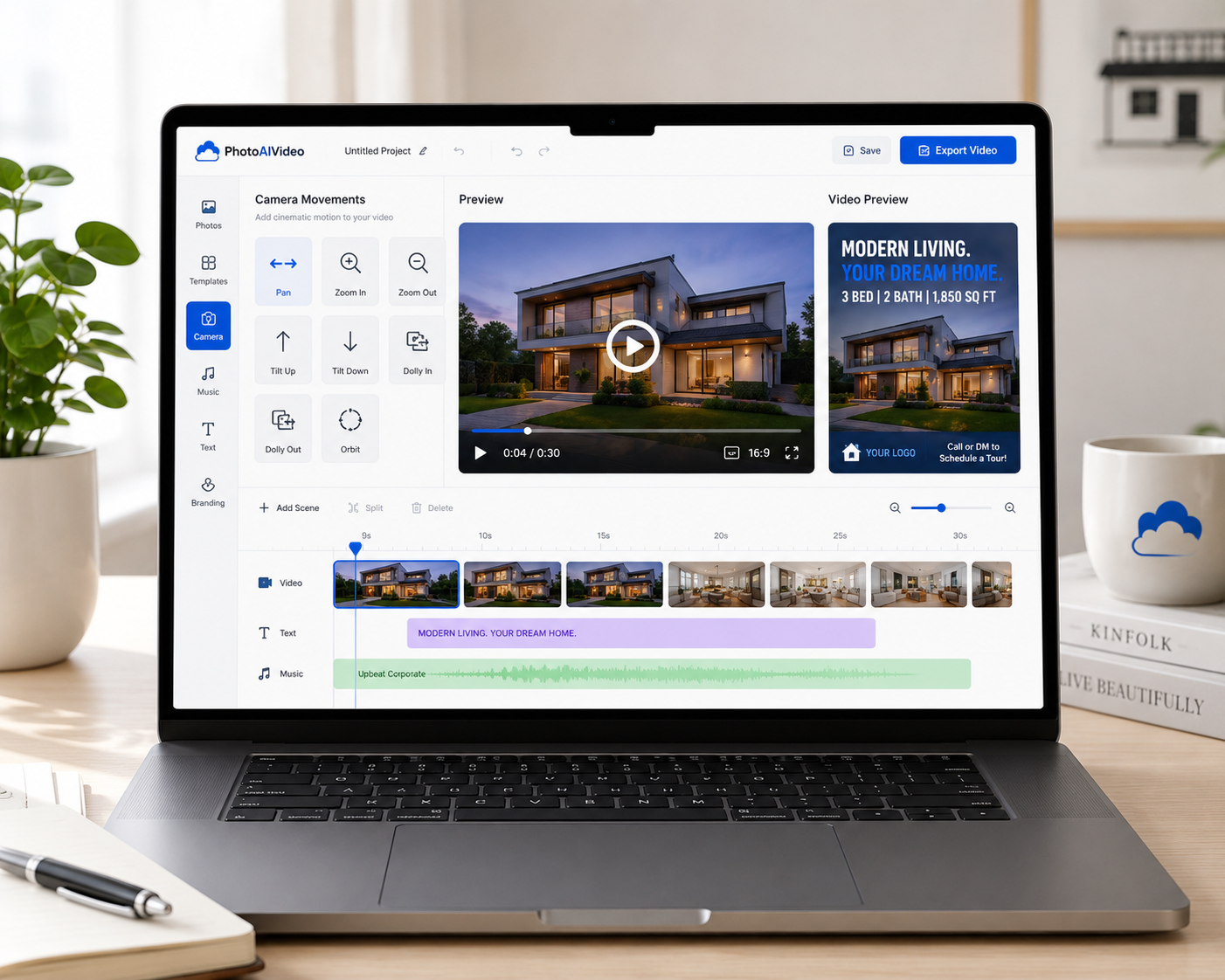
This is where a dedicated real estate video maker changes the math. PhotoAIVideo turns the listing photos you already have into a cinematic property video with camera movements such as pan, zoom, tilt, dolly, and orbit — no filming, editing software, or crew required. You can create a polished, branded video in about five minutes, making it easier to keep up with a full listing calendar instead of producing videos only for your "special" properties. Add-ons such as AI voiceover and an AI avatar clone can also help you narrate or personally introduce a listing without stepping in front of a camera every time.
PhotoAIVideo offers a free plan alongside paid options, so agents can test the workflow on a single listing before deciding whether to make it part of their regular marketing process. If you want to see what a finished video looks like before trying it yourself, the examples page showcases listing videos created with the platform.
Views alone don't generate business unless they lead viewers toward a meaningful next step. Every listing video should include an explicit, low-friction call to action — not simply "call me for a showing," but something specific that's easy to do from a phone.
Strong options include: "Link in bio to see the full walkthrough and floor plan," "DM me 'TOUR' to book a private showing," or "Visit [yourwebsite.com/listing] for pricing and availability." Include the CTA verbally or in on-screen captions near the end of the video, and repeat it in the written caption or description so viewers don't have to watch until the final second to know what to do next.
The goal is simple: give viewers one obvious next step instead of making them figure out what to do after watching. One clear ask is usually easier to understand and act on than several competing calls to action.
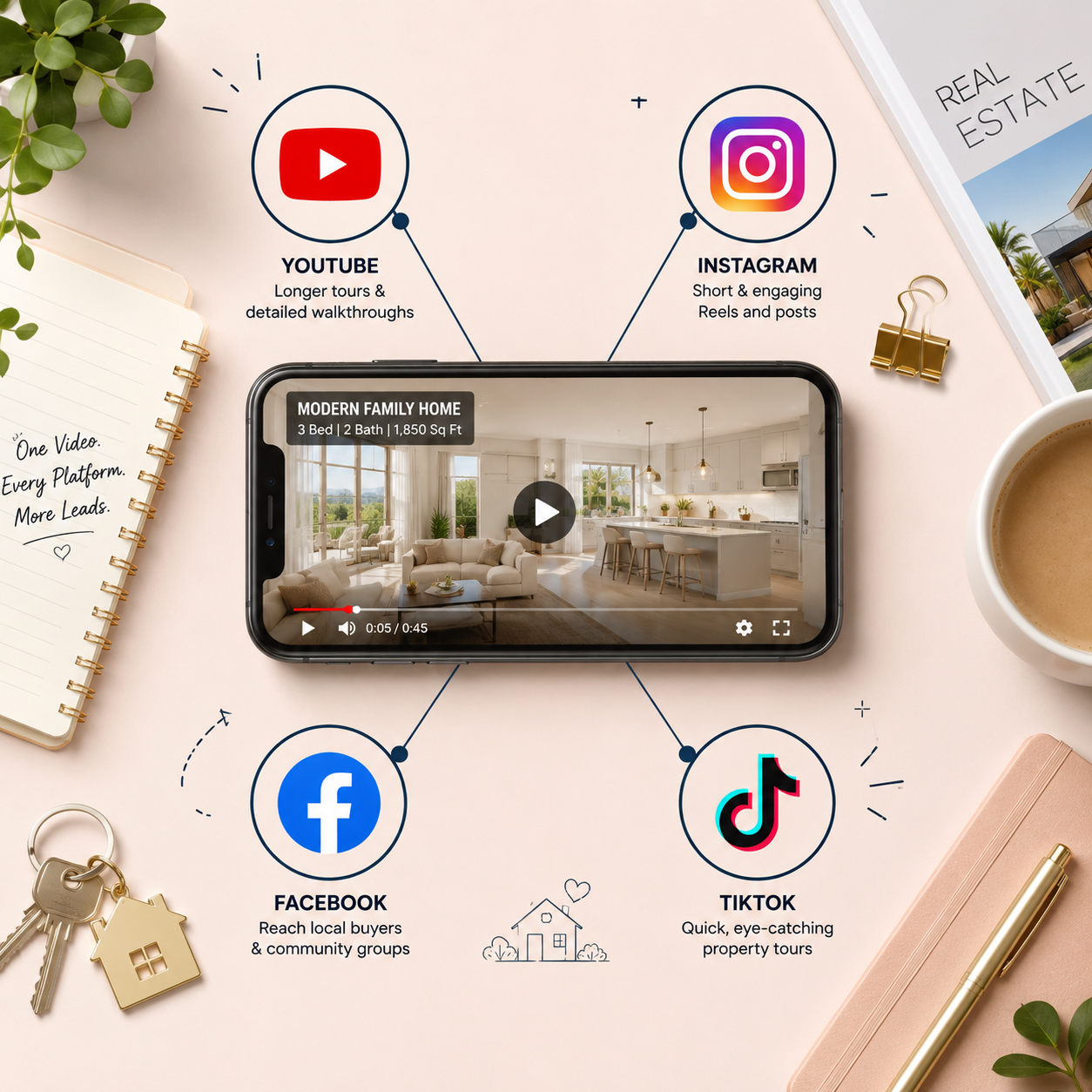
The same property video shouldn't live in only one place. Distribute it across multiple channels to get more value from the content you've already created.
Your MLS listing: Where allowed, include your property video so agents and buyers browsing the listing have another way to explore the home.
Your agent or team website: Ideally, embed the video directly on the property page rather than making visitors leave your site to watch it elsewhere.
YouTube: Use it as both a distribution channel and a searchable video library for your past listings and personal brand.
Instagram: Create short, hook-first Reels as well as slightly longer content when appropriate for your audience.
Facebook: Share videos on your page and, where permitted, in relevant local real estate, buy/sell, and community groups.
TikTok: This can be particularly useful for lifestyle-driven markets, unique properties, and "come see this house" formats designed for short-form viewing.
Today's home search increasingly begins online, which makes listing videos another opportunity to reach buyers while they're researching properties rather than waiting until they're ready to contact an agent.
You can't improve what you don't measure. At minimum, track view count, average watch time or retention percentage, and click-through or lead actions such as DMs, link clicks, and form submissions for each platform separately. A video that performs well on Instagram may perform differently on YouTube, and that information can help you adjust your strategy.
Watch for drop-off points using platform analytics. If many viewers leave at the same timestamp, that may indicate that the hook has faded or the pacing has slowed. Over several listings, patterns can begin to emerge — perhaps your walkthrough-style videos outperform static room-by-room cuts, or a certain thumbnail style consistently generates more clicks. Treat every listing video as a small test that helps inform the next one.
How long should a real estate listing video be?
It depends on the platform. Aim for roughly 15–30 seconds for TikTok and Reels, 30–60 seconds for Facebook and Instagram feed posts, and 60–120 seconds for a standard YouTube listing video. Your website or MLS listing can accommodate a longer, more complete walkthrough when appropriate.
Do I need professional camera equipment to make a good listing video?
No. Many listing videos can be created from existing photos using an AI-powered real estate video maker that adds camera movement, transitions, and branding automatically, without requiring filming or traditional editing software.
Should every listing video have a voiceover?
No. Voiceover can add personality and context, but it's optional. If you use one, add captions so viewers can still follow the video when watching without sound.
What's the single biggest mistake agents make with listing videos?
Treating the video itself as the finish line instead of guiding viewers toward the next step. Beautiful footage without a clear CTA — such as a link, DM prompt, or showing request — can attract attention without giving interested viewers an obvious way to become leads.
A listing video only earns its keep if people actually watch it, understand it without sound, and know what to do next. Nail the first three seconds, match the video's length to the platform, caption important information, and give every video one clear call to action. Then publish it wherever your buyers are already scrolling.
If production has been the bottleneck, a real estate video maker like PhotoAIVideo can simplify the process by turning your listing photos into a polished, branded video in about five minutes. That gives you more time to focus on your marketing strategy rather than spending hours editing each listing video.


Compact, ready to go anywhere
Interchangeable lens that’s upgradeable
Dual 1-inch sensors for improved clarity and low light performance
Dynamic range and 6K 360° capture
360° photo resolution at 21MP

8K 360° video recording for ultra-detailed visuals.
4K single-lens mode for traditional wide-angle shots.
Invisible selfie stick effect for drone-like perspectives.
2.5-inch touchscreen with Gorilla Glass protection.
Waterproof up to 33ft for underwater shooting.

360° photo resolution in 23MP
Slim design at 24 mm thick
Built-in image stabilization for smooth video capture.
Internal 19GB storage for photo and video storage.
Wireless connectivity for remote control and sharing.

60MP 360° still images for high-resolution photography.
5.7K 360° video recording at 30fps.
2.25-inch touchscreen for intuitive control.
USB Type-C port for fast charging and data transfer.
MicroSD card slot for expandable storage.
.png)

.png)

Try it free. No credit card required. Instant set-up.







.svg)


.svg)