


.png)


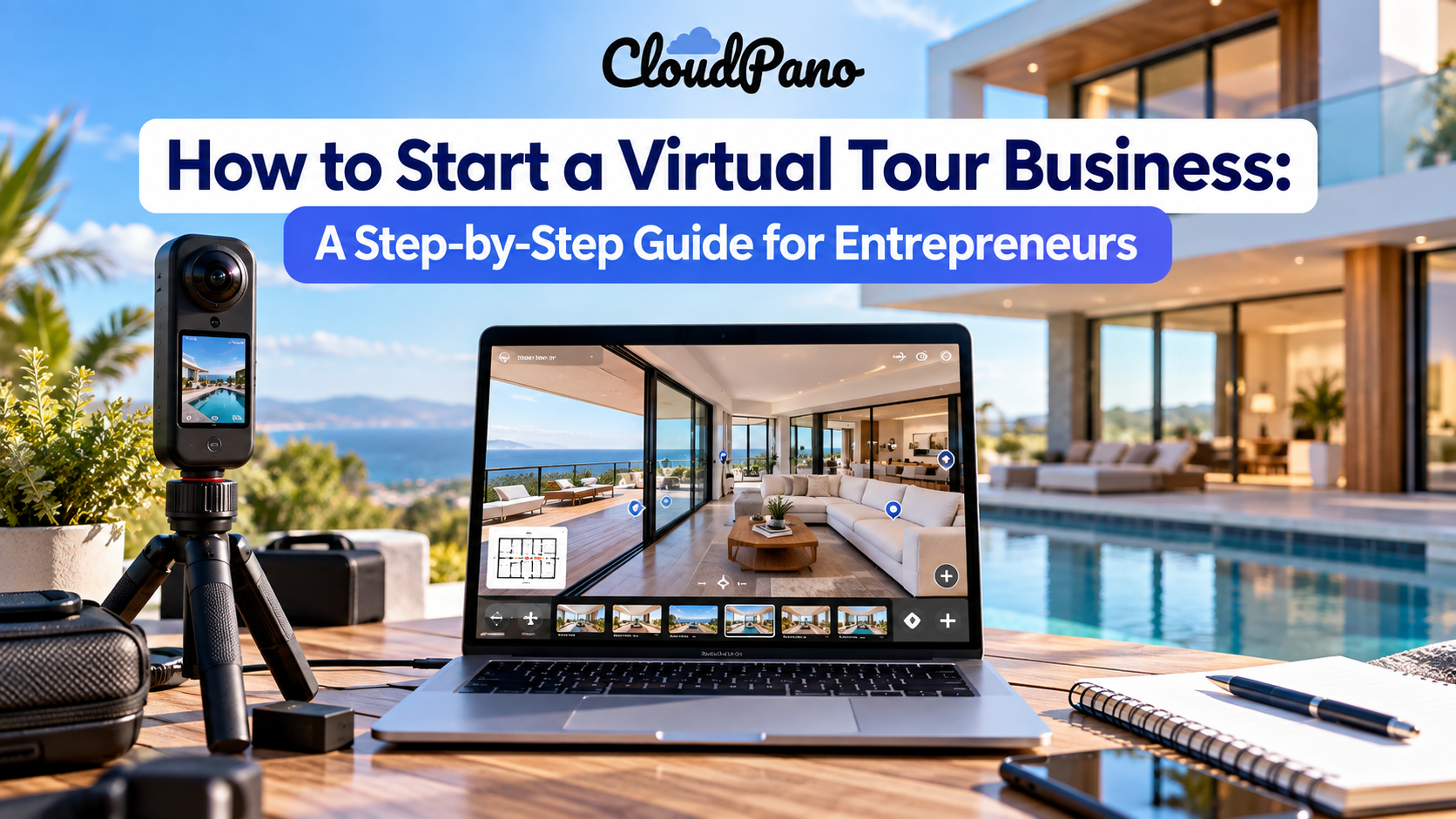
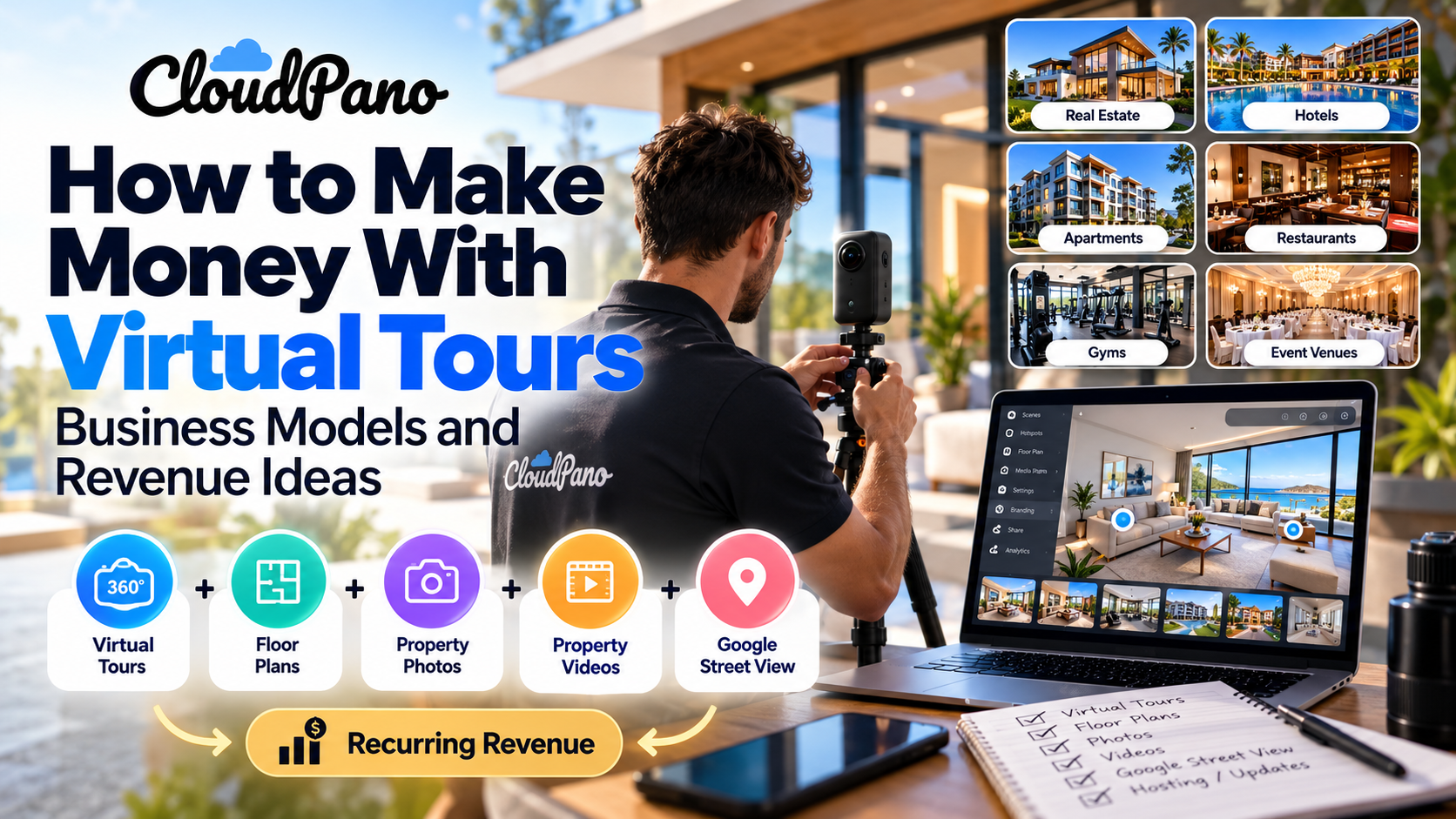
To start a virtual tour business, choose a target niche, research your local market, purchase a 360° camera and basic equipment, select virtual tour software, learn how to create professional tours, set your pricing, build a portfolio, and market your services to real estate professionals and local businesses. As the business grows, you can add services such as floor plans, property videos, Google Street View publishing, and ongoing tour hosting.
Starting a virtual tour business can be an accessible way for entrepreneurs to build a service-based company around real estate, hospitality, property marketing, and local businesses.
With a 360° camera, virtual tour software, and a clear strategy for finding clients, you can create immersive digital experiences that allow people to explore homes, businesses, hotels, apartments, venues, and other physical spaces online.
You also do not need to develop your own virtual tour technology. Modern platforms such as CloudPano allow entrepreneurs to create, publish, share, and manage interactive 360° virtual tours without building the underlying software themselves.
This guide explains how to start a virtual tour business step by step, including the equipment you need, how to choose virtual tour software, how to price your services, how to find clients, and how to turn individual projects into a scalable business.
To start a virtual tour business, choose a target market, research your local competition, purchase a 360° camera and basic equipment, select virtual tour software, learn how to create professional tours, establish your pricing, build a portfolio, and begin marketing your services to businesses that benefit from immersive visual content.
A simple virtual tour business workflow looks like this:
Choose a niche → Buy equipment → Select virtual tour software → Practice creating tours → Build service packages → Create a portfolio → Find clients → Deliver tours → Add recurring services → Scale
The business can start relatively small and expand as you acquire more clients.
A virtual tour business creates interactive digital experiences that allow people to explore physical locations online, typically through connected 360° panoramic images.
A virtual tour provider usually visits a property, captures panoramic images, uploads them to a virtual tour platform, connects individual scenes, and delivers an interactive tour that clients can share through websites, property listings, email, social media, or direct links.
Depending on your business model, you can also offer complementary services such as:
This means you do not have to position yourself simply as a photographer.
You can build a broader visual marketing business that helps companies transform physical spaces into digital experiences.
A virtual tour business can be attractive to entrepreneurs because the initial infrastructure is relatively straightforward compared with businesses that require significant inventory, commercial premises, or large teams.
Your primary expenses will generally include your camera equipment, software, transportation, website, marketing, insurance, and any required business licenses or permits.
After purchasing your equipment, the cost of producing each additional tour can be comparatively predictable.
However, profitability is not automatic.
It depends on factors including:
Before launching, it is worth calculating your expected expenses. The U.S. Small Business Administration's startup cost guidance recommends identifying expenses such as equipment, licenses and permits, insurance, advertising, market research, and website costs before starting a business.
Understanding those expenses will help you determine how much revenue your virtual tour business needs to generate.
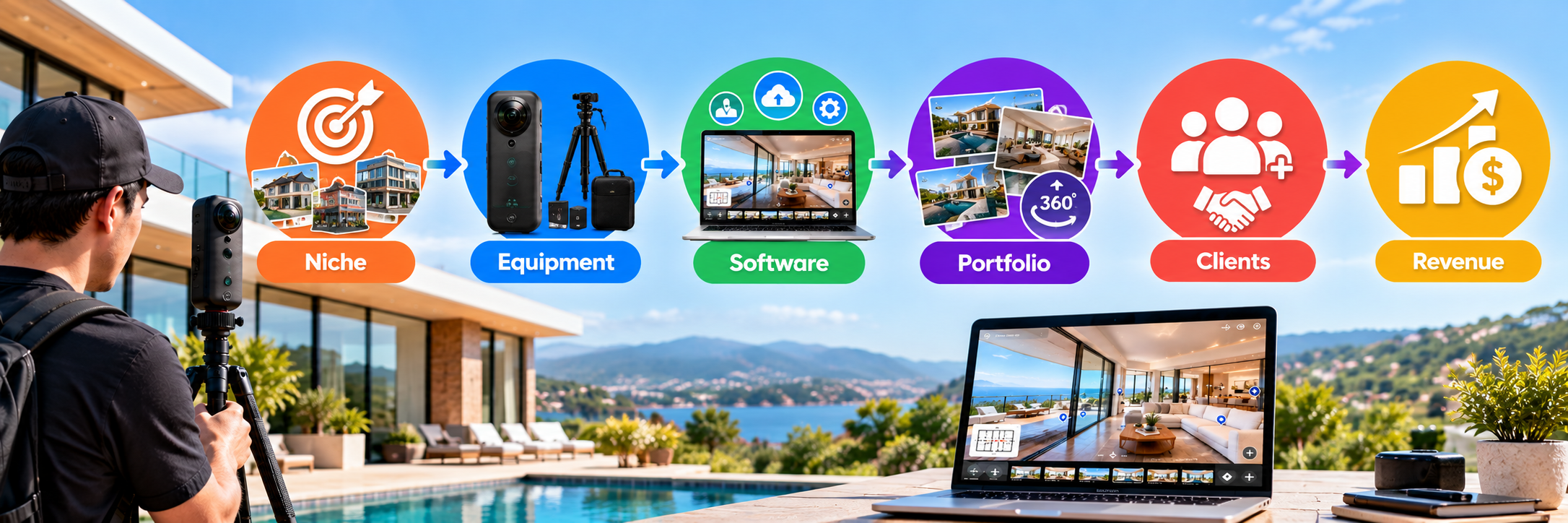
The process of starting a virtual tour business can be divided into ten practical steps.
Start by deciding which types of customers you want to serve.
Residential real estate is an obvious market, but virtual tours can be useful across many industries.
Potential customers include:
Choosing a niche can make your marketing more focused.
For example, instead of marketing yourself as a generic "360° photographer," you could position your company as a provider of virtual leasing experiences for apartment communities.
That tells potential customers exactly who you help and what you provide.
You can always expand into other industries after establishing your business.
Before purchasing expensive equipment or deciding how much to charge, research the businesses already offering similar services in your target market.
The U.S. Small Business Administration recommends market research and competitive analysis when evaluating a business opportunity because market research can help identify customers while competitive analysis can reveal opportunities to differentiate your company.
Search for terms such as:
Look at competitors' websites and evaluate their target markets, service packages, portfolios, turnaround times, and pricing when publicly available.
Then look for gaps.
Perhaps most local competitors focus on residential properties, while few target hotels, restaurants, senior living communities, or commercial properties.
That gap could become your opportunity.
You do not need an enormous collection of photography equipment to begin creating virtual tours.
A basic setup typically includes:
Your 360° camera captures panoramic images that allow viewers to look around a location in every direction.
When choosing a camera, consider:
A stable support system helps maintain consistent camera placement and reduces unwanted movement.
A narrow monopod can also minimize how much equipment appears at the bottom of a 360° image.
Many 360° cameras use a companion mobile application for remote shooting, exposure control, image previews, and file management.
Keep backups of original images and completed client projects using cloud storage, external drives, or both.
You can add professional cameras, drones, lighting equipment, microphones, and video equipment later if you expand into additional services.
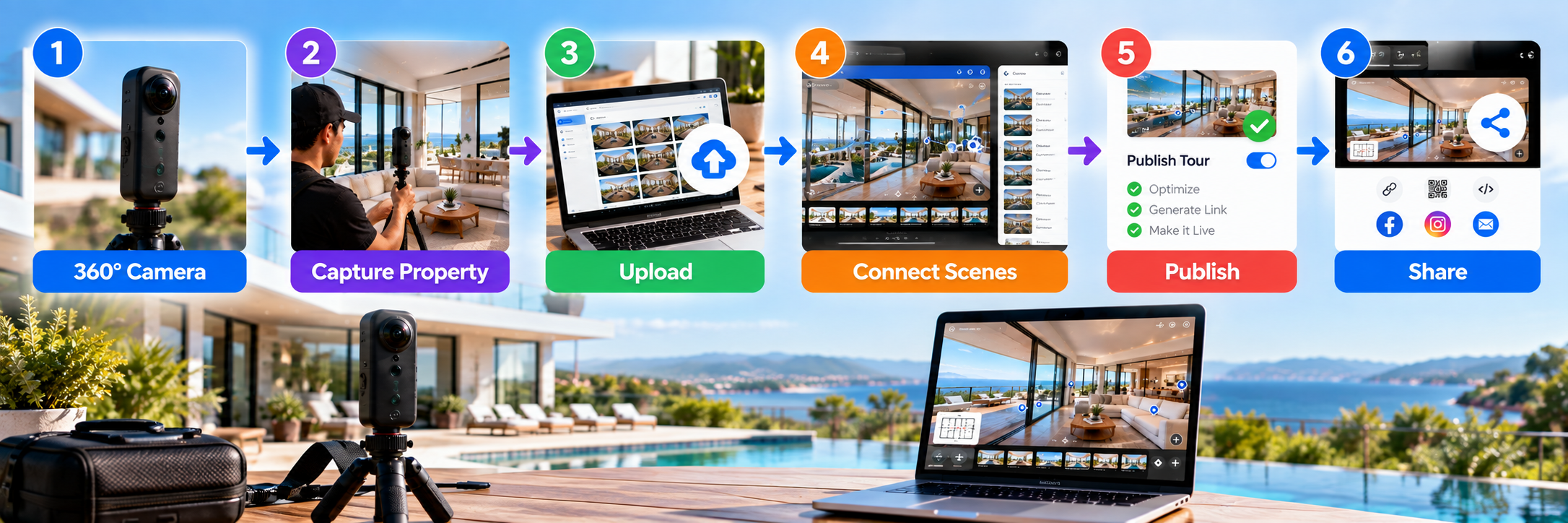
Your camera captures the property, but your virtual tour software transforms those images into an interactive experience.
A virtual tour platform should allow you to upload panoramic images and connect scenes using navigation hotspots.
Depending on the platform, additional features may include:
For entrepreneurs, workflow efficiency matters.
Every extra hour spent manually assembling a tour affects the profitability of the project.
CloudPano's virtual tour software allows creators, photographers, real estate professionals, and entrepreneurs to build interactive 360° tours without developing a virtual tour platform from scratch.
When evaluating software, consider not only what you need for your first project but what you may need when managing dozens or hundreds of client tours.
Owning a 360° camera does not automatically produce a professional virtual tour.
You need a repeatable capture and production process.
Before photographing a property, make sure the location is clean, properly staged, and adequately lit.
Position your camera consistently throughout the space and choose shooting locations that make the layout easy to understand.
Pay particular attention to:
After capturing the property, upload your images and arrange them logically.
For example:
Exterior → Entrance → Lobby → Living Area → Kitchen → Hallway → Bedrooms
Connect scenes using navigation hotspots so users can intuitively move through the space.
If you also provide Street View services, follow Google's official recommendations for capturing 360° content. Google's 360° Street View capture guidance includes recommendations covering camera positioning, lighting, image quality, GPS data, and capture techniques.
Before sending a tour to your client, test it on both desktop and mobile.
Standardized packages can make your service easier to understand and purchase.
Instead of creating an entirely new quote for every inquiry, establish a few core options.
For example:
Include 360° property photography, interactive tour creation, standard branding, hosting, and a shareable tour link.
Include a 360° virtual tour, property photography, custom branding, floor plan, and social-media-ready assets.
Include 360° photography, interactive tour creation, website embedding assistance, branded content, and Google Street View services where appropriate.
You can then offer additional services such as:
This approach gives customers flexibility without making your pricing unnecessarily complicated.
There is no universal price for virtual tour services.
Rates vary based on your location, target market, property size, number of scenes, project complexity, turnaround time, and additional services.
Common pricing models include:
Flat-rate pricing: Charge one price for properties within a defined size or scope.
Square-footage pricing: Increase the price as property size increases.
Per-scene pricing: Charge according to the number of 360° panoramas required.
Package pricing: Bundle virtual tours with photography, video, floor plans, or other marketing assets.
Whatever model you choose, calculate the entire cost of completing the project.
Think about:
Travel + setup + shooting + processing + tour creation + revisions + hosting + software + business overhead + profit
Do not calculate your rate based only on how long you spend physically photographing the property.
A one-hour shoot could involve several additional hours of travel, uploading, processing, tour creation, testing, revisions, and client communication.
You can also use the SBA's break-even point calculator to estimate how many projects you would need to sell at a particular price to cover fixed and variable costs.
Before aggressively selling your service, create examples of your work.
Potential customers want to see what they will receive.
You could photograph:
Always obtain permission before photographing or publishing someone else's property.
Try to demonstrate different environments.
For example, a portfolio containing a residential property, restaurant, office, and commercial location shows potential clients that you can handle different spaces.
Create a website that clearly explains:
Visitors should be able to understand your business within seconds.
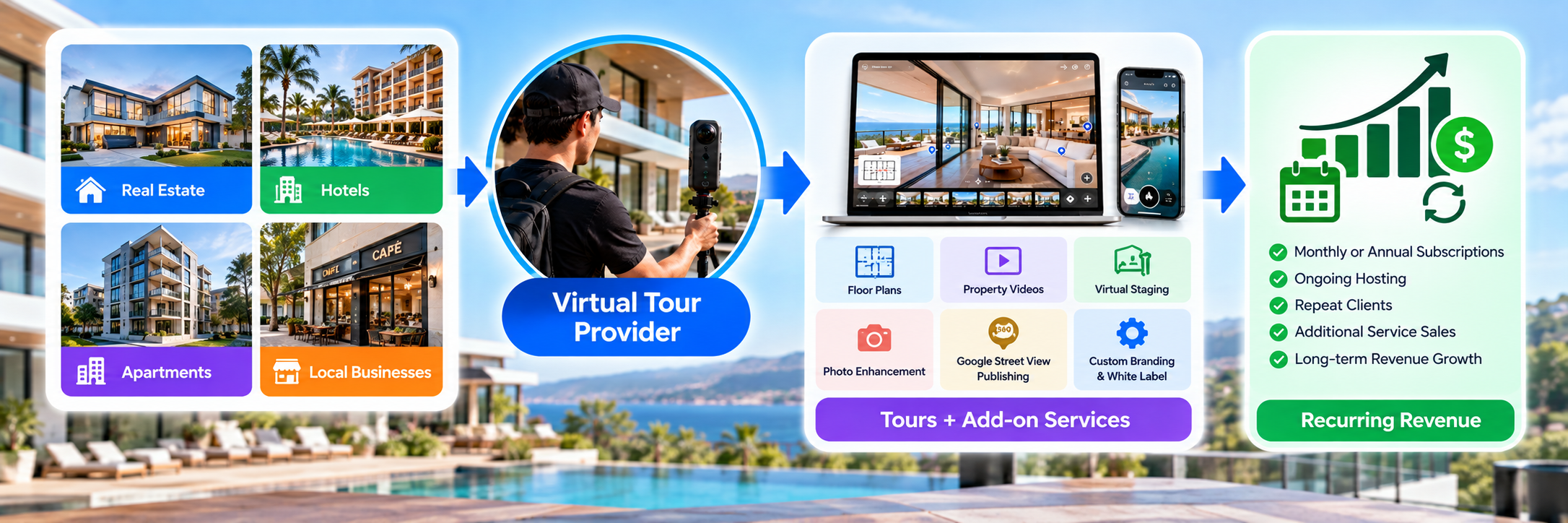
Once you have a portfolio, begin actively finding customers.
Look at active property listings in your area and identify agents and brokerages that regularly market properties.
Instead of sending a generic sales email, personalize your outreach.
Explain how an interactive virtual tour could complement their existing listing photography and give prospective buyers another way to explore a property remotely.
Hotels, restaurants, wedding venues, gyms, coworking spaces, senior living communities, retail stores, and other location-based businesses can also benefit from immersive experiences.
Focus your pitch on the customer's business objective rather than the technology.
A hotel cares about helping guests understand its rooms and amenities.
A wedding venue wants couples to visualize the space.
A senior living community may want families to explore facilities remotely.
Sell the outcome—not just the 360° camera.
Other service providers may already work with your ideal customers.
Potential partners include:
For example, a real estate photographer who does not offer 360° tours could refer those projects to you instead of turning customers away.
Create pages targeting relevant searches in your service area.
Examples include:
360° Virtual Tour Photographer in [City]
Real Estate Virtual Tour Services in [City]
Google Street View Services in [City]
You can also establish and optimize a Google Business Profile so local customers can discover your company through Google Search and Maps.
Individual shoots can generate revenue, but repeat customers can make your business more predictable.
Instead of focusing exclusively on individual properties, identify clients that continuously need visual content.
A real estate agent may list several properties each month.
An apartment management company may operate multiple communities.
A hotel group may periodically renovate rooms.
A commercial real estate company may continually acquire or list properties.
Possible recurring services include:
This can gradually transform your business from individual shoots into longer-term client relationships.
You do not necessarily need years of professional photography experience.
However, you should develop skills in:
Technical skill is only one part of the business.
Being reliable, communicating clearly, arriving on time, delivering when promised, and making the process easy for clients can be equally important.
There is no single startup cost because equipment, software, registration, insurance, transportation, and marketing costs vary considerably by location and business model.
Your startup budget may include:
The SBA recommends separating startup expenses into one-time and recurring costs so entrepreneurs have a clearer picture of how much capital they need before launching.
If you already own a suitable computer and smartphone, you may be able to start with a relatively lean setup and upgrade equipment as revenue grows.
Competing exclusively on price can make it difficult to build a sustainable service business.
Instead, differentiate through specialization, speed, customer experience, or additional services.
For example:
Fast turnaround: Establish a clear delivery timeframe.
Industry specialization: Focus on hotels, apartment communities, senior living, commercial real estate, or another niche.
Complete property marketing: Bundle virtual tours with photography, video, floor plans, or other content.
White-label production: Create tours that agencies or photographers can deliver under their own branding.
Google Street View services: Help businesses create and publish compatible 360° imagery while following Google's requirements and content policies.
Google maintains specific guidelines for 360° imagery published to Maps, including recommendations related to image resolution, scene connections, positioning, and visual quality.
Yes. You can learn virtual tour production without already being a professional photographer.
Modern 360° cameras automate many technical aspects of panoramic capture, while virtual tour platforms simplify the process of connecting scenes and publishing interactive tours.
However, you should practice before charging clients.
Create several complete projects from capture to delivery.
Practice:
Camera positioning → Shooting → Image processing → Uploading → Hotspot creation → Branding → Testing → Delivery
Once the process becomes repeatable, you can begin working with paying customers more confidently.
Scaling becomes easier when your workflow is standardized.
Document every stage:
Client inquiry → Quote → Scheduling → Property preparation → Photoshoot → Upload → Tour creation → Quality assurance → Delivery → Follow-up
As demand increases, parts of this workflow can be delegated.
For example, you might eventually work with photographers in multiple locations while keeping editing, tour creation, quality control, and customer management centralized.
You can also expand into related services such as:
Instead of selling only a virtual tour, your business can evolve into a broader visual-marketing service.
Starting a virtual tour business does not require developing your own 360° technology or launching with a large team.
Start with one target market.
Research your customers and competition. Choose the right equipment. Learn how to produce professional 360° tours. Build several portfolio examples and create simple service packages.
Then begin reaching out to businesses that benefit from allowing customers to explore their spaces online.
As your client base grows, add complementary services and focus on recurring relationships.
The opportunity goes beyond selling panoramic photography. You are helping businesses turn physical spaces into digital experiences that customers can explore from anywhere.
If you're ready to begin creating tours, explore CloudPano's virtual tour software for entrepreneurs to see how you can create, publish, and manage interactive 360° experiences for your clients.
Start by choosing a niche, researching your market, purchasing a 360° camera and tripod, selecting virtual tour software, practicing tour creation, building a portfolio, setting your prices, and marketing your services to real estate professionals and local businesses.
Startup costs vary depending on your camera, software, business registration, insurance, transportation, and marketing expenses. Entrepreneurs who already own a computer and smartphone may be able to start with a relatively lean setup centered around a 360° camera, tripod, and virtual tour software.
No. Professional photography experience can help, but it is not required. You should learn basic lighting, composition, camera placement, 360° photography, and virtual tour creation before offering paid services.
Virtual tours can be useful for real estate agencies, apartment communities, hotels, resorts, senior living facilities, restaurants, wedding venues, retail stores, schools, gyms, vacation rentals, commercial properties, and other businesses where customers benefit from seeing a physical location remotely.
Virtual tour businesses can charge for 360° photography and tour creation while generating additional revenue through photography, floor plans, property videos, virtual staging, drone photography, Google Street View services, hosting, and recurring multi-property contracts.


Compact, ready to go anywhere
Interchangeable lens that’s upgradeable
Dual 1-inch sensors for improved clarity and low light performance
Dynamic range and 6K 360° capture
360° photo resolution at 21MP

8K 360° video recording for ultra-detailed visuals.
4K single-lens mode for traditional wide-angle shots.
Invisible selfie stick effect for drone-like perspectives.
2.5-inch touchscreen with Gorilla Glass protection.
Waterproof up to 33ft for underwater shooting.

360° photo resolution in 23MP
Slim design at 24 mm thick
Built-in image stabilization for smooth video capture.
Internal 19GB storage for photo and video storage.
Wireless connectivity for remote control and sharing.

60MP 360° still images for high-resolution photography.
5.7K 360° video recording at 30fps.
2.25-inch touchscreen for intuitive control.
USB Type-C port for fast charging and data transfer.
MicroSD card slot for expandable storage.
.png)

.png)

Try it free. No credit card required. Instant set-up.




.svg)


.svg)