How Google Street View Virtual Tour Software Improves Local SEO

Cloudpano
January 12, 2026
5 min read
Share this post

How Google Street View Virtual Tour Software Improves Local SEO 🗺️📍

If you run a local business (or market one), you already know the truth:

If you don’t show up on Google, you don’t exist.

When people search things like:

  • “dentist near me”
  • “best gym nearby”
  • “coffee shop open now”
  • “auto repair in [city]”

Google instantly shows local listings—and customers pick from the top results quickly.

But ranking on Google isn’t just about keywords anymore.

It’s about trust, engagement, and conversion.

That’s where Google Street View virtual tour software becomes a powerful local marketing tool.

In this guide, we’ll break down exactly how Google Street View virtual tour software improves local SEO, how it affects engagement and visibility, and how to use virtual tours for local SEO in a way that drives real results.

What Is Google Street View Virtual Tour Software? 🧠

Google Street View virtual tour software is a platform that helps you create and publish interactive 360° tours that appear in Google’s ecosystem—especially inside:

  • Google Maps
  • Google Search
  • Google Business Profiles

The software usually helps with:

  • uploading 360° images
  • connecting scenes into a walkthrough
  • optimizing the tour (privacy, quality, edits)
  • publishing it to Google

Once published, customers can click your listing and explore your location as if they’re standing inside it.

And that interactive experience is exactly what influences Google Street View local SEO.

Why Local SEO Is About More Than Ranking 🔍

Most businesses think local SEO is only about:

  • keywords
  • citations
  • backlinks
  • reviews

Those things matter.

But Google also evaluates what happens after someone sees your listing.

Example:
Google shows 3 local businesses.

Then Google watches:

  • Which listing gets clicked?
  • Which listing gets phone calls?
  • Which listing gets directions requests?
  • Which listing gets engagement?

This is why local SEO with virtual tours works so well.

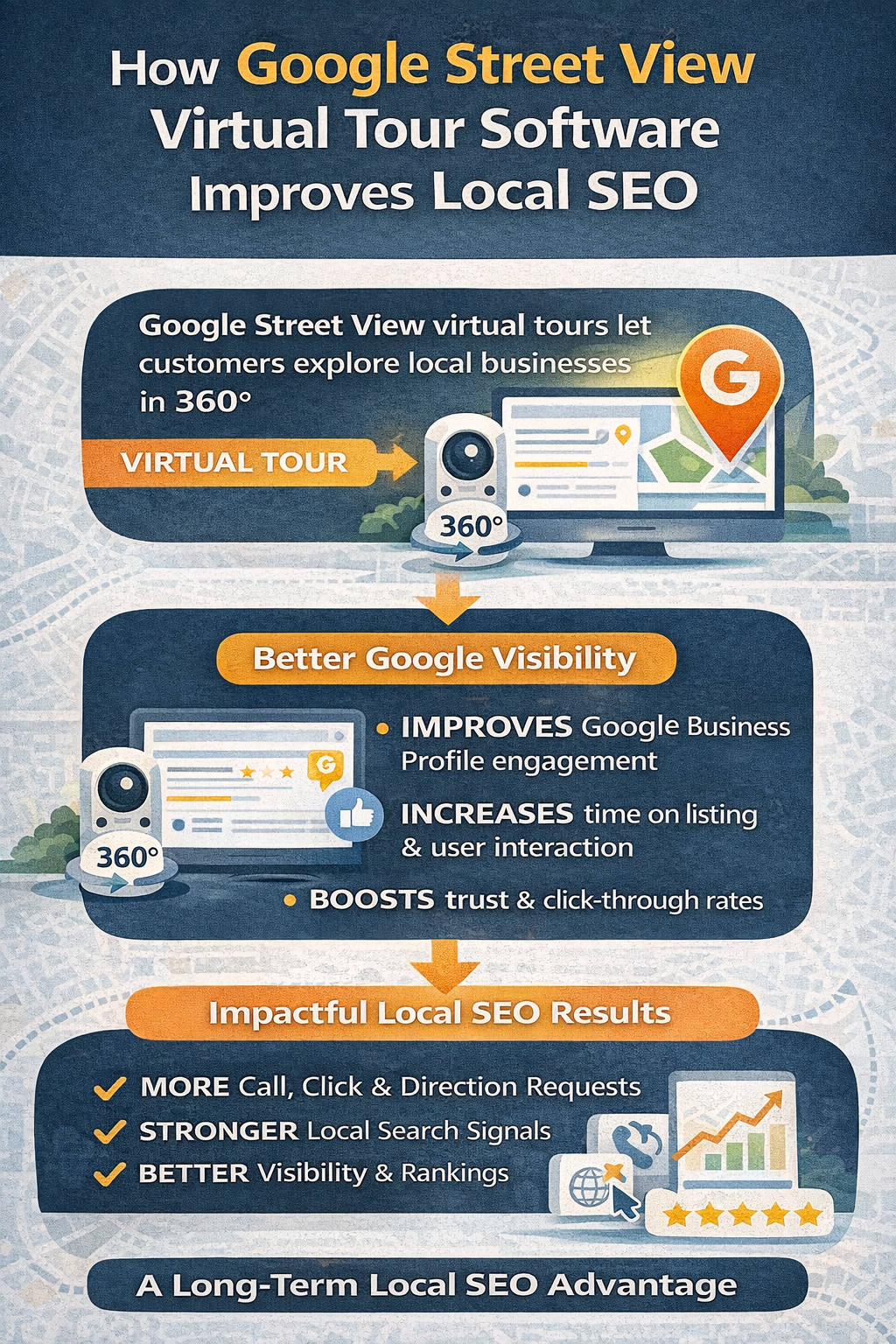
A Street View tour increases engagement and trust—and that leads to better actions.
The #1 Reason Virtual Tours Help Local SEO: Engagement 📈

One of the strongest signals in local search is engagement.

A virtual tour creates more engagement because it makes your listing interactive.

People spend more time on your listing

Instead of scrolling past photos, users:

  • click into the tour
  • move through rooms
  • explore different angles

That increases “dwell time,” which is a strong indicator of interest.

People interact more

They are more likely to:

  • visit your website
  • call you
  • request directions
  • message you

This is a major reason virtual tours for local SEO create measurable impact over time.

Google Street View Business Visibility: Standing Out in the Local Pack 🌟

The local pack is crowded.

Most listings look similar at first glance.

Same star ratings.
Same photo style.
Same short descriptions.

A Street View tour changes that.

It makes your business feel:
✅ more professional
✅ more established
✅ more trustworthy
✅ more “real”

That increases the chance someone clicks you first.

That click advantage improves Google Street View business visibility, even if competitors are nearby.

How Google Street View Local SEO Really Works (Simple Explanation) 🧩

Let’s simplify how this plays out.

Step 1: Someone searches locally

Example:
“best dentist near me”

Step 2: Google shows results

Local pack: 3 businesses

Step 3: User compares

They look at:

  • reviews
  • photos
  • hours
  • vibe

Step 4: Tour wins attention

Your listing has a tour.

User clicks into it.

Step 5: User takes action

Because they feel confident, they call or visit.

Step 6: Positive engagement compounds

Over time:

  • more customers
  • more reviews
  • more branded searches
  • better listing performance

This is why local SEO with virtual tours is a strategy that builds momentum.

Virtual Tours Improve Trust (Which Improves Rankings Indirectly) 🤝

Google wants to recommend businesses that are credible.

A virtual tour builds credibility because it shows:

  • your real location
  • your cleanliness
  • your professionalism
  • your customer experience environment

For customers, this reduces uncertainty.

For Google, this increases engagement.

And when engagement rises, visibility improves.

So yes, Google Street View virtual tour software improves local SEO largely because it improves trust, and trust changes user behavior.

Why Virtual Tours for Local SEO Work Especially Well on Mobile 📱

Most local searches happen on phones.

That’s where Street View tours shine.

A mobile user can:

  • tap into your tour instantly
  • explore within seconds
  • decide quickly

This makes your listing more powerful in high-intent moments.

This also boosts:

  • click-through rate
  • conversion rate

Both are strong signals that influence long-term Google Street View business visibility.

Local SEO With Virtual Tours: What Businesses Benefit Most? 🏆

Any business with a physical location benefits, but virtual tours are especially powerful for places where environment matters.

Best categories:

  • restaurants and cafés 🍽️
  • gyms and studios 💪
  • salons and barbershops 💇
  • dental and medical clinics 🦷
  • hotels and rentals 🏨
  • daycare and learning centers 👶
  • retail stores and boutiques 🛍️
  • event venues 🎉
  • apartment leasing 🏘️
  • auto dealerships and showrooms 🚗

If customers ask “what’s it like inside?” your business is a perfect fit.

Virtual Tours Help You Get More Reviews (A Huge Local SEO Factor) ⭐

Reviews are one of the biggest local SEO drivers.

Virtual tours help indirectly because:

✅ people feel more confident
✅ more customers choose you
✅ more visits happen
✅ more customers leave reviews

That creates a powerful cycle.

The cycle looks like:

Street View tour → more customers → more reviews → better ranking → more customers

That’s one of the biggest reasons virtual tours for local SEO are a compounding asset.

How to Maximize SEO Benefits From Google Street View Virtual Tour Software 🛠️

If you want your tour to improve SEO, quality matters.

Best practices:

✅ capture in bright lighting
✅ stage and clean the space
✅ include full customer journey scenes
✅ add enough scan points (not just 2–3)
✅ ensure smooth navigation flow
✅ publish correctly to the exact business location

Also: keep your tour updated if the business changes.

Updated space = accurate trust.

Common Mistakes That Reduce Local SEO Impact 🚫

A tour doesn’t help if it hurts trust.

Avoid these:

❌ Messy spaces

Clutter looks unprofessional.

❌ Dark lighting

Dark scenes reduce confidence.

❌ Too few scan points

Feels incomplete.

❌ Low-quality blur or stitching errors

Tour feels cheap or rushed.

❌ Tour doesn’t match the actual business name/location

Publishing must match the correct Google listing.

A high-quality tour becomes a marketing advantage.
A low-quality tour becomes a liability.

Google Street View Business Visibility Beyond Google Maps 📣

Street View tours aren’t just for Maps.

They become shareable marketing assets.

You can use your tour for:

  • website embeds
  • email follow-ups
  • lead nurturing
  • ads
  • QR codes inside your business
  • social media highlights

This helps drive more traffic back to your Google Business Profile, increasing engagement and strengthening the listing.

That’s how local SEO with virtual tours becomes an integrated strategy, not just a one-time upload.

How to Use Virtual Tours for Local SEO on Your Website 🌐

Your website and your Google listing support each other.

To boost relevance and conversions:

✅ Embed your tour on key pages:

  • homepage
  • contact page
  • location pages
  • service pages

✅ Add local context:

  • “Visit our office in [City]”
  • “Explore our [Neighborhood] location”

This reinforces local intent and trust.

Do Virtual Tours Directly Increase Rankings? 🤔

Sometimes businesses ask:

“Will adding a Street View tour automatically push me to #1?”

Here’s the honest answer:

Not instantly.

But what tours do is boost:
✅ engagement
✅ conversions
✅ trust
✅ review momentum
✅ brand authority

Those factors influence performance over time.

So while it’s not a magic trick…
It’s a strategic advantage.

That’s why Google Street View virtual tour software is a long-term SEO asset.

Don’t Miss These Articles:

Why This Strategy Is Evergreen 🌱

Trends come and go.

But local search behavior stays consistent:

People want to:

  • find the best option nearby
  • feel confident
  • avoid wasting time

Virtual tours serve that exact need.

That’s why Google Street View local SEO and local SEO with virtual tours will remain effective long-term.

Final Thoughts: Virtual Tours Are an SEO + Conversion Upgrade 🚀

Local SEO isn’t just about being seen.

It’s about being chosen.

Google Street View virtual tour software improves local SEO because it improves what matters most in local search:

✅ engagement
✅ trust
✅ conversions
✅ reviews
✅ visibility

When customers explore your business in a 360° tour, they feel confident enough to take action.

And when more people take action, Google rewards your business with stronger long-term performance.

That’s the power of:

  • virtual tours for local SEO
  • local SEO with virtual tours
  • stronger Google Street View business visibility

🚀 Your All-In-One Virtual Experience Stack Starts Here

Share this post
Cloudpano

Choose The Right 360° Camera

Insta360 ONE RS 1-Inch 360 Edition

  • Compact, ready to go anywhere

  • Interchangeable lens that’s upgradeable

  • Dual 1-inch sensors for improved clarity and low light performance

  • Dynamic range and 6K 360° capture

  • 360° photo resolution at 21MP

Learn More

Insta360 X4

  • 8K 360° video recording for ultra-detailed visuals.

  • 4K single-lens mode for traditional wide-angle shots.

  • Invisible selfie stick effect for drone-like perspectives.

  • 2.5-inch touchscreen with Gorilla Glass protection.

  • Waterproof up to 33ft for underwater shooting.

Learn More

Ricoh Theta Z1

  • 360° photo resolution in 23MP

  • Slim design at 24 mm thick

  • Built-in image stabilization for smooth video capture.

  • Internal 19GB storage for photo and video storage.

  • Wireless connectivity for remote control and sharing.

Learn More

Ricoh Theta X

  • 60MP 360° still images for high-resolution photography.

  • 5.7K 360° video recording at 30fps.

  • 2.25-inch touchscreen for intuitive control.

  • USB Type-C port for fast charging and data transfer.

  • MicroSD card slot for expandable storage.

Learn More
Property Marketing
Allows potential buyers to explore properties in detail from anywhere, enhancing the real estate marketing process.
Automotive Spins
Create an interactive virtual showroom and engage affluent digital buyers with live 360º video calls, all through the CloudPano mobile app for a complete automotive sales solution.
Interactive Floor Plans
Create 2D and 3D floor plans with measurements in 4 minutes or less, all from your phone. Download the Floor Plan Scanner app and get your first scan free.

360 Virtual Tours With CloudPano.com. Get Started Today.

Try it free. No credit card required. Instant set-up.

Try it free
Latest posts

See our other posts

Interviews, tips, guides, industry best practices, and news.

AI Avatar Compliance and Best Practices for Real Estate Marketing

This article explores how real estate professionals can responsibly use AI avatars in property marketing while maintaining transparency and trust. It explains the importance of AI real estate compliance, including how agents should implement proper disclosure for AI videos and follow ethical AI marketing practices when using AI-generated presenters in listing videos. The guide walks through how AI avatars are created, how they can automate listing presentations, and how agents can integrate them into their marketing workflow without misleading buyers or violating advertising standards. By following clear best practices—such as accurate scripts, transparent disclosures, and consistent review of generated content—real estate teams can scale video marketing while protecting their reputation and building long-term client trust.
Read post

Managing Multiple AI Clones Inside One Real Estate Team

This article explains how real estate teams can successfully manage AI avatars across multiple agents to scale their marketing and listing presentations. It walks through the process of creating AI avatar clones, organizing them into a structured team avatar management system, and integrating them into a streamlined real estate AI workflow. The guide demonstrates how listing descriptions can quickly be converted into scripts, allowing AI avatars to present properties automatically in listing videos. By combining automation with personalization, brokerages can maintain individual agent branding while producing high-quality marketing content faster than ever. The article also highlights how photographers and real estate media companies can resell AI avatar presentations as an additional service, creating new revenue streams while helping agents generate engaging listing videos without filming themselves.
Read post

Stock AI Avatars vs Custom Realtor Clones: Which Should You Use?

This article explores the key differences between stock AI avatars and custom realtor clones, helping brokerages decide which option fits their marketing strategy. It explains how AI-powered presenters allow agents to transform listing photos and scripts into engaging property videos without filming new content. The guide compares the benefits of stock avatars—such as speed and scalability—with the advantages of custom realtor clones that strengthen personal branding and client trust. Through a clear realtor avatar comparison, the article shows how brokerages can implement a balanced AI clone strategy that combines both approaches to scale real estate marketing efficiently. By leveraging AI avatars, agents and marketing teams can produce more listing videos, increase engagement, and streamline content creation across multiple properties.
Read post


