


.png)



Every dealership eventually runs into the same problem: producing consistent, high-quality vehicle spins at scale can be expensive and time-consuming.
A traditional turntable photo booth can require a significant investment, along with dedicated floor space, lighting equipment, and someone trained to capture every vehicle consistently. Skip the booth, and many dealerships rely on photographers or staff members walking around each vehicle to capture a series of images.
The result can vary depending on who captured the vehicle, the lighting conditions, the equipment used, and how steady the camera was.
Buyers notice those differences.
A choppy or inconsistent 360° vehicle spin on a vehicle detail page (VDP) can make an otherwise professional listing feel less polished. For dealerships managing hundreds or even thousands of vehicles, maintaining the same presentation across every listing becomes another operational challenge.
A 360 spin API offers a different approach.
Instead of building a dedicated studio or standardizing a complicated photography workflow across every location, dealership staff can capture a walk-around video and send it through an automated processing workflow.
The CloudPano Spin API documentation explains how the API works and how developers can integrate it into an existing inventory or dealership workflow.
For dealership managers, however, the important part is much simpler: a basic vehicle walk-around can be transformed into a polished 360° experience without requiring a traditional turntable setup.
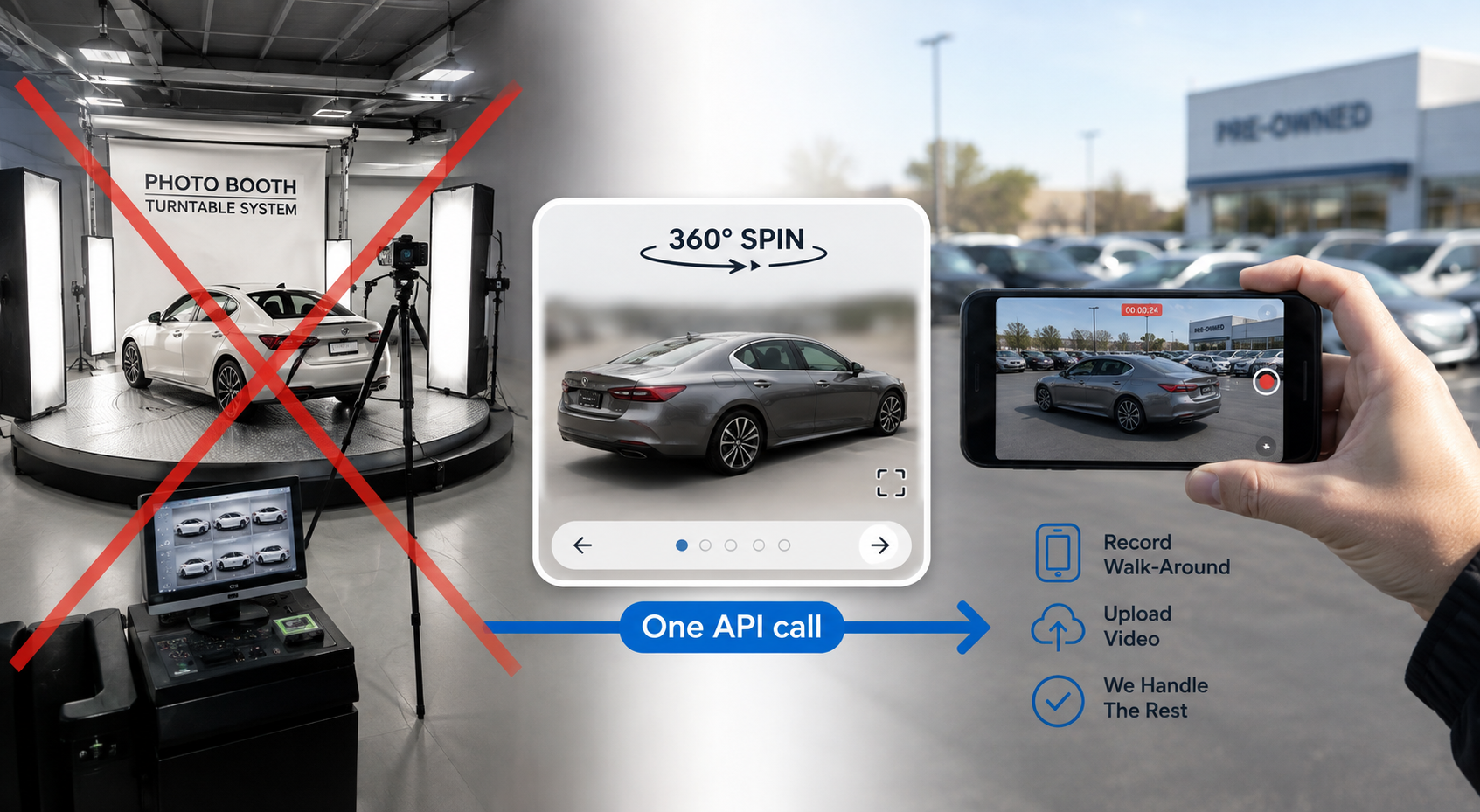
Strip away the technical language and a 360 spin API is designed to automate several parts of the vehicle-spin creation process that traditionally required specialized equipment or manual editing.
Someone walking around a vehicle with a phone is unlikely to keep the car perfectly centered throughout the entire recording.
Automated processing can help stabilize and center the vehicle so that the finished spin feels more consistent as the shopper rotates around it.
This means the person capturing the footage doesn't necessarily need the precision of an experienced automotive photographer.
Dealership lots aren't photography studios.
There may be other vehicles, signs, buildings, people, or equipment in the background. Background processing can help reduce those distractions and keep the shopper's attention on the vehicle itself.
The result is a cleaner presentation without requiring every dealership location to build a dedicated photography bay.
People don't naturally walk around a vehicle at exactly the same speed.
One section might be captured quickly while another takes longer. Camera movement can also vary throughout the recording.
Automated processing can help turn that uneven walk-around footage into a smoother, more consistent vehicle spin.
The goal is simple: take footage that's practical for dealership staff to capture and turn it into something polished enough to use in the online buying experience.
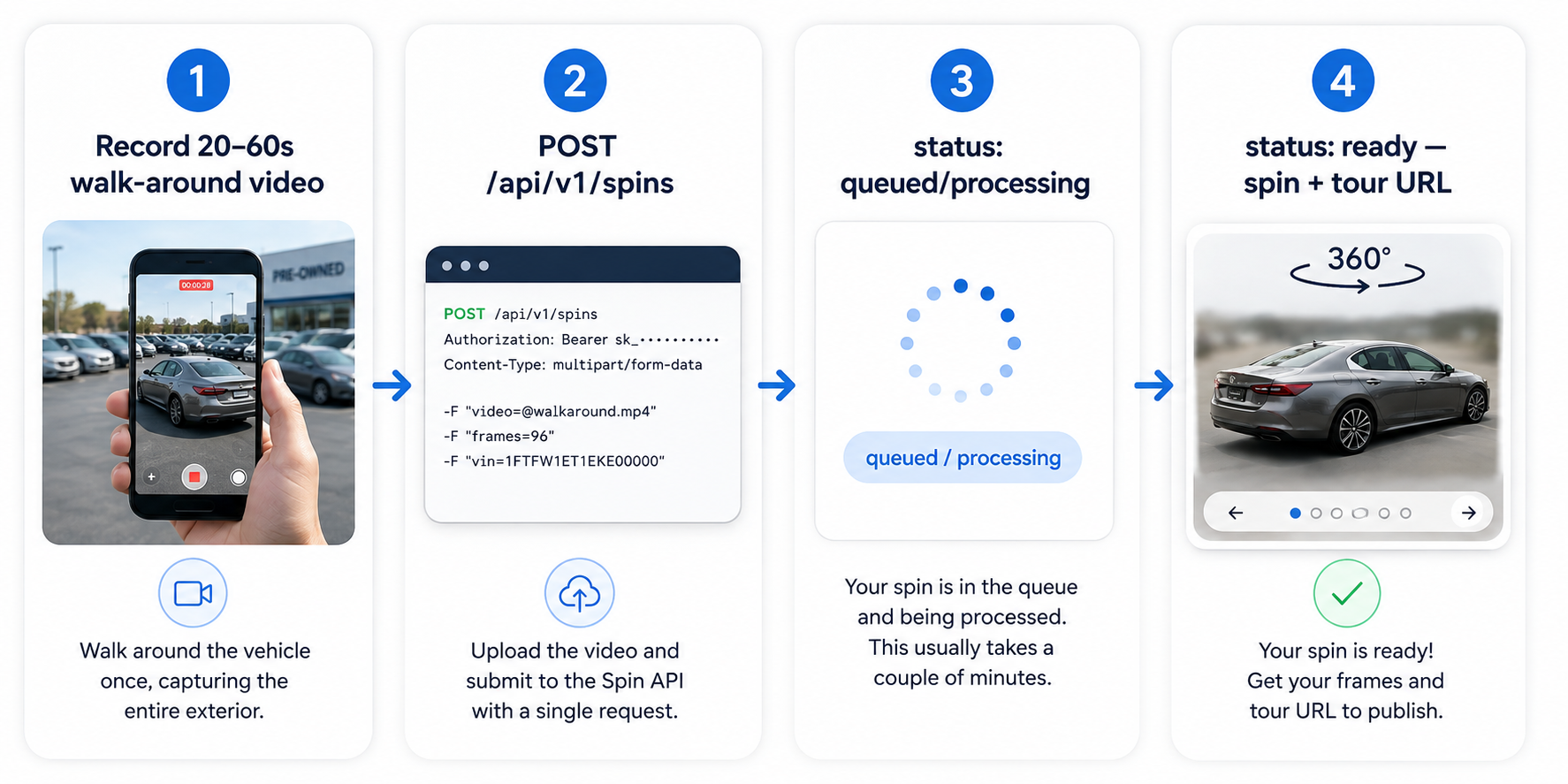
From a dealership's perspective, the workflow can be surprisingly straightforward.
First, someone records a complete walk-around video of the vehicle.
That video is then submitted through the Spin API, where it can be processed into a vehicle spin. Once processing is complete, the resulting assets can be connected to the dealership's inventory system, website, or vehicle detail page.
Developers can review the exact endpoints, request requirements, authentication process, and response structure in the Spin API documentation.
For dealership managers, the more important point is that the complicated processing happens behind the scenes.
Your staff captures the vehicle. The system handles the transformation.
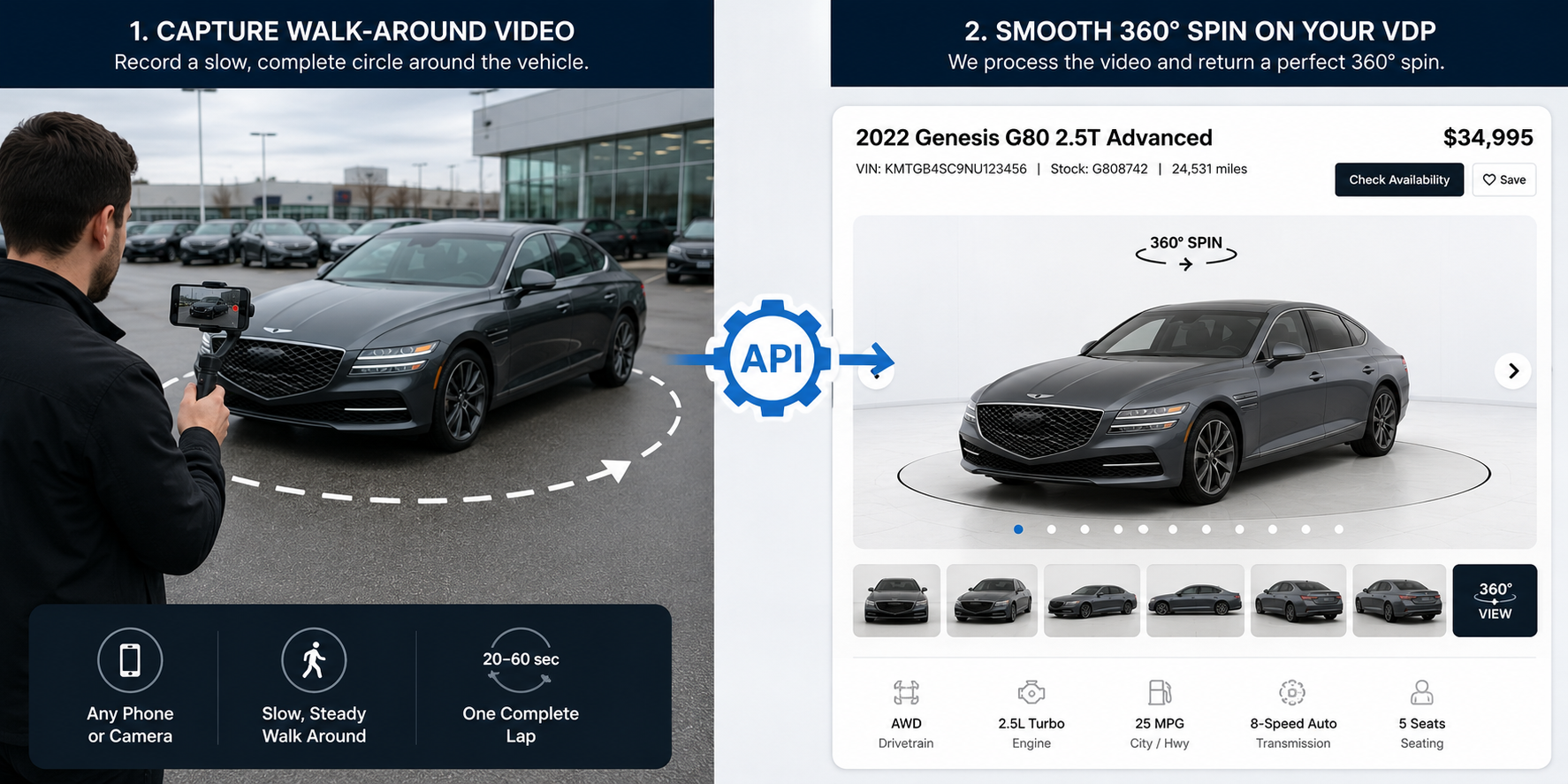
Once processing is complete, the integration can return the information and assets needed to use the finished vehicle spin.
Depending on the implementation, this can include processed vehicle imagery, information associated with the spin, and a hosted experience that can be connected to other dealership systems.
For dealership teams, there are three particularly useful parts of this workflow.
The finished spin can include the individual images used to create the interactive vehicle rotation.
These frames can then be used by the appropriate 360° viewer or dealership website integration.
A hosted version of the finished vehicle experience can make it easier to review the result, share it internally, or provide shoppers with a direct way to view the vehicle online.
Vehicle identifiers such as a VIN or stock number can help connect each processed spin back to the correct inventory record.
That's particularly important for larger dealerships and dealer groups, where manually matching hundreds of vehicle spins to listings would quickly become another operational bottleneck.
For developers who need a deeper understanding of the output and available fields, see our guide to reading the Spin API response.
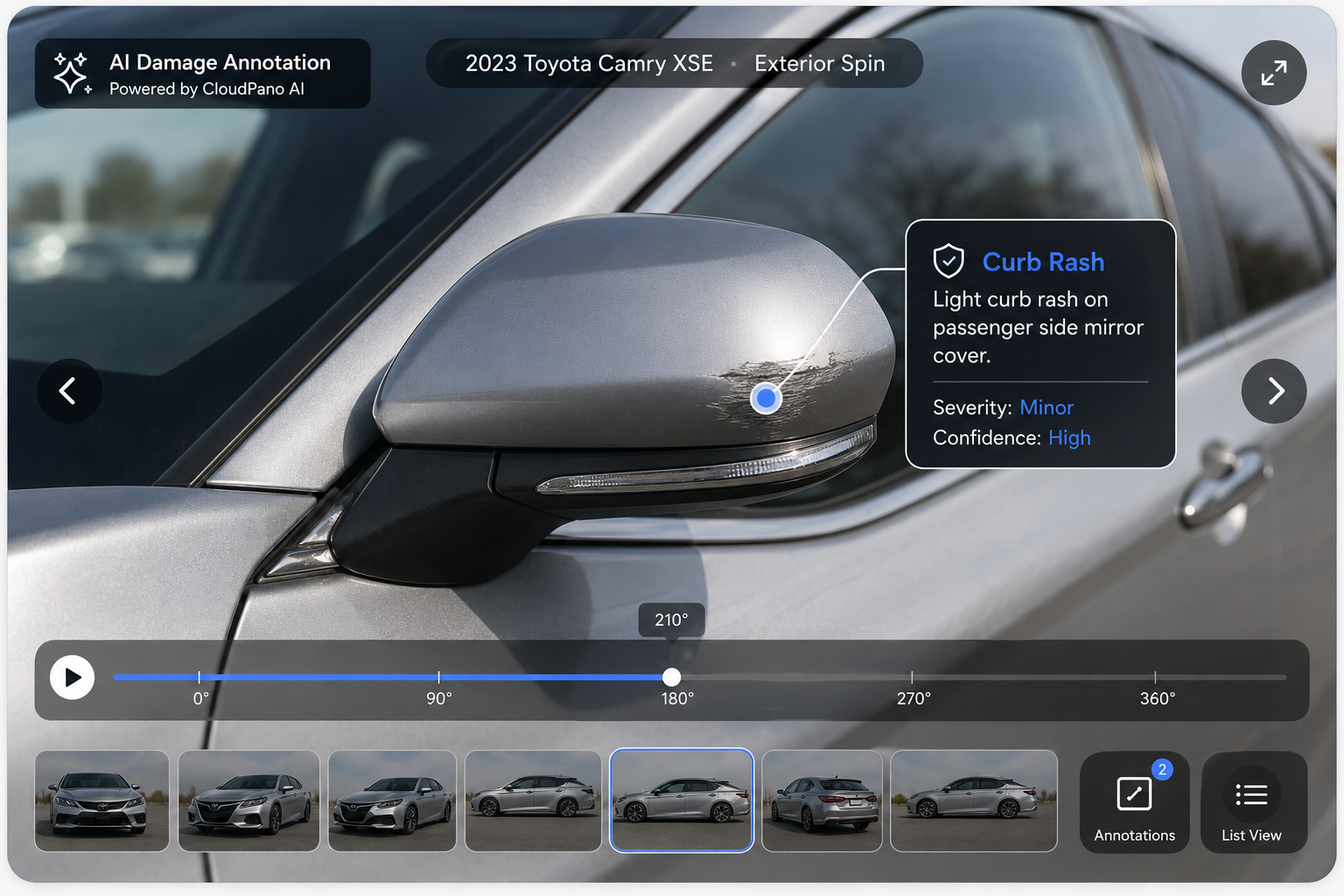
The workflow is designed to simplify vehicle-spin production, but good source footage still matters.
The system needs to see the vehicle from around its exterior.
A complete, steady walk-around gives the processing system more useful visual information to work with than footage that stops halfway around the vehicle or skips major angles.
Staff don't need to walk at a perfectly uniform speed, but the goal should be to capture the entire vehicle clearly.
Automation can improve consistency, but it can't recreate parts of a vehicle that were never captured.
If an important angle is missing or the vehicle is heavily obstructed, capturing the footage again may produce a better result than trying to compensate for incomplete source material.
One of the biggest advantages of an API-based workflow is repeatability.
Dealerships can create a basic process that employees follow whenever new inventory arrives:
Once that process becomes part of the normal inventory workflow, producing vehicle spins no longer has to revolve around access to a dedicated photography booth.
The real goal isn't making an API call.
It's creating a better vehicle detail page.
Online shoppers want to inspect a vehicle before deciding whether it's worth visiting the dealership. Photos provide individual angles, but an interactive 360° spin gives shoppers a more continuous sense of the vehicle's exterior.
Consistency matters, too.
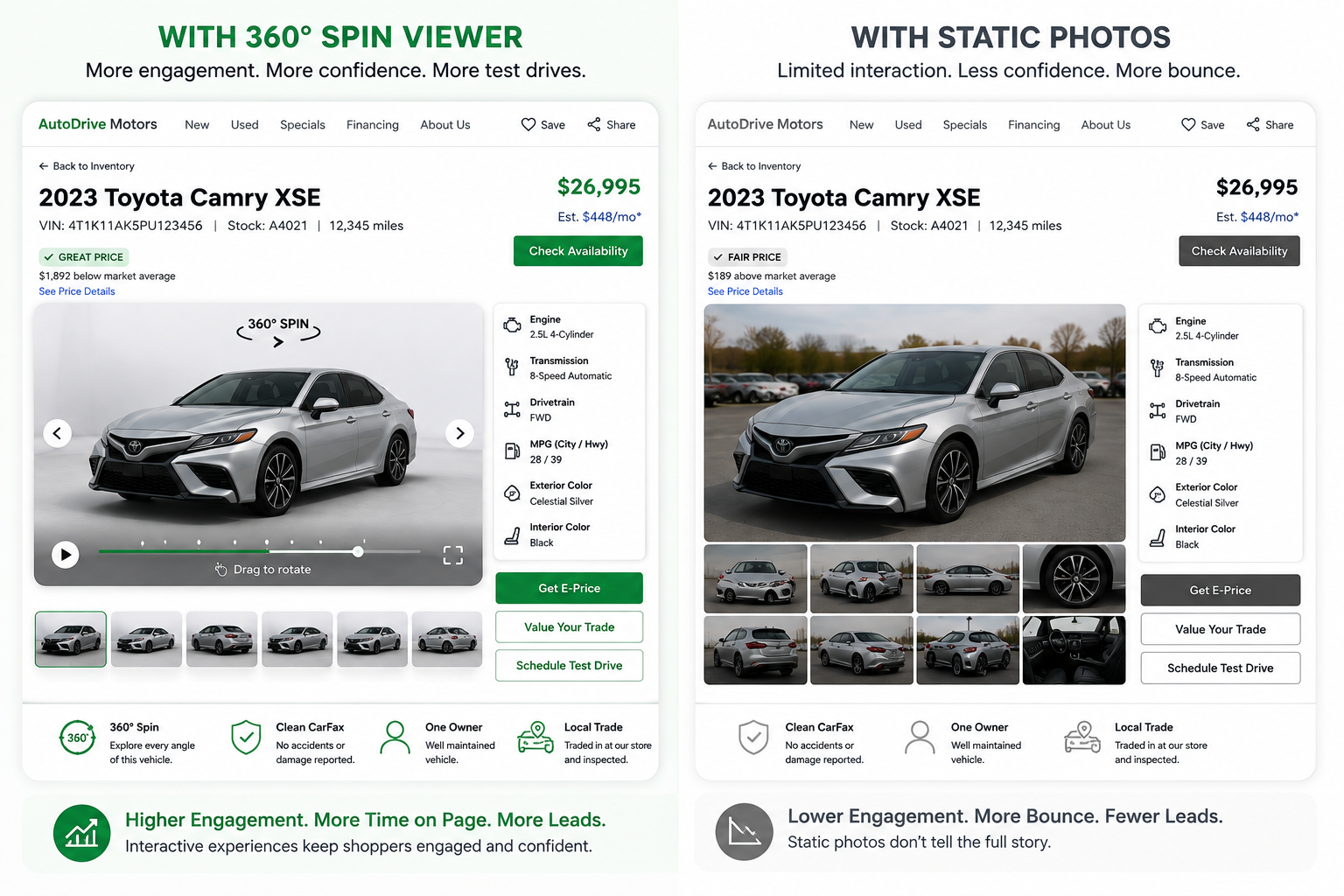
If every vehicle is presented using a similar spin experience, the dealership's inventory pages feel more cohesive and professional.
An automated workflow can also remove some of the operational bottlenecks associated with traditional vehicle photography.
There's no need to reserve a turntable bay for every vehicle. There's less dependence on a single photographer's schedule. And dealer groups can establish a more consistent capture process across multiple locations.
A 360 spin API becomes particularly interesting when vehicle volume starts making manual workflows difficult to manage.
It can be useful for:
For a single dealership processing only a handful of vehicles, almost any photography workflow can be manageable.
The advantage of an API becomes much clearer when the same process needs to work across hundreds or thousands of vehicles.
A traditional turntable system solves the consistency problem through hardware.
The vehicle goes into a controlled environment, the equipment determines how the car moves, and the camera captures it from predictable angles.
An API-driven approach attacks the same problem from the opposite direction.
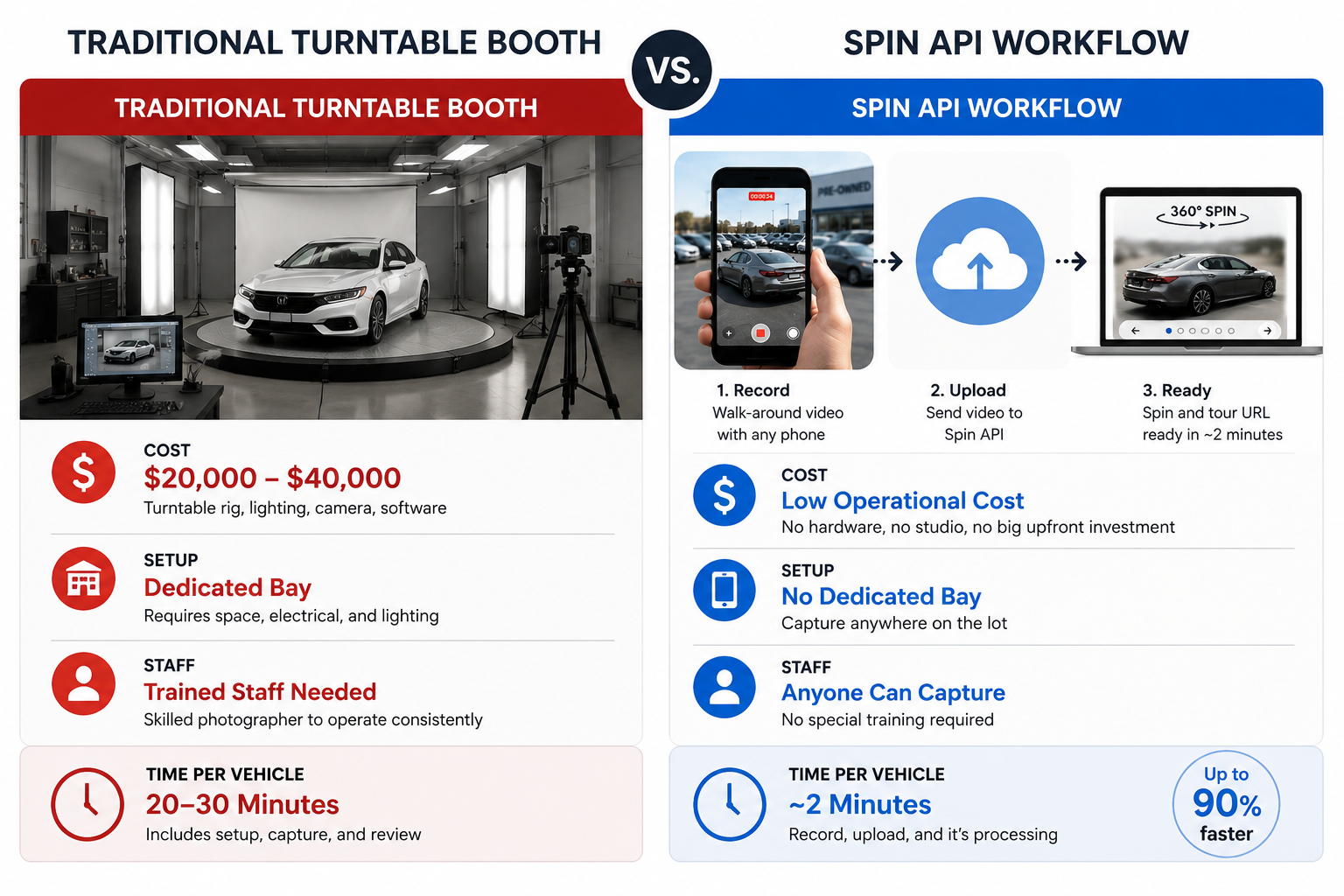
Instead of controlling the environment, it attempts to standardize the output from footage captured in a more flexible environment.
That difference matters operationally.
A turntable requires the vehicle to come to the photography setup.
An API-based workflow allows the capture process to go to the vehicle.
For dealerships with multiple lots or constantly changing inventory, that flexibility can make the workflow considerably easier to scale.
The easiest way to evaluate a 360 spin API isn't to redesign your dealership's entire photography workflow.
Start with one vehicle.
Capture a normal walk-around video from your own lot and run it through the system. Then compare the result with the vehicle presentation you're currently using.
Look at the things that actually matter to your dealership:
Does the vehicle stay consistently centered?
Does the presentation look clean?
Could a salesperson or lot porter realistically capture the required footage?
How easily could the finished spin be connected to your existing VDP or inventory workflow?
And most importantly, could the process be repeated consistently across your entire inventory?
Developers can review the complete endpoint and integration requirements in the CloudPano Spin API documentation.
For dealerships, the bigger idea is much simpler: instead of building the photography workflow around expensive fixed equipment, you can build it around footage your team can capture with a phone.
That's what makes a 360 spin API interesting — not the API itself, but what it can potentially remove from the dealership's vehicle photography workflow.


Compact, ready to go anywhere
Interchangeable lens that’s upgradeable
Dual 1-inch sensors for improved clarity and low light performance
Dynamic range and 6K 360° capture
360° photo resolution at 21MP

8K 360° video recording for ultra-detailed visuals.
4K single-lens mode for traditional wide-angle shots.
Invisible selfie stick effect for drone-like perspectives.
2.5-inch touchscreen with Gorilla Glass protection.
Waterproof up to 33ft for underwater shooting.

360° photo resolution in 23MP
Slim design at 24 mm thick
Built-in image stabilization for smooth video capture.
Internal 19GB storage for photo and video storage.
Wireless connectivity for remote control and sharing.

60MP 360° still images for high-resolution photography.
5.7K 360° video recording at 30fps.
2.25-inch touchscreen for intuitive control.
USB Type-C port for fast charging and data transfer.
MicroSD card slot for expandable storage.
.png)

.png)

Try it free. No credit card required. Instant set-up.







.svg)


.svg)