


.png)


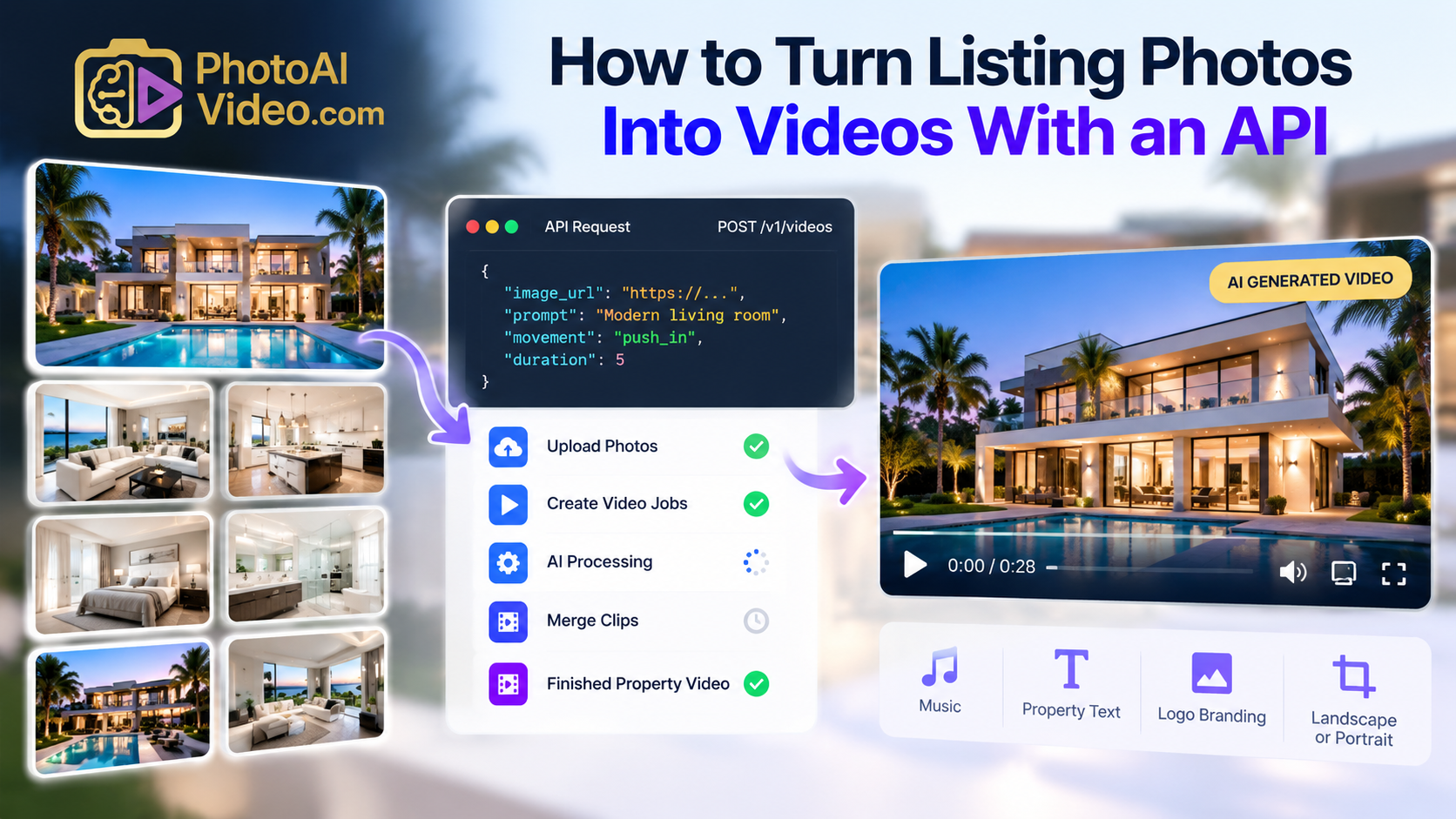
You can turn real estate listing photos into a polished virtual tour-style video by uploading them to an AI video generator such as PhotoAIVideo. The AI sequences the rooms, adds cinematic motion, music, branding, captions, and optional voiceover, then exports a ready-to-share video for MLS, social media, or your website—without filming or manual editing.
Welcome to the future of real estate marketing, where your listing photos can become cinematic, walkthrough-style virtual tour videos — created entirely by AI in under 3 minutes. ⏱️
Whether you're a real estate agent, photographer, or media creator, AI-powered video generation is the secret weapon to showcase properties faster, better, and more affordably. 🔥
In this guide, we’ll cover:
Let’s take your listings from still to stunning. 🚀
Imagine uploading 10–15 listing photos and getting back:
No editing software. No video team. Just a smart AI that handles everything.
📌 Read more: How to Turn Real Estate Photos Into AI Videos in 3 Minutes
There are several tools on the market, but only one is designed specifically for real estate professionals.
This AI-powered platform is purpose-built for creators, agents, and marketing teams who want video automation without tech headaches.
🎯 No editing skills required.
📌 Dive in:
Video content doesn’t just look better — it sells better.
Listings with video:
📌 Related: Why AI Video is the New Standard for Listing Presentations
You don’t just save time—you create new revenue streams.
Offer short-form and long-form AI-generated videos from every shoot. Easy to add on to existing photo packages.
📌 Read: Sell Real Estate Video Packages With AI
Build recurring revenue by producing 4–8 videos/month for your agent clients. Batch generate using PhotoAIVideo.com.
📌 Learn more: Productize AI Video Content Into a Monthly Retainer Offer
Use PhotoAIVideo as your backend and offer virtual tour videos under your own brand.
📌 Playbooks:
You can try PhotoAIVideo.com for free—no credit card required.
📌 Bonus: How to Make Real Estate Videos Using Just Photos
AI isn’t replacing content creators—it’s supercharging them.
Smart real estate pros are using tools like PhotoAIVideo.com to:
✅ Save 10+ hours per week
✅ Deliver high-value video marketing
✅ Stand out in a crowded listing market
✅ Scale a real estate media business
You don’t need a camera crew or editing software.
You just need the photos you already have—and AI that does the rest.
🚀 Try it now → PhotoAIVideo.com
Yes. AI can create virtual-tour-style videos and, depending on the platform, interactive 3D or 360° experiences. This article focuses on photo-to-video AI: it transforms still listing images into a dynamic property video using pans, zooms, transitions, music, captions, and branding. A video is different from a clickable 360° virtual tour, but both help buyers explore a property online.
Yes. Upload your best listing photos to an AI real estate video tool, arrange them in a natural order, and generate the video. The AI can add movement and transitions so the result feels more engaging than a standard slideshow. Include exterior shots, major rooms, standout features, and outdoor spaces for a more complete listing story.
No. Photo-to-video AI is designed to work with the property photos you already have. It creates motion and pacing from still images, making it useful when there was no videographer at the shoot or when you need a fast video option. Original video footage can still be valuable for luxury listings or highly cinematic campaigns.
With an AI platform, the finished video can be generated in just a few minutes after uploading the photos. The exact time depends on the number of images, selected format, and any branding or voiceover edits. You should also allow a few minutes to review the final video before sharing it with the client or publishing it.
Use bright, high-resolution photos that show each room clearly. Start with a strong exterior or living-room image, then follow a logical path through the home. Include wide shots of key spaces such as the kitchen, bedrooms, bathrooms, backyard, pool, or view. Avoid dark, blurry, overly cropped, or duplicate images, since they can make the video feel less polished.


Compact, ready to go anywhere
Interchangeable lens that’s upgradeable
Dual 1-inch sensors for improved clarity and low light performance
Dynamic range and 6K 360° capture
360° photo resolution at 21MP

8K 360° video recording for ultra-detailed visuals.
4K single-lens mode for traditional wide-angle shots.
Invisible selfie stick effect for drone-like perspectives.
2.5-inch touchscreen with Gorilla Glass protection.
Waterproof up to 33ft for underwater shooting.

360° photo resolution in 23MP
Slim design at 24 mm thick
Built-in image stabilization for smooth video capture.
Internal 19GB storage for photo and video storage.
Wireless connectivity for remote control and sharing.

60MP 360° still images for high-resolution photography.
5.7K 360° video recording at 30fps.
2.25-inch touchscreen for intuitive control.
USB Type-C port for fast charging and data transfer.
MicroSD card slot for expandable storage.
.png)

.png)

Try it free. No credit card required. Instant set-up.






.svg)


.svg)