


.png)


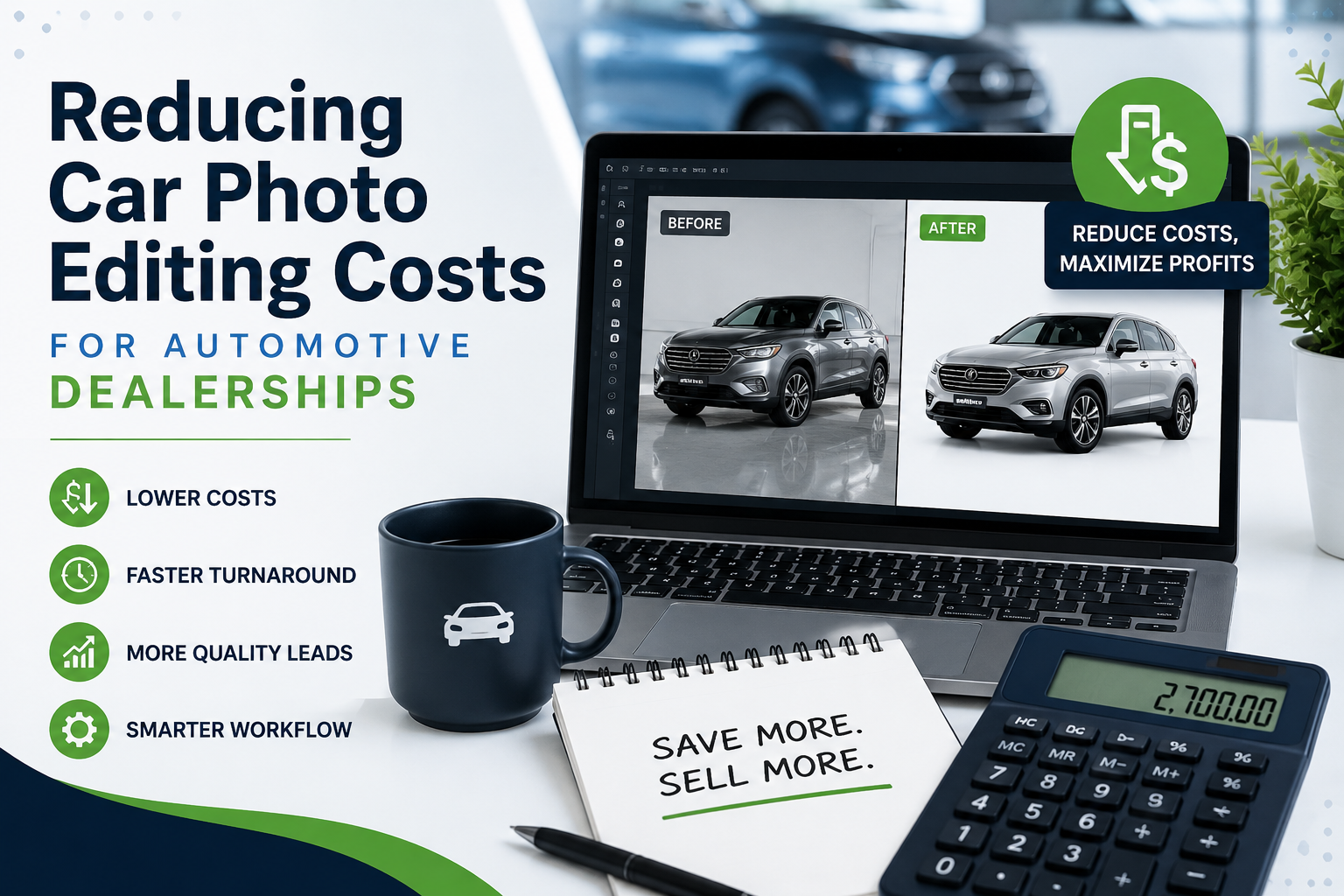
High-quality vehicle photos help dealerships attract more attention, generate more leads, and present inventory professionally across websites, marketplaces, and advertising channels. The challenge is that producing those images at scale can become expensive.
For a dealership processing hundreds or thousands of vehicle photos every month, even a small per-image expense can quickly grow into a significant operating cost. That is why understanding and reducing car photo editing cost is becoming increasingly important for dealer groups, independent dealerships, automotive marketplaces, and vehicle merchandising teams.
The good news is that dealerships do not necessarily need to sacrifice image quality to lower expenses. By reviewing workflows, standardizing photography, using automation, and choosing the right editing model for their volume, dealerships can often reduce costs while also improving turnaround time.
This guide explains where automotive image-editing expenses come from, what options dealerships have, and practical ways to make the process more efficient.
Vehicle photography is no longer limited to a few images per listing.
A modern dealership may upload 20, 30, 40, or more photos for every vehicle. If a dealership photographs 150 vehicles per month using 30 images per vehicle, that represents 4,500 photos requiring some level of processing.
Depending on the workflow, editing can include:
When those tasks are completed manually, labor becomes the largest expense.
For that reason, dealerships should evaluate car photo editing cost based on total monthly image volume rather than simply looking at the price of editing a single photograph.
Several factors influence the final cost of an automotive image workflow.
The more images a dealership publishes, the higher the total editing expense.
For example, a dealership processing:
may have dramatically different editing requirements.
A solution that works well for 1,000 images a month may become expensive or difficult to manage at 15,000 images.
Basic image processing usually costs less than detailed retouching.
Simple tasks such as background removal, cropping, resizing, and centering can often be automated. More advanced work, such as removing reflections, repairing paint imperfections, or performing detailed retouching, may still require human editors.
Dealerships should separate routine processing from exceptional edits instead of paying premium editing rates for every photo.
Faster turnaround can increase labor costs when using manual editing services.
If a dealership wants vehicles listed within minutes or hours of photography, automation can become particularly valuable.
The longer a vehicle waits for edited images, the longer it may remain unpublished or poorly presented online.
The three most common approaches are:
Each has a different cost structure.
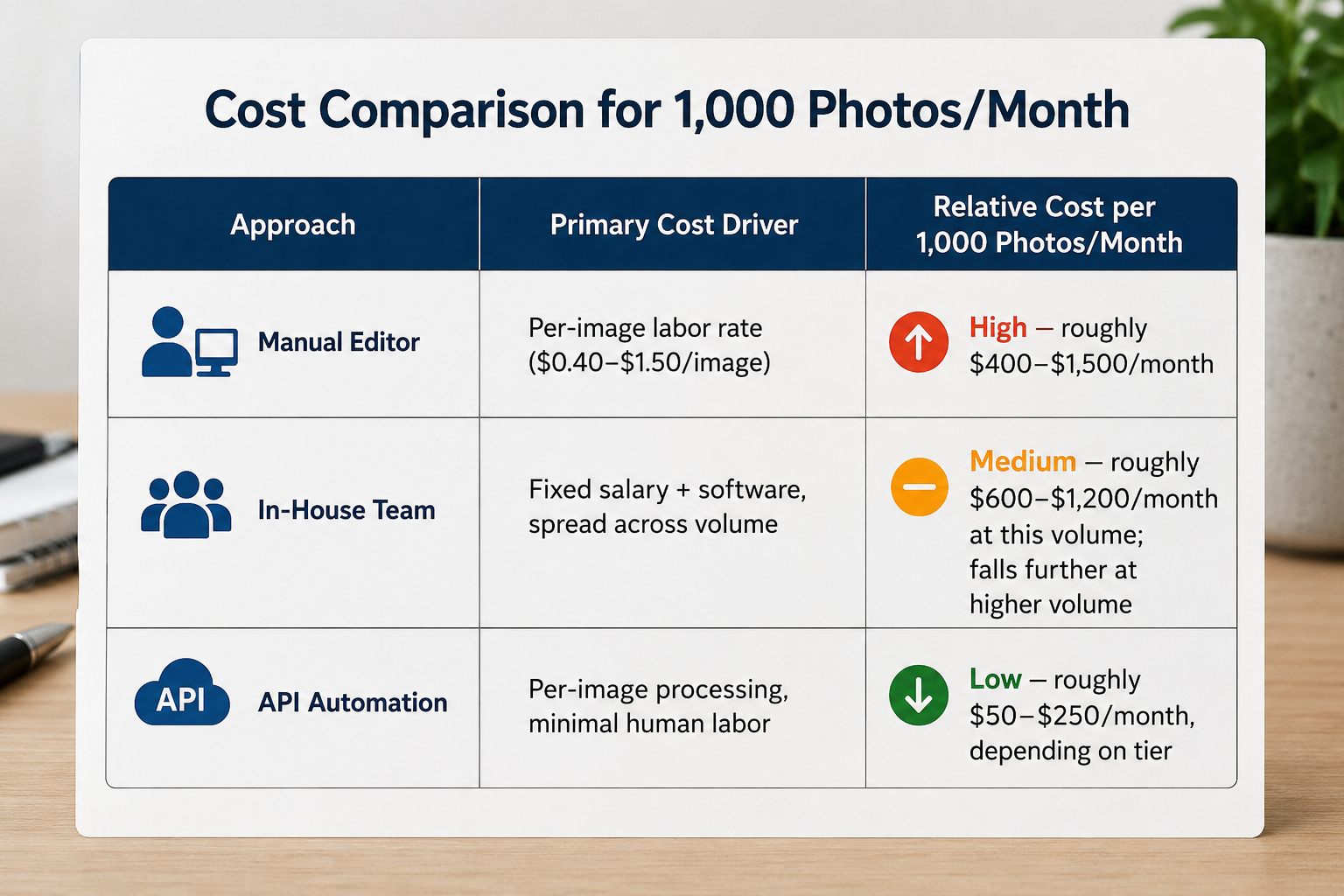
Manual editors typically charge by the image, vehicle, or batch.
For straightforward automotive work, pricing may range from roughly $0.40 to $1.50 per photo depending on complexity, turnaround, and volume.
At 1,000 images per month, that may translate to approximately $400 to $1,500.
Manual editing can provide good results, particularly for difficult photos, but expenses scale almost directly with image volume.
That makes the car photo editing cost relatively predictable, but it can become substantial for dealerships with large inventories.
Some dealerships hire an employee or assign a marketing team member to handle image processing.
This creates a different cost model.
Instead of paying for every image, the dealership pays for:
An internal editor may make sense when the dealership needs specialized creative work. However, using skilled employees for repetitive tasks such as removing backgrounds or resizing images may not be the most efficient use of their time.
Automated automotive image-processing tools use software or AI to handle repetitive editing steps.
Common capabilities include:
Depending on pricing and volume, automated processing can reduce the effective car photo editing cost to a fraction of manual editing.
For example, API-based workflows may cost approximately $50 to $250 per 1,000 images, depending on the provider and plan.
The difference becomes even more important as volume grows.
Every dealership workflow has tradeoffs.
Advantages
Disadvantages
Advantages
Disadvantages
Advantages
Disadvantages
For many organizations, the best solution is a hybrid model: automate routine images and send only difficult cases to a human editor.
Reducing expenses does not require a complete overhaul of the photography department.
Small workflow improvements can produce meaningful savings.
Good source photography reduces editing requirements.
Create simple photography standards for:
If photographers capture vehicles consistently, software can process those images more accurately.
Consistency also reduces the amount of manual correction needed later.
A dedicated photography bay or outdoor location helps reduce variables.
Whenever possible, keep:
Even when the final image uses a digitally replaced background, consistent photography helps automated tools detect vehicle edges more reliably.
Look closely at the steps your team performs repeatedly.
If someone is manually doing the same task hundreds of times each week, that task may be a candidate for automation.
Examples include:
Automation can dramatically lower the effective car photo editing cost while also improving turnaround.
Per-image pricing can be misleading.
Suppose a dealership processes 30 photos for every vehicle.
At $0.75 per image:
30 × $0.75 = $22.50 per vehicle.
At 200 vehicles per month:
200 × $22.50 = $4,500 per month.
Reducing the editing rate to $0.15 per image would lower that cost to:
30 × $0.15 = $4.50 per vehicle.
Across 200 vehicles, the monthly cost becomes $900.
Looking at the full cost per vehicle makes potential savings much easier to understand.
Do not evaluate an editing provider using only polished demo images.
Upload actual dealership photos, including difficult examples such as:
A realistic test shows how often your staff may need to fix the output manually.
Pricing models often improve significantly as volume increases.
A dealer processing 500 photos per month may need a different plan than a dealer group processing 50,000.
Calculate:
Vehicles per month × average photos per vehicle = monthly image volume
Use that number when comparing vendors.
Editing costs are often hidden inside payroll.
If a marketing employee spends 15 hours per week editing inventory images, that time has a real cost.
Automation may allow that employee to focus on:
Reducing car photo editing cost can therefore improve productivity beyond the photography department itself.
Before choosing a platform or editing provider, ask several practical questions.
Determine whether the solution supports your current image volume and whether pricing improves as usage increases.
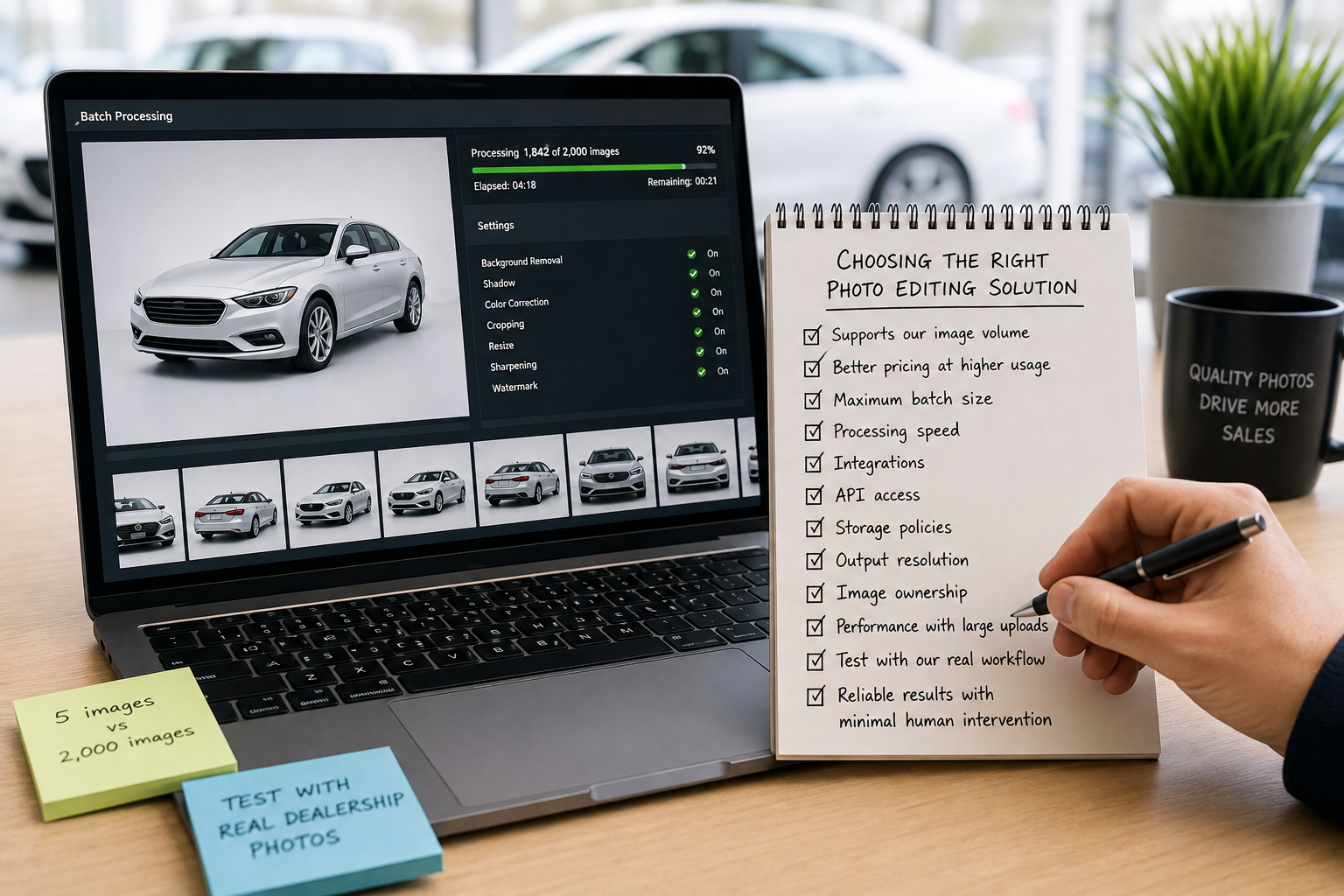
Ask about maximum batch sizes, processing speed, integrations, API access, storage policies, output resolution, and image ownership.
You should also check whether processing slows during large uploads. A system that works perfectly with five images may behave very differently when processing 2,000.
Most importantly, compare solutions using your real dealership workflow rather than marketing demonstrations.
The best system is the one that produces reliable images with minimal human intervention.
Automation becomes increasingly attractive as volume rises.
A dealership publishing only 100 images per month may not save much money by building a sophisticated API workflow.
However, organizations processing thousands of photos can see significant benefits.
Automation is particularly useful for:
For these businesses, improving the car photo editing cost by even a few cents per image can produce substantial annual savings.
Manual editing may range from approximately $0.40 to $1.50 per image, depending on complexity and volume. Automated solutions can often reduce the price considerably for routine edits.
Modern automotive image-processing tools can handle tasks such as background removal, cropping, centering, and background replacement very effectively. Results still depend on photography quality and the provider being used.
Not necessarily.
A hybrid workflow often works best. Automation can process most standard photos while human editors handle unusual or complex images.
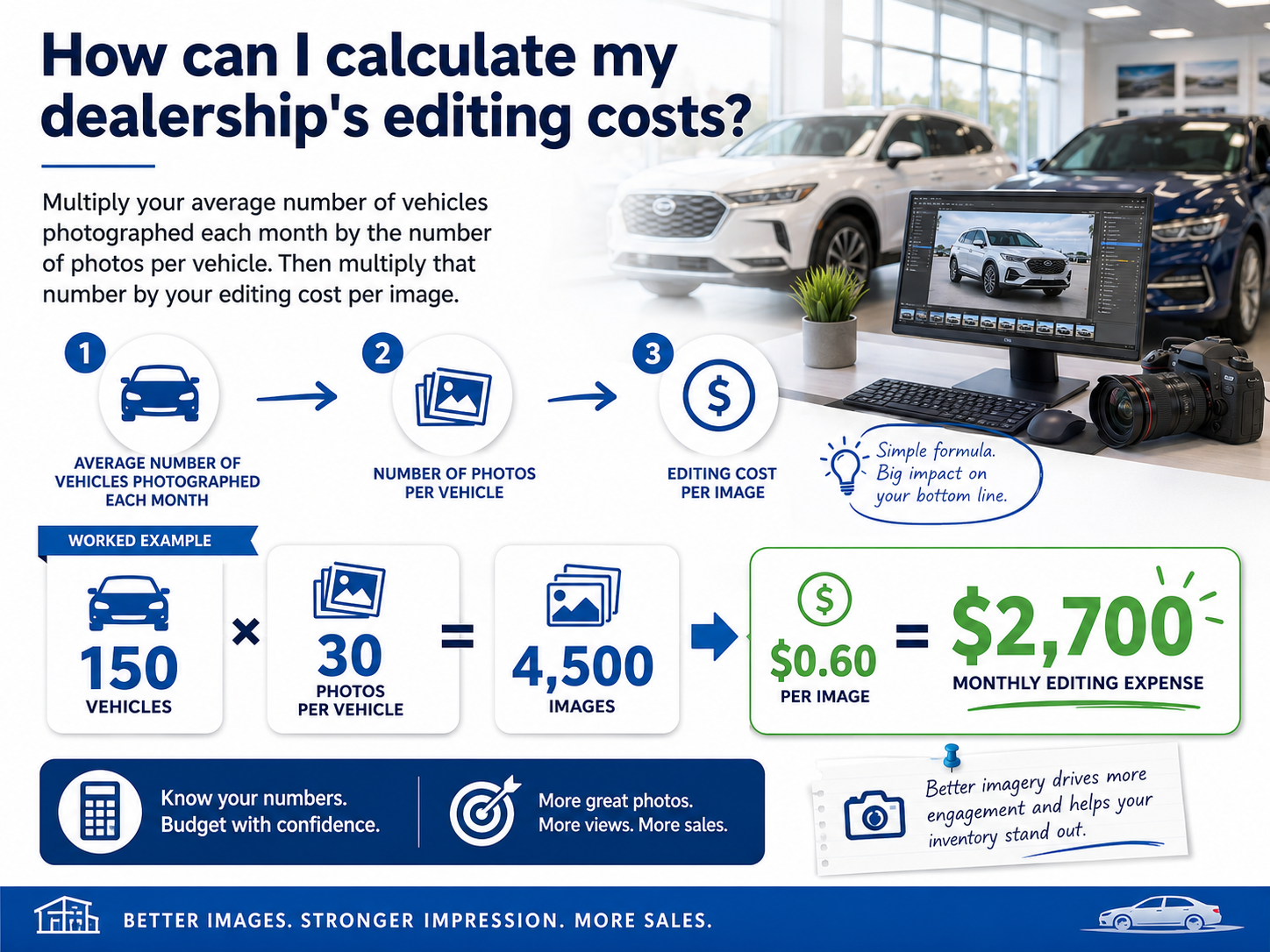
Multiply your average number of vehicles photographed each month by the number of photos per vehicle. Then multiply that number by your editing cost per image.
For example:
150 vehicles × 30 photos = 4,500 images.
At $0.60 per image, the monthly editing expense would be $2,700.
Yes. APIs allow dealerships and automotive software companies to automatically send images for processing without requiring employees to upload and edit photos individually.
For businesses processing large volumes, this can significantly reduce car photo editing cost and processing time.
Vehicle photography is a critical part of automotive merchandising, but the editing workflow behind those photos should not become an unnecessary financial burden.
Dealerships can lower car photo editing cost by standardizing photography, understanding monthly image volume, automating repetitive tasks, and reserving manual editing for images that genuinely require human attention.
The biggest savings usually come from evaluating the entire workflow rather than negotiating a slightly cheaper per-image editing rate.
If your dealership, automotive software platform, or vehicle photography business processes hundreds or thousands of images each month, now is a good time to examine how much of that workflow can be automated.
Want to reduce the cost and time required to process dealership inventory photos? Explore automated automotive image processing and see how API-based editing can help your team process more vehicles with less manual work.


Compact, ready to go anywhere
Interchangeable lens that’s upgradeable
Dual 1-inch sensors for improved clarity and low light performance
Dynamic range and 6K 360° capture
360° photo resolution at 21MP

8K 360° video recording for ultra-detailed visuals.
4K single-lens mode for traditional wide-angle shots.
Invisible selfie stick effect for drone-like perspectives.
2.5-inch touchscreen with Gorilla Glass protection.
Waterproof up to 33ft for underwater shooting.

360° photo resolution in 23MP
Slim design at 24 mm thick
Built-in image stabilization for smooth video capture.
Internal 19GB storage for photo and video storage.
Wireless connectivity for remote control and sharing.

60MP 360° still images for high-resolution photography.
5.7K 360° video recording at 30fps.
2.25-inch touchscreen for intuitive control.
USB Type-C port for fast charging and data transfer.
MicroSD card slot for expandable storage.
.png)

.png)

Try it free. No credit card required. Instant set-up.







.svg)


.svg)