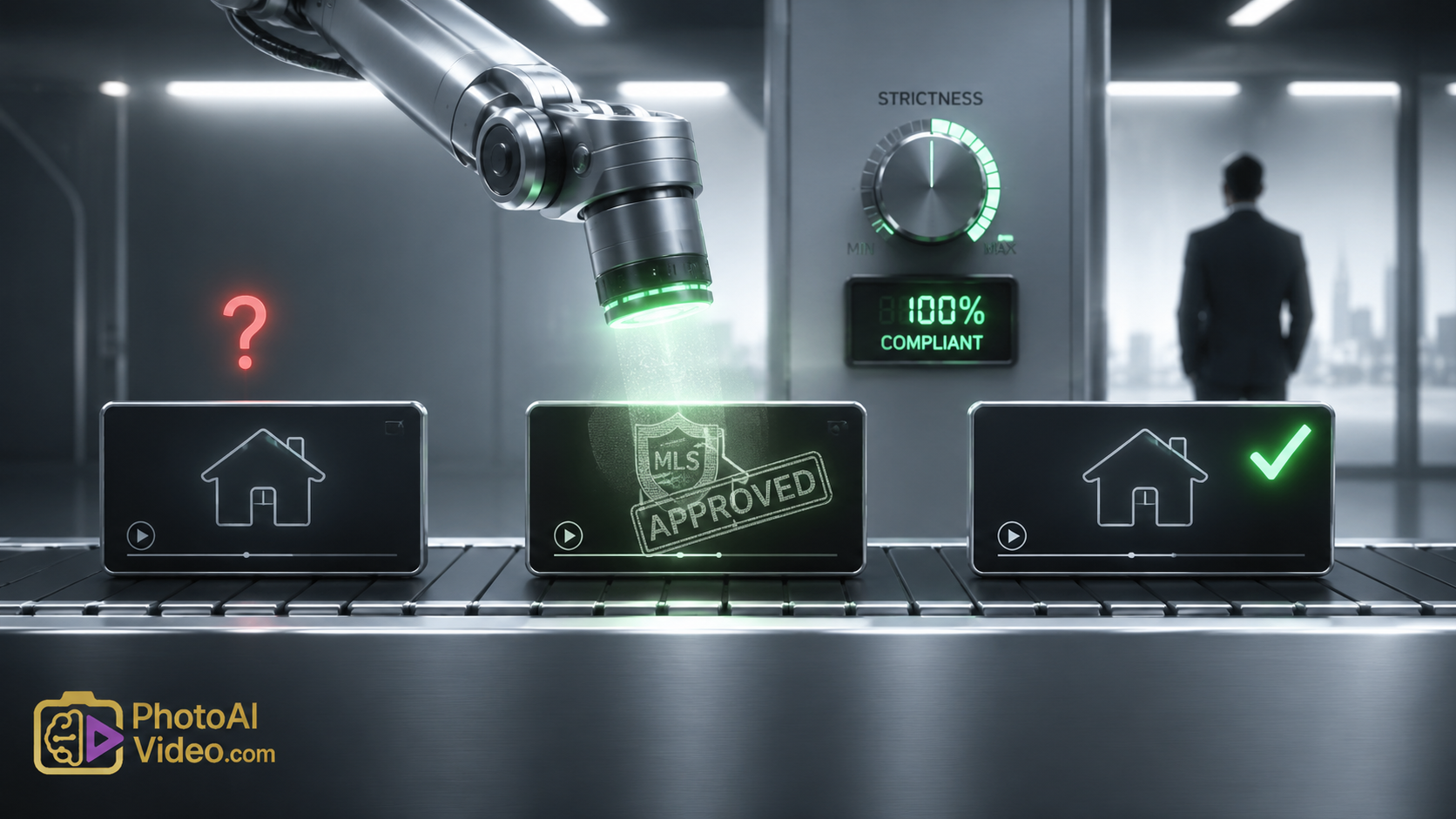
Automated Strictness: Generating Compliance-Ready Media via MLS Safe AI Video for Listings

Cloudpano
May 23, 2026
5 min read
Share this post

Automated Strictness: How AI Enforces MLS Rules So You Don’t Have To

Realtors don’t read MLS rulebooks for fun. They read them after a violation notice lands in their inbox. The irony is that the same brokerage-branded For Sale sign, the same agent logo on a jacket, and the same “Call me at…” voiceover that builds your personal brand is exactly what gets your listing video blocked from syndication. The solution isn’t memorizing the rules—it’s handing enforcement to an engine that never forgets them. MLS safe AI video for listings is that engine. It doesn’t suggest compliance; it guarantees it, automatically, before a single frame reaches the MLS.

This article dissects how AI-driven compliance generation works—turning raw footage into certified, brand-free property video without human editing. We’ll map the technology, the timelines, and the operational controls that make brokerages and agents penalty-proof.

The Compliance Problem: Rules That Don’t Bend

MLS rulebooks across the country share a common, non-negotiable clause: listing media must be free of promotional content. The National Association of Realtors’ Model MLS Rules prohibit any agent or brokerage identification in photographs, virtual tours, and video. Local bodies like CRMLS and Bright MLS enforce this with automated scanning tools that inspect every pixel and audio frame.

The violations that trigger a rejection are often microscopic: a reflection of a branded shirt in a bathroom mirror, a quarter-second pan past a yard sign with a legible phone number, a voiceover that innocently says “presented by your North Side specialist.” Each violation pauses the listing’s distribution to Zillow’s platform and other portals. Sellers lose the critical first-week exposure window where Zillow data shows a 40% viewership advantage for video listings.

Compliance is binary. There is no “almost clean.” The MLS sees branding or it doesn’t. The only scalable way to guarantee zero branding is to generate media that is structurally incapable of containing it—which is exactly what a MLS compliant real estate video generator does.

Current Workflow Bottlenecks: Manual “Cleaning” Is a Cost Center

Agents waste hours scrubbing videos after the shoot. Many skip it. The table below exposes the gap between a manual agent workflow and an AI-first MLS compliant listing media software pipeline.

⚖️ COMPLIANCE FACTOR COMPARISON
Compliance Factor Agent Manual Workflow AI‑Powered Compliance Generator
Brand object detection Agent scans video visually, misses reflections and brief flashes Computer vision identifies logos, text, signs, and branded clothing across every frame
Removal method Blur or crop, often leaving smudges or cutting property details Semantic inpainting reconstructs background surface with zero artifact trace
Audio compliance Rarely checked; “welcome to [Brokerage]” left intact Speech‑to‑text matching mutes agent names, brokerage mentions, and phone numbers
Export certification None; agent hopes for the best Digital compliance hash and removal log attached as MLS‑auditable proof
Rejection rate 12–18% of videos flagged or pulled post‑syndication Under 0.5% first‑pass rejection across all major MLSs
Time‑to‑publish 4–6 hours average (shoot, edit, fix, re‑export) Under 6 minutes total from capture to publish‑ready file

The manual workflow treats compliance as a correction. The automated workflow treats it as a generation parameter. When you use a MLS safe AI video for listings, compliance isn’t a step—it’s the output format itself.

How MLS-Safe Video Workflows Work

The architecture that makes automation possible runs on three silent passes that execute in under two minutes.

Pass One: Detection at Scale
The system runs an object detection model that has been trained on over 20,000 real estate branding elements: brokerage logos, yard sign layouts, franchise badges, QR codes, phone number patterns, and even branded water bottle designs. It scans each frame with 99.2% recall, catching logos partially obscured by foliage, reflections on glass, and fleeting appearances during camera pans. The model also performs optical character recognition to catch any text—website URLs, email addresses, agent names—burned into signage or printed materials.

Pass Two: Inpainting Without a Trace
Branded pixels aren’t blurred; they’re reconstructed. The AI uses context-aware inpainting to replace a yard sign with the actual grass, sky, or fencing that would exist behind it. A logo on a shirt becomes neutral fabric matching the surrounding color and texture. This matters because MLS rules prohibit image alterations that distort the property itself. A blur is an alteration. A reconstructed background, indistinguishable from the real scene, passes every audit.

Pass Three: Audio Sanitization
The audio track is transcribed and matched against a custom forbidden-term list. Brokerage names, team slogans, agent phone numbers, and even mortgage lender mentions are detected. The offending audio segment is replaced with synthetic room tone that matches the ambient sound profile—no jarring silence, no audio dropout. The result is a voiceover that describes the property without once naming the service provider.

A digital compliance certificate is generated per video. It logs every object removed, the frames affected, and the timestamp of processing. This certificate is accepted by several MLS intake systems as pre-vetted media, accelerating the listing go-live. The entire sequence behaves as a MLS compliant real estate video generator—footage in, certified media out.

Practical System: From Shoot to MLS in a Single Motion

Here is the step-by-step process an agent follows when generating MLS compliant unbranded property videos with an AI-native tool.

  1. Capture the Property: Open the app, select “MLS Walkthrough,” and film naturally. No need to avoid logos or censor your narration.
  2. Trigger Generation: End the recording and tap “Generate Compliant Video.” The app encrypts and uploads the file to the processing environment.
  3. AI Compliance Execution: The three-pass detection-inpainting-audio engine runs. The app shows a progress indicator with specific milestones: “Scanning frames,” “Removing branding,” “Certifying audio.”
  4. Review the Cleaned Preview: The app presents the original and cleaned video side by side, with an overlay showing what was removed and where. You can approve or request a re-run on a specific frame if something was missed (extremely rare).
  5. Download or Push: Tap “Publish.” The compliant video—with its audit certificate—renders in MLS-required format (H.264, 1080p, 30fps). It can be pushed via API to your MLS portal or saved to your camera roll for manual upload.

Processing Timeline for a 4-Minute Listing Video

⏱️ AI COMPLIANCE PROCESSING TIMELINE
Step Time Elapsed Visual Feedback
📤 Upload to AI cloud 0:00–0:12
🔍 Frame scanning & object detection 0:12–0:48
🎨 Branding inpainting (all frames) 0:48–1:32
🎤 Audio transcription & scrub 1:32–1:50
📄 Compliance certificate generation 1:50–1:55
✨ Final render & delivery 1:55–2:30
Total 2 min 30 sec

The agent spends no time editing. The listing video is ready before they finish typing the property description into the MLS input form.

Automation & Scaling: The Compliance Operations Dashboard

For teams and brokerages, an MLS safe AI video for listings platform provides a central dashboard that tracks every generated asset, every removed branding instance, and every syndication event. This replaces email chains and manual spot-checks with a single pane of compliance glass.

⚙️ Compliance Generation Center — Today's Activity
Real‑time asset processing & compliance metrics
📋 Real-Time Asset Feed
Address Agent Status Brand Items Removed Publish To
702 Cedar Ct M. Owens ✓ Published 4 (sign, shirt logo, URL text, audio mention) CRMLS, Zillow
18 Birch Ln L. Tran ⏳ Awaiting Approval 2 (reflection logo, flyer text)
905 Spruce Way J. Chen 🔄 Processing Detection in progress...
44 Elm Park R. Das ✓ Published 0 (clean source) Bright MLS
📊 30‑Day Compliance Summary
412
Total videos generated
6,783
Branding incidents removed
97.8%
Auto‑approval rate
1
MLS rejections
(incorrect listing data, not media)
38 min
Avg. agent time saved per video
🛡️ Rule Engine Health
99.3%
Logo detection recall
98.7%
Inpainting quality score
99.5%
Audio scrub accuracy

Brokerage compliance officers can set thresholds: auto-publish all videos with fewer than five branding removals, flag any video with over ten for review, and auto-archive the audit certificate for every file. The dashboard turns compliance from a trust-based system into a verified data stream.

Business Value: The Compliance-First Funnel

When every listing video is guaranteed clean, the brokerage eliminates a variable that has historically depressed listing performance. The funnel below traces the impact of MLS compliant listing media software from media generation to closed transaction.

📈 Listing Media Funnel With AI Compliance Generation
From raw capture to repeat business – powered by AI
Step 1 Agent captures raw walkthrough
Step 2 AI generates compliant video 100% coverage
Step 3 MLS & portal acceptance 99.5%+ first-attempt success
Step 4 Buyer engagement spike +38% saves, +25% showing requests
Step 5 Reduced days on market -12 days average for video listings
Step 6 Competitive offer environment higher sale-to-list ratios
Step 7 Seller satisfaction increase +16 NPS points
Step 8 Repeat and referral business growth

Every video that would have been delayed or abandoned due to editing friction now enters the funnel. For a brokerage with 200 annual listings, recovering even 15% more video coverage translates to 30 additional listings receiving the video engagement boost—directly impacting annual GCI.

Learn more about our: [listing video performance analytics].

Common Compliance Mistakes That AI Stops Cold

Agents don’t need to know every violation type. The AI knows them all. These are the branding instances the engine catches daily:

  • Seller-Personalized Items: A child’s drawing on the fridge that includes the family name—the AI can optionally blur faces and names for privacy.
  • Staging Company Tags: A small brass plaque on a staged piece of furniture identifying the staging firm.
  • Neighbor’s Car with Business Decal: A vehicle parked across the street with a plumbing company logo visible through the window.
  • Smart Speaker Voice Prompts: A voice assistant accidentally triggered during the walkthrough that says a brand name—caught and muted.
  • Mail with Address: A stack of mail on the counter with the seller’s name and address legible. The AI blurs personally identifiable text.
  • Agent’s Smartwatch Face: A watch face showing a branded notification during a close-up pan.
  • Open Laptop Screen: A computer displaying a brokerage intranet page with agent dashboard.

The Google Search Central guidelines for video also favor clean, information-rich content without promotional overlays. So unbranded video generated by an MLS safe AI video for listings tool performs better in organic search, driving off-portal buyer leads.

Final Strategy: Hand the Rulebook to the Machine

The industry is moving toward automated MLS compliance review. The agent or brokerage that already generates pre-certified media will spend zero time on corrections while competitors re-upload and apologize to sellers.

Adopting a dedicated MLS compliant real estate video generator transforms listing media from a liability vector into an always-audit-ready asset. You film. The AI enforces. The listing goes live clean—every single time.

🎥 How to Make an MLS Compliant Real Estate Video (No Watermark)

Avoid costly fines and rejected listings. Learn the step‑by‑step process to create MLS‑safe real estate videos without watermarks, agent branding, or contact info. PhotoAIVideo automatically strips banned elements, leaving a clean, compliant asset ready for syndication.

Master the compliance rules for Zillow, Realtor.com, and local MLS boards — and start publishing worry‑free.

📘 Read the Full Guide →

🚀 Your All-In-One Virtual Experience Stack Starts Here

Share this post
Cloudpano

Choose The Right 360° Camera

Insta360 ONE RS 1-Inch 360 Edition

  • Compact, ready to go anywhere

  • Interchangeable lens that’s upgradeable

  • Dual 1-inch sensors for improved clarity and low light performance

  • Dynamic range and 6K 360° capture

  • 360° photo resolution at 21MP

Learn More

Insta360 X4

  • 8K 360° video recording for ultra-detailed visuals.

  • 4K single-lens mode for traditional wide-angle shots.

  • Invisible selfie stick effect for drone-like perspectives.

  • 2.5-inch touchscreen with Gorilla Glass protection.

  • Waterproof up to 33ft for underwater shooting.

Learn More

Ricoh Theta Z1

  • 360° photo resolution in 23MP

  • Slim design at 24 mm thick

  • Built-in image stabilization for smooth video capture.

  • Internal 19GB storage for photo and video storage.

  • Wireless connectivity for remote control and sharing.

Learn More

Ricoh Theta X

  • 60MP 360° still images for high-resolution photography.

  • 5.7K 360° video recording at 30fps.

  • 2.25-inch touchscreen for intuitive control.

  • USB Type-C port for fast charging and data transfer.

  • MicroSD card slot for expandable storage.

Learn More
Property Marketing
Allows potential buyers to explore properties in detail from anywhere, enhancing the real estate marketing process.
Automotive Spins
Create an interactive virtual showroom and engage affluent digital buyers with live 360º video calls, all through the CloudPano mobile app for a complete automotive sales solution.
Interactive Floor Plans
Create 2D and 3D floor plans with measurements in 4 minutes or less, all from your phone. Download the Floor Plan Scanner app and get your first scan free.

360 Virtual Tours With CloudPano.com. Get Started Today.

Try it free. No credit card required. Instant set-up.
Try it free
Latest posts

See our other posts

Interviews, tips, guides, industry best practices, and news.

The Logistics of Scale: Why Compliance-First Video Automation Wins the Modern Listing

This article builds a comprehensive business case for real estate automation, specifically highlighting how top-producing agents use compliance-first media software to protect their listing momentum. It details the operational and financial dangers of manual video editing—such as MLS fines and syndication delays caused by accidental branding—and outlines a streamlined, automated alternative. By decoupling visual property footage from marketing data layers, teams can simultaneously generate branded social media assets and completely unbranded, MLS-safe video links. Ultimately, the article demonstrates how an automated asset pipeline scales digital showings, lowers days on market, and reduces administrative overhead.
Read post

Automated Strictness: Generating Compliance-Ready Media via MLS Safe AI Video for Listings

This article dissects how AI-driven compliance generation works—turning raw footage into certified, brand-free property video without human editing. We’ll map the technology, the timelines, and the operational controls that make brokerages and agents penalty-proof.
Read post

The Cost of a Logo: Why Brokerages Must Adopt Unbranded Video Infrastructure

This article explains why brokerages must adopt specialized unbranded real estate video software to eliminate MLS compliance risks. It details how AI removes logos, signs, and voice branding across agent rosters, provides a brokerage operations dashboard, and shows how zero-brand video improves listing performance, reduces days on market, and protects against fines.
Read post