


.png)



When a shopper opens a vehicle listing and drags a car left or right, they expect the 360° experience to feel smooth.
What they do not see is the technical decision behind that interaction: how many individual images are being used to create one complete rotation.
Too few frames can make the vehicle appear to jump between angles. Too many frames can add unnecessary image weight without creating a noticeable improvement for the shopper.
That is why frame count is such an important part of building a reliable 360 spin frames API workflow.
The CloudPano Spin API uses 96 frames as its default output, which works out to approximately 3.75 degrees between each image. Developers can also configure the output anywhere from 12 to 120 frames depending on the experience they are building.
For dealership websites, automotive marketplaces, inventory platforms, and dealer software providers, 96 frames provides a useful balance between smooth interaction and efficient delivery.
A 360° vehicle spin is essentially a sequence of still images presented inside an interactive viewer.
As a shopper drags left or right, the viewer advances forward or backward through those images.
The more closely spaced the images are, the smoother the rotation feels.
A 360 spin frames API automates the creation of that sequence.
Instead of relying on an expensive turntable, dedicated photo booth, or carefully controlled studio workflow, dealership staff can record a walk-around video of a vehicle.
That video is submitted to the Spin API.
The processing system analyzes the footage, selects useful images around the vehicle, applies configured processing, and returns the assets required to create an interactive 360° experience.
That makes it possible to add vehicle spins to an existing digital inventory workflow without requiring every dealership location to install specialized capture hardware.
Frame count directly affects how far the vehicle moves between one image and the next.
A full rotation contains 360 degrees.
With 12 frames, each image is separated by approximately 30 degrees.
With 24 frames, the difference is about 15 degrees.
With 48 frames, it falls to roughly 7.5 degrees.
At 96 frames, each image represents approximately 3.75 degrees of rotation.
That smaller interval makes a major difference when a shopper wants to inspect a vehicle carefully.
Online car shoppers often want to stop at a particular angle rather than simply watch a car rotate.
They may be looking at:
With a low frame count, the shopper may have difficulty stopping at the exact angle they want.
At approximately 3.75 degrees between images, a 96-frame spin provides substantially finer control.
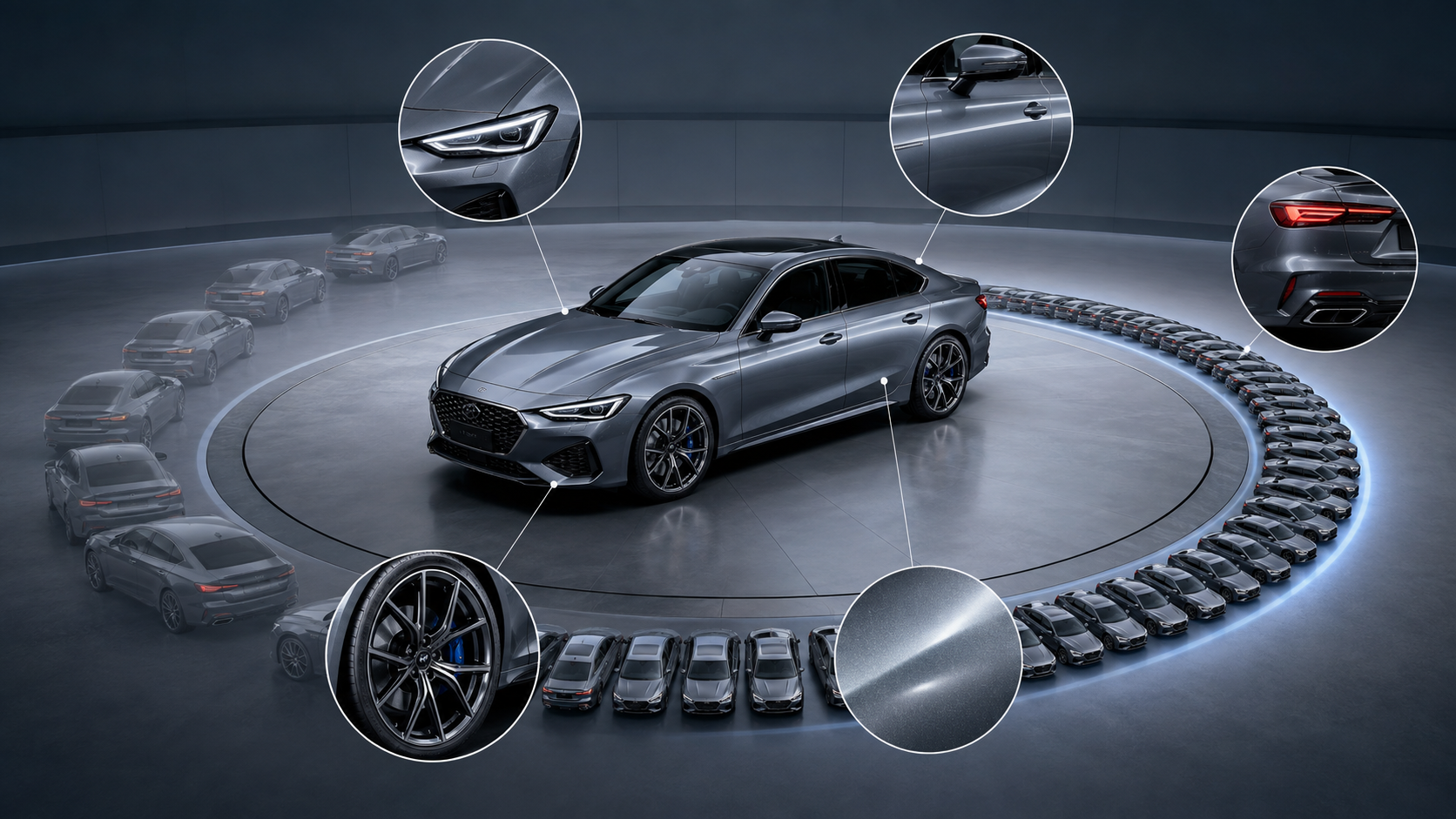
More frames are not free.
Each additional image has to be processed, hosted, delivered, decoded, or packed into another delivery format.
The API supports up to 120 frames, but the maximum is not automatically the best choice for every dealership application.
The current 96-frame default is intended to provide a noticeably smoother experience than the previous 64-frame default while still maintaining a reasonable payload.
That is why 96 frames works well as a starting point for a dealership-focused 360 spin frames API implementation.
There is an important catch.
Simply increasing the number of images does not guarantee a smooth vehicle spin.
The images also need to be spaced properly around the vehicle.
A phone records video according to time.
A person walking around a vehicle does not move at a perfectly consistent speed.
They may walk slowly near the front grille, move faster along the passenger side, pause around the rear, and slightly overshoot the starting point.
If a system simply extracted one image every fixed number of milliseconds, the selected frames might not be evenly distributed around the car.
You could end up with several images showing almost the same angle followed by a much larger jump.
The Spin API addresses this with the smooth_rotation processing option.
Instead of selecting frames based only on elapsed time, the processing pipeline analyzes the camera's movement around the vehicle and selects frames at more consistent angular intervals. It can also account for overlap when the person recording walks slightly beyond the original starting point.
That means a strong spin requires:
Enough frames + consistent angular spacing.
For a 96-frame spin, the target is roughly one selected frame every 3.75 degrees.
smooth_rotation Improves a 96-Frame SpinImagine a dealership employee records a 30-second walk-around video.
They spend extra time near the front of the vehicle because another car is nearby. Then they walk more quickly down the driver's side.
The video may contain hundreds of individual video frames.
But selecting 96 images evenly across those 30 seconds would not necessarily produce a consistent 360° experience.
The smooth_rotation option is designed to select output images according to the relative camera angle instead.
With a 96-frame output, that creates approximately equal angular increments around the vehicle.
The result is a more predictable interaction.
When a shopper drags a similar distance on their screen, the vehicle rotates by a more consistent amount.
That can matter more to perceived quality than simply increasing the total frame count.
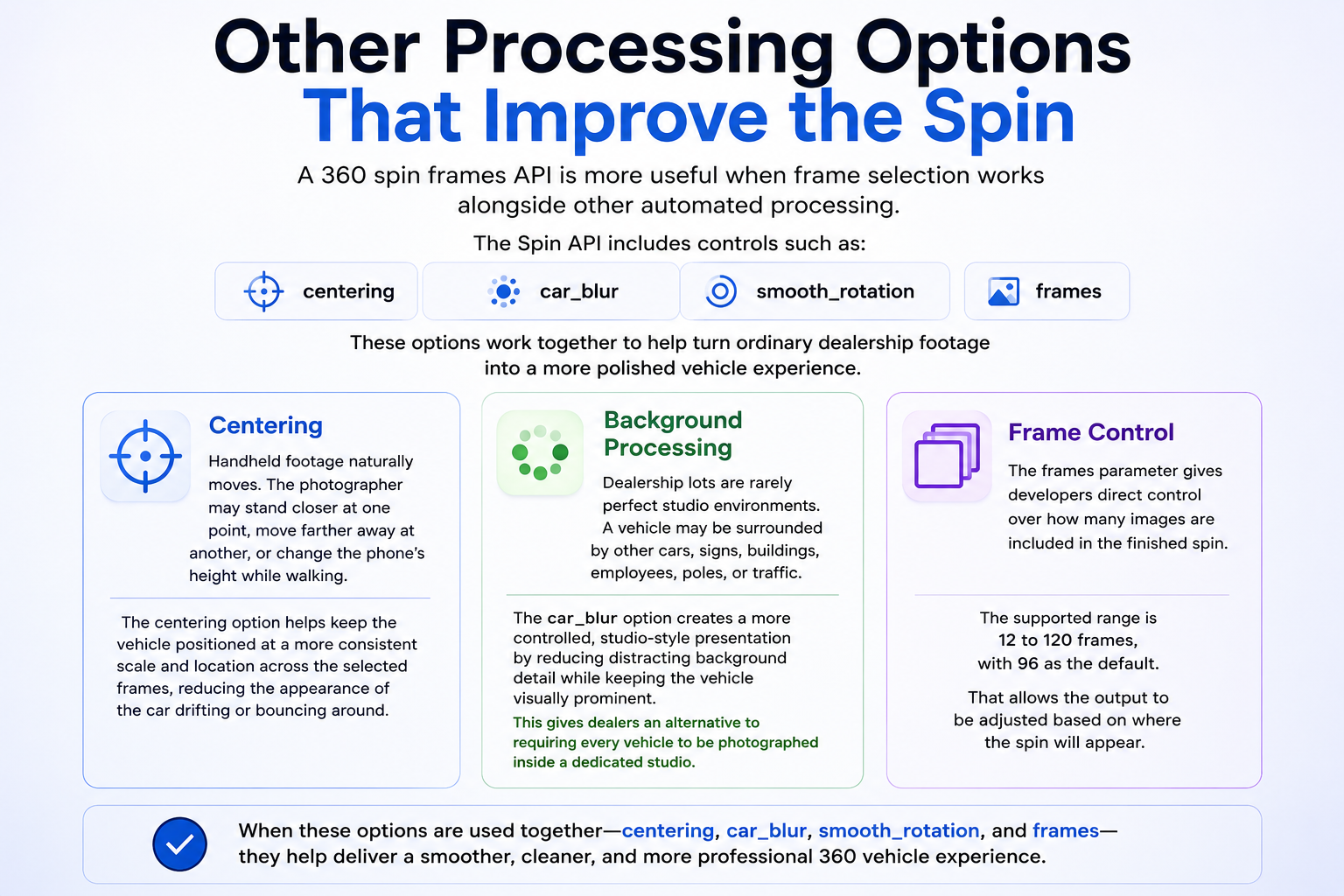
A 360 spin frames API is more useful when frame selection works alongside other automated processing.
The Spin API includes controls such as:
centering
car_blur
smooth_rotation
frames
These options work together to help turn ordinary dealership footage into a more polished vehicle experience.
Handheld footage naturally moves.
The photographer may stand slightly closer to the vehicle at one point, move farther away at another, or change the phone's height while walking.
The centering option helps keep the vehicle positioned at a more consistent scale and location across the selected frames.
That can reduce the appearance of the car drifting or bouncing around as the shopper rotates it.
Dealership lots are rarely perfect studio environments.
A vehicle may be surrounded by other cars, signs, buildings, employees, poles, or traffic.
The car_blur option can create a more controlled, studio-style presentation by reducing distracting background detail while keeping the vehicle visually prominent.
This gives dealers an alternative to requiring every vehicle to be photographed inside a dedicated studio.
The frames parameter gives developers direct control over how many images are included in the finished spin.
The supported range is 12 to 120 frames, with 96 as the default.
That allows the output to be adjusted based on where the spin will appear.
The API workflow is designed around asynchronous processing.
A vehicle walk-around is submitted using:
POST /api/v1/spins
The request can include the video along with optional metadata and processing configuration.
The API returns a job ID while the vehicle spin is being generated.
Your application can retrieve the job using:
GET /api/v1/spins/:id
Recent jobs can also be retrieved using:
GET /api/v1/spins
A spin can move through statuses including:
Queued → Processing → Ready
A failed status may also be returned when footage cannot be successfully processed.
This model allows a 360 spin frames API to sit inside a larger inventory workflow rather than becoming another manual dealership task.
For example, it can be incorporated into:
One concern with a 96-frame spin is web performance.
A dealership does not necessarily want its vehicle detail page waiting for 96 separate image requests before shoppers can interact with the car.
The Spin API provides multiple ways to deliver the finished experience.
result.frames provides an ordered collection of hosted JPEG images.
Developers can preload and display those images as the shopper rotates the vehicle.
This approach can work especially well for:
The API can also return sprite sheets, or mosaics, containing multiple frames inside larger image assets.
Instead of initially requesting dozens of separate images, the viewer can load a smaller number of sprite sheets and change which area of the image is displayed as the shopper rotates the vehicle.
This can reduce network overhead and improve the responsiveness of a browser-based viewer.
For dealership VDPs, that means choosing the right frame count and choosing the right delivery architecture should be considered together.
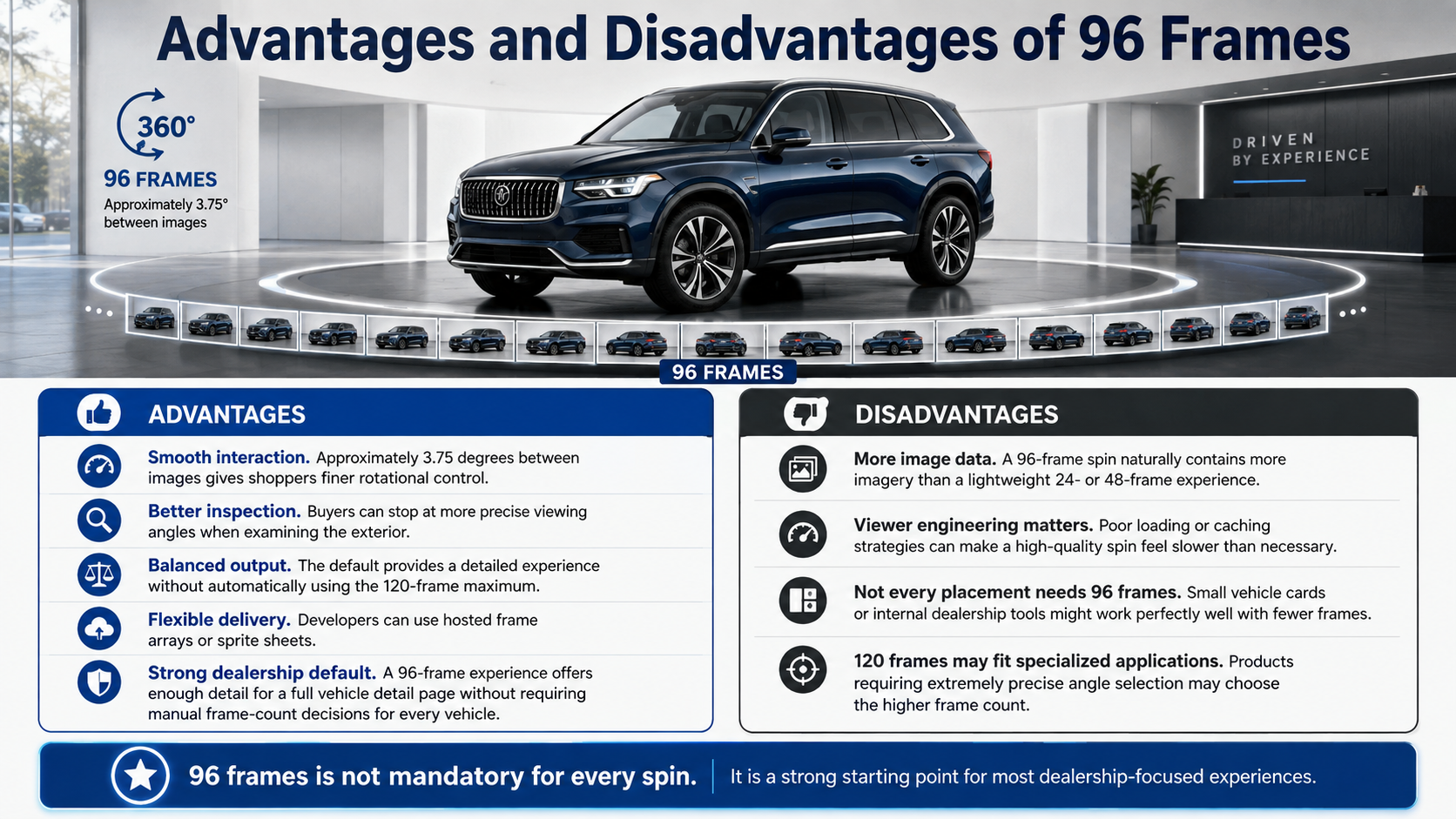
Smooth interaction. Approximately 3.75 degrees between images gives shoppers finer rotational control.
Better inspection. Buyers can stop at more precise viewing angles when examining the exterior.
Balanced output. The default provides a detailed experience without automatically using the 120-frame maximum.
Flexible delivery. Developers can use hosted frame arrays or sprite sheets.
Strong dealership default. A 96-frame experience offers enough detail for a full vehicle detail page without requiring manual frame-count decisions for every vehicle.
More image data. A 96-frame spin naturally contains more imagery than a lightweight 24- or 48-frame experience.
Viewer engineering matters. Poor loading or caching strategies can make a high-quality spin feel slower than necessary.
Not every placement needs 96 frames. Small vehicle cards or internal dealership tools might work perfectly well with fewer frames.
120 frames may fit specialized applications. Products requiring extremely precise angle selection may choose the higher frame count.
The point is not that every spin must use 96 frames.
It is that 96 provides a strong starting point for most dealership-focused experiences.
A completed vehicle spin is only useful operationally if it can be matched back to the correct inventory record.
The Spin API supports optional vin and stock_number metadata.
These identifiers can travel with the spin and be returned with the resulting assets.
That makes automated dealership workflows much easier.
A vehicle enters inventory.
The dealership already has its VIN and stock number.
An employee records the walk-around.
The video is submitted to the API with those same identifiers.
The completed spin can then be associated with the correct inventory record without requiring someone to manually determine where the finished assets belong.
For dealer groups and automotive software companies processing large inventory volumes, that type of matching can be just as important as the visual quality of the spin itself.
Start with 96 frames unless your application has a clear reason to choose another value.
Test the finished viewer on actual dealership VDPs rather than evaluating only the raw images.
Pay particular attention to mobile performance and normal cellular connections.
Use smooth_rotation so the selected images are distributed at more consistent angles around the vehicle.
Consider sprite sheets when minimizing initial browser requests is important.
Keep VIN and stock-number formats consistent with the dealership's existing inventory system.
Test with real dealership footage rather than perfectly staged demonstrations.
Real-world captures include uneven walking speed, reflections, parked vehicles, variable lighting, background clutter, and imperfect camera paths.
A production-ready 360 spin frames API workflow should be designed for those conditions.
At 96 frames, each image represents approximately 3.75 degrees of the full rotation. The default is intended to provide a smoother dragging experience while keeping the resulting payload practical.
Yes. The API supports outputs from 12 through 120 frames.
Yes. Developers can select a higher frame count when an application benefits from smaller angular increments.
No.
Higher frame counts provide more viewing angles, but source footage, angular spacing, web delivery, caching, and viewer performance also influence the finished experience.
smooth_rotation Do?It helps select frames at consistent angular intervals instead of relying only on equal time intervals from the original video.
Not necessarily. Developers can use the returned frame or sprite-sheet assets to build a custom experience, and the API can also provide a hosted CloudPano tour.
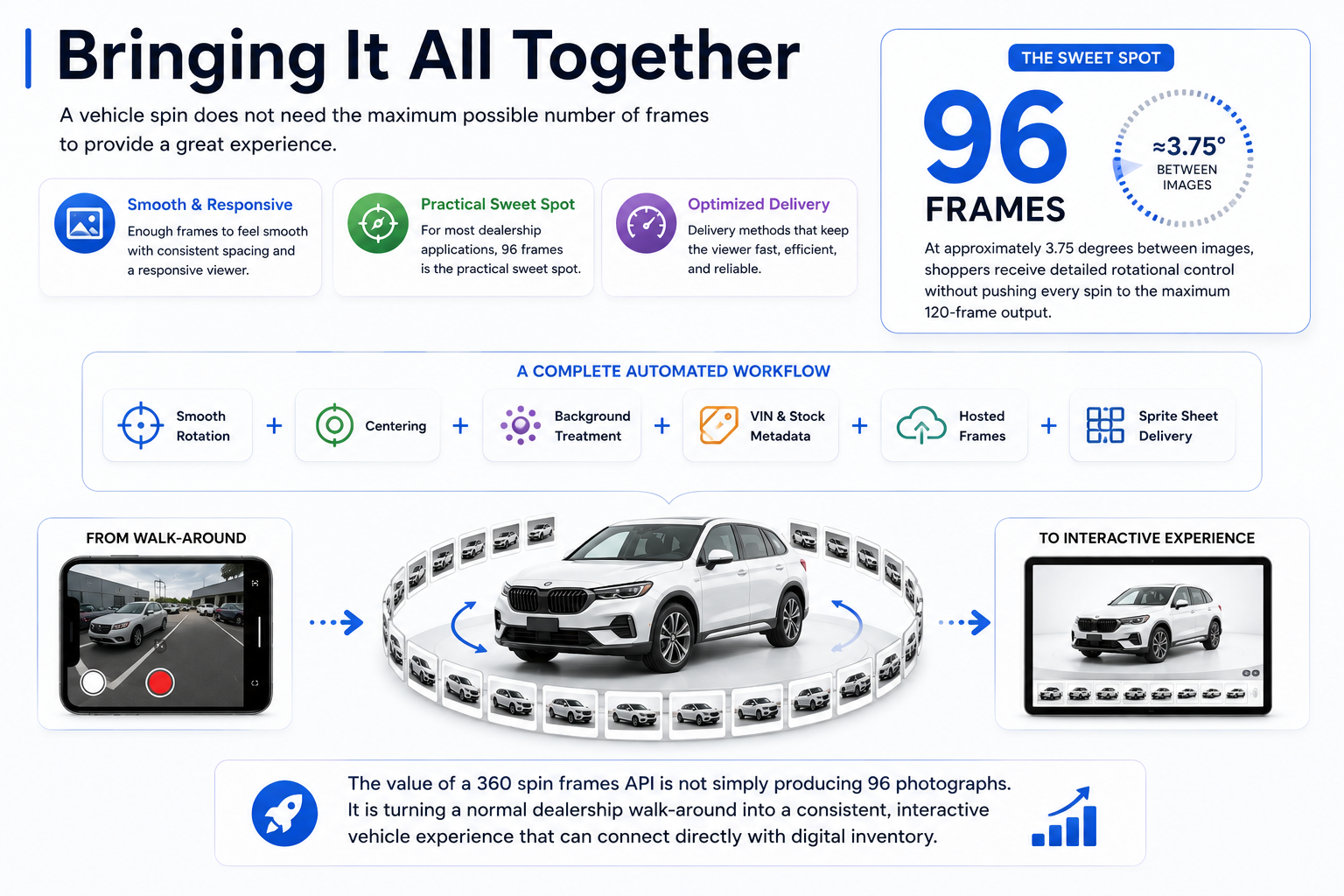
A vehicle spin does not need the maximum possible number of frames to provide a great experience.
It needs enough frames to feel smooth, consistent spacing between those frames, and a delivery method that keeps the viewer responsive.
For many dealership applications, 96 frames is the practical sweet spot.
At approximately 3.75 degrees between images, shoppers receive detailed rotational control without automatically pushing every spin to the maximum 120-frame output.
Combined with smooth_rotation, centering, background treatment, VIN and stock-number metadata, hosted frames, and sprite-sheet delivery, frame count becomes one component of a complete automated merchandising workflow.
The value of a 360 spin frames API is not simply producing 96 photographs.
It is turning a normal dealership walk-around into a consistent, interactive vehicle experience that can connect directly with digital inventory.
Dealerships should not need a $40,000 studio, permanent turntable, or complicated capture process just to give online shoppers a better view of inventory.
A simple vehicle walk-around can become a polished 360° spin that fits into a dealership website, VDP, inventory platform, or automotive application.
For developers and automotive technology companies, that opens the door to offering 360° merchandising directly inside products dealerships already use.
Start with 96 frames, connect the spin to VIN and stock-number data, and build the experience around real dealership inventory rather than expensive specialized hardware.
Turn your next vehicle walk-around into a smooth, inventory-ready 360° experience with the CloudPano Spin API.


Compact, ready to go anywhere
Interchangeable lens that’s upgradeable
Dual 1-inch sensors for improved clarity and low light performance
Dynamic range and 6K 360° capture
360° photo resolution at 21MP

8K 360° video recording for ultra-detailed visuals.
4K single-lens mode for traditional wide-angle shots.
Invisible selfie stick effect for drone-like perspectives.
2.5-inch touchscreen with Gorilla Glass protection.
Waterproof up to 33ft for underwater shooting.

360° photo resolution in 23MP
Slim design at 24 mm thick
Built-in image stabilization for smooth video capture.
Internal 19GB storage for photo and video storage.
Wireless connectivity for remote control and sharing.

60MP 360° still images for high-resolution photography.
5.7K 360° video recording at 30fps.
2.25-inch touchscreen for intuitive control.
USB Type-C port for fast charging and data transfer.
MicroSD card slot for expandable storage.
.png)

.png)

Try it free. No credit card required. Instant set-up.







.svg)


.svg)