


.png)


If you’ve ever clicked around inside a business on Google Maps—walking through a restaurant, exploring a gym, or previewing a hotel lobby before booking—then you’ve experienced Google Street View virtual tours.
For business owners, marketers, and real estate professionals, these tours are no longer “nice to have.” They’re a powerful trust-building asset that works 24/7.
But here’s the question many people ask:
✅ What is Google Street View virtual tour software, and how does it actually work?
In this guide, we’ll break it down in simple terms, explain how the process works step-by-step, and show why Google Street View business tours are still one of the most valuable evergreen marketing tools available.
Google Street View virtual tour software is a tool (or platform) that helps you create, stitch, edit, and publish interactive 360° tours that appear inside:
This type of Google Street View tour software turns a set of 360° photos into a connected walkthrough experience where users can click arrows or hotspots and “move” through the building like they’re there in person.
Think of it like building an indoor version of Street View for a business.
Google Street View virtual tours are interactive 360° walkthroughs that allow people to:
They’re often used for:
And yes—Google Street View business tours can absolutely influence whether someone decides to visit, call, or book.
Even though virtual tours have expanded beyond Google, Google remains one of the most important platforms because:
When someone searches:
They’re already in a high buying-intent moment. A virtual tour can instantly separate your business from competitors.
A tour answers questions people don’t even think to ask:
The more confident people feel, the more likely they are to:
📞 call
📍 visit
🗓️ book
💳 buy
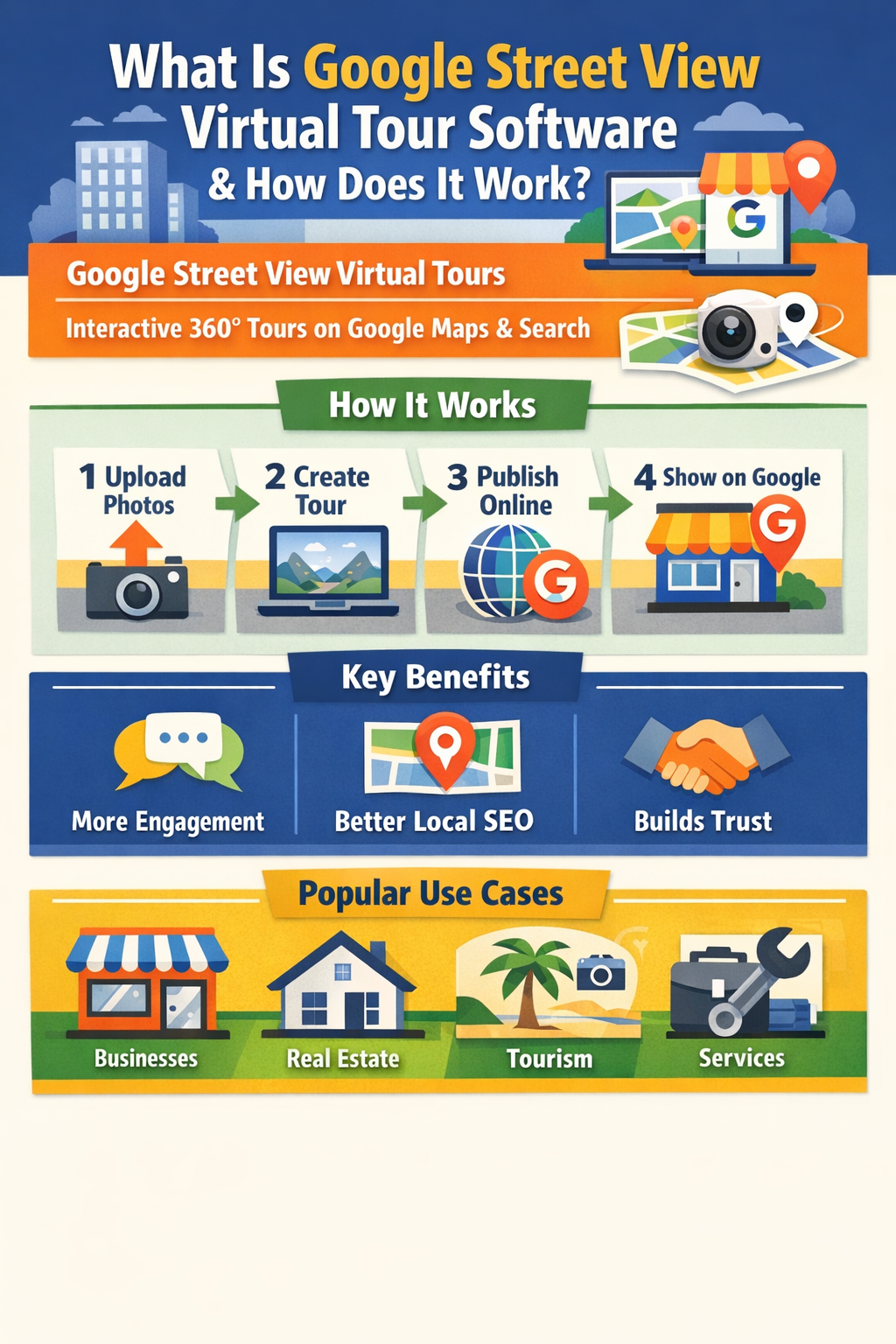
Let’s walk through the full process from capture to Google Maps publishing.
First, you need 360° panoramic images. These can be captured with:
Each photo is taken at a “scan point” or “node.” This is where the viewer will stand inside the tour.
Most businesses capture:
This is where Google virtual tour software comes in.
The software allows you to:
In a tour builder, you’re basically creating a map of the experience.
Now the software creates connections between rooms.
Example:
This step is what separates random 360 photos from an actual tour.
Good Google Street View tour software will help improve tour quality by allowing:
This matters because low-quality tours can hurt trust instead of helping it.
Once the tour is assembled and approved:
This final step is the “magic moment” where your tour becomes discoverable in Google search results.
Most platforms that qualify as Google Street View virtual tour software include:
A drag-and-drop interface to connect scenes
Even though Google hosts Street View content in Maps, many platforms host a branded version too.
Tools to export and publish properly to Google
Face blur, license plate blur, etc.
Logos, splash screens, hotspots, menus, and more
Even if Google doesn’t display all the branding features inside its own interface, branded tours are still useful for:
This matters.
A lot of people confuse these terms.
✅ Hosted/discoverable on Google Maps
✅ Directly tied to search intent
✅ Great for local SEO and conversions
✅ Can be hosted anywhere
✅ Often have more branding control
✅ Better customization (hotspots, lead capture, etc.)
In reality, the strongest strategy is both:
🔥 Publish a Street View tour to Google
🔥 Use a branded virtual tour for your website and marketing
The best candidates usually share one thing:
✅ The buyer feels uncertainty before visiting.
That’s why tours perform extremely well for:
If someone might ask, “What does it look like inside?”—you’re a perfect fit.
While the tour itself may not be a direct ranking factor in all cases, it supports SEO in indirect high-impact ways:
✅ Higher engagement time
✅ More profile interactions
✅ Increased call clicks
✅ Higher directions requests
✅ Better conversion from map views
✅ More trust → more reviews
And reviews + engagement can absolutely influence local performance over time.
Reality: Tours still exist and still show up in Google Maps and business profiles (depending on location and publishing method).
Reality: A tour requires properly linked navigation, not just one panoramic upload.
Reality: Small local businesses benefit the most because they’re fighting for attention.
When evaluating platforms, prioritize:
If the software makes publishing difficult, it will slow down your entire process.
At the end of the day, Google Street View virtual tours are one of the few marketing assets that:
✅ work 24/7
✅ build instant trust
✅ reduce buyer hesitation
✅ increase engagement
✅ help conversions directly from Google
And the better the experience, the more likely your business wins the click.
If you want to compete in local search and stand out visually, investing in the right Google Street View virtual tour software is one of the most evergreen moves you can make. 🌍✨


Compact, ready to go anywhere
Interchangeable lens that’s upgradeable
Dual 1-inch sensors for improved clarity and low light performance
Dynamic range and 6K 360° capture
360° photo resolution at 21MP

8K 360° video recording for ultra-detailed visuals.
4K single-lens mode for traditional wide-angle shots.
Invisible selfie stick effect for drone-like perspectives.
2.5-inch touchscreen with Gorilla Glass protection.
Waterproof up to 33ft for underwater shooting.

360° photo resolution in 23MP
Slim design at 24 mm thick
Built-in image stabilization for smooth video capture.
Internal 19GB storage for photo and video storage.
Wireless connectivity for remote control and sharing.

60MP 360° still images for high-resolution photography.
5.7K 360° video recording at 30fps.
2.25-inch touchscreen for intuitive control.
USB Type-C port for fast charging and data transfer.
MicroSD card slot for expandable storage.
.png)

.png)

Try it free. No credit card required. Instant set-up.







.svg)


.svg)