Real Estate Video Marketing: A No-Filming AI Strategy

June 29, 2025
5 min read
Share this post

🎥 Real Estate Video Marketing: A No-Filming AI Strategy 🏡🤖

Video is dominating the real estate marketing landscape. But what if you could create stunning property videos—without filming anything?

Welcome to the future: AI-powered, no-filming video marketing. 💡 This strategy helps agents, photographers, and marketers generate high-converting real estate videos from just a folder of listing photos… all within minutes.

In this post, you’ll discover how to implement this zero-filming approach, what tools to use, and how to turn it into a scalable marketing machine. 🚀

💥 Why Video Is a Must-Have for Real Estate

Video listings get:

  • 🧲 403% more inquiries (according to NAR)
  • 📱 Higher engagement on social media
  • 🏆 Better chances of winning seller listings

Yet most agents don’t use video consistently because it's traditionally:

  • Expensive 🎥💸
  • Time-consuming ⏳
  • Logistically complicated 🤯

That’s where AI changes everything.

🤖 What Is No-Filming AI Video?

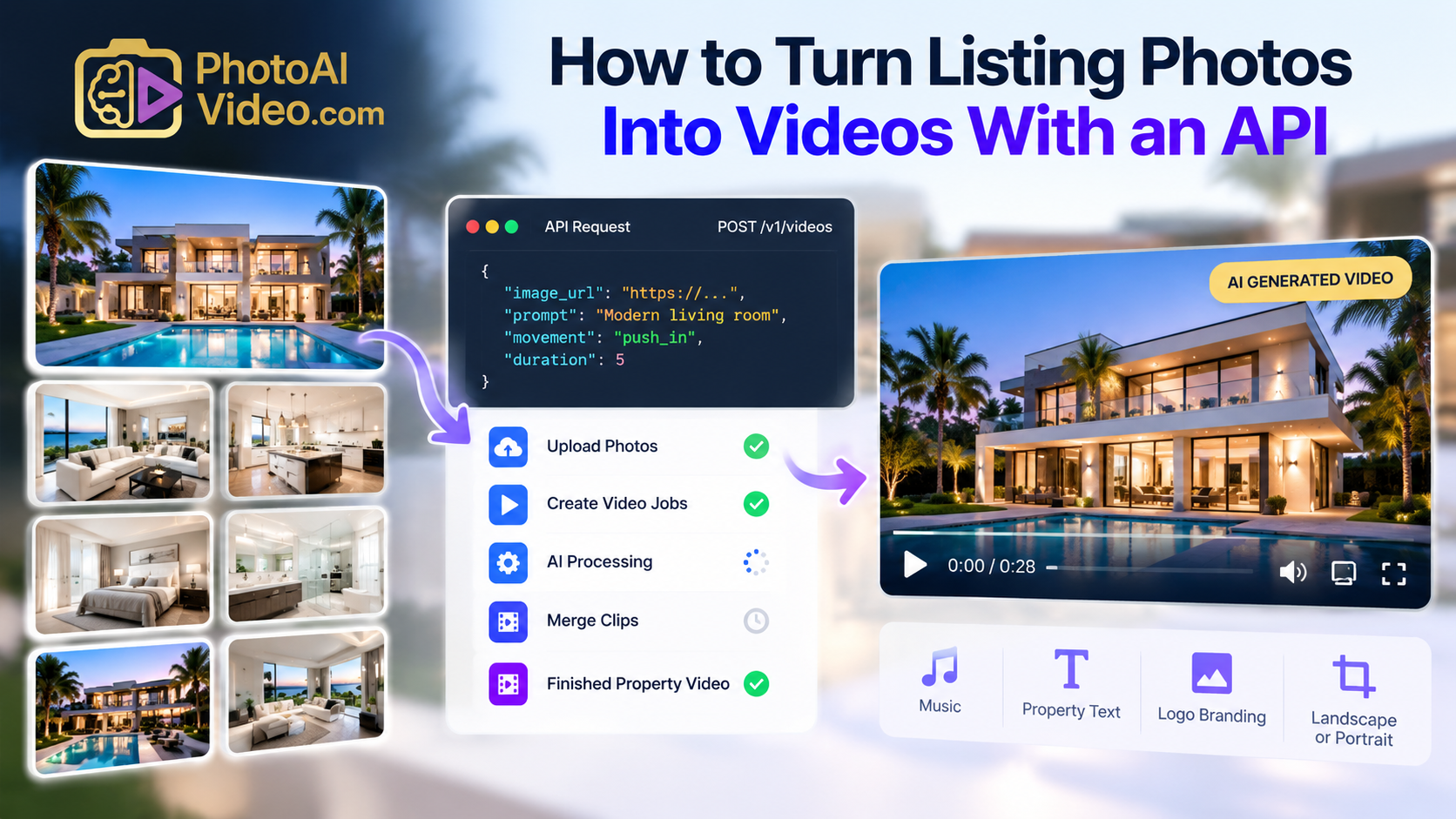
Instead of booking shoots, hiring videographers, or editing in Final Cut Pro, you now have access to tools like Photoaivideo that convert static listing photos into branded real estate videos—automatically.

How it works:

  1. 🖼️ Upload listing photos
  2. 🪄 Let AI design transitions, layout, and branding
  3. 📽️ Get a ready-to-share video in minutes

🔗 Learn more: Photos Into Videos With Photoaivideo

🧰 Tools You Need for AI Video Marketing

Here's a toolkit to launch your no-filming strategy:

🔁 Where to Use These AI Videos

  1. MLS + Zillow: Embed or link the video to the listing page
  2. Social Media Ads: Create Reels or Facebook Video Ads
  3. Email Campaigns: Share a video walkthrough to boost open rates
  4. YouTube SEO: Publish with keywords like “123 Main St Virtual Tour”
  5. Listing Presentations: Impress sellers with your modern toolkit

🎯 Related post: The Anatomy of a High-Converting Real Estate Video (with AI)

📦 No-Filming Video Packages You Can Offer

If you're a photographer or marketer, these are ready-to-sell packages built on AI video delivery:

🧱 Starter Package – $59

  • 1 property video
  • Logo + agent branding
  • MLS-ready version

💼 Pro Bundle – $149

  • 3 videos/month
  • Horizontal + vertical formats
  • Captioned Reels version
  • Property website link

🏢 Team Plan – $399

  • 10+ videos/month
  • White-label dashboard
  • Client upload access
  • Real-time delivery

🧠 Learn more: How to Build Recurring Revenue With AI Video Delivery

📈 The Marketing Benefits of AI Video

Let’s break down the ROI of no-filming real estate videos:

Agents love it because it makes them look high-tech. Sellers love it because it gets results. And you’ll love it because it’s easy to deliver at scale. ✅

🛠️ Step-by-Step Setup for Your AI Video Workflow

Step 1: Upload Listing Photos

Use 10–25 high-res photos per property. Avoid vertical shots for best results.

Step 2: Generate the Video

Use a tool like Photoaivideo to create the video. Add intro/outro, text overlays, music, and your branding automatically.

Step 3: Customize (Optional)

Want a voiceover or agent name at the start? Use ChatGPT to write it and a TTS tool like ElevenLabs to generate the audio.

Step 4: Deliver + Embed

Download and send to the client, or embed it directly in a property website or email campaign.

🧠 Pro Tips to Scale

  • ✏️ Use ChatGPT to write listing descriptions and voiceover scripts
  • 📤 Let agents upload folders via Dropbox or Drive — then auto-process
  • 🔄 Offer 24-hour turnaround as a premium upsell
  • 🧑‍💼 Train a VA to manage delivery and basic support
  • 🎯 Run YouTube ads using your best property video as a promo

🏁 Final Thoughts: The Future of Real Estate Video Is Frictionless

You don’t need a camera.
You don’t need to edit.
You don’t even need to show up. 🤯

With no-filming AI video strategies, you can launch high-converting real estate marketing at scale, on autopilot, and with almost zero overhead.

🎥 Ready to try it for yourself?

👉 Turn Your First Set of Photos Into a Video — Free Trial

Share this post

Choose The Right 360° Camera

Insta360 ONE RS 1-Inch 360 Edition

  • Compact, ready to go anywhere

  • Interchangeable lens that’s upgradeable

  • Dual 1-inch sensors for improved clarity and low light performance

  • Dynamic range and 6K 360° capture

  • 360° photo resolution at 21MP

Learn More

Insta360 X4

  • 8K 360° video recording for ultra-detailed visuals.

  • 4K single-lens mode for traditional wide-angle shots.

  • Invisible selfie stick effect for drone-like perspectives.

  • 2.5-inch touchscreen with Gorilla Glass protection.

  • Waterproof up to 33ft for underwater shooting.

Learn More

Ricoh Theta Z1

  • 360° photo resolution in 23MP

  • Slim design at 24 mm thick

  • Built-in image stabilization for smooth video capture.

  • Internal 19GB storage for photo and video storage.

  • Wireless connectivity for remote control and sharing.

Learn More

Ricoh Theta X

  • 60MP 360° still images for high-resolution photography.

  • 5.7K 360° video recording at 30fps.

  • 2.25-inch touchscreen for intuitive control.

  • USB Type-C port for fast charging and data transfer.

  • MicroSD card slot for expandable storage.

Learn More
Property Marketing
Allows potential buyers to explore properties in detail from anywhere, enhancing the real estate marketing process.
Automotive Spins
Create an interactive virtual showroom and engage affluent digital buyers with live 360º video calls, all through the CloudPano mobile app for a complete automotive sales solution.
Interactive Floor Plans
Create 2D and 3D floor plans with measurements in 4 minutes or less, all from your phone. Download the Floor Plan Scanner app and get your first scan free.

360 Virtual Tours With CloudPano.com. Get Started Today.

Try it free. No credit card required. Instant set-up.

Try it free
Latest posts

See our other posts

Interviews, tips, guides, industry best practices, and news.

Bracketing Photography for Beginners

This beginner-friendly bracketing photography tutorial explains how exposure bracketing works and why it’s essential for capturing detail in high-contrast scenes. Readers learn when to use bracketing, how to set it up on their camera, how many exposures to shoot, and why using a tripod improves results. The guide also covers common beginner mistakes and how bracketing supports HDR photography and better editing flexibility.
Read post

Manual vs Auto Bracketing: Which Is Better?

This guide compares manual vs auto bracketing to help photographers understand the strengths and limitations of each method. It explains how both techniques capture multiple exposures, when to use each, and how they affect speed, control, consistency, and HDR workflows. Readers learn which method is better for beginners, professionals, real estate photography, landscapes, and extreme lighting situations. The article provides practical advice for choosing the right bracketing approach based on shooting conditions.
Read post

How to Use Auto Exposure Bracketing (AEB)

This guide explains how to use auto exposure bracketing (AEB) to capture multiple exposures of the same scene for better dynamic range and HDR photography. Readers learn what AEB is, how it works, when to use it, and how to set it up for consistent results. The article covers EV spacing, tripod use, ideal camera settings, and common mistakes to avoid, making it a beginner-friendly yet practical resource for improving exposure in high-contrast lighting situations.
Read post