


.png)


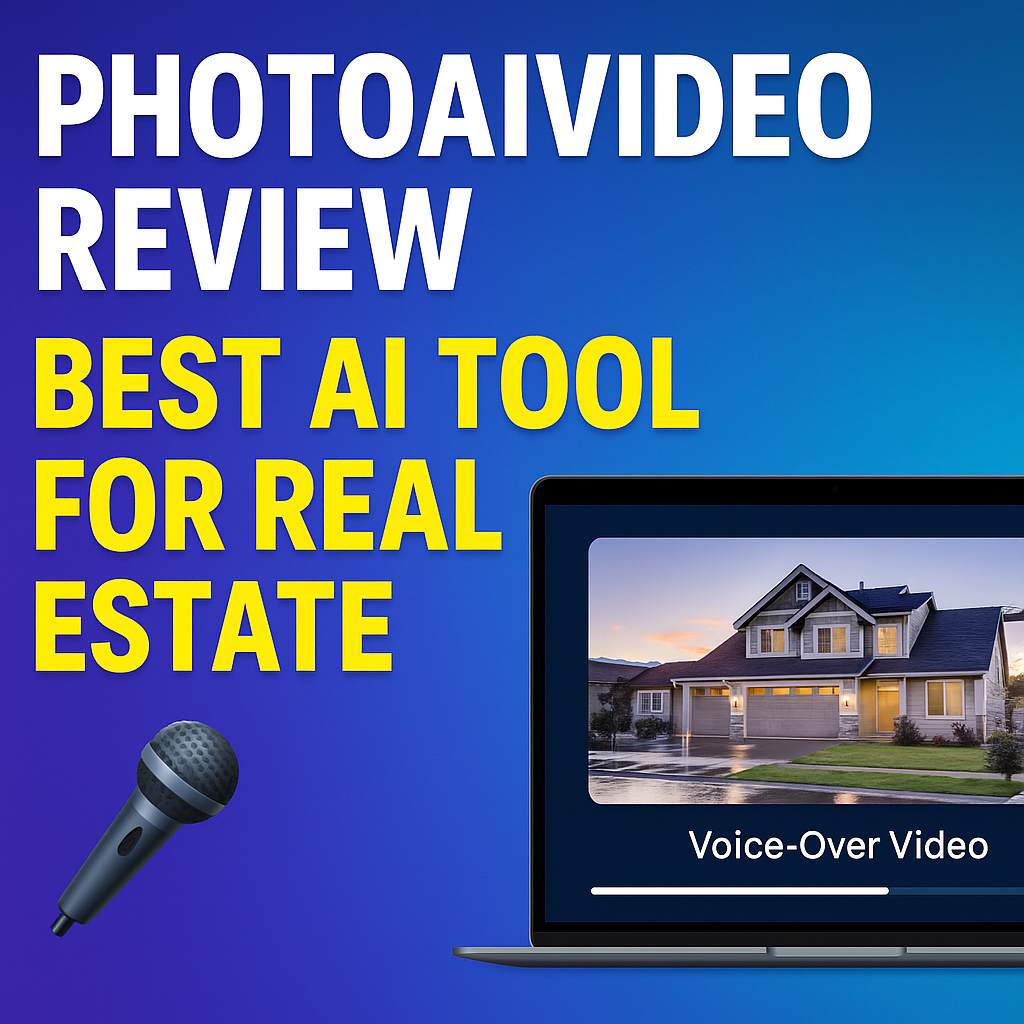
If you’re in real estate, you already know that video sells — faster, stronger, and with more emotion than any static image ever could. But here’s the problem:
🎯 Creating real estate videos has always been time-consuming, expensive, and often requires editing skills most agents don’t have.
That’s exactly why PhotoAIVideo.com is turning heads in the real estate marketing world. A real estate video app makes it easy for agents to turn listing photos into high-quality videos that boost MLS visibility.
In this in-depth review, we’ll break down what makes PhotoAIVideo the #1 AI video creation tool for real estate, how it works, who it’s for, and why it’s changing how agents and photographers deliver property marketing. You can instantly transform your property photos with our 360-virtual staging tool powered by AI.
PhotoAIVideo is an AI-powered platform that turns your listing photos into stunning voice-over videos — automatically.
Imagine this: you upload your property photos, choose a voice (male or female, any accent), and in seconds you’ve got a cinematic walkthrough video — complete with background music, smooth transitions, captions, and professional narration.
No camera crew. No editing software. No headache.
It’s like having a full-time video editor and voice actor in your pocket. 🎬
Let’s be real — most agents and photographers aren’t video pros. You’re juggling listings, showings, calls, and clients all day.
PhotoAIVideo solves three major pain points instantly:
✅ Time: Create a full marketing video in under 5 minutes.
✅ Cost: No need to hire videographers or editors.
✅ Consistency: Every listing gets a high-quality video presentation, every time.
In other words, it gives you professional-grade video output with zero friction — perfect for social media, MLS pages, or branded websites.
One of the standout features that separates PhotoAIVideo from other tools is its realistic AI voice narration.
You can pick from dozens of natural-sounding voices in multiple accents and languages. Whether you want a warm American tone, a crisp British accent, or a confident Australian delivery — the system instantly narrates your video with clarity and emotion.
Even better, the AI automatically times the voice-over to match your photo sequence. That means perfect pacing and smooth storytelling, every single time.
💡 Pro Tip: Use descriptive captions and brief bullet-point text in each slide — the AI voice will emphasize them beautifully.
Under the hood, PhotoAIVideo uses advanced text-to-speech and image sequencing models trained on thousands of real estate video examples.
Here’s the workflow in plain English:
The AI handles everything: image transitions, scene pacing, tone, timing, and even call-to-action placement.
You can also adjust speed, music volume, and voice tone before publishing.
Read: AI Voiceovers for Realtors: Turn Listing Photos Into Engaging Property Videos
Once your AI video is done, you can share it instantly across all your marketing channels:
In fact, many agents are using PhotoAIVideo to build brand recognition by adding their logo and outro clip to every video. The system allows easy customization — so every video looks and feels like it came from your brand.
PhotoAIVideo offers a free plan to start, making it super easy to test. You only pay when you’re ready to generate more projects or want premium options like custom branding and advanced voice-overs.
Common use cases include:
Most users find that even one closed deal covers the cost of hundreds of AI-generated videos.
PhotoAIVideo isn’t just for real estate agents — it’s designed for the entire property marketing ecosystem:
🏢 Real Estate Photographers – Offer AI videos as an upsell for every photo shoot.
🏘️ Brokerages – Automate video creation for every listing.
🏙️ Property Managers – Showcase rentals and community amenities with narration.
🏗️ Builders and Developers – Use AI videos to present new construction and floor plans.
🏠 Vacation Rental Hosts – Turn property photos into story-driven booking videos.
If your business involves real estate visuals, PhotoAIVideo can turn them into scroll-stopping video content in seconds.
This tool doesn’t just make videos — it helps you build a brand system around them.
You can:
That means your videos not only look professional — they drive conversions.
🔥 Pro tip: Combine your PhotoAIVideo reels with a landing page built in Pictastic.ai or CloudPano for a powerful one-two punch.
Let’s say you just shot photos for a $650,000 listing in Dallas.
You upload 12 images into PhotoAIVideo, paste the MLS description, and pick a “Professional Female” AI voice.
Within a minute, you’ve got a stunning 60-second video featuring:
You download the file, upload it to Instagram, YouTube, and your client’s website — all before your coffee gets cold ☕.
Here’s what users consistently report after using PhotoAIVideo:
📈 Higher engagement on social posts (2–3× more views)
💬 More inquiries from buyers and sellers
⏱️ Hours saved every week in editing time
🎥 Professional consistency across all listings
One agent even said:
“I used to spend $200–$300 per listing video. Now I make them in minutes — and clients think I hired a full media team!”
Some of the underrated gems inside PhotoAIVideo include:
✨ AI Script Generator: Just type your listing link — it writes the voice-over script for you automatically.
🎵 Music Library: Choose from curated real estate-friendly soundtracks.
🗣️ Voice Style Options: Energetic, calm, luxury, conversational — choose your tone.
🔁 Batch Mode: Generate multiple videos for multiple listings in one go.
🧾 Analytics Dashboard: See views and engagement stats across campaigns.
Each of these features helps you streamline video production so you can focus on selling — not editing.
You’ve probably seen other AI video generators out there — but here’s what makes PhotoAIVideo different:
For most users, that’s the difference between “AI gimmick” and a daily business tool that drives ROI.
Read: Step-by-Step: How to Make Real Estate Videos From Photos Using AI
If you want to 10× your visibility, combine PhotoAIVideo with a repeatable posting rhythm.
Try this weekly plan:
Repeat this every week and watch your traffic and lead volume skyrocket. 🚀
The rise of AI tools like PhotoAIVideo is redefining how real estate media is created.
We’re entering a world where agents no longer need production crews — just good photos, good data, and good AI.
Voice-over automation, instant branding, and smart distribution are now the new standard for modern agents.
If you’re not using AI to speed up your marketing workflow yet, you’re already behind.


Compact, ready to go anywhere
Interchangeable lens that’s upgradeable
Dual 1-inch sensors for improved clarity and low light performance
Dynamic range and 6K 360° capture
360° photo resolution at 21MP

8K 360° video recording for ultra-detailed visuals.
4K single-lens mode for traditional wide-angle shots.
Invisible selfie stick effect for drone-like perspectives.
2.5-inch touchscreen with Gorilla Glass protection.
Waterproof up to 33ft for underwater shooting.

360° photo resolution in 23MP
Slim design at 24 mm thick
Built-in image stabilization for smooth video capture.
Internal 19GB storage for photo and video storage.
Wireless connectivity for remote control and sharing.

60MP 360° still images for high-resolution photography.
5.7K 360° video recording at 30fps.
2.25-inch touchscreen for intuitive control.
USB Type-C port for fast charging and data transfer.
MicroSD card slot for expandable storage.
.png)

.png)

Try it free. No credit card required. Instant set-up.







.svg)


.svg)