


.png)



Real estate marketing has changed forever. What used to require hours of editing, professional equipment, or expensive videographers can now be done instantly — all from a set of simple listing photos. Turn your property photos into stunning AI videos in seconds — try PhotoAIVideo today! With a real estate video app, agents can quickly produce professional listing videos that attract more buyers.
Welcome to the era of AI listing videos, where real estate agents, photographers, Airbnb hosts, and property managers can create cinematic, scroll-stopping videos in just 60 seconds.
If you’ve ever wished you could:
✅ Produce more listing content
✅ Look more professional
✅ Impress sellers
✅ Get more views on every platform
✅ Save hours of time
…then this guide is exactly what you need.
Let’s break down how AI converts property photos into a finished listing video in under a minute — and how you can leverage it to elevate your entire real estate marketing strategy.
Before we get into the “how,” let’s talk about the “why.”
AI listing videos aren’t just a cool tool — they’re a necessary advantage.
Instagram Reels
TikTok
YouTube Shorts
Facebook
Google Business Profile
All of these push video over images.
If you want:
✅ More reach
✅ More engagement
✅ More clicks
✅ More leads
…you MUST post video.
Showing AI-enhanced listing videos in your listing presentation instantly makes you look:
It clearly separates you from agents who rely only on photos.
Traditional video editing is slow.
AI video creation is instant — allowing you to promote a listing the same day you receive photos.
No editor.
No videographer.
No software.
No frustration.
AI does the heavy lifting for free or at a fraction of traditional costs.
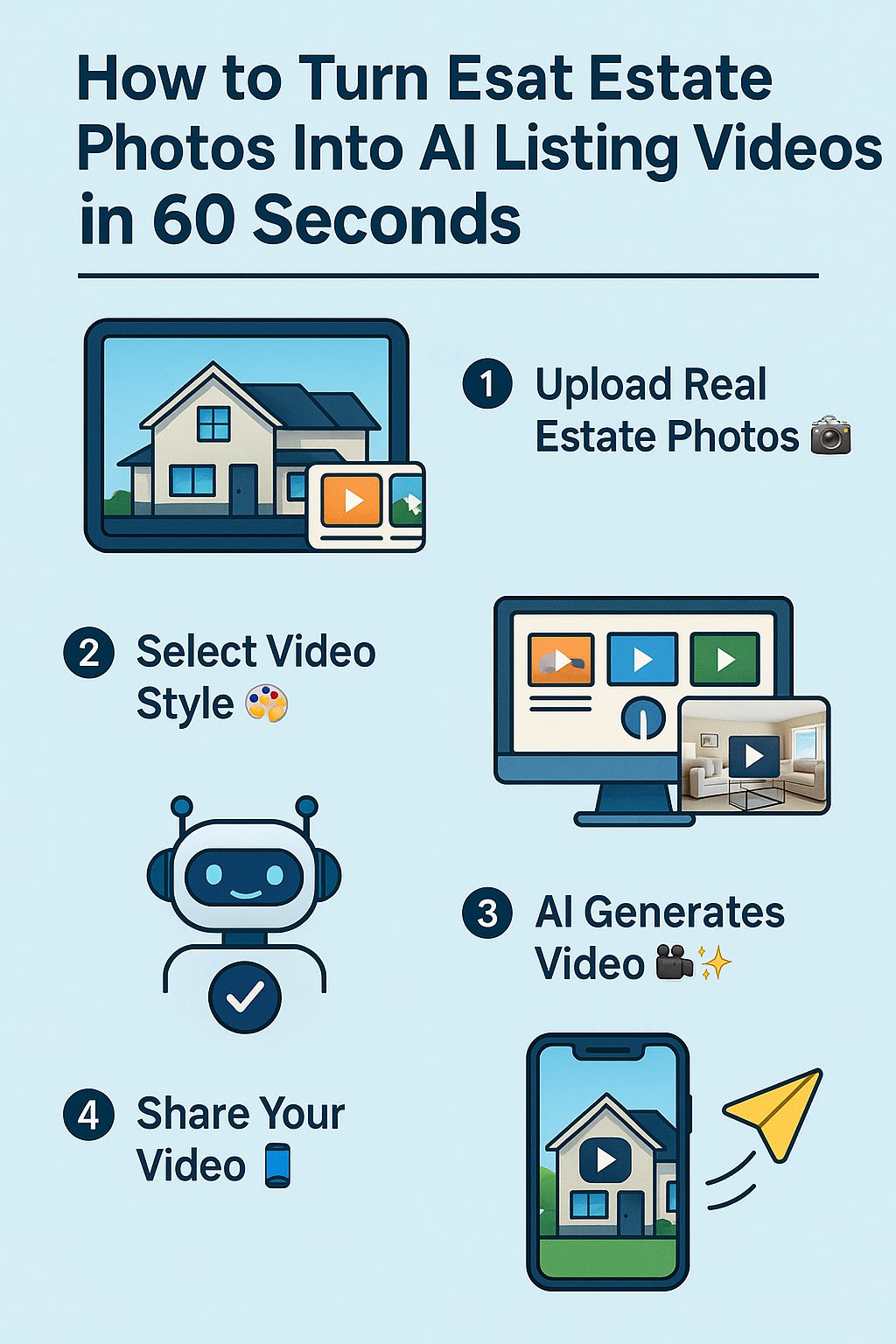
Here is the simple, step-by-step workflow that transforms ordinary property photos into a cinematic video in seconds.
Follow these steps, and you’ll have a polished listing video faster than you can make a cup of coffee. ☕
Choose 10–25 high-quality photos, including:
Good photos = better AI results.
But even average photos look better once AI adds motion and music.
AI tools typically offer multiple themes for different types of listings.
Common options include:
Pick the style that vibes with the home’s personality.
Here’s where the magic happens.
AI scans the photos to understand:
Then it intelligently arranges the visuals like a real videographer — sorting the photos into a natural home-tour sequence:
1️⃣ Exterior
2️⃣ Entry
3️⃣ Living areas
4️⃣ Kitchen
5️⃣ Bedrooms
6️⃣ Bathrooms
7️⃣ Backyard
You don’t do ANY of this manually.
AI handles it in seconds.
Rather than creating a slideshow, AI creates real movement.
It applies:
This transforms your still photos into a video that feels alive — like a true walk-through.
Buyers LOVE this.
AI can generate natural-sounding narration such as:
“Welcome to this beautifully updated home featuring three bedrooms, two bathrooms, and an open-concept living space…”
You can choose:
Some tools even let you clone your voice, giving your brand a personal touch in every video.
AI auto-generates music that matches your listing style:
Music sets the emotional tone — and keeps viewers watching longer.
AI automatically inserts:
Because most viewers watch videos muted, captions dramatically improve engagement.
Branding builds trust.
AI can add:
✅ Your name
✅ Your headshot
✅ Logo
✅ Phone number
✅ Website
✅ Brokerage details
✅ Brand colors
A polished listing video instantly positions you as a marketing expert — and your sellers will love it.
In seconds, the AI produces:
All in under 60 seconds.
Seriously.
After generating your video, you can use it everywhere:
Huge organic reach.
Perfect for fast-paced listing video content.
Great for SEO and long-term visibility.
Increases engagement and lead volume.
Makes your listing stand out immediately.
Keeps buyers on your page longer.
Video thumbnails improve click-through dramatically.
Massive local SEO boost.
Impress sellers with premium marketing.
AI videos outperform traditional marketing in almost every way.
Motion = instant engagement.
Buyers imagine themselves living in the home.
Buyers understand layout quickly and clearly.
More watch time = more leads.
Buyers feel more confident reaching out.
Critical for relocation markets.
To maximize results:
✅ Use the best 15–25 photos
✅ Always include the exterior shot first
✅ Use vertical format for social media
✅ Keep video length 30–60 seconds
✅ Add a CTA at the end
✅ Post the video everywhere
✅ Add captions for silent viewing
✅ Use bright, well-lit photos
These small tweaks massively increase performance.
We’re just getting started.
Soon AI will offer:
✨ Full virtual walk-throughs generated from photos
✨ Drone-style animations without drones
✨ AI-generated twilight videos
✨ Auto-generated listing scripts
✨ Buyer-personalized videos
✨ 3D floor plan reconstruction
✨ Virtual staging inside videos
Agents who embrace AI today will dominate tomorrow.
What used to take hours (or a team) can now be completed instantly.
AI listing videos help you:
✅ stand out
✅ win listings
✅ boost engagement
✅ get more leads
✅ sell homes faster
✅ build a premium brand
No editing.
No equipment.
No experience.
Just upload photos → generate → share everywhere.
This is the future of real estate marketing — and it’s already here. 🎥✨


Compact, ready to go anywhere
Interchangeable lens that’s upgradeable
Dual 1-inch sensors for improved clarity and low light performance
Dynamic range and 6K 360° capture
360° photo resolution at 21MP

8K 360° video recording for ultra-detailed visuals.
4K single-lens mode for traditional wide-angle shots.
Invisible selfie stick effect for drone-like perspectives.
2.5-inch touchscreen with Gorilla Glass protection.
Waterproof up to 33ft for underwater shooting.

360° photo resolution in 23MP
Slim design at 24 mm thick
Built-in image stabilization for smooth video capture.
Internal 19GB storage for photo and video storage.
Wireless connectivity for remote control and sharing.

60MP 360° still images for high-resolution photography.
5.7K 360° video recording at 30fps.
2.25-inch touchscreen for intuitive control.
USB Type-C port for fast charging and data transfer.
MicroSD card slot for expandable storage.
.png)

.png)

Try it free. No credit card required. Instant set-up.







.svg)


.svg)