


.png)


If you’ve ever searched for a business on Google and clicked into a 360° view where you can “walk” through the inside, you’ve experienced the power of Google Street View.
For business owners, that experience can be a marketing advantage—because customers are far more likely to trust and choose a business they can see before visiting.
But many people still ask the same question:
What exactly is Google Street View virtual tour software—and how does it work?
This guide breaks it all down in simple terms, without technical jargon. You’ll learn what the software is, how tours are created, where they appear on Google, and why virtual tours can help businesses grow.
Let’s make it easy. ✅
Google Street View virtual tour software is a tool (or platform) used to create interactive 360° tours that can be published to Google.
In plain terms:
✅ It turns 360° photos into a click-through “walkthrough” experience.
Instead of uploading regular photos, the software lets you connect multiple 360° images together so customers can click arrows and move through the space.
This is why it’s often described as:
Because once you understand it, it’s actually very straightforward.
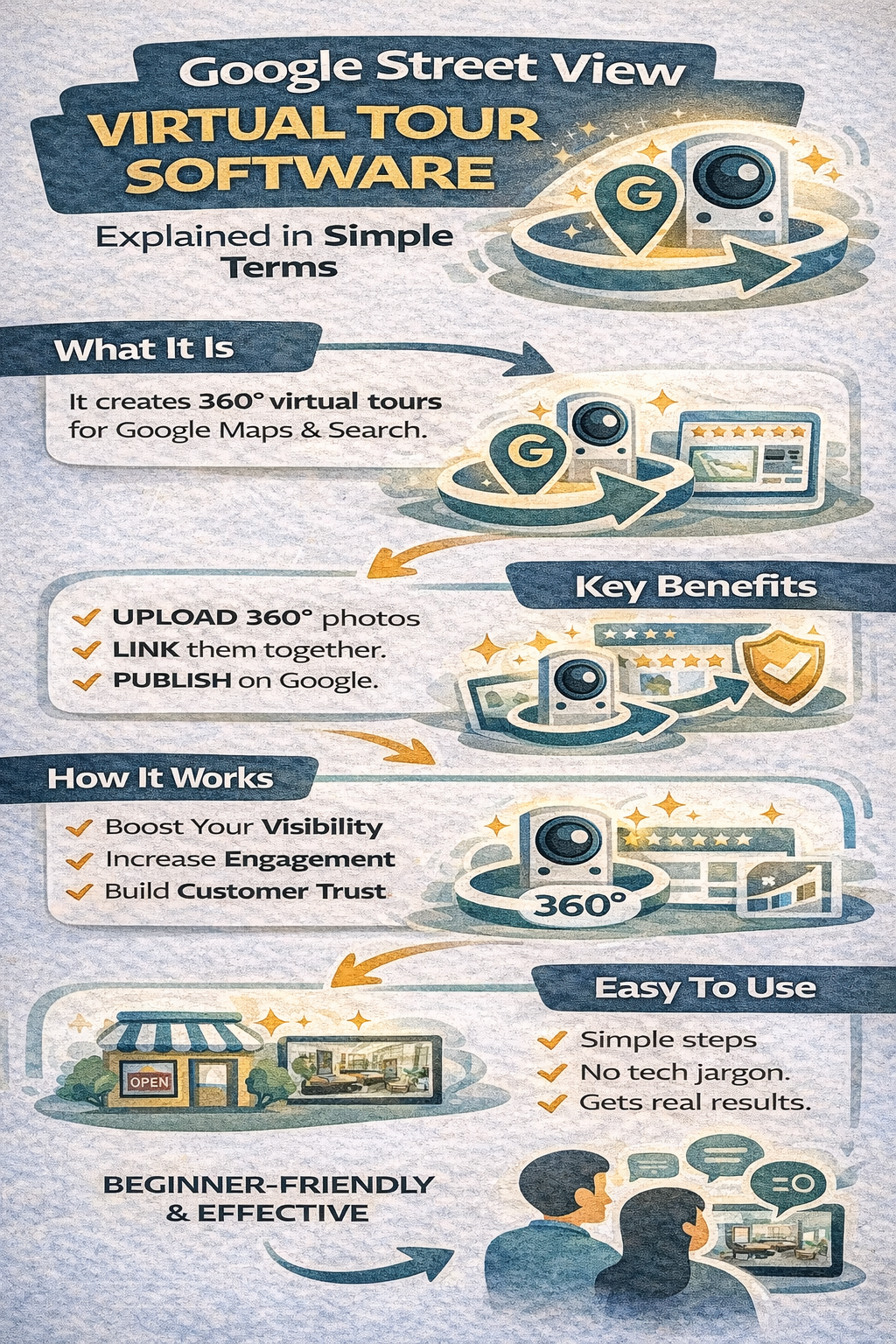
A Google Street View virtual tour is a linked set of panoramic (360°) photos that allows a viewer to explore a location virtually.
A tour can include:
Visitors can:
This tour appears inside Google products, including:
When customers look for a business, they’re trying to answer:
Photos can help, but a tour helps more because it feels like proof.
That’s why virtual tours for businesses work so well:
they increase confidence before a customer calls or visits.
Here’s the simplest breakdown of what the software does:
You capture multiple panoramic images inside your business.
The software creates navigation between scenes (like a path through your building).
This anchors your tour to the correct business location.
This makes the tour visible through Google’s Street View system.
That’s it.
No coding. No complicated tech.
This is the core of virtual tour software explained in real-world terms.
This is a big point that confuses people:
A single panoramic image you can rotate.
Multiple connected 360° photos you can move through.
So, a business can upload a 360 photo to their listing…
…but that does not automatically create a full Google Street View tour.
A tour requires the linking/navigation process, which is what Google Street View virtual tour software handles.
You don’t need expensive gear to understand the process, but here are the typical requirements:
Popular types include:
A good tour includes enough locations for a real walkthrough.
To connect and publish the tour properly.
This is why people search for a Google Street View software guide—because the publishing process matters as much as the photos.
Once published correctly, the tour can show up on:
A customer searching your business can access your tour directly.
Users exploring your business on Maps can view the interior tour like they view Street View roads.
When people search for businesses in your category, your listing may show tour media.
This is huge because it means your tour lives exactly where customers make decisions.
Photos are great, but they’re selective.
A tour feels transparent.
A tour communicates:
✅ “Here’s what it actually looks like.”
✅ “You can explore freely.”
✅ “We’ve got nothing to hide.”
That’s why virtual tours for businesses are such powerful credibility tools.
They often increase:
Engagement is what turns “views” into customers.
In local marketing, engagement often includes:
A tour increases engagement because it invites interaction.
People don’t just look—they explore.
And when customers explore, they’re more likely to:
✅ visit
✅ call
✅ book
That’s why tours often lead to higher conversion rates than photo-only listings.
In general, tours perform best when the physical experience matters.
Top industries include:
For these businesses, customers care about atmosphere, comfort, and professionalism.
That’s where tours shine.
Not every tour helps.
A high-quality tour should feel welcoming and easy.
A good tour builds trust.
A messy tour can reduce trust.
Reality: It’s mainly upload + connect + publish.
Reality: Tours help small businesses stand out even more.
Reality: Photos help. Tours convert.
Reality: It becomes an evergreen marketing asset inside Google.
A Street View tour shouldn’t just sit quietly on your listing.
It’s a marketing asset you can reuse.
This strategy turns your tour into real business growth.
Social posts disappear quickly.
Ads stop the moment you stop paying.
But a Google Street View tour stays attached to your listing.
That means:
✅ It keeps helping customers
✅ It keeps building trust
✅ It keeps improving engagement
✅ It keeps working without constant upkeep
That’s why more business owners look for a simple guide to virtual tour software—because once you understand it, it’s one of the smartest marketing moves you can make.
Here’s the simple version:
If you’ve been confused about virtual tours, don’t overthink it.
A Street View tour is simply:
📸 a set of 360 photos
➡️ connected together
🗺️ published on Google
🤝 to build trust and drive customers
That’s it.
And for local businesses, it’s one of the fastest ways to look more professional, stand out online, and convert more searches into real customers.


Compact, ready to go anywhere
Interchangeable lens that’s upgradeable
Dual 1-inch sensors for improved clarity and low light performance
Dynamic range and 6K 360° capture
360° photo resolution at 21MP

8K 360° video recording for ultra-detailed visuals.
4K single-lens mode for traditional wide-angle shots.
Invisible selfie stick effect for drone-like perspectives.
2.5-inch touchscreen with Gorilla Glass protection.
Waterproof up to 33ft for underwater shooting.

360° photo resolution in 23MP
Slim design at 24 mm thick
Built-in image stabilization for smooth video capture.
Internal 19GB storage for photo and video storage.
Wireless connectivity for remote control and sharing.

60MP 360° still images for high-resolution photography.
5.7K 360° video recording at 30fps.
2.25-inch touchscreen for intuitive control.
USB Type-C port for fast charging and data transfer.
MicroSD card slot for expandable storage.
.png)

.png)

Try it free. No credit card required. Instant set-up.







.svg)


.svg)