


.png)


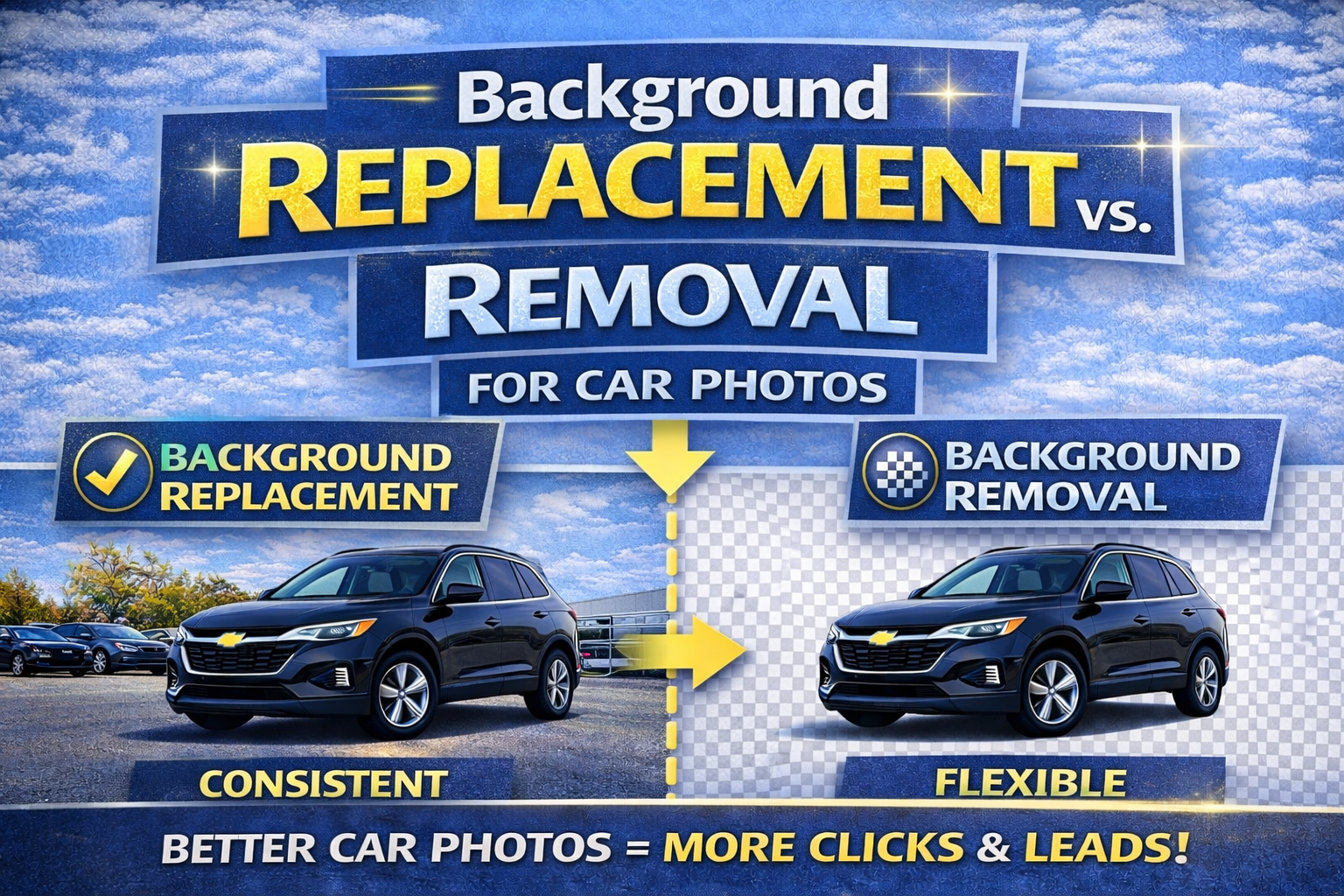
A complete evergreen guide for dealerships and automotive sellers who want cleaner, more consistent listing photos.
When shoppers browse online vehicle listings, they don’t read first.
They look first. 👀
And one of the biggest factors that determines whether someone clicks or scrolls is simple:
📸 The background.
A messy lot, distracting clutter, harsh shadows, random parked cars, or poles coming out of a roof can make even a great vehicle look low quality.
That’s why dealerships, wholesalers, and automotive marketers are rapidly adopting tools to:
But here’s the question many dealers ask:
Should we remove the background completely… or replace it with a new one?
This guide breaks down the difference between background removal vs background replacement, which option is better depending on your needs, and how to get consistent high-converting inventory photos without wasting time or money. 🚀
In vehicle listings, the product is the vehicle.
Not the lot.
Not the fence.
Not the sky.
Not the light poles.
Not the messy dealership row.
When the background is distracting, the buyer loses focus.
Even worse, the buyer subconsciously assumes:
But when the background is clean and consistent, buyers feel:
This is why dealers invest in editing tools that remove distractions and present vehicles in a premium way.

Background removal means isolating the vehicle and removing everything behind it.
This process essentially cuts out the car and creates a transparent or blank background.
Dealers use it to:
In plain terms:
Background removal = “cut the car out.”
Background removal works best when:
✅ the goal is clean simplicity
✅ you want uniform imagery across inventory
✅ you’ll place the car on a solid color or simple design
A common use case:
Background replacement takes it one step further.
Instead of removing the background and leaving it blank, the software:
✅ isolates the vehicle
✅ removes the original background
✅ inserts a new background
That’s why background replacement for car photos has become the top choice for many dealerships.
It creates a “studio-like” finish even if photos were taken outside on a messy lot.
In plain terms:
Background replacement = “cut the car out and insert a better background.”
Background replacement is ideal when:
✅ you want a premium look
✅ you want consistent branding
✅ you want inventory photos to feel like a catalog
✅ you don’t have a photo booth
Replacement backgrounds can be:
Let’s make it simple:
If your goal is to improve online listings, background replacement usually wins because it creates a complete “ready-to-post” look.
Most dealerships care about:
For that, background replacement for car photos often performs better because:
✅ it creates consistent inventory thumbnails
✅ it looks premium immediately
✅ it hides lot clutter without making cars look “cut out”
✅ it helps all vehicles match visually
Background removal works too, but it may require additional design steps to look finished.
Background removal is perfect for:
If you’re building:
You want transparent cutouts.
Design teams may want the car isolated so they can place it into different creative layouts.
If you want the car used like a product image (like e-commerce), removal can be ideal.
Background replacement is ideal for:
Marketplaces are competitive.
Clean backgrounds win clicks.
Uniform inventory creates trust.
Replacement backgrounds simulate the booth look.
Replacement creates brand consistency across stores.
The biggest win isn’t removal or replacement.
The win is:
📌 consistent inventory presentation.
Buyers judge dealerships by the overall look of inventory.
Consistency communicates:
If you want higher conversion from traffic, consistency is the target.
Here’s why dealers love background replacement:
Clean photos look premium.
Listings get more clicks.
Your inventory page looks like a catalog.
Even cloudy days or messy lots can look studio-like.
Every vehicle follows the same visual style.
Whether you remove car background or replace it, follow these rules:
Don’t crop mirrors, bumpers, or tires.
Leave space around the car so edges don’t get awkward.
Cars should never look like they’re floating.
A subtle shadow under the vehicle increases realism.
Don’t oversaturate.
Don’t sharpen too hard.
Don’t make paint look artificial.
Consistency matters more than variety.
Buyers notice when color looks “off.”
Here are the most common issues when dealerships change car photo background:
Fix: use better AI processing + higher quality source images
Fix: enable realistic shadow rendering
Fix: stick to natural enhancements
Fix: choose one brand style and enforce it
Fix: integrate editing into the lot-to-listing pipeline
Here’s a simple decision guide:
✅ you need transparent cutouts
✅ you run lots of custom ad designs
✅ you want flexible creative use
✅ your goal is better listings
✅ you want inventory consistency
✅ you want higher click-through rates
✅ you want to look like you have a photo booth
Most dealerships use both:
That’s the best of both worlds.
Background editing isn’t cosmetic.
It impacts:
📈 clicks
📞 calls
📝 leads
📆 appointments
Because buyers trust better-presented listings.
If two dealers have similar inventory and pricing, the better presentation wins attention.
In online car sales:
👉 attention is everything.
So what’s the best approach?
If you want:
Then background replacement for car photos is the clear winner for merchandising.
If you want:
Then background removal is perfect.
Either way, being able to quickly:
✅ remove car background
✅ change car photo background
✅ standardize inventory imagery
…is a massive competitive advantage.
And it’s evergreen—because great listing presentation will always sell more cars. 🏁✨


Compact, ready to go anywhere
Interchangeable lens that’s upgradeable
Dual 1-inch sensors for improved clarity and low light performance
Dynamic range and 6K 360° capture
360° photo resolution at 21MP

8K 360° video recording for ultra-detailed visuals.
4K single-lens mode for traditional wide-angle shots.
Invisible selfie stick effect for drone-like perspectives.
2.5-inch touchscreen with Gorilla Glass protection.
Waterproof up to 33ft for underwater shooting.

360° photo resolution in 23MP
Slim design at 24 mm thick
Built-in image stabilization for smooth video capture.
Internal 19GB storage for photo and video storage.
Wireless connectivity for remote control and sharing.

60MP 360° still images for high-resolution photography.
5.7K 360° video recording at 30fps.
2.25-inch touchscreen for intuitive control.
USB Type-C port for fast charging and data transfer.
MicroSD card slot for expandable storage.
.png)

.png)

Try it free. No credit card required. Instant set-up.







.svg)


.svg)